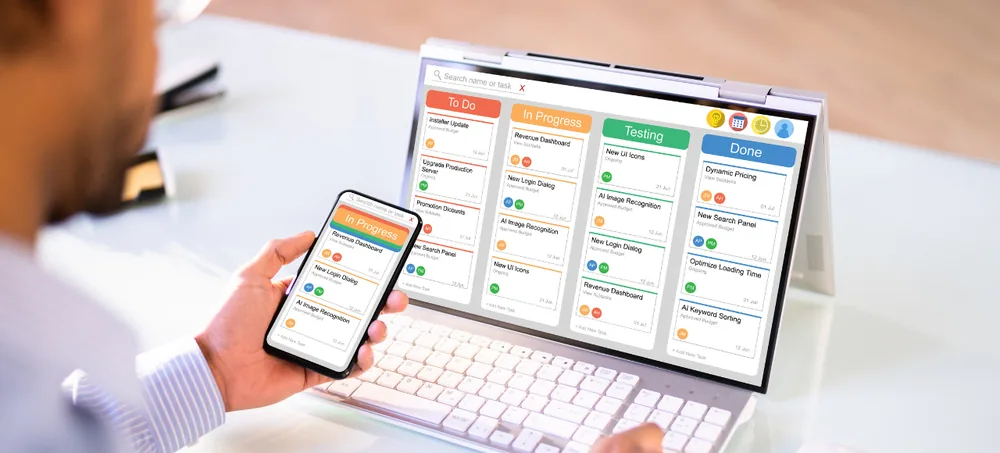
Scale smarter with a complete AI-driven ERP solution built for manufacturing, distribution, and e-commerce businesses etc...

Best ERP Application India | Cloud ERP Application | ERPLax
Cloud ERP Application for Indian Businesses

Best ERP Application India: Five Applications, One Set of Records

Best ERP Application India - ERPLax Cloud ERP Application

Sales, purchase, inventory, finance and reporting each behave like their own application — their own screens, their own users, their own daily rhythm. The difference in an ERP is what sits underneath: one shared data layer, so a stock figure updated in one is the same figure the others read. ERPLax is a cloud ERP platform built that way, for businesses comparing ERP solutions India providers offer — whether you are searching for the best ERP software India vendors list, ERP application software India options, an enterprise resource planning application India-wide, or an ERP platform India teams can grow into. Built in Karnataka, delivered nationally.

  • Sales
  • Purchase
  • Inventory
  • Finance
  • Reporting
19+ Years of Experience 1500+ Clients 1700+ Projects

Talk to EchoPx Technologies

Tell us which applications you need first and we will scope from there.

Verified Experts ERP consultants & business analysts
Free Consultation No Obligation 24hr Response
0YearsExperience delivering technology solutions for businesses.
0ClientsOrganizations supported through technology solutions.
0ProjectsProjects delivered across different business requirements.
Definition

What is an ERP application?

A business management platform connecting several operational functions into one integrated system. The word that matters is integrated — plenty of businesses already run five applications; what they lack is the shared layer beneath them.

What an ERP application manages

Instead of separate applications per department, one platform covers the functions a growing business runs every day.

  • Sales activities
  • Purchase processes
  • Inventory operations
  • Finance workflows
  • Reporting
  • Approvals

A cloud ERP application automates those processes and improves operational visibility.

Managing multiple departments

Sales handles customer requirements, purchase coordinates suppliers, inventory manages stock, finance tracks transactions. Without an integrated application, each of those runs on its own island.

An ERP platform connects the activities through integrated business processes.

Reducing manual processes

Manual workflows create delays and add administrative effort that recurs every week without ever getting easier.

  • Spreadsheet tracking
  • Manual approval communication
  • Repeated data entry
  • Separate reporting

A business ERP application automates repetitive activity through configurable workflows.

Visibility and growth

Leaders need accurate information to understand operations, and expansion makes operational requirements more complex faster than manual methods adapt.

A scalable ERP application gives increasing business processes a structured foundation.

The ERPLax Application

Applications on top, one data layer underneath

Each team gets an application shaped for its work. What makes it an ERP rather than five purchases is the layer beneath: when purchasing receives goods, the sales team sees the stock, and finance sees the liability, without anyone moving a file.

Six things ERPLax supports

A cloud ERP application for businesses improving process management and operational efficiency, configured so the application aligns with your operational needs rather than the other way round. Business process automation runs through configurable ERP workflows across every module.

  • Sales process management
  • Purchase workflow management
  • Inventory operations
  • Finance processes
  • Business reporting
  • Approval workflows
Five applications, one shared data layer Separate screens for each team, the same records underneath Sales Purchase Inventory Finance Reporting ONE SHARED DATA LAYER Every application reads and writes the same records Ask any vendor to show you this layer, not just the screens above it
Cloud ERP Application India

How the application is delivered

A SaaS ERP solution configured according to business requirements, so organisations align the application with their operational needs from the first phase onward.

Cloud-only SaaS

Delivered on a subscription with hosting, updates, security and backups included. There is no on-premise or self-hosted deployment option.

Start with what you need

Applications go live in the order your operations demand, rather than everything at once on a single date.

Customization within the platform

Configuration and development inside the SaaS environment, covering workflows, approvals, roles and reports rather than code ownership.

Room to add later

Further applications, users and approval layers are added as configuration as operational requirements increase.

The Applications

ERPLax ERP application features

Five applications, each shaped for the team that uses it. Which go live first is a scoping decision made during requirement analysis.

Sales Management Application

Sales teams need organised processes for customers, quotations, orders and approvals, with each stage visible to the people downstream.

  • Customer information
  • Enquiry tracking
  • Quotation management
  • Order processing
  • Sales reporting

Better coordination between sales and other business functions.

Purchase Management Application

Procurement spans identifying requirements through to receiving materials, and most of the delay sits in the approvals between.

  • Purchase requests
  • Approval processes
  • Purchase orders
  • Supplier coordination
  • Purchase tracking

Improved purchasing visibility and organised procurement processes.

Inventory Management Application

Important for organisations handling products, materials or supplies, and the clearest demonstration of why a shared data layer matters.

  • Stock monitoring
  • Movement tracking
  • Product information
  • Inventory reporting

Better inventory visibility across purchasing, sales and operations.

Finance Management Application

Financial operations need accurate information and structured processes, connected to the transactions that produced each entry.

Integrated finance workflows and better operational coordination.

Reporting and Analytics

Reporting helps organisations understand operational performance. ERP applications connect information from different functions to produce it.

Improved operational visibility through centralized information.

Approval Workflows

Approvals cut across every application. Configured review stages replace manual approval communication with a visible queue.

Control that does not depend on catching someone at their desk.

Workflow Examples

ERP application workflow examples

Illustrative rather than fixed. Notice that each chain crosses between applications — which is the whole reason they need to sit on one data layer.

Sales workflow

Helps businesses maintain consistent sales operations across the team rather than per person.

  1. Customer enquiry
  2. Quotation creation
  3. Approval process
  4. Sales order confirmed
  5. Delivery coordination
  6. Invoice generation

Purchase workflow

ERP applications help businesses manage procurement activity systematically instead of through inbox archaeology.

  1. Purchase requirement
  2. Approval request
  3. Supplier selection
  4. Purchase order
  5. Goods receipt
  6. Invoice processing

Inventory workflow

The inventory chain touches purchasing at one end and sales at the other, so both read the same stock record.

  1. Goods received
  2. Inventory update
  3. Stock availability
  4. Order fulfilment
  5. Inventory reporting
Before You Select

What to consider before selecting an ERP application

Five areas decide fit. The sixth is the question that separates a genuine ERP application from a bundle of separately sold tools.

01

Business workflows

How each core process runs today, including the informal steps that never made it into a document.

02

Required features

What the applications must do in phase one, kept separate from what would be useful eventually.

03

Reporting needs

Which reports management will actually read, how often, and what has to be captured for them to be accurate.

04

Integration requirements

For each external system: what data moves, in which direction, how often and who owns it when something breaks.

05

Future operational requirements

More users is straightforward. More locations, products, suppliers and approval layers is the real test.

06

Ask whether the modules truly share data

Update a stock figure in the inventory application during the demo, then open the sales application. If it is already there, the data layer is real. If a sync runs overnight, it is not.

Benefits

Benefits of using ERP applications

Five changes that follow once the applications sit on shared records rather than beside each other.

Centralized business management

One platform for managing multiple business activities instead of a set of tools each holding part of the picture.

Improved process automation

Automated workflows reduce the repetitive manual tasks that recur identically every week.

Better department collaboration

Teams work with connected information and standardized processes rather than forwarding files between systems.

Enhanced operational visibility

Centralized data lets organisations understand business activity without a consolidation exercise first.

Flexible business configuration

Configuration and development within the SaaS platform, according to documented business requirements.

Nothing to host or maintain

Hosting, updates, security and backups are part of the subscription, so no internal team carries them.

Industries

Industries that use ERP applications India

The applications are the same. Which one a business lives in most is what changes by sector.

Manufacturing Industry

Manufacturers manage production, inventory, purchasing, sales and finance, so connected workflows across departments carry most of the value.

Trading and Distribution

Trading companies need visibility across suppliers, inventory and customer orders, which cloud ERP applications connect through shared records.

Retail Businesses

Retail organisations manage sales transactions, inventory and reporting across counters, stores and regions.

Service Businesses

Service organisations need structured customer management, billing and reporting workflows across delivery teams.

Small and Medium Businesses

Growing businesses need business automation supporting increasing operational requirements, usually starting with two applications rather than five. An enterprise ERP application India-wide is rarely the first phase.

Multi-Location Businesses

Companies across several sites need one operational picture rather than a copy of each application per location.

Why ERPLax

Why choose the ERPLax ERP application?

Judge any ERP application on whether its modules genuinely share one data layer, then on how well the workflows match yours.

01

Cloud-based ERP platform

A cloud-only SaaS ERP platform designed for modern organisations, with no infrastructure to run alongside it.

02

Business-focused workflows

The application aligns ERP processes with actual business operations rather than requiring operations to adapt first.

03

Configurable ERP solution

Organisations configure workflows according to business requirements, including approvals and role permissions.

04

Integrated business processes

Sales, purchase, inventory, finance and reporting connect through one platform and one set of records.

05

Experienced technology partner

EchoPx Technologies brings 19+ years of experience delivering technology solutions for businesses.

06

1500+ clients, 1700+ projects

Delivery experience folded back into how each rollout is scoped, configured and supported.

FAQs

Frequently asked questions

What businesses ask while comparing ERP applications in India.

The best ERP application depends on business requirements, industry needs, workflow complexity and operational goals. Businesses should select a platform that supports automation and integrated processes, judged against their own workflows rather than a feature list.

Businesses use ERP applications to connect departments, automate workflows, improve visibility and manage operations through a centralized platform, so each team is not maintaining its own version of the same information.

Yes. ERPLax is a cloud-only SaaS ERP platform designed for centralized business management. There is no on-premise or self-hosted deployment option, and hosting, updates, security and backups are part of the subscription.

Yes. ERPLax supports customization through configuration and development within the SaaS platform according to business requirements, covering workflows, approvals, roles and reports. Customers do not receive source code ownership.

ERPLax can support manufacturing, trading, distribution, retail, service and growing businesses requiring integrated business processes. The platform stays the same across sectors while the configuration differs.

Organizations should evaluate business workflows, required features, reporting needs, integration requirements and future operational requirements. It is also worth checking whether the modules genuinely share one data layer or simply exchange files.

Choose an ERP application by what sits underneath it

Screens are easy to demonstrate and easy to compare. The shared data layer is what actually determines whether five applications behave like one system — and it is the thing worth testing during a demo. ERPLax provides a cloud ERP application with integrated business processes, configurable workflows and centralized business management. Talk to EchoPx Technologies about which applications you need first.

Serving businesses across India info@erplax.in Cloud subscription · No servers to maintain

Specialized Applications

ERP Solutions Built for Your Industry

Purpose-built & ready to deploy. Hover to explore, click to learn more.

View all modules

Testimonials

What Our Clients Say

Real stories from businesses running their operations on ERPLax.