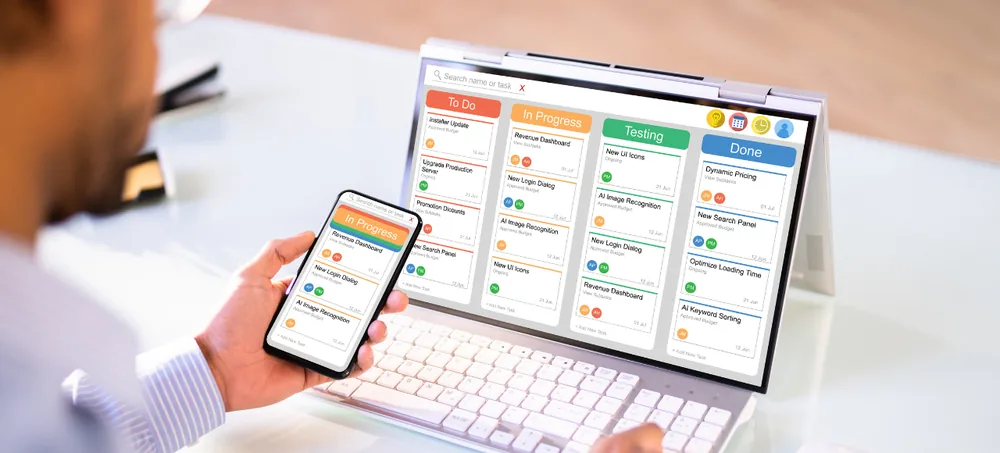
Scale smarter with a complete AI-driven ERP solution built for manufacturing, distribution, and e-commerce businesses etc...

ERP Module India | Cloud ERP Modules and Workflows
Cloud ERP Modules Across India

ERP Module India: The Value Is in the Hand-Off

ERP Module India - ERPLax Cloud ERP Modules

Any vendor can sell you a sales module or an inventory module. What decides whether they are worth having is the moment work crosses from one to the other — the availability check, the goods receipt, the invoice raised against a confirmed order. Separate applications turn each of those into a person's job. ERPLax provides cloud ERP modules on one platform, so the crossings are configured rather than staffed. Useful whether you are comparing ERP software modules India vendors list, mapping ERP system modules India teams already run, or scoping integrated ERP modules India-wide. Built in Karnataka, delivered nationally.

  • Sales
  • Purchase
  • Inventory
  • Finance
  • CRM
  • Warehouse
  • Reporting
19+ Years of Experience 1500+ Clients 1700+ Projects

Talk to EchoPx Technologies

Tell us which modules you need and where work crosses between them today.

Verified Experts ERP consultants & business analysts
Free Consultation No Obligation 24hr Response
0YearsExperience delivering technology solutions for businesses.
0ClientsOrganizations supported through technology solutions.
0ProjectsProjects delivered across different business requirements.
Definition

What are ERP modules?

Functional components within an ERP system, each handling specific operational activities. The sales module manages customer orders, the inventory module tracks product availability, the purchase module manages procurement, the finance module records the transactions. Each supports its own work while sharing information with the others — and it is that sharing, not the modules themselves, that produces integrated business processes.

The common ERP modules

Seven functional areas, used instead of separate software applications for every department.

  • Finance
  • Sales
  • Purchase
  • Inventory
  • CRM
  • Warehouse
  • Reporting

Businesses select and configure ERP business modules India-wide according to operational requirements, rather than buying every set of ERP features at once.

Managing different business functions

Sales needs customer and order information. Purchase manages suppliers and procurement. Inventory tracks stock movement. Finance manages transactions and reporting. Every department has unique requirements, and every one of them needs something from another.

Modules connect those functions through a centralized business management platform.

Improving business process automation

Four habits survive in most organisations, and each one sits at a point where work leaves one function and enters another.

  • Manual approvals
  • Spreadsheet tracking
  • Repeated data entry
  • Separate department reports

ERP modules automate those workflows and create structured processes.

Visibility and growth

Businesses need accurate information across departments, and expansion brings additional processes faster than manual coordination absorbs them.

Configurable ERP modules adapt workflows as requirements change.

Where Modules Meet

One order, three modules, two crossings

Follow a single customer order and you will see it change hands twice: once when sales needs to know whether stock exists, and once when a delivered order becomes an invoice. Those two crossings are the entire argument for buying modules of one system rather than three good applications. Everything else can be bolted together; these are what break.

Five things ERPLax modules support

Cloud ERP modules for businesses seeking integrated operations and automated workflows, managing different business functions through a unified SaaS ERP solution. Enterprise resource planning modules India buyers compare should be judged on how they connect, not how many there are.

  • Business process automation
  • Workflow management
  • Department coordination
  • Reporting requirements
  • Centralized information
Following one order across the modules Grey arrows stay inside a module. Orange arrows cross between them. SALES INVENTORY FINANCE Enquiry Quotation Approval Order Availability Delivery Invoice Two crossings: sales to inventory, inventory to finance Illustrative — your workflows are mapped during requirement analysis
Cloud ERP Modules India

How the modules are delivered

A SaaS ERP solution supporting configuration and development within the environment, so both the modules and the crossings between them match your operations.

Cloud-only SaaS

Delivered on a subscription with hosting, updates, security and backups included. There is no on-premise or self-hosted deployment option.

Take the modules you need

Businesses select and configure functionalities according to operational requirements rather than switching everything on at once.

No integration between them

Modules of one platform share records directly, so adding one later is configuration rather than an interface project.

Customization within the platform

Configuration and development inside the SaaS environment, covering workflows, approvals, roles and reports rather than code ownership.

The Modules

ERP modules offered by ERPLax

Seven functional modules. Each card notes what the module owns and which other module it hands work to.

Sales Management Module

Manages customer-related sales activities from first enquiry to confirmed order.

  • Customer information
  • Enquiry tracking
  • Quotation management
  • Sales orders
  • Sales reporting

Hands off to inventory for availability, and to finance for invoicing.

Purchase Management Module

Manages procurement activities from raised requirement through to supplier order.

  • Purchase requests
  • Approval workflows
  • Purchase orders
  • Supplier coordination
  • Purchase tracking

Hands off to inventory on goods receipt, and to finance on invoice.

Inventory Management Module

Important for businesses handling products and materials, and the module most others depend on.

  • Stock tracking
  • Inventory movement
  • Product information
  • Inventory reports

Receives from purchase, answers sales, and reports movement to finance.

Finance Management Module

Supports financial processes connected with business operations rather than reconstructed from them.

  • Financial workflows
  • Transaction management
  • Reporting requirements
  • Business information

Receives confirmed activity from sales, purchase and inventory.

CRM Module

Manages customer relationships and the sales activity that happens before an order exists.

  • Customer information
  • Lead management
  • Opportunity tracking
  • Customer activities

Hands a qualified opportunity to the sales module as an enquiry.

Warehouse Management Module

Supports inventory-related warehouse activities where goods physically move.

  • Stock movement tracking
  • Warehouse workflows
  • Inventory visibility
  • Reporting

Works alongside inventory, keeping physical and recorded stock aligned.

Reporting and Analytics Module

Helps businesses understand operational activities using what the other modules have already recorded.

  • Business reports
  • Operational insights
  • Data visibility

Reads from every module, which is why it is worth turning on last.

Approvals Across Modules

Approval stages are not a module of their own. They sit inside the others, most often exactly where work crosses between two.

Configured per workflow rather than bought separately.

Module Workflows

ERP module workflows

Three chains, and every one of them is named after the modules it crosses. That naming is not accidental — a workflow inside a single module rarely needs software to manage it.

Sales and inventory

Connects sales activities with inventory and finance processes in one chain.

  1. Customer enquiry
  2. Quotation creation
  3. Sales approval
  4. Sales order confirmation
  5. Availability check
  6. Delivery process
  7. Invoice generation

Purchase and inventory

ERP modules help maintain connected procurement workflows through to the ledger.

  1. Purchase requirement
  2. Approval process
  3. Supplier order
  4. Goods receipt
  5. Inventory update
  6. Invoice processing

Finance integration

The shortest chain and the most revealing: operational activity becoming financial information without a re-entry step.

  1. Business transaction
  2. Module data update
  3. Financial recording
  4. Reporting
Choosing Modules

How to decide which ERP modules you need

Five questions about the modules themselves, and a sixth about the spaces between them.

01

Which functions are actually painful

Start from the department losing the most hours, not from the module list. ERP module implementation India projects usually justify themselves on one or two areas.

02

What each module must handle

Stages, roles and exceptions per process, including the undocumented ones only one person knows.

03

Reporting requirements

Which reports get read, how often, and which modules have to be live for them to be accurate.

04

Integration with outside systems

For anything staying outside the platform: what data moves, in which direction, how often and who owns it when it fails.

05

What comes next

Which modules you expect to add in a year, so the first configuration does not have to be undone to make room.

06

Then ask about the crossings

Name a workflow that spans two modules and ask what happens at the boundary. If the answer involves an export, a sync schedule or a nightly job, you are being sold integration rather than integrated modules.

Benefits

Benefits of ERP modules India

Five changes that follow when modules share records instead of exchanging files.

Centralized business management

Different business functions brought together on one platform rather than several holding parts of the same record.

Improved process efficiency

Automation reduces the repetitive manual activity that clusters around module boundaries.

Better department collaboration

Teams work with connected information instead of asking each other for a current version.

Enhanced visibility

Organisations gain a real understanding of operations, improving as each module comes online.

Flexible business configuration

ERP modules configured according to business requirements, adjusted as operations change.

Nothing to host or maintain

Hosting, updates, security and backups are part of the subscription, so no internal team carries them.

Industries

Industries using ERP modules India

The same seven modules everywhere. What changes is which combination a sector actually runs.

Manufacturing Industry

Manufacturers use ERP modules for production support, inventory management, purchasing, sales and finance, which makes manufacturing ERP modules India work heavy on the purchase-to-inventory crossing.

Trading and Distribution

Trading companies use ERP modules to manage suppliers, customers, inventory and orders, leaning hardest on the inventory ERP module India distributors depend on.

Retail Industry

Retail businesses use ERP modules for sales management, inventory and reporting, where the sales-to-inventory crossing happens continuously rather than per order.

Service Industry

Service organisations use ERP modules for customer management, billing and operations, often running CRM, sales and finance without inventory at all.

Small and Medium Businesses

Growing businesses use ERP modules to create structured processes and improve automation, usually starting with two and adding the rest as they need them.

Multi-Location Operations

Businesses across several sites add a warehouse module crossing to workflows that a single-site operation handles in one step.

Why ERPLax

Why choose ERPLax ERP modules?

Compare any ERP functional modules India vendors offer on what happens at the boundaries, not on how many modules appear in the brochure.

01

Cloud ERP platform

A cloud-only SaaS ERP platform designed for modern business operations, with no infrastructure alongside it.

02

Integrated modules

Different ERP modules work together to support connected business processes, sharing records rather than syncing them.

03

Configurable workflows

Organisations configure workflows according to operational needs, including the stages that cross module boundaries.

04

Business process automation

Automation supported across different business functions rather than inside one module at a time.

05

Experienced technology partner

EchoPx Technologies brings 19+ years of experience delivering technology solutions.

06

1500+ clients, 1700+ projects

Delivery experience folded back into how each module set is scoped and sequenced.

FAQs

Frequently asked questions

What businesses ask while comparing ERP modules in India.

ERP modules are functional components of an ERP system designed to manage specific business activities such as sales, finance, inventory and purchasing. Each supports its own work while sharing information with the others.

Businesses use ERP modules to connect departments, automate workflows, improve visibility and manage operations through one platform, so work passes between teams without being re-entered.

Common ERP modules include finance, sales, purchase, inventory, CRM, warehouse management and reporting modules. Which ones a business needs depends on what it actually does day to day.

Yes. ERPLax ERP modules are provided through a cloud-only SaaS ERP platform. There is no on-premise or self-hosted deployment option, and hosting, updates, security and backups are part of the subscription.

Yes. ERPLax supports configuration and development within the SaaS platform according to business requirements, covering workflows, approvals, roles and reports. Customers do not receive source code ownership.

ERP modules can support manufacturing, trading, distribution, retail, service and growing businesses. The modules stay the same across sectors while the configured workflows between them differ.

Start with two modules and one crossing

The right ERP modules help businesses connect departments, automate workflows and improve operational visibility. You rarely need all seven on day one — you need the two that hurt most and the hand-off between them working properly. ERPLax provides cloud ERP modules with integrated business processes, configurable workflows and centralized management. Tell EchoPx Technologies which two, and we will scope from there.

Serving businesses across India info@erplax.in Cloud subscription · No servers to maintain

Specialized Applications

ERP Solutions Built for Your Industry

Purpose-built & ready to deploy. Hover to explore, click to learn more.

View all modules

Testimonials

What Our Clients Say

Real stories from businesses running their operations on ERPLax.