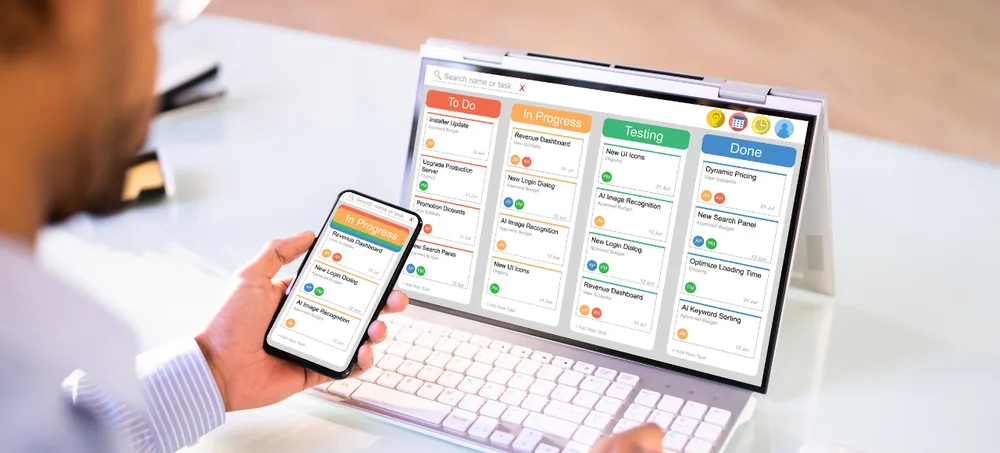
Scale smarter with a complete AI-driven ERP solution built for manufacturing, distribution, and e-commerce businesses etc...

Tops ERP India Alternative | Cloud ERP Software | ERPLax
Cloud ERP Software Across India

Tops ERP India Alternative

Tops ERP India Alternative - ERPLax Cloud ERP

You have arrived here comparing ERP options, so here is how this page works. We are not going to tell you what another company's product does or does not do — we do not have their roadmap, their pricing or their current feature set, and a description of a competitor written by a competitor is worth nothing to you anyway. What we will do is state plainly what ERPLax is, including the parts that may rule us out, and give you the questions worth putting to every vendor on your list. Ask them of us too. Useful whether you are comparing ERP solution provider India options, weighing business management ERP software India shortlists, looking at ERP software for small business India, or scoping ERP software for manufacturing India requirements. Built in Bangalore, Karnataka, delivered nationally.

  • Sales
  • Purchase
  • Inventory
  • Finance
  • HR
  • Reporting
19+ Years of Experience 1500+ Clients 1700+ Projects

Talk to EchoPx Technologies

Bring your shortlist and your requirements — we will answer for our side of it.

Verified Experts ERP consultants & business analysts
Free Consultation No Obligation 24hr Response
0YearsExperience delivering technology solutions for business requirements.
0ClientsOrganizations supported through technology solutions.
0ProjectsProjects completed across different business needs.
The Problem

Business challenges without an integrated ERP system

Four problems that send businesses looking for an ERP in the first place, and two notes on how to read any vendor's answer to them — ours included.

Department data in different systems

Finance, sales, inventory and operations each holding their own version of the same information, with somebody reconciling the differences by hand.

Every integrated ERP system India vendors sell claims to fix this. Ask each one how, specifically.

Manual processes slowing operations

Approvals, requests and routine steps moving at the speed of whoever is available to look at them rather than at the speed the business needs.

Business automation and workflow management sound alike on slides — ask to see an approval configured live instead.

Limited operational visibility

Seeing across departments requires assembling it first, so the picture arrives late and describes a position that has already changed.

Ask which reports are standard and which are build work, in any enterprise resource planning India evaluation.

Difficulty managing growth

Coordination that worked at one site and a small team stops working as departments, volumes and locations multiply.

Ask what changes commercially when users double, and what ERP implementation effort is expected from your own team.

How to read a vendor comparison page

Including this one. Any page where one vendor describes a competitor is written by someone with an interest in the conclusion. Use them to find candidates, never to eliminate them.

Verify every competitor claim at the competitor's own site.

What a vendor can be held to

What their own product does, in writing, in answer to a direct question. That is the only part of any vendor page worth weighing — so the section below is ours, stated that way.

Get every answer in writing, from everyone on the list.

The Only Honest Comparison

Our column is filled in. Theirs is yours to complete.

These five questions decide more about whether an ERP suits you than any feature list does, because each one is structural and hard to change later. Our answers are below and four of the five are a plain no — which for some businesses is disqualifying, and it is better that you find that out here than in month three. Put the identical five to every other vendor you are considering and write down what they say. A comparison built from both sides answering the same questions is worth something. One built from our description of them is not.

Six things ERPLax covers

A cloud ERP platform helping businesses manage operations through integrated modules, configurable workflows and centralized business management. Delivered as a SaaS ERP solution India businesses subscribe to rather than install — one candidate among the best ERP software India shortlists, not a verdict on them.

  • Sales management
  • Purchase management
  • Inventory management
  • Finance management
  • HR management
  • Reporting and business insights
Five questions, both sides answering Structural answers that are expensive to change later THE QUESTION ERPLAX SAYS THEY SAY Cloud-only, or is on-premise available? cloud only ask them Is a perpetual licence available? no ask them Do we receive the source code? no ask them Who does the configuration work? we do ask them Is there a free tier? no ask them Four of our five answers are no. Fill in their column before deciding. Our answers are accurate at time of writing — confirm them with us too
Cloud ERP Software India

What ERPLax is, stated plainly

Customization means configuration and development within the ERPLax SaaS platform according to business requirements. The four cards below are the ones most likely to rule us in or out, so they are worth reading before any demo.

Cloud-only, no exceptions

There is no on-premise or self-hosted option and no perpetual licence. If your policy or your connectivity requires software on your own servers, ERPLax is not a candidate and no amount of discussion changes that.

Subscription, no free tier

Pricing depends on users, modules, configuration, integrations and implementation scope. There is no free version to trial your way into, so budget for the platform and the implementation separately.

Configuration, not code ownership

Customization happens inside the SaaS platform. You do not receive the source code, which matters if independence from any single vendor is a requirement for you.

What we would not claim

That we are the best ERP in India, or that any competitor is worse. Both are unfalsifiable and neither helps you. What we will say is what the platform does, in writing, to any question you put to us.

Features

ERPLax ERP features

Six modules. Check each against whatever you are comparing us with, feature by feature, from their own documentation.

Sales Management

Customer information, sales orders and the reporting that follows, connected to the inventory the order depends on.

  • Customer information
  • Sales orders
  • Order processing
  • Sales reporting

Connected to: inventory and finance.

Purchase Management

Purchase requirements, approvals, vendor activity and orders, triggered by what inventory and production say is short.

  • Purchase requirements
  • Approval workflows
  • Vendor management
  • Purchase orders

Connected to: inventory and finance.

Inventory Management

Stock tracking, movement and warehouse activity on one product record shared with sales and purchasing.

  • Stock tracking
  • Stock movement
  • Warehouse activity
  • Inventory reporting

Connected to: sales, purchase and finance.

Finance Management

Transactions, accounting activity and reporting produced from the operational events that caused them.

Statutory scope such as GST is a requirement to raise explicitly.

HR Management

Employee information, HR activities and process records, running as its own sequence rather than inside the order chain.

Statutory payroll handling is a separate requirement to scope.

Reporting And Business Insights

Reporting across the modules above, which only works because they share records rather than each keeping a copy.

Ask which reports are standard and which are build work.

Workflow Examples

ERP workflow examples

Three workflows, plus one instruction. The fourth is the one that tells you whether the first three are real.

Sales order

Order to reporting, with the availability check before the commitment rather than after it.

  1. Customer order
  2. Availability checked
  3. Order confirmed
  4. Dispatch
  5. Invoice
  6. Reporting

Purchase

Requirement to inventory update, the chain that crosses the most departments.

  1. Purchase requirement
  2. Approval
  3. Vendor order
  4. Goods receipt
  5. Inventory update

Inventory

Movement recorded where it happens, so every function downstream reads the same figure.

  1. Stock received
  2. Stock recorded
  3. Movement tracked
  4. Availability updated
  5. Reporting

Ask to see these live

Any vendor can draw a workflow on a slide. Ask to watch one configured and run in the product during the demo, with your own step names.

  1. Pick your own process
  2. Watch it configured
  3. Run it end to end
  4. Count the clicks
Before You Select

What to consider before selecting ERP software

Five things to establish about every candidate, plus the one that ends most shortlists early.

01

Deployment model

Cloud-only, on-premise, or both. This is usually the fastest way to cut a shortlist in half, and it is a policy question as much as a technical one.

02

Licensing structure

Subscription or perpetual licence, and what happens commercially as users, modules and volumes grow. Ask for the shape of the curve, not just the entry price.

03

Who does the configuration

The vendor, a partner, or your own team. Each has different costs and different dependencies, and the answer determines who you call when something needs changing in year two.

04

Data exit

What you can export, in what format, and how quickly, if you decide to leave. Ask this while they are still selling to you, because the answer is harder to obtain afterwards.

05

Implementation effort from your side

How many hours a week the vendor needs from your people, and for how long. A vendor who says very little is required is either selling something simpler than an ERP or has not thought it through.

06

Then ask each vendor where they are weak

Put it directly: what does your product do badly, and who should not buy it. Every honest vendor has an answer, because every platform has a shape and shapes exclude things. A vendor who cannot name a single limitation is either not listening to their own customers or is not telling you what they hear. Ask us, and we will answer — several of those answers are already on this page.

Benefits

Benefits of choosing ERPLax ERP software

Six outcomes, each conditional on the implementation being done properly rather than on the software alone.

Improved business coordination

Departments handing work to each other through the record rather than by email.

Better process control

The same activity running the same way regardless of who is doing it.

Centralized information

One customer, product and supplier record read by every function that needs it.

Reduced manual work

Re-entry between systems disappearing where the systems become one.

Scalable business management

Processes that hold their shape as departments and volumes increase.

Better decision support

Reporting drawn from current records rather than assembled after the fact.

Industries

Industries that can use the ERPLax ERP platform

Six kinds of business, each leaning on a different part of the platform.

Manufacturing

Production, inventory and procurement tightly coupled, so connecting them removes the most handovers.

Trading and Distribution

Purchase, sales and inventory in a tight loop with no production step, usually the quickest fit.

Retail

Sales and inventory at high transaction volume, with finance close behind.

Food and FMCG

Production and inventory. Traceability and shelf-life handling are specific requirements to raise explicitly.

Construction

Purchase and finance against projects, with materials spread across sites.

Service Businesses

Sales and finance mainly, with little inventory and no production chain.

Why ERPLax

Why choose ERPLax instead of a traditional ERP system?

The case is narrow and worth stating narrowly. If you want a cloud subscription with configuration handled by the team that builds the product, and you have no requirement for on-premise deployment or code ownership, this fits. If any of those three is a hard requirement for you, a different platform will serve you better and we would rather say so on this page than in your third meeting.

01

Cloud ERP platform

A cloud-only SaaS ERP platform designed for modern business operations, with no infrastructure to run alongside it.

02

Integrated business processes

Inventory workflows connect with sales, purchasing, finance and reporting activities in one environment.

03

Configurable workflows

Businesses configure ERP workflows according to their requirements, as configuration within the SaaS platform rather than code you own.

04

Business process automation

Automation opportunities identified across operational workflows rather than only inside the stock records.

05

Experienced technology partner

EchoPx Technologies brings 19+ years of experience delivering technology solutions.

06

1500+ clients, 1700+ projects

Delivery experience folded back into how each rollout is scoped, configured and supported.

FAQs

Frequently asked questions

Common questions from businesses comparing ERP options in India.

It is a term businesses use when researching ERP options in India. We are not going to characterise another company's product on our own website - for accurate information about their features, deployment model and pricing, ask them directly, because they are the only reliable source for it.

Because a comparison written by one vendor about a competitor is not a comparison, it is marketing. We can tell you what ERPLax does and does not do, on the record. What the alternative does is for them to state. Set the same questions to both and compare the answers rather than the adjectives.

It depends on business size, industry requirements, operational processes and the features you actually need. Evaluate on workflow capability, configuration options, scalability and implementation support against your own requirements rather than on anyone's shortlist.

Yes. ERPLax is a cloud-only SaaS ERP platform on a paid subscription. There is no on-premise or self-hosted deployment option, no perpetual licence and no free tier.

ERPLax supports configuration and development within the SaaS platform according to business requirements, covering workflows, approval rules, roles and reports. Customers do not receive source code ownership.

It can be, though the value depends on how much duplicate handling exists between departments today rather than on headcount. A business running one system with no reconciliation problem gains little.

Manufacturing couples production, inventory and procurement tightly, so connecting them removes the most handovers. How much production depth you need is a scoping question worth settling early.

Deployment model, licensing structure, who configures it, what happens to your data if you leave, and the implementation effort required from your own team. Get every answer in writing, from every vendor including this one.

Send us the same five questions

The useful comparison is both vendors answering the same questions, not one vendor describing the other. Put the five structural questions to every vendor on your shortlist, including us, and ask each one to answer in writing. Then add a sixth: what would make you tell me not to buy this. Compare the six sets of answers rather than six marketing pages, and you will have done more real evaluation in an afternoon than most shortlists manage in a month. ERPLax is a cloud-only SaaS ERP platform covering sales, purchase, inventory, finance, HR and reporting through configurable workflows. Tell EchoPx Technologies how your stock is tracked today and we will be straight about what the ERP workflows cover.

Serving businesses across India info@erplax.in Cloud subscription · No servers to maintain

Specialized Applications

ERP Solutions Built for Your Industry

Purpose-built & ready to deploy. Hover to explore, click to learn more.

View all modules

Testimonials

What Our Clients Say

Real stories from businesses running their operations on ERPLax.