
Accounting Software India
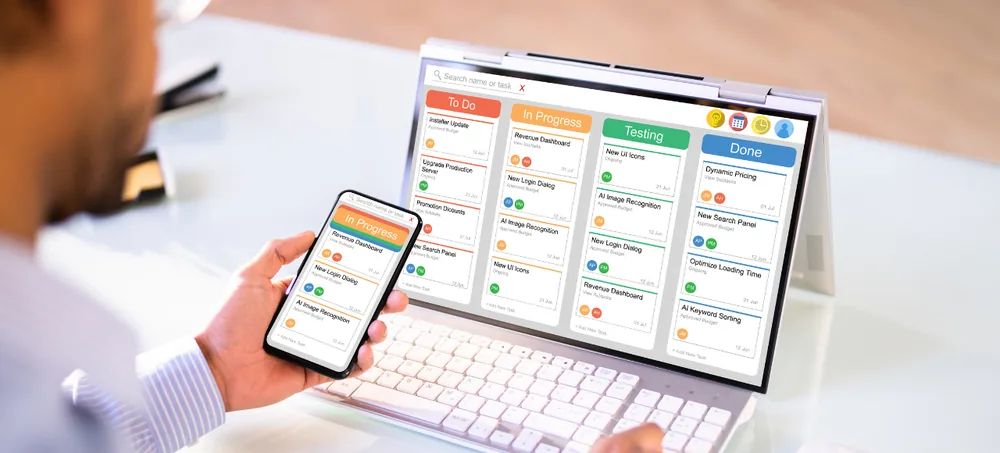
Manage sales invoices, purchase transactions, expenses, receipts, payments, bank transactions, customer outstanding, supplier outstanding, tax-related workflows, financial reports, and business dashboards through one customizable accounting environment. ERPLax provides Accounting Software India for small, medium, and growing businesses that want better visibility over financial transactions while connecting accounting with wider business operations — instead of maintaining invoices in one application, stock in another, and expenses in spreadsheets, ERPLax connects accounting with sales, purchase, inventory, CRM, and wider ERP workflows.
Request Custom ERP Quote
Schedule a free consultation with our accounting team.
Accounting Software India for Growing Businesses
Financial information becomes harder to manage as transaction volumes increase — a small business may initially maintain sales invoices, purchase records, and expenses across separate spreadsheets and applications, which becomes difficult to reconcile as the business grows. Accounting Software India helps organize these transactions through a more structured, connected system.
Duplicate Data Entry
The same transaction entered in more than one system wastes time and invites errors.
Invoice Errors
Manually created invoices are prone to pricing and tax mistakes.
Delayed Payment Follow-Up
Without tracked due dates, overdue payments go unnoticed.
Incorrect Customer Outstanding
Disconnected records make it hard to know what customers actually owe.
Incorrect Supplier Outstanding
The same problem in reverse makes supplier payments harder to plan.
Difficulty Reconciling Sales With Stock
Disconnected billing and inventory make stock discrepancies hard to trace.
Limited Cash-Flow Visibility
Without a connected view, it's hard to know the current cash position.
Manual Financial Reporting
Manually compiled reports delay timely financial decisions.
What Is Accounting Software?
Accounting software is a business system used to record, organize, and report financial transactions — a business accounting system can support sales invoices, purchase invoices, expenses, receipts, payments, customer and supplier balances, bank transactions, tax-related records, and financial statements, becoming more useful for a growing business when connected with operational transactions like sales orders, goods receipt, and supplier invoices.
Sales & Purchase Invoices
Customer and supplier invoicing recorded with consistent transaction data.
Receipts & Payments
Money received and paid tracked against the relevant invoice.
Customer & Supplier Balances
Outstanding amounts kept current on both sides of the ledger.
Bank & Cash Transactions
Financial movements tracked through defined cash and bank accounts.
Tax-Related Records
GST and other tax information maintained alongside transactions.
Financial Statements
Trial balance, profit and loss, and balance sheet built from transaction data.
Business Reports
Sales, purchase, and outstanding information consolidated into dashboards.
Key Features of ERPLax Accounting Software India
ERPLax offers Accounting as part of a broader ERP platform, connecting financial transactions with sales, purchase, and inventory workflows.
Sales Invoice Management
Manage customer invoicing with product, tax, terms, and outstanding tracked together.
Purchase Invoice Management
Manage supplier invoices connected with procurement and inventory workflows.
Customer Receipts
Record payments received from customers against the relevant invoice.
Supplier Payments
Record payments made to suppliers with bank account and reference details.
Accounts Receivable Management
Track customer-wise and invoice-wise outstanding, due dates, and ageing.
Accounts Payable Management
Track supplier-wise outstanding, due payments, and payable ageing.
Expense Management
Record business expenses by category, branch, and department.
Cash Management
Track cash receipts, payments, petty cash, and balances.
Bank Transaction Management
Maintain deposits, withdrawals, transfers, and bank transaction reports.
Bank Reconciliation
Compare recorded transactions with bank statements to catch mismatches.
Credit and Debit Note Management
Handle sales returns, price corrections, and supplier adjustments.
GST Billing and Tax Workflows
GST invoices, HSN/SAC details, tax calculation, and tax reports.
Ledger Management
Structured account ledgers for customers, suppliers, cash, and banks.
Chart of Accounts
Configure account groups for assets, liabilities, income, and expenses.
Journal Entries
Record manual or system-generated accounting adjustments.
Trial Balance & Financial Statements
Summarized account balances supporting financial review.
Profit and Loss & Balance Sheet
Review income, costs, profitability, assets, and liabilities.
Cash Flow Reporting
Understand the movement of money through business operations.
Multi-Branch Accounting
Branch-wise sales, purchases, and expenses with consolidated reporting.
User Roles and Approval Workflows
Control financial data access and route transactions for approval.
Why Businesses Need Accounting Software in India
What accounting software solves as invoices, expenses, and outstanding balances become difficult to track manually.
Centralize Financial Transactions
Keep invoices, expenses, receipts, and payments in one structured environment.
Improve Invoice Management
Create and maintain customer invoices with consistent transaction data.
Improve Purchase Accounting
Connect supplier transactions with purchase workflows.
Track Receivables
Understand how much customers owe the business.
Track Payables
Monitor supplier balances and pending payments.
Improve Cash and Bank Visibility
Record financial movements through cash and bank accounts.
Reduce Manual Errors
Connected workflows reduce repeated entry across billing, sales, and inventory.
Improve Reporting
Generate financial and operational reports from structured system data.
Connect Finance With Inventory
Stock transactions stay connected with wider business workflows.
Support Growth
Expand with more users, branches, reports, inventory, CRM, and automation.
Accounting Software for Different Industries
ERPLax accounting can be configured across trading, distribution, retail, manufacturing, and service business models.
Accounting Automation
Routine accounting administration can consume significant time — ERPLax's wider platform includes Workflow Automation alongside Accounting, Inventory, Purchase, and CRM.
Accounting Workflow
A structured Accounting Software India implementation can manage the complete financial cycle — the ten stages ERPLax connects for you, from account setup to wider ERP integration.
Configure Business Accounts
Set up customer, supplier, cash, and bank accounts along with tax settings.
Record Sales
Create sales invoices and related customer transactions.
Record Purchases
Enter supplier invoices and purchase transactions.
Record Receipts
Capture customer payments.
Record Payments
Capture supplier payments and business expenses.
Track Outstanding
Review receivables and payables.
Reconcile Accounts
Compare relevant bank and financial records.
Review Tax-Related Reports
Review GST and tax-related transaction reports as configured.
Generate Financial Reports
Review sales, purchase, expenses, outstanding, and profit and loss.
Connect Wider ERP Modules
Integrate inventory, CRM, purchase, or manufacturing as required.
Online and Cloud Accounting Software India
Accounting software accessible through an internet-connected environment can be useful for businesses with remote teams or multiple locations.
Online Accounting
Authorized users access accounting data through an internet-connected environment from any office.
Cloud Accounting
Centralized financial data, remote access, and multi-location usage through ERPLax's cloud ERP.
Accounting and ERP Integration
Standalone accounting software can manage financial transactions — a connected ERP environment goes further by linking financial records with operational processes.
Sales Order
A confirmed customer order enters the system.
Inventory
Stock is allocated and updated against the order.
Invoice
A sales invoice is generated with tax and payment terms.
Receipt
Customer payment is recorded against the invoice.
Purchase Order
Materials or goods are ordered from a supplier.
Goods Receipt
Incoming stock is recorded against the purchase order.
Supplier Invoice & Payment
The supplier invoice is booked and paid.
Reports
Customer and supplier outstanding feed into financial reports.
Accounting Software Integrations
ERPLax can support requirement-specific integrations based on business and technical needs.
Why Choose ERPLax Accounting Software India?
ERPLax focuses on accounting connected with your wider business operations rather than a standalone bookkeeping tool.
Accounting Connected With ERP
Accounting sits within a wider platform of Sales & CRM, Inventory, HRM, Purchase, and POS.
Custom Business Workflow
Configure invoices, approvals, reports, and operational requirements around your business.
Sales and Purchase Integration
Connect financial records with customer and supplier transactions.
Inventory Integration
Stock and financial workflows stay connected through Sales, Purchase, and Accounts.
GST-Related Workflows
GST invoices, credit notes, debit notes, and tax reporting per business requirements.
Receivable and Payable Tracking
Maintain customer and supplier outstanding in a structured system.
Financial Statements and Dashboards
Financial statements, tax reports, and business dashboards in one place.
Cloud and Multi-Location Support
Centralized, multi-location access through ERPLax's cloud ERP.
API Integrations
Connect compatible payment, banking, ecommerce, and tax applications.
Modular and Scalable
Begin with accounting and billing, then add sales, purchase, or inventory as you grow.
Benefits of Business Accounting Software India
What Accounting Software India delivers for growing businesses.
Better Financial Visibility
Maintain important accounting information in one connected system.
Faster Invoice Processing
Create and track sales and purchase invoices more systematically.
Better Receivable Control
Monitor customer outstanding and overdue invoices.
Better Payable Control
Track supplier balances and payment obligations.
Better Expense Management
Record and classify business expenses consistently.
Better Bank and Cash Visibility
Track business financial movements through defined accounts.
Reduced Duplicate Data
Connected accounting and ERP workflows reduce repeated entry.
Better GST-Related Reporting
Maintain tax-related invoice and transaction data in structured workflows.
Better Financial Reports
Generate business and accounting reports from centralized transaction data.
Better Operational Integration
Connect accounting with sales, purchase, inventory, and CRM.
Custom Business Workflow
Configure accounting around your approval, reporting, and transaction requirements.
Scalable for Growth
Add modules, users, branches, and reports as the business expands.
Get Custom Accounting Software for Your Business in India
The right accounting system should connect the complete financial cycle — invoicing, receipts, payments, outstanding, reconciliation, and reports. Bring your sales, purchase, and financial reporting into one centralized platform.
Frequently Asked Questions
Accounting Software India refers to software used by Indian businesses to manage invoices, purchases, expenses, receipts, payments, outstanding balances, bank transactions, tax-related workflows, and financial reports.
Accounting Software in India can be used for sales and purchase invoices, receivables, payables, expenses, cash, bank transactions, GST-related workflows, and financial reporting.
Yes, Accounting is one of ERPLax's wider ERP modules, alongside Sales & CRM, Inventory, HRM, Purchase, POS, Projects, Reports, Ecommerce, and Workflow Automation.
Yes, ERPLax Inventory Management integrates with Sales, Purchase, and Accounts modules so stock transactions remain connected with wider business workflows.
Yes, ERPLax supports GST invoices, tax invoices, credit notes, debit notes, sales reports, purchase reports, and tax-related reporting according to business requirements.
Yes, accounting software can maintain receivables, invoice balances, due dates, and customer ageing reports.
Yes, supplier invoices, due amounts, payments, and payable ageing can be maintained in structured workflows.
Online Accounting Software India refers to accounting software that authorized users can access through an internet-connected environment, making it useful for remote or multi-location operations.
Cloud Accounting Software India refers to accounting software hosted in a cloud environment. ERPLax currently provides cloud ERP for remote access, multi-location usage, centralized data, and scalable user access.
Yes, small businesses can begin with invoicing, purchases, expenses, receipts, payments, and basic reporting, then add inventory, CRM, ecommerce, HRM, or other ERP modules as requirements grow.
There is no single accounting system that is best for every business. The right software depends on company size, transaction volume, tax requirements, inventory, reporting, integrations, user access, and future growth.
Yes, ERPLax supports integration with payment gateways, banking APIs, ecommerce platforms, GST-related systems, and other compatible business applications, subject to technical availability and project scope.
Manage Business Accounts With Better Visibility
Bring sales invoices, purchases, expenses, receipts, payments, bank and cash transactions, customer and supplier outstanding, GST-related workflows, and financial reports into one customizable accounting environment — connected with sales, inventory, purchase, and CRM.
Phone: +91 97399 66977 · Email: info@erplax.com