Connect production, material planning, quality, inventory, job work, costing and dispatch in one customizable ERP platform.
ERPLax Auto Component Manufacturers ERP Software helps component manufacturers manage the complete operating cycle—from customer schedules and raw material procurement to production planning, quality inspection, traceability, GST invoicing and finished-goods dispatch.
Customizable around multi-level BOMs, routing, subcontracting, machine operations, rejection handling, inspection stages and batch or serial tracking—deployed as cloud-based or Cloud ERP.
Talk to an ERP specialist about your production, BOM and quality workflow.
Automotive component manufacturing involves more than recording purchases and generating invoices. Every customer order can affect raw material requirements, machine capacity, production schedules, inspection plans, subcontracting activities, warehouse availability and delivery commitments. Without connected ERP for auto component manufacturers, businesses using spreadsheets, standalone accounting tools and manual registers may face:
As automotive manufacturing ERP software, ERPLax connects sales, purchase, inventory, production, quality, job work, warehouse, billing, accounts and reporting within one centralized system. Management can view what has been ordered, what material is required, what is available, what is under production, what is awaiting inspection and what is ready for dispatch—without collecting information manually from different departments.
Sales, purchase, production, quality, job work and dispatch all read from the same live data.
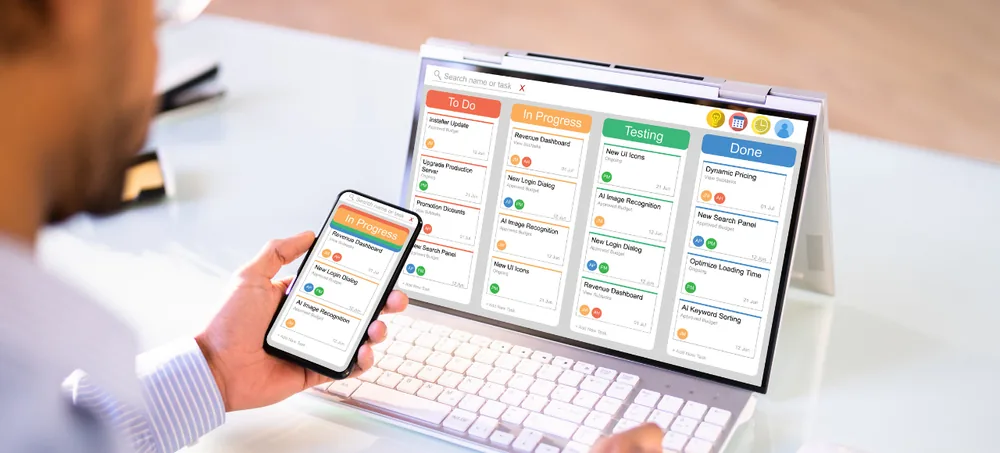
See order status, material availability and shop-floor progress from one dashboard.
Configured to your BOMs, routing, approvals and documentation—not a fixed template.
Auto Component Manufacturers ERP Software is an integrated business management system created for companies that manufacture automotive parts, assemblies and related engineering products. As automotive ERP software built specifically for this industry, it brings every important manufacturing process into one connected platform.
Unlike a fixed generic application, ERPLax can be configured according to the manufacturer’s parts, processes, approval rules, documents, departments and reporting requirements—functioning as complete ERP for automotive industry suppliers of every tier.
Automotive components may contain multiple raw materials, bought-out parts, subassemblies and manufacturing operations. ERP provides a controlled BOM structure connecting each component with its required materials and processes.
Material Requirements Planning uses customer demand, production orders, available stock and open purchase orders to calculate requirements—so purchase and production teams work from the same information.
Supervisors can monitor planned production, released work orders, completed quantities, pending operations, rejection, rework and work in progress from a centralized dashboard.
Batch, heat number, lot number or serial tracking can connect incoming raw material with production, inspection, finished goods and customer dispatch records.
Inspection requirements connect with incoming materials, production stages and finished components. Quality teams record observations and corrective actions digitally.
Track material sent to subcontractors, expected output, process charges, pending quantities, received components, rejection and material balances.
Production and dispatch teams can view customer schedules, available finished stock, inspection status and pending production before confirming dispatch commitments.
Consolidate material consumption, labour, machine operations, subcontracting, overheads, rejection and scrap to support product and production-order costing.
Begin with production, inventory, purchase, sales and billing, and add quality, maintenance, HRM, CRM or third-party integrations as you grow.
Every module below works together as complete auto parts manufacturing software—covering the shop floor, stores, quality lab and accounts desk in one connected system.
Centralized master for raw materials, bought-out parts, subassemblies and finished components with part numbers, drawing revisions and GST details.
Record OEM, Tier-supplier and distributor enquiries and build part-wise quotations with material, tooling and freight costs.
Track ordered, released, delivered and pending quantities against blanket orders, schedules and delivery requirements.
Build single or multi-level BOM software for automotive manufacturing with standard consumption, process loss and approval workflow.
Controlled ECR workflow covering revised BOMs, routings, drawings, approval authority and effective dates.
As MRP software for auto parts manufacturers, calculate purchase and production requirements from demand, stock and open orders.
Machine-wise, work-centre-wise and shift-wise plans—true automotive production planning software with capacity and delay visibility.
Barcode or QR-based work orders with routing, planned quantity, inspection checkpoints and actual production capture.
Define cutting, forging, casting, machining, welding, heat treatment and assembly sequences with cycle and setup time.
Capture production start/end, good and rejected quantity, machine, operator and downtime directly from the shop floor.
Functioning as automotive inventory management software, track real-time, warehouse and batch-wise stock for parts and finished goods.
This auto component traceability software connects supplier receipt, batch or heat number, production, inspection and dispatch.
Acting as automotive supplier ERP software, run requisition to payment with RFQs, rate contracts and supplier performance reports.
Control heat treatment, plating, coating and outside machining with challans, process rates and quality checks on return.
Record test parameters, specification limits and accept or reject decisions before material is released for production.
As automotive quality management software, configure checkpoints by component, operation or customer with defect codes and rework decisions.
Record rejection stage, defect type, reason code, rework cost and scrap value to identify repeated, loss-prone operations.
Controlled NCR workflow with root-cause analysis, corrective and preventive action and closure approval—8D-style when required.
Track tool identification, component association, usage count, calibration and maintenance schedule for production tooling.
Schedule preventive maintenance and log breakdown maintenance for production machinery to reduce unplanned downtime.
Compare standard, quotation and actual production cost using material, labour, machine time, job-work and scrap recovery.
Plan dispatch with quality clearance, barcode labels, delivery challan, tax invoice, e-invoice and e-way bill data.
Connect manufacturing transactions to GST invoices, credit and debit notes, outstanding, tax reports and Tally integration.
Manage enquiry-to-support communication, complaint registration, investigation, corrective action and closure feedback.
Configure access by department and designation, with approval workflows for quotations, BOM revisions and purchase orders.
Real-time dashboards for production plan versus actual, work in progress, rejection, traceability, costing and on-time dispatch.
Create customer, supplier, part, material, BOM, routing, machine, warehouse, tax, quality and employee masters.
Enter customer enquiries, quotations, sales orders, schedules or release requirements.
Check finished stock, work in progress, raw material, open purchases, lead times and production capacity.
Create purchase requisitions, purchase orders, production orders and subcontracting orders from approved plans.
Record goods receipt, supplier batch or heat number, received quantity and incoming quality results.
Issue approved material against production orders, work centres, machines or operations.
Record operation-wise production, material consumption, output, rejection, rework, scrap and machine time.
Complete in-process and final inspections before transferring the component to finished stock.
Prepare labels, packing lists, delivery challans, GST invoices and dispatch documents per customer requirement.
Monitor production efficiency, material consumption, quality, inventory, costs, supplier performance and delivery status.
As automobile component manufacturing software, ERPLax brings every department onto one screen—from the first customer enquiry to the final dispatch note.
ERPLax can be configured for businesses manufacturing:
Trusted as auto ancillary ERP software by OEM suppliers, Tier 1, Tier 2 and Tier 3 suppliers, contract manufacturers, precision engineering units and growing auto ancillary businesses alike.
ERPLax can be integrated with relevant software, machines and external systems depending on technical feasibility and business requirements.
The integration scope depends on the external system’s API availability, data format and access permissions.
Deployed as cloud ERP for auto component manufacturers that need:
Can be considered for businesses that need:
ERPLax studies how your company manages customer schedules, materials, production, quality, job work, billing and dispatch before configuring the solution.
Modules, fields, reports, forms, approval levels, dashboards and integrations can be customized to your operational requirements.
Begin with the most important processes and add further modules as adoption and business requirements grow.
Bring sales, purchase, inventory, production, quality, warehouse, accounts, CRM, HRM and reports into one connected environment.
Choose a deployment approach based on your infrastructure, access requirements and operating policies.
Create management reports around production, inventory, quality, delivery, cost and other company-specific KPIs.
Provide users with access according to department, location, job role and authorization level.
Connect the ERP with supported software, portals, scanners, printers, machines and external services.
ERPLax assists with requirement study, configuration, data preparation, implementation, training and post-deployment support.
The modular approach lets auto component manufacturers implement ERP for current priorities and expand as operations grow.
Replace disconnected spreadsheets, manual production registers and isolated software with a custom ERP platform that connects your entire manufacturing workflow.
Discuss your BOM, production, quality, job work, inventory, costing, dispatch and reporting requirements with the ERPLax team.
Specialized Applications
Purpose-built & ready to deploy. Hover to explore, click to learn more.
Testimonials
Real stories from businesses running their operations on ERPLax.
ERPLax gave us real-time visibility into stock across three warehouses. Wastage dropped and our fulfillment time improved almost overnight.
GST e-invoicing used to eat up two days every month. With ERPLax's accounting module it's now automatic and our filings are always on time.
Billing at our stores used to take a minute per customer. ERPLax's POS module cut that to under 15 seconds, even during peak festival rush.
Payroll for 200+ employees across two branches used to take our HR team a full week. ERPLax's HRM module now runs it in a single afternoon.
Tracking batch numbers and expiry across our distribution network was a nightmare on spreadsheets. ERPLax's inventory module made it effortless.
Front desk, housekeeping and billing are now all on one screen. ERPLax's hotel management module has made check-in day a breeze for our staff.
Fee collection, attendance and report cards used to live in three different tools. ERPLax brought it all into one dashboard our staff actually enjoys using.
Tracking material costs and site progress across four active sites was chaos before ERPLax. Now our project managers update status from their phones daily.
Our online store orders now sync straight into inventory and accounting — no more manual entry, no more overselling out-of-stock items.
Our sales team can now see every lead's history and follow-ups in one place. Deal closures are faster and nothing falls through the cracks anymore.
ERPLax gave us real-time visibility into stock across three warehouses. Wastage dropped and our fulfillment time improved almost overnight.
GST e-invoicing used to eat up two days every month. With ERPLax's accounting module it's now automatic and our filings are always on time.
Billing at our stores used to take a minute per customer. ERPLax's POS module cut that to under 15 seconds, even during peak festival rush.
Payroll for 200+ employees across two branches used to take our HR team a full week. ERPLax's HRM module now runs it in a single afternoon.
Front desk, housekeeping and billing are now all on one screen. ERPLax's hotel management module has made check-in day a breeze for our staff.
Fee collection, attendance and report cards used to live in three different tools. ERPLax brought it all into one dashboard our staff actually enjoys using.
Tracking material costs and site progress across four active sites was chaos before ERPLax. Now our project managers update status from their phones daily.
Our online store orders now sync straight into inventory and accounting — no more manual entry, no more overselling out-of-stock items.
Our sales team can now see every lead's history and follow-ups in one place. Deal closures are faster and nothing falls through the cracks anymore.
