
Best CRM Australia for Managing Customers, Leads and Sales
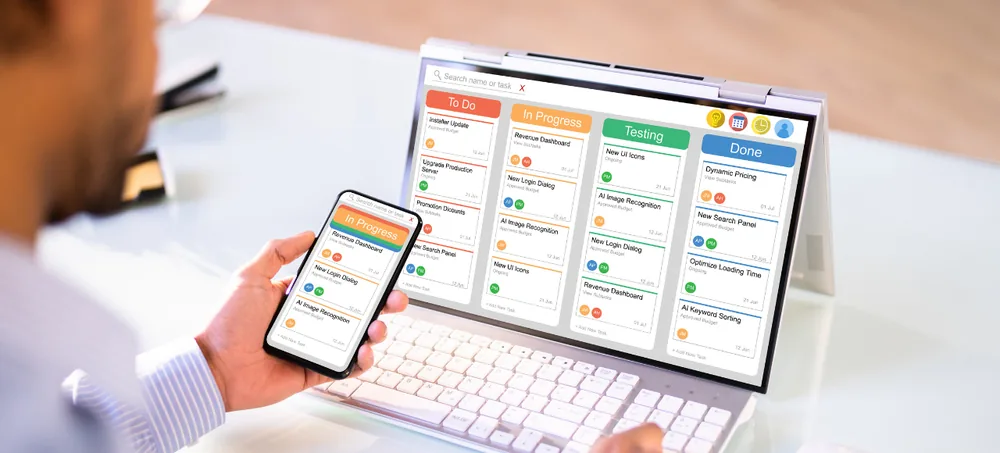
Customer relationships decide growth, yet most businesses still run them on spreadsheets, inboxes and disconnected apps. ERPLax provides customizable CRM Software Australia that organizes customer data, manages sales activity, automates follow-ups and gives management real visibility — configured to your process, whether you are a startup, an SME or a growing enterprise.
Schedule Free Consultation
Tell us how your team handles enquiries today and we will map the right CRM setup around it.
Years Building Business Systems
Clients Across Industries
Projects Delivered
Sales Pipeline Out of the Box
Custom CRM Software Solutions Australia for Growing Businesses
Managing customer relationships without a system produces the same seven problems in almost every business, regardless of industry or size.
Lost Customer Information
Details sit in one person's inbox, notebook or phone, and disappear the day they are unavailable.
Missed Follow-Ups
The promised callback slips a week, and by then the prospect has bought elsewhere.
Poor Lead Tracking
Nobody can say which enquiries are live, which are cold, or who owns them.
Duplicate Records
The same customer exists three times with three phone numbers and three histories.
Limited Sales Visibility
Management cannot see live pipeline value or where deals are getting stuck.
Manual Reporting
Every report is rebuilt by hand, arrives late, and rarely agrees with the last one.
Slow Customer Response
Answering a simple query means asking two colleagues and searching an inbox first.
A Centralized Platform for Every Customer Interaction
ERPLax provides flexible CRM Solutions Australia that create one centralized platform for customer profiles, sales opportunities, marketing enquiries, communication records, tasks, reports and complete customer history — so productivity improves without the relationship quality dropping.
What Is CRM Software?
CRM (Customer Relationship Management) software is a business application used to manage customer interactions, sales activity and long-term relationships from one place.
What a CRM Stores
- Customer details and contact information
- Sales opportunities and deal values
- Communication history and service requests
- Follow-up activities and business reports
What a CRM Changes
- Improved customer engagement
- Increased sales efficiency
- Automation of repetitive tasks
- Better tracked opportunities and decisions
Comparing CRM Providers Australia
Every list ranking the Best CRM Software Australia shows roughly the same feature set, because leads, contacts and a pipeline are table stakes. What separates the Best CRM in Australia for your business from an expensive address book is whether the stages, fields and automations match how your team actually sells. That makes the choice of CRM Providers Australia more consequential than the choice of brand, and it is why comparing CRM Software Companies Australia should focus on their implementation method. A serious CRM Software Company Australia scopes your sales process before quoting modules. ERPLax delivers Customer Relationship Management Software Australia across the size range — a lean CRM Software for Small Business Australia setup running enquiries, follow-ups and reports, or a full CRM Platform Australia deployment with automation, permissions and ERP integration. Businesses shortlisting CRM Companies Australia often start by searching CRM Australia or the shorthand CRM AUS, then narrow to an Australian Based CRM partner for local support and implementation. Whatever the search term, the practical question behind Best CRM Software in Australia is the same: will the team still be using it in twelve months.
Why Businesses Need CRM Australia Solutions
Five capabilities a spreadsheet cannot provide, and a CRM provides without being asked.
Centralized Customer Information
One reliable database for customer profiles, contact details, previous interactions, sales history, documents and notes.
Better Lead Management
Capture and organize leads from websites, social media, email campaigns, phone enquiries and marketing activity in one queue.
Improved Sales Performance
Sales teams track opportunities, stages, customer discussions, follow-ups and expected revenue in one pipeline.
Faster Customer Response
Complete history means any team member can respond quickly and personally, not just the account owner.
Automated Business Processes
Reminders, notifications, tasks, customer updates and sales activities handled by rules instead of memory.
Business Continuity
Customer relationships stay with the business when a salesperson changes roles or leaves.
How ERPLax CRM Helps Australian Businesses
Every enquiry enters one pipeline and moves through defined stages, carrying its owner, next action and full communication history at each step.
Lead Management System
Lead capture, assignment, qualification, status tracking, follow-up reminders and conversion tracking across every source.
Customer Database Management
Customer profiles, contact persons, communication history, documents, purchase information and notes on one record.
Sales Pipeline Management
Opportunities tracked from new enquiry through qualified lead, proposal and negotiation to closed deal.
Task and Follow-Up Management
Calls, meetings, tasks, reminders and customer activities scheduled with owners and due dates.
Reporting and Dashboards
Sales reports, lead reports, customer analytics, team performance and revenue insight available live.
CRM + ERP Connection
Customer management linked to sales, inventory, billing and accounting for one operational view.
CRM Features for Sales and Customer Management
The operational detail that decides whether a CRM is used daily or quietly abandoned.
Lead Capture & Assignment
Enquiries from every channel arrive as records and route to an owner by rule, not by luck.
Lead Source Tracking
Attribute each won deal to the campaign or channel that produced it and cut what does not pay.
Lead Qualification & Scoring
Rank by budget, timeframe and fit so effort concentrates where it converts.
Sales Pipeline & Forecasting
Sales CRM behaviour with configurable stages, weighted values and forecast visibility.
Customer Records & Profiles
Customer database software structure: contacts, companies, preferences, purchase and communication history.
Customer Segmentation
Group by value, industry, service, region or lifecycle stage for targeted follow-up.
Communication Tracking
Calls, emails, messages, meetings and notes logged chronologically against the customer.
Document Management
Quotes, contracts and supporting files attached to the customer record with access control.
Activity & Calendar Management
Shared calendars, task lists and reminders per user and per team.
Follow-Up Automation
Automated reminder sequences so agreed next contacts actually happen on time.
Workflow & Approval Automation
Lead assignment, notifications, task creation and approval routing on rules you define.
Quotation Management
Generate quotes from templates, track versions and record acceptance against the deal.
Service Request Tracking
Post-sale requests, complaints and resolutions recorded on the customer history.
Role-Based Permissions
Control which users see which customers, deals and financial information.
Audit Trail
Every change recorded with user and timestamp for accountability and dispute resolution.
Cloud Deployment
Secure access from any location with centralized data and real-time updates.
Mobile Access
Field and travelling teams update records and log activity from their phone.
Website Lead Capture
Website forms, landing pages and online enquiries flow straight into the CRM.
Email, SMS & WhatsApp
Connect email systems, SMS platforms and WhatsApp Business API with logged two-way messaging.
CRM for Small Business Australia
Small businesses need simple, affordable tools that manage customers properly without adding administrative weight. The Best CRM for Small Business Australia is usually the one with the shortest path from enquiry to logged follow-up — not the one with the longest feature list.
What It Manages First
Customer databases, sales enquiries, follow-ups, customer communication and business reports — the four or five things that hurt most when handled manually.
What Gets Added Later
Multiple users, advanced automation, custom dashboards, ERP integration and workflow management, switched on as the team and enquiry volume grow.
Who It Suits
CRM Software Australia Small Business deployments work well for service businesses, trading companies, consultants, real estate and construction businesses, retailers and professional services.
Cloud CRM Software Australia
Suitable for small businesses, distributed sales teams, multi-location companies and growing enterprises.
CRM Automation and Business Integrations
ERPLax CRM connects to the tools your business already runs, so data is entered once and used everywhere.
Website & Communication
Capture leads from website forms, landing pages and online enquiries, then connect email, SMS, WhatsApp Business API and notification tools so every message lands on the right record.
ERP & Ecommerce
Connect CRM with sales, inventory, billing, accounting and business operations, and manage online customers, orders, history and sales activity in the same system.
Custom API Integration
Integrate the CRM with existing business applications through custom APIs built to your requirements rather than forcing a workaround.
CRM Implementation Process Australia
A six-step rollout that keeps the team selling while the CRM goes live.
Requirement Analysis
Understand business workflow, sales process, customer journey and reporting requirements before configuring anything.
CRM Configuration
Configure users, roles, customer fields, sales stages and workflows to match how your team operates.
Data Migration
Import customer records, leads, contacts and existing business data after cleaning and de-duplication.
Integration Setup
Connect websites, ERP systems and communication platforms, then test each path end to end.
User Training
Train teams on lead management, customer tracking and sales reporting by role, not in one generic session.
Support and Optimization
Refine CRM performance and workflows as the business, team and enquiry volume change.
Benefits of Using CRM Software Australia
What businesses report after moving customer information out of inboxes and spreadsheets.
How to Choose the Best CRM Software Australia
Six things worth evaluating on a demo before committing to any provider, including us.
CRM Companies Australia – Why Businesses Choose Custom Solutions
Many businesses need a CRM that matches processes no packaged product anticipated. Custom CRM software provides business-specific workflows, custom reports, industry-specific features, better integration options and flexible automation. ERPLax develops CRM systems based on actual business requirements instead of forcing a business into fixed software limitations — which is usually why the search starts at Client Management Systems Australia or CRM System Australia and ends with a configured platform rather than a subscription.
Why Choose ERPLax CRM Solutions?
19+ years of delivery, 1500+ clients and 1700+ projects behind every implementation.
Frequently Asked Questions About CRM Software Australia
CRM Software Australia helps businesses manage customer relationships, leads, sales activities and communication through one platform, replacing spreadsheets and disconnected tools with a single customer record.
The best CRM depends on business requirements, customization needs, integrations, user count and industry. A three-person consultancy and a fifty-person distributor will reach different answers, so test each shortlisted option against your own sales process.
Yes. ERPLax provides customizable CRM solutions for Australian businesses, configured around your existing workflow rather than forcing your team into fixed software limitations.
Yes. Small businesses use CRM for customer databases, sales enquiries, follow-ups, communication and business reports. Additional users, automation and integrations are added as the business grows.
A Free CRM Australia tier can work for a very small team testing the idea, but free plans usually cap users, records, automation and reporting, and rarely support custom workflows or integrations. Most businesses move to a paid or custom system once the CRM becomes operationally important.
Yes. Workflows, fields, sales stages, reports, dashboards, permissions and integrations can all be customized to match how your business actually operates.
Cloud CRM provides remote access, centralized customer data, easier collaboration across locations, faster deployment and simple scalability without server infrastructure.
Yes. CRM can connect with ERP systems covering sales, inventory, billing, accounting and operations so customer activity and business execution stay aligned.
The essentials are lead management, a customer database, sales pipeline, follow-up automation, reporting and integrations. Permissions, audit trails and mobile access matter as teams grow.
CRM pricing depends on users, features, customization depth, integrations, deployment model and support requirements. ERPLax quotes each of these separately so you can compare providers on real numbers.
Choose the Best CRM Australia Solution for Your Business
The right CRM improves customer relationships, increases sales efficiency and creates real visibility into customer activity. ERPLax provides customizable Best CRM Software Australia solutions for businesses that want a flexible, scalable customer management platform — leads, customers, pipelines, communication and automation in one system.