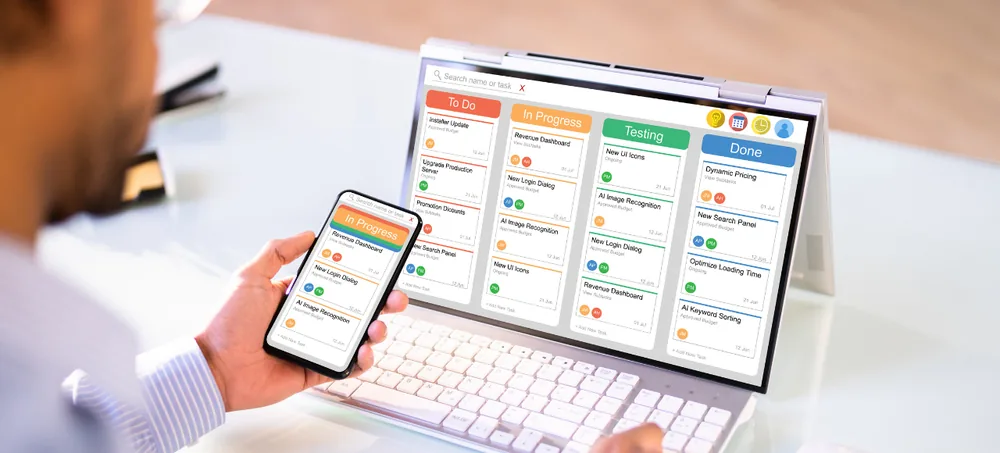
Manage sales, purchases, inventory, billing, customers, accounts, employees and reports through one flexible ERP software for small business platform — configured around your actual processes, not a rigid enterprise template.
Free consultation · No obligation · Response within 24 hours
Running a small business often means managing several activities at once — one app for billing, another for accounting, spreadsheets for inventory and separate messages for approvals. These disconnected processes create avoidable problems.
ERPLax brings these activities together through a centralized small business ERP software platform — a connected business management software for small business teams, so sales can check stock, purchase can monitor supplier orders, accounts can review invoices and management can access consolidated dashboards.
Every core business activity connects automatically, so your team stops re-entering the same information across separate tools.
ERP stands for Enterprise Resource Planning — an integrated system used to manage different business functions through a shared database. Modular, cloud-based systems now make it practical for small and growing companies, not just large enterprises.
When a sales order is confirmed, the ERP can update order status, reserve inventory, create a dispatch requirement and notify billing — reducing manual coordination between departments.
ERPLax builds ERP software for small business around customer and supplier management, sales enquiries, purchase management, inventory, billing and invoicing, CRM, production management, HR, approvals, reports and third-party integrations — matching how businesses of any size actually work. As ERP software in India, it accounts for GST, multi-branch operations and the specific workflows Indian companies rely on daily.
Whether you're an ERP for small businesses in India just moving off spreadsheets, or evaluating ERP software for SMEs and ERP software for MSME at a larger scale, ERPLax configures the platform around your actual processes instead of forcing a rigid enterprise template.
Automate document numbering, calculations, status updates, alerts and approval routing.
An inventory management ERP tracks inward, outward, transfers, damaged items and available balances.
Information moves from enquiry to quotation, order, dispatch, invoice and payment follow-up automatically.
Dashboards consolidate sales, purchases, inventory and outstanding payments in one view.
A GST ERP software layer keeps tax fields structured across quotations, invoices and reports.
Centralized data with location-level access for shops, warehouses, offices and production units.
An ERP solution for growing businesses builds a stronger foundation as you add people and products.
Owners see current performance without waiting on manually prepared spreadsheets.
Every module below can be switched on when you need it and configured around your own documents, fields and approval rules.
Contact details, GST info, credit limits, payment terms and price lists in one record.
Product codes, HSN/SAC, units, reorder levels, barcodes and multiple price lists.
Enquiry to order confirmation with revisions, discount approval and pending-order reports.
Requisitions, quotation comparison, purchase orders, approvals and supplier performance.
Stock receipts, transfers, adjustments, reorder alerts and location-wise availability.
Manufacturing and expiry dates, serial numbers and first-expiry-first-out processes.
Billing and accounting ERP software covering tax invoices, proforma, credit/debit notes, delivery challans and outstanding tracking.
Lead capture, assignment, follow-up reminders, pipeline stages and conversion reports.
Expense categories, approvals, supplier payments, receipts and outstanding reports.
ERP software for manufacturing small business needs — bill of materials, work orders, job work and production cost analysis.
Barcode scanning, multiple payment methods, thermal printing and real-time inventory updates.
Attendance, leave requests, salary structures, payroll processing and payslips.
Role-based approvals by transaction value, department, branch or business rule.
Sales, purchase, inventory, receivables and custom management reports.
Control what each employee can view, create, edit, approve or delete.
Run tax, stock and customer relationships from the same system — ERP software with GST billing and inventory alongside ERP software with CRM and accounting, without switching tools.
Review sales, purchase, inventory and outstanding data without waiting on manual reports.
Connected workflows reduce repeated entry from confirmation to dispatch and billing.
Reports and alerts help teams maintain stock levels and respond to shortages earlier.
Automatic calculations and reusable master data cut repeated-entry mistakes.
Outstanding reports and payment reminders support systematic follow-up.
Employees check history, order status and deliveries from one system.
User assignments, statuses and approval records make ownership easier to trace.
Configured around how your business actually operates, not a rigid standard process.
Start with sales, purchase, inventory and billing; add CRM, HRM and more in phases.
ERPLax is suitable for small, medium and growing businesses that want to replace manual or disconnected processes — an ERP for retail and trading businesses just as much as manufacturers.
Manage suppliers, purchases, customer orders, pricing, stock and billing from one system.
ERP software for distributors and wholesalers controls high-volume orders, price lists and dispatches.
ERP software for small manufacturing companies in India connects BOM, production orders and sales.
Integrate POS billing with product management, stock control and customer records.
Synchronize online orders with inventory, fulfilment, invoicing and returns.
Manage enquiries, quotations, projects, service requests and invoices.
Track inward and outward movements, transfers, batches and stock verification.
ERP software for multiple branches consolidates data while keeping branch-level control.
Understand your current workflow, documents and reporting needs.
Choose modules for phase one — sales, purchase, inventory, billing.
Masters, fields, formats, user roles and workflow rules are set up.
Customer, supplier, product and opening stock data is migrated.
Key users test real scenarios; adjustments follow valid findings.
Employees are trained by role before the agreed go-live date.
New reports, modules, branches and integrations added as you grow.
Best when your business needs:
Worth considering when you need:
A cloud-based ERP for small business is the more common starting point, but the right model ultimately depends on accessibility, infrastructure, security policy, maintenance responsibility and budget.
As a custom ERP software company in India, ERPLax connects your ERP with relevant business systems and devices through available APIs.
Integration feasibility depends on the API, documentation and access provided by the third-party platform.
The best ERP is not the system with the longest feature list — it's the one that fits current operations while leaving room to grow. Here's how to choose ERP software for small business as an integrated business software for SMEs, weighing what matters before you decide.
Document the actual problems you need to solve first.
Check support for your documents, fields and approval levels.
Employees should complete routine tasks without unnecessary steps.
Confirm sales, purchase, inventory, billing, CRM and reporting are covered.
A scalable ERP software for growing companies supports more users and branches.
Evaluate whether cloud, Cloud or a hybrid model fits best.
List the tools, devices and platforms that need to exchange data.
Standard reports alone may not give the view management needs.
Understand how configuration, migration, testing and training are managed.
Clarify the support process and how enhancement requests are handled.
ERP software cost for small business in India depends on modules, users, customization and support — evaluate the full scope, not just an initial price.
Configured to requirements instead of a fixed, one-size-fits-all package.
Reflects your quotation process, approvals, warehouse operations and invoice formats.
Implement essential modules first, add more as the business expands.
Choose a deployment approach based on infrastructure and security needs.
Connect with websites, payment systems, accounting tools and devices.
Access based on job responsibility, branch, department and approval authority.
Reports built around the indicators your management team actually uses.
Implementation support with user training and agreed post-deployment assistance.
Expands with additional users, branches, modules and integrations over time.
Move from spreadsheets and disconnected applications to a centralized ERP designed around your workflow. Speak with ERPLax about your sales, purchase, inventory, billing, CRM, manufacturing, HRM, automation and reporting requirements.
Specialized Applications
Purpose-built & ready to deploy. Hover to explore, click to learn more.
Testimonials
Real stories from businesses running their operations on ERPLax.
ERPLax gave us real-time visibility into stock across three warehouses. Wastage dropped and our fulfillment time improved almost overnight.
GST e-invoicing used to eat up two days every month. With ERPLax's accounting module it's now automatic and our filings are always on time.
Billing at our stores used to take a minute per customer. ERPLax's POS module cut that to under 15 seconds, even during peak festival rush.
Payroll for 200+ employees across two branches used to take our HR team a full week. ERPLax's HRM module now runs it in a single afternoon.
Tracking batch numbers and expiry across our distribution network was a nightmare on spreadsheets. ERPLax's inventory module made it effortless.
Front desk, housekeeping and billing are now all on one screen. ERPLax's hotel management module has made check-in day a breeze for our staff.
Fee collection, attendance and report cards used to live in three different tools. ERPLax brought it all into one dashboard our staff actually enjoys using.
Tracking material costs and site progress across four active sites was chaos before ERPLax. Now our project managers update status from their phones daily.
Our online store orders now sync straight into inventory and accounting — no more manual entry, no more overselling out-of-stock items.
Our sales team can now see every lead's history and follow-ups in one place. Deal closures are faster and nothing falls through the cracks anymore.
ERPLax gave us real-time visibility into stock across three warehouses. Wastage dropped and our fulfillment time improved almost overnight.
GST e-invoicing used to eat up two days every month. With ERPLax's accounting module it's now automatic and our filings are always on time.
Billing at our stores used to take a minute per customer. ERPLax's POS module cut that to under 15 seconds, even during peak festival rush.
Payroll for 200+ employees across two branches used to take our HR team a full week. ERPLax's HRM module now runs it in a single afternoon.
Front desk, housekeeping and billing are now all on one screen. ERPLax's hotel management module has made check-in day a breeze for our staff.
Fee collection, attendance and report cards used to live in three different tools. ERPLax brought it all into one dashboard our staff actually enjoys using.
Tracking material costs and site progress across four active sites was chaos before ERPLax. Now our project managers update status from their phones daily.
Our online store orders now sync straight into inventory and accounting — no more manual entry, no more overselling out-of-stock items.
Our sales team can now see every lead's history and follow-ups in one place. Deal closures are faster and nothing falls through the cracks anymore.
