
Looking for the Best CRM in USA? Choose a CRM Built Around Your Sales Process
Manage Leads, Customer Relationships, Follow-Ups, Sales Pipelines and Performance Reports in One Platform
The best CRM in USA is not simply the platform with the longest feature list. It is the CRM that fits your sales process, gives your team clear customer information, and helps every opportunity move forward without unnecessary manual work.
ERPLax provides custom CRM software for small, medium, and growing businesses. The system can be configured around your lead stages, sales territories, approval rules, customer communication methods, reports, and existing business applications.
Request Custom CRM Quote
Schedule a free consultation with our CRM team.
Find the Right CRM Software for Your Business in the USA
Sales teams often manage customer information across spreadsheets, inboxes, calendars, messaging applications, and separate business tools. This makes it difficult to understand which leads require attention, which proposals are pending, and which opportunities are most likely to close.
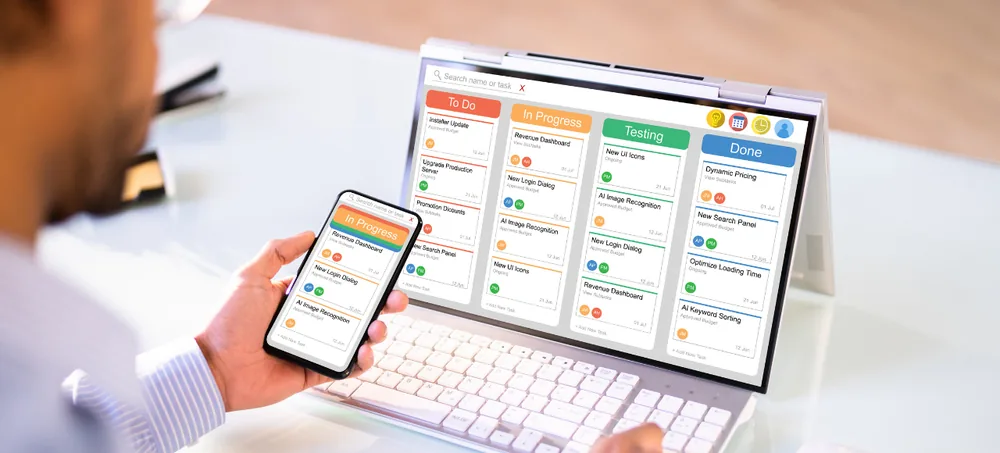
ERPLax CRM software USA brings customer and sales information into one connected system. Your team can manage leads, contacts, companies, activities, opportunities, proposals, follow-ups, and reports from a centralized platform.
Unlike a rigid, one-size-fits-all application, ERPLax can be customized according to your actual business workflow — lead stages, mandatory fields, approval processes, dashboards, user permissions, and integrations configured around the way your company sells.
ERPLax builds true customizable CRM software and custom CRM software USA teams trust, delivering capable business CRM software and a genuine CRM solution for sales teams alike. We support focused CRM for small business USA needs and dependable sales CRM software, backed by complete customer relationship management software, dedicated lead management software, and structured sales pipeline management software — positioned as a scalable CRM system for growing businesses.
Your team can manage:
- Leads, contacts & companies
- Activities & opportunities
- Proposals & follow-ups
- Reports & forecasts
- Connected ERP operations
What Is CRM Software?
CRM stands for Customer Relationship Management. CRM software is a business system used to organize leads, customer information, sales activities, and communication history, giving sales, marketing, management, and support teams a shared view of every customer relationship.
Instead of depending on personal spreadsheets or individual inboxes, employees work with a structured and accessible customer database. For a growing business, CRM software becomes the central system for understanding who the customer is, what they need, what communication has already occurred, and what action should happen next.
Why Do US Businesses Need CRM Software?
Here's what a connected CRM changes about day-to-day sales operations.
Centralize Customer Information
A CRM creates a central customer record that authorized users can access when needed.
Avoid Missed Follow-Ups
CRM reminders and automated workflows help teams follow a consistent process.
Improve Sales Pipeline Visibility
A visual pipeline provides a clearer view of current sales activity and expected value.
Respond to Leads Faster
New inquiries are captured and assigned to the appropriate salesperson automatically.
Standardize the Sales Process
A CRM creates common stages, activities, qualification rules, and approval workflows.
Improve Customer Service
Employees review previous interactions before responding to a customer.
What Makes a CRM the Best Fit for Your Business?
The best CRM software in USA will be different for every company. A ten-person service business may need a simple lead system, while a manufacturer may need CRM connected with quotations, inventory, and dispatch. Consider these factors before selecting a CRM.
Fit With Your Sales Workflow
Your CRM should support the actual stages an opportunity moves through, not steps built for a different industry.
Ease of Use
A CRM only creates value when employees use it consistently, with screens relevant to their responsibilities.
Customization
Custom fields, sales stages, approval rules, territory assignments, and dashboards should be flexible.
Automation
Look for lead assignment, reminders, task creation, stage updates, and management notifications.
Reporting
The system should provide clear reports for leads, conversion rates, forecasts, and salesperson performance.
Integrations
Your CRM may need to connect with your website, email, accounting system, or ecommerce platform.
Scalability
A growing company should add users, workflows, and ERP modules without rebuilding the system.
Deployment Options
A business may prefer cloud-based, Cloud, or a customized hosting environment.
Training and Support
Implementation should include configuration, data migration, user training, and ongoing support.
Key Features of ERPLax CRM Software
A complete customer relationship management platform for real sales teams.
Lead Capture & Management
Capture inquiries from multiple sources with complete prospect information.
Contact & Company Management
Organized records for individuals, companies, branches, and decision-makers.
Custom Sales Pipeline
Sales pipelines matching your business model, with configurable stages.
Opportunity & Deal Management
Track deal value, probability, competitor details, and win/loss reasons.
Follow-Up & Activity Management
Track calls, meetings, demonstrations, and site visits from one place.
Sales Workflow Automation
Automate lead assignment, task creation, alerts, and approval requests.
Quotations & Proposal Management
Create quotations with pricing, discounts, approval workflow, and PDF generation.
Sales Forecasting
Estimate revenue using active opportunities, probability, and closing dates.
CRM Reports & Dashboards
Role-specific dashboards for managers and sales representatives.
Customer Service & Ticketing
Connect CRM records with customer support and account reviews.
User Roles & Access Control
Role-based permissions protect customer and sales information.
Mobile & Cloud Access
Field sales and remote teams review leads, contacts, and dashboards on the go.
Benefits of Custom CRM Software
What businesses gain from a CRM built around their actual sales process.
Real-Time Sales Visibility
View pipeline value, pending activities, and team performance instantly.
Faster Lead Response
Structured assignment rules help reps respond more quickly.
Consistent Follow-Ups
Reminders and automation ensure important prospects aren't forgotten.
Better Pipeline Control
Understand where opportunities are delayed and need attention.
Reduced Manual Data Entry
Automate repetitive activities, notifications, and status updates.
Improved Forecasting
Current opportunity data creates more structured sales projections.
Greater Sales Accountability
Track activities and follow-up completion by salesperson or territory.
Connected Business Operations
Integrate CRM with inventory, billing, and accounting to reduce duplicate entry.
Custom CRM vs. Standard Off-the-Shelf CRM
A standard CRM may be suitable when a business has a simple sales process. The objective of customization isn't to add complexity for its own sake — it's to remove unnecessary work and give employees the information relevant to their roles.
Standard Off-the-Shelf CRM
- Fixed sales stages
- Unnecessary fields
- Limited approval workflows
- Restricted reports
- Separate customer and ERP data
- Repeated manual entry
- Limited industry-specific functions
- Dependence on multiple add-ons
ERPLax Custom CRM
- Custom lead fields
- Multiple sales pipelines
- Business-specific opportunity stages
- Territory-based assignment
- Custom approvals
- Role-specific dashboards
- ERP module integration
- Phased implementation
Who Can Use ERPLax CRM?
ERPLax CRM software can be configured for a wide range of organizations in the USA.
How ERPLax CRM Works
Nine steps from understanding your sales process to ongoing customer relationship growth.
Understand Your Sales Process
ERPLax studies how your business currently manages inquiries, qualification, and communication.
Configure CRM Masters & Workflows
Customer categories, lead sources, territories, and sales stages are configured.
Capture & Assign Leads
Leads are entered manually or captured from connected sources and assigned automatically.
Qualify & Nurture Opportunities
Sales reps record calls, meetings, and next actions with automated reminders.
Move Deals Through the Pipeline
Qualified opportunities move through customized stages with manager visibility.
Complete Approvals & Proposals
Discounts and quotations follow configured approval processes.
Convert the Opportunity
A successful opportunity converts into a customer, sales order, or service request.
Monitor Reports & Performance
Managers review dashboards for pipeline value, conversions, and team performance.
Support & Grow the Relationship
Customer records remain available for service, renewals, and future opportunities.
CRM Integrations
ERPLax CRM can be connected with relevant software based on technical feasibility and project scope.
Why Choose ERPLax for CRM Software in the USA?
Custom CRM development built around your actual sales process.
Custom CRM Development
Functions configured around your actual sales process and data requirements.
Workflow-Based Implementation
The CRM is structured around how leads and customers move through your organization.
Modular & Scalable Platform
Begin with lead and pipeline management, then add automation and ERP modules.
Cloud-Based Options
Deployment selected according to infrastructure and operational requirements.
CRM and ERP Connectivity
Connect front-office sales with back-office inventory, billing, and projects.
Role-Based Access
Control access to leads, customer records, reports, and exports.
Data Migration
Existing customer and lead data reviewed, cleaned, and migrated during implementation.
Training & Support
Configuration, user training, documentation, and ongoing support.
Frequently Asked Questions
Answers to common questions about choosing the best CRM in USA.
The best CRM in USA is the system that fits your company's sales process, team size, reporting needs, and integration requirements. Businesses should evaluate ease of use, customization, automation, pipeline management, reporting, deployment options, and ongoing support instead of selecting software only by brand popularity.
Yes. ERPLax CRM can be configured with custom lead fields, sales stages, workflows, approvals, dashboards, reports, user roles, and integrations according to the requirements agreed during implementation.
Yes. Small businesses can begin with essential functions such as lead management, contact management, follow-up reminders, and sales pipelines. Additional modules and automation can be introduced as the company grows.
Yes. Different pipelines can be configured for separate products, services, sales teams, territories, branches, or customer segments.
Lead-assignment rules can be configured using criteria such as territory, product interest, source, customer category, team workload, or other business requirements.
ERPLax supports cloud-based deployment as well as Cloud options. The appropriate model depends on accessibility, infrastructure, integration, and organizational requirements.
Yes. Website forms and other lead sources can be integrated with the CRM based on the website's technology and API availability. New inquiries can then be captured and assigned through configured workflows.
Email, SMS gateway, and WhatsApp Business API integrations can be evaluated and implemented based on the selected provider, account approvals, API availability, and project scope.
Yes. Reports can be created for lead sources, conversions, opportunity stages, forecasts, pending activities, salesperson performance, territories, and other management requirements.
Existing customer, contact, and lead data can be reviewed and migrated as part of the implementation. Data cleaning, duplicate handling, and field mapping requirements are determined before migration.
Yes. ERPLax CRM can be connected with inventory, quotations, sales orders, billing, accounting, and other ERP modules to create a continuous workflow from lead to order and payment.
The system can provide cloud and mobile-friendly access for authorized employees, subject to the selected deployment and access configuration. Field representatives can review assigned leads, customer records, activities, and follow-ups.
CRM pricing depends on the number of users, modules, workflows, integrations, reports, data migration requirements, and deployment model. ERPLax provides a customized quotation after reviewing the business requirements.
The timeline depends on the complexity of the sales process, customization, integrations, data migration, and testing requirements. A detailed implementation schedule is prepared after requirement analysis.
Yes. ERPLax follows a modular approach. Businesses can start with CRM and later add inventory, purchasing, billing, accounting, projects, support, ecommerce, or workflow automation modules.
Build a CRM That Matches the Way Your Business Sells
Stop managing valuable leads through disconnected spreadsheets, inboxes, and manual follow-up lists. Speak with an ERPLax CRM expert to discuss your sales stages, customer data, automation requirements, and integrations.