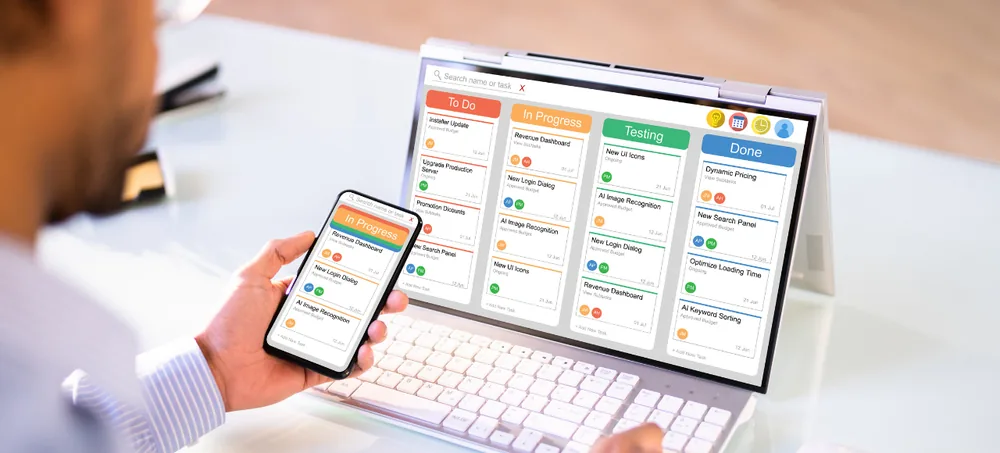
Manage sales, purchases, inventory, billing, customers, accounts, employees and reports through one flexible ERP platform. ERPLax provides customizable ERP software for small businesses in India that need better control without implementing an unnecessarily complex enterprise system — configured around your actual processes, departments, approval rules and reporting requirements.
Tell us about your business — our ERP expert will get back within 24 hours.
Running a small business often requires managing several activities at the same time — billing in one application, accounting in another, spreadsheets for inventory and separate messages for sales or purchase approvals. These disconnected processes create avoidable problems.
Small business ERP software is an integrated system used to manage different business functions through a shared database and connected workflows.
ERP stands for Enterprise Resource Planning. Although ERP was traditionally associated with large enterprises, modular and cloud-based systems now make it practical for small, medium and growing companies.
When a sales order is confirmed, the ERP can update order status, reserve available inventory, create a dispatch requirement and send the necessary information to the billing team — reducing manual coordination between departments.
Whether you search for ERP software for small business, small business ERP software, or the best ERP software for small business in India, ERPLax delivers ERP for small businesses in India configured around real workflow rather than a fixed template. As an ERP software company built for ERP software for SMEs and ERP software for MSME, ERPLax is positioned as an affordable ERP software for small business alongside a genuinely custom ERP software approach.
Available as cloud ERP software with an Cloud option, ERPLax functions as business management software for small business teams that need GST ERP software, inventory management ERP and billing and accounting ERP software in one place — a practical ERP solution for growing businesses across trading, distribution, retail and ERP software for manufacturing small business alike.
Business owners searching "which ERP software is best for small business?" or looking for guidance on how to choose ERP software for small business will find ERPLax positioned as a custom ERP software company in India offering cloud-based ERP for small business, ERP software with GST billing and inventory, and dedicated support for ERP software for small manufacturing companies in India, ERP software for distributors and wholesalers and ERP for retail and trading businesses. For those comparing ERP software cost for small business in India, ERPLax delivers integrated business software for SMEs with ERP software for multiple branches, ERP software with CRM and accounting, and scalable ERP software for growing companies — all evaluated against ERP software in India benchmarks.
Seven practical reasons growing Indian businesses move off spreadsheets and disconnected applications.
ERP software can automate document numbering, calculations, status updates, alerts, recurring tasks and approval routing.
Inventory ERP software helps businesses monitor inward stock, outward stock, transfers, damaged items, reserved quantities and available balances.
A connected ERP workflow moves information from enquiry to quotation, order, dispatch, invoice and payment follow-up without repeatedly creating the same entry.
ERP dashboards consolidate operational information so decision-makers can review sales, purchases, inventory and outstanding payments.
ERPLax can be configured to support applicable GST-related fields and documentation workflows based on business requirements.
A multi-location ERP provides centralized data while controlling access for individual branches and users.
A scalable ERP creates a stronger operational foundation for expansion as employees, products, customers and locations increase.
Fourteen connected modules — start with what you need and add more as the business grows.
Maintain organized records for customers, suppliers, distributors and other business partners.
Create a centralized product or service catalogue with the information required by different departments.
Manage the complete sales cycle from initial enquiry to order confirmation.
Plan purchases based on stock requirements, approved requests or customer orders.
Get better control over stock movement across stores, warehouses and branches — a genuine inventory management ERP module.
Create professional invoices using information already available in the sales and dispatch workflow.
Manage prospects and customer interactions through an integrated CRM module.
Record operational expenses and monitor payment-related activities.
Small manufacturers can extend ERPLax with production-focused modules — ERP software for manufacturing small business.
Retailers and counter-sales businesses can use a POS module connected with inventory and billing.
Add employee management capabilities when required.
Create role-based approval processes based on transaction value, department, branch or business rules.
Operational and management reports based on the information captured in the system.
Control what each employee can view, create, edit, approve or delete.
Businesses that handle traceable products can configure the ERP for more detailed inventory control — useful for pharmaceuticals, FMCG, food products and electronics.
Track products through batch and lot identifiers alongside manufacturing dates for full traceability.
First-expiry-first-out processes and expiry alerts reduce wastage on time-sensitive stock.
Serial-number-based service history supports warranty tracking and after-sales support.
Batch-wise stock reports and product recall tracking give management a clear traceability trail.
Nine practical outcomes small businesses see once every function runs on one platform.
Review current sales, purchase, inventory, billing and outstanding information without waiting for manually prepared reports.
Connected workflows reduce repeated data entry and help teams move orders from confirmation to dispatch and billing.
Inventory reports and alerts help purchasing and warehouse teams maintain appropriate stock levels.
Automatic calculations, validation rules and reusable master data reduce errors caused by repeated entry.
Outstanding reports, customer credit information and payment reminders help teams follow up on receivables.
Check customer history, order status, pending deliveries and previous communication from one system.
User assignments, statuses, approval records and activity tracking make responsibilities easier to understand.
ERPLax can be configured around the way your business actually operates instead of a rigid standard process.
Start with priority modules; CRM, HRM, manufacturing, mobile access and reports can be introduced phase by phase.
ERPLax is suitable for small, medium and growing businesses that want to replace manual or disconnected processes.
Manage suppliers, purchases, customer orders, pricing, stock and billing from one system.
Control high-volume orders, multiple price lists, salesperson activity, warehouses, dispatches and outstanding payments.
Connect raw materials, bills of materials, production orders, finished goods, quality processes and sales.
Integrate POS billing with product management, stock control, purchase and customer records.
Synchronize online orders with inventory, fulfilment, invoicing, returns and customer information.
Manage enquiries, quotations, projects, service requests, expenses, invoices and customer follow-ups.
Track inward movements, outward movements, transfers, locations, batches, serial numbers and stock verification.
Consolidate information from different offices, stores or warehouses while maintaining branch-level controls.
ERPLax can be configured around the way your business actually operates — implemented in phases instead of everything at once.
A 7-step model from process study to ongoing support and expansion.
Understand your current workflow, departments, documents, approval rules, reports and operational challenges.
Select the modules required for the first phase — sales, purchase, inventory, billing, CRM, reports, manufacturing or HRM.
Masters, fields, document formats, user roles, workflow rules and reports are configured; additional development is done where required.
Relevant customer, supplier, product, opening stock and other master information is prepared for migration.
Key users test transactions and reports using representative business scenarios; adjustments follow valid findings.
Employees receive training based on their assigned responsibilities before the ERP is introduced.
New reports, modules, branches, users and integrations are added as the business grows.
ERPLax can be offered as a cloud-based or Cloud solution depending on technical and business requirements.
Cloud deployment may suit businesses that need remote access and faster infrastructure setup — ideal for cloud-based ERP for small business teams.
Cloud deployment may be considered when a business requires internal infrastructure control and specific IT policies.
ERPLax can be connected with relevant business systems and devices through available APIs or custom integration work.
The best ERP software for a small business is not necessarily the system with the longest feature list — it is the system that fits current operations while providing room for future growth.
Document the actual problems you need to solve. Separate essential requirements from features that may only be needed later.
Check whether the ERP can support your documents, fields, approval levels, reports and industry processes.
Employees should understand the screens and complete routine transactions without unnecessary steps.
Identify whether the system supports sales, purchase, inventory, billing, CRM, accounts-related processes and reporting.
Confirm whether the ERP can support additional users, products, branches, warehouses and modules as your business grows.
Evaluate whether cloud, Cloud or a requirement-specific deployment model is more appropriate.
List the websites, accounting tools, devices, payment platforms and third-party applications that may need to exchange data.
Review the reports management needs daily, weekly and monthly — standard reports alone may not provide the required view.
Understand how requirements, configuration, data migration, testing, training and deployment will be managed.
Clarify the available support process, responsibility of internal users and procedure for requesting enhancements.
ERP cost depends on modules, users, locations, customization, migration, integrations, deployment and support — evaluate the total scope.
Nine practical reasons small and growing Indian businesses pick ERPLax as their long-term ERP partner.
ERPLax develops and configures ERP solutions according to business requirements instead of a fixed, one-size-fits-all package.
The system reflects your quotation process, purchase approvals, warehouse operations, production stages and invoice formats.
Implement essential modules first and introduce additional features as the business expands.
Select a deployment approach based on accessibility, infrastructure, security and operational requirements.
Connect ERPLax with websites, payment systems, communication platforms, accounting tools and devices.
Provide users with access based on their job responsibilities, branch, department and approval authority.
Create reports around the indicators your management team uses to monitor business performance.
ERPLax supports implementation with user training and agreed post-deployment assistance.
The ERP expands with additional users, branches, modules, workflows and integrations as requirements evolve.
Straight answers to what small business owners ask before adopting an ERP.
The right ERP for a small business is one that matches its workflow, budget, industry and growth plans. It should be easy to use, customizable, scalable and capable of managing essential areas such as sales, purchase, inventory, billing and reports. ERPLax provides customizable ERP solutions based on individual business requirements.
Yes. ERP software can be useful for small businesses that have outgrown spreadsheets or are struggling with disconnected billing, inventory, sales and reporting systems. A modular implementation allows the business to begin with only the required features.
Common requirements include customer and supplier management, sales orders, purchase orders, inventory, billing, CRM, payment tracking, approval workflows and reports. Manufacturers may also require bills of materials, production planning, quality checks and batch tracking.
ERP software cost varies according to the number of users, modules, branches, customizations, integrations, deployment method, data migration and support requirements. ERPLax prepares a quotation after reviewing the required project scope.
Yes. ERPLax can be configured and customized around your masters, documents, fields, approval rules, user roles, reports and operational workflow.
Yes. ERPLax can be deployed as a cloud-based solution depending on the project requirements. Cloud deployment can also be considered where appropriate.
Yes. A small business can start with essential modules such as sales, purchase, inventory and billing. CRM, manufacturing, HRM, mobile access, integrations and additional reports can be added in later phases.
ERPLax can be configured with applicable GST fields, tax calculations and invoice formats based on the business requirement. Any integration with external GST, e-invoice or e-way bill services is subject to technical availability and project scope.
Yes. The system can be configured for multiple branches, warehouses and locations, with consolidated reporting and role-based access where required.
Tally integration can be evaluated based on the required data flow, Tally version, available interface and expected synchronization process. The integration scope should be defined during requirement analysis.
Yes. Manufacturing modules can include bills of materials, production planning, raw material consumption, finished goods receipt, work-in-progress, job work, quality checks and production reports.
Implementation duration depends on the number of modules, customization complexity, data readiness, integrations, user testing and training. A focused first-phase implementation usually requires less effort than deploying every module at once.
Move from spreadsheets and disconnected applications to a centralized ERP designed around your workflow. Speak with ERPLax about your sales, purchase, inventory, billing, CRM, manufacturing, HRM, automation and reporting requirements.
Specialized Applications
Purpose-built & ready to deploy. Hover to explore, click to learn more.
Testimonials
Real stories from businesses running their operations on ERPLax.
ERPLax gave us real-time visibility into stock across three warehouses. Wastage dropped and our fulfillment time improved almost overnight.
GST e-invoicing used to eat up two days every month. With ERPLax's accounting module it's now automatic and our filings are always on time.
Billing at our stores used to take a minute per customer. ERPLax's POS module cut that to under 15 seconds, even during peak festival rush.
Payroll for 200+ employees across two branches used to take our HR team a full week. ERPLax's HRM module now runs it in a single afternoon.
Tracking batch numbers and expiry across our distribution network was a nightmare on spreadsheets. ERPLax's inventory module made it effortless.
Front desk, housekeeping and billing are now all on one screen. ERPLax's hotel management module has made check-in day a breeze for our staff.
Fee collection, attendance and report cards used to live in three different tools. ERPLax brought it all into one dashboard our staff actually enjoys using.
Tracking material costs and site progress across four active sites was chaos before ERPLax. Now our project managers update status from their phones daily.
Our online store orders now sync straight into inventory and accounting — no more manual entry, no more overselling out-of-stock items.
Our sales team can now see every lead's history and follow-ups in one place. Deal closures are faster and nothing falls through the cracks anymore.
ERPLax gave us real-time visibility into stock across three warehouses. Wastage dropped and our fulfillment time improved almost overnight.
GST e-invoicing used to eat up two days every month. With ERPLax's accounting module it's now automatic and our filings are always on time.
Billing at our stores used to take a minute per customer. ERPLax's POS module cut that to under 15 seconds, even during peak festival rush.
Payroll for 200+ employees across two branches used to take our HR team a full week. ERPLax's HRM module now runs it in a single afternoon.
Front desk, housekeeping and billing are now all on one screen. ERPLax's hotel management module has made check-in day a breeze for our staff.
Fee collection, attendance and report cards used to live in three different tools. ERPLax brought it all into one dashboard our staff actually enjoys using.
Tracking material costs and site progress across four active sites was chaos before ERPLax. Now our project managers update status from their phones daily.
Our online store orders now sync straight into inventory and accounting — no more manual entry, no more overselling out-of-stock items.
Our sales team can now see every lead's history and follow-ups in one place. Deal closures are faster and nothing falls through the cracks anymore.
