
Disconnected production and inventory information
Production needs to know materials are available before work starts; stores need visibility into consumption and finished-goods movement. Kept apart, the answer arrives by phone call.
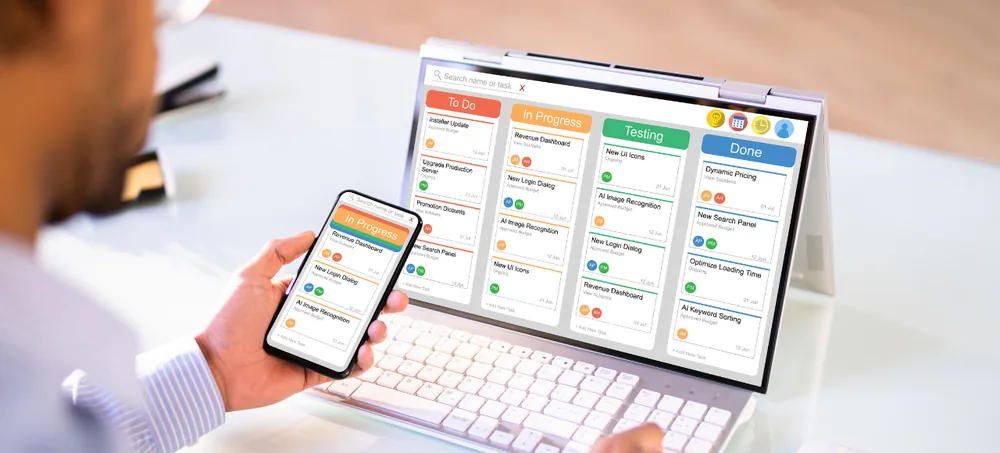
Manufacturing businesses need more than accounting software, spreadsheets and disconnected departmental applications. A sales order creates material requirements, material availability drives purchasing, purchasing shapes the production schedule, production consumes stock and creates finished goods — and every stage eventually lands in finance and reporting. ERPLax is a cloud ERP platform that connects that whole chain around the same operational information.
Tell us your production model and we will map the ERP workflow to it before anything is quoted.
Choosing ERP software should begin with operational problems rather than a feature checklist. Most manufacturers reach a point where coordination gets hard as products, materials, suppliers, customers or transaction volumes increase — and it usually looks like one of these nine.
Production needs to know materials are available before work starts; stores need visibility into consumption and finished-goods movement. Kept apart, the answer arrives by phone call.
Different users maintain separate versions, changes do not reach every department, and requirements get re-entered into purchasing and inventory records.
A BOM defines what goes into an item. Maintained independently of production and inventory, material planning turns into a manual comparison exercise.
Teams manually compare planned production against stock to work out what needs procuring, which is exactly the job MRP-oriented workflows exist to do.
Requirement, request, approval, supplier, purchase order, receipt, finance. Run over email, the current status of any one of those steps is anyone's guess.
Raw materials, components, consumables, work-related stock and finished goods held in separate departmental registers make reconciliation a recurring job.
Sales needs order visibility, production needs requirements, stores needs availability, dispatch needs finished goods and finance needs the commercial transaction.
One business event gets typed in several times: sales to planning files, requirements to procurement records, receipts to separate accounting entries.
Reports are hard when the information first has to be collected from several departments and consolidated by hand before anyone can review it.
Effective ERP implementation is not about digitising existing forms. It examines how information should move between departments, which activities need approval, what users record at each stage and what management information falls out of those transactions.
For a manufacturing company that means connecting the full operational sequence rather than automating each department on its own. The exact workflow differs between manufacturers, which is precisely why configuration matters more than feature count.
For businesses evaluating cloud ERP for manufacturing in Bangalore, it is important to look beyond the term "cloud". The right ERP system should align with your manufacturing workflows, including production planning, material management, approval processes, inventory control, finance, and reporting, while providing the flexibility and scalability needed for business growth.
ERPLax runs as a cloud-only SaaS ERP platform on a subscription. There is no on-premise deployment, local installation or perpetual licence option.
Manufacturing businesses rarely operate identically. Workflows are configured around documented requirements, including approval stages and operational processes.
Where standard configuration is not enough, customization means development within the ERPLax SaaS platform, not locally installed software or a source-code handover.
Hosting, updates, security and backups sit with the platform, so an SME manufacturer does not need an internal team to keep the ERP running.
Twelve capability areas, each described by the problem it removes rather than the buttons it adds.
Manufacturers coordinating production through spreadsheets and manual registers find changes hard to communicate, which creates reconciliation work nobody planned for.
Connects demand, material requirements, production activity and finished-goods inventory.
Separate BOM spreadsheets are difficult to keep aligned with inventory, purchasing and production. BOM management software workflows put product structures inside the operational flow.
Links engineering or product definitions with day-to-day operational processes.
Without structured material planning, purchasing depends on requirement lists prepared by hand in production. Production requirements, BOM data and available stock are considered together instead.
Reduces dependence on manually exchanged requirement files between departments.
Raw materials, components and finished goods get hard to manage when teams keep separate stock registers. Receipts, issues, consumption, transfers and finished goods run through configured workflows.
Gives every department that depends on stock the same operational picture.
Manual procurement fragments communication between production, purchasing, stores and finance. Purchasing becomes a structured process with documentation, stages and approvals.
Clearer visibility into pending actions and completed transactions.
Approvals handled over email, messaging apps or paper are difficult to track. Review stages are configured around the organisation's own rules.
Users follow a defined process instead of guessing whether work can proceed.
When sales records sit apart from production and inventory, nobody has a reliable view of what fulfilment actually requires.
Sales and operations work from a consistent view of the same transaction.
Supplier details scattered across spreadsheets, email and individual employees make procurement administration harder than the buying itself.
Centralized records support repeatable purchasing and easier review.
Quality activity recorded separately from operational transactions makes traceability and follow-up harder. Quality management ERP software workflows sit inside the process.
Document your inspection stages, records and acceptance rules before configuring.
When operational systems and finance are disconnected, finance re-enters or reconciles the same transaction information every month.
Purchasing, sales and inventory feed structured finance workflows directly.
Manual reporting means someone collects information from different files before management can review anything at all.
Management reviews from a centralized ERP environment, not a consolidation exercise.
Rigid processes rarely reflect how responsibilities and approvals actually work inside a specific manufacturing company.
Stages, responsibilities, approvals and business rules set to agreed requirements.
Good ERP connects business processes rather than automating departments independently. Here is how one customer requirement travels through thirteen stages without anyone re-keying it.
A customer requirement enters the sales process and commercial information is recorded and reviewed.
The business decides what must be supplied and whether fulfilment needs manufacturing activity.
Requirements are raised against operational demand with item, quantity and applicable BOM.
Components are reviewed against stock, connecting production planning with material requirements.
Where procurement is needed the requirement enters the purchasing workflow, not a planning sheet.
If approval is required the transaction follows the defined review process with context attached.
After the required reviews, purchasing proceeds according to the configured procurement workflow.
Received materials are recorded through inventory, updating the record other departments read.
Production runs to plan, with material usage and output becoming part of the ERP workflow.
Completed production moves into finished-goods inventory through configured processes.
Sales and operations coordinate dispatch using information tied to the original requirement.
Relevant transactions flow into finance procedures according to the ERP configuration.
Management reviews reports built from information captured throughout the operation.
This connected sequence is the main difference between ERP and a collection of independent applications. ERP earns its place when each business event can move through related departments without creating disconnected versions of the same transaction.
Four areas decide most evaluations of manufacturing ERP software in Bangalore. The fourth is the one buyers most often get wrong.
A production plan is not an isolated document. It creates implications for materials, procurement, inventory and fulfilment: which product, what quantity, which materials, what is available, what must be bought, whether approvals are needed, when materials arrive, what was produced and consumed, and which customer requirement it belongs to. ERP turns those questions into connected transactions.
Manufacturing inventory is more than counting saleable products. It spans raw materials, purchased components, consumables, subassemblies, finished goods, returned materials and stock awaiting the next operational action. A manufacturing ERP should make inventory part of purchasing, production and sales rather than an independent process.
A typical purchase runs through requirement identification, purchase request, internal approval, supplier selection, the purchase transaction, material receipt, inventory update, the finance process and management reporting. Spread across spreadsheets, email threads and accounting software, a complete view of that transaction is hard to obtain.
Manufacturers searching for ERP often also search for shop floor management software, MES or OEE systems. These address different requirements. ERP focuses on integrated business processes across planning, materials, purchasing, inventory, sales, finance and reporting; dedicated MES or OEE applications go deeper into machine-level execution and equipment data. Decide which you actually need, and treat any integration between them as its own scope.
Nine changes that follow from centralized manufacturing information and integrated business processes.
Production, inventory, purchasing, sales, finance and reporting designed as one ERP process around your requirements.
Production depends on materials, purchasing on requirements, stores on transactions, sales on fulfilment, finance on commercial activity.
Spreadsheets stay useful for analysis. They are hard to control as the primary workflow engine for a growing manufacturer.
Approvals across purchasing, sales and expenses become part of the business process rather than an informal parallel activity.
Connecting material transactions with purchasing and production lets departments read stock without keeping their own copy.
Production requirements influence material planning and procurement inside the same operational environment.
Consistency matters most as transaction volumes rise or more users take part in the same business process.
Reports are only useful when the underlying operational information was captured consistently in the first place.
Scalability is not just more users. It is more products, suppliers, transactions, departments and operational complexity.
Different manufacturers have different operational requirements, so ERP selection should consider how closely the platform supports your actual workflows.
Complex product structures, many components, changing material requirements and production that has to stay coordinated with procurement and inventory.
Structured processes for material planning, components, purchasing, production, inventory and quality-related activity, with the commercial transactions connected.
Materials, production activity, job requirements, purchasing and delivery coordinated so the link between an order and the work it needs stays visible.
Multi-component products, assemblies, purchased parts and internal manufacturing, which makes BOM depth and material requirements the deciding factors.
Numerous components, heavy purchasing activity, structured BOMs and constant inventory movement between product definitions and production.
Requirements differ significantly from discrete manufacturing. Assess product definitions, material consumption, production records, quality procedures and any specialised controls rather than assuming one standard workflow fits.
Smaller manufacturers usually start on accounting software, spreadsheets and manual coordination, then hit a wall connecting sales, purchasing, inventory and production as they grow.
"Best manufacturing ERP software" does not mean the most features. A smaller manufacturer may prioritise inventory, purchasing, sales, basic production planning, BOM, material requirements, finance and reports. A larger environment needs deeper workflows, more approval structures and broader reporting. Start from requirements, not company size.
Automation is not only machines on the floor. Routing purchase requests for approval, following up pending transactions, connecting production requirements with material planning, recording inventory movements consistently and organising finance around real transactions are all automation.
The best ERP is chosen through a structured evaluation, not a feature comparison. Ten steps, in the order that saves the most rework.
Map how sales orders, planning, BOMs, materials, purchasing, inventory, production, quality, dispatch, finance and reporting run today — including where spreadsheets and duplicate entry live.
Do not open with hundreds of requirements. Name the operational problems causing the most difficulty right now.
Essential requirements are the processes core operations cannot run without. Everything else waits until the primary workflow is understood.
Ask the provider to walk your workflow, not a generic demo. Use your BOM structure, material process, purchasing flow, inventory movements, approvals and production sequence.
ERPLax is cloud-only SaaS on subscription. Businesses that specifically require on-premise or self-hosted ERP should account for that difference, because those models are not part of the offering.
Customization should solve a real operational requirement. Establish first whether configuration can handle it before asking for platform development.
For every external application, define what moves, which system owns it, in which direction, when, what validation applies and who maintains the process.
Decide what existing information is actually required in the new ERP, assess its quality and agree what falls inside the implementation scope.
ERP works when ownership is clear. Identify who creates, reviews, approves and completes each transaction.
Users need to understand not just where to enter information but why each transaction matters to the departments downstream of them.
Manufacturing ERP implementation is a business process project as much as a software project. Nine stages, each with an owner and an exit condition.
Current processes, problems, transaction volumes, user responsibilities and the workflows you actually want.
Every process mapped from initiation to completion: sales, planning, materials, purchasing, inventory, production, finance, reporting.
Requirements compared against available ERP processes, separating standard workflows, configuration and platform development.
Approved processes configured in ERPLax, including transaction stages, approvals and agreed workflow rules.
The records necessary for go-live identified and prepared against the agreed migration scope.
Configured workflows tested with realistic scenarios. Test complete processes end to end rather than each module alone.
Each team learns how its responsibilities fit the new workflow and who depends on the data it enters.
Applicable business processes move into the configured ERP environment according to the implementation plan.
Requirements change. Workflows, reports and configuration get reviewed periodically to check they still match operations.
Businesses looking for affordable ERP software for manufacturing in Bangalore usually open by asking for a single price. ERP pricing depends on the scope of the business requirement, and these are the factors that move it.
ERPLax is offered as a SaaS subscription platform rather than a perpetual licence or one-time software purchase. When comparing quotations, compare the complete business requirement instead of the initial software price alone.
A low-cost option can still leave significant manual work if important processes sit outside the system. Paying for functionality you do not need creates its own complexity. The goal is an ERP scope that matches current operational priorities while leaving room for requirements to evolve.
Businesses evaluating ERP software companies in Bangalore, ERP providers in Bangalore or ERP software solutions in Bangalore have plenty to compare. The selection should turn on business fit rather than search rankings or feature counts.
Delivered on subscription with no on-premise deployment, local installation or perpetual licence, which makes the model unambiguous.
Workflows configured around documented business requirements, including approval stages and operational processes.
Beyond standard configuration, changes are development within the platform — not locally installed software or a source-code handover.
Production, purchasing, inventory, sales, finance and reporting organised in one ERP environment instead of isolated applications.
Implementation examines BOMs, production requirements, materials, inventory, procurement and commercial transactions against your operating model.
Centralized transactions let users and managers check process status without relying on separately maintained spreadsheets.
Workflow stages, approvals and recurring transactional processes configured to cut repetitive administrative coordination.
ERPLax is backed by EchoPx Technologies with 19+ years of experience, 1500+ clients and 1700+ projects.
Twenty-eight questions manufacturers ask before shortlisting an ERP, answered without hedging.
The best ERP software depends on the manufacturer's production model, BOM requirements, material planning, inventory processes, procurement workflow, approval structure, finance requirements and reporting needs. ERPLax is a cloud-only SaaS ERP platform that can connect production, inventory, purchasing, sales, finance and reporting through configurable business workflows.
Yes. ERPLax is a cloud ERP platform that can be considered by manufacturing businesses in Bangalore and Bengaluru looking for centralized business management and configurable ERP workflows.
Yes. ERPLax is a cloud-only SaaS ERP solution delivered through a subscription model. ERPLax does not offer on-premise deployment, self-hosting, local installation or perpetual software licences.
ERPLax can be configured according to documented business requirements. Where additional changes are required, customization refers to configuration and development within the ERPLax SaaS platform. The required scope should be evaluated during the implementation process.
ERPLax can support production-related workflows as part of a manufacturing ERP implementation. The exact planning process should be configured according to the manufacturer's production requirements, material structure and operational workflow.
BOM management can form part of manufacturing ERP workflows where product structures and component requirements need to connect with material planning and production processes.
ERPLax can support material requirement workflows by connecting relevant production, BOM, inventory and procurement information. Businesses looking for MRP ERP software in Bangalore should define their specific planning rules and material requirements during solution evaluation.
Inventory workflows can be configured for relevant raw materials, components, finished goods and stock transactions according to business requirements. Inventory can be connected with purchasing, production and sales processes within the ERP environment.
Approval stages can be configured as part of relevant ERP workflows. The exact approval structure depends on the organization's roles, process rules and requirements.
ERPLax is designed for integrated business processes. Sales transactions can be connected with relevant inventory, manufacturing, fulfilment and finance workflows depending on the configured ERP process.
Quality-related workflow requirements can be evaluated and configured within manufacturing processes where applicable. Manufacturers should define required inspections, records, responsibilities and workflow stages during requirements planning.
ERP, MES, shop floor management and OEE systems can address different requirements. ERPLax should be evaluated specifically against the business's ERP and manufacturing workflow requirements. Manufacturers that need specialized machine-level MES or OEE functionality should identify those requirements during solution planning and assess any required integration separately.
Integration requirements are evaluated according to the systems involved and the required data flow. Businesses should identify the applications, information fields, direction of data movement, frequency and validation requirements so the integration scope can be assessed.
ERP cost varies according to functionality, users, configuration, customization, implementation, migration, integration and reporting requirements. ERPLax uses a SaaS subscription model. A requirements review is the appropriate way to determine the relevant commercial scope for a manufacturing business.
ERPLax can be evaluated by SMEs that want to move from disconnected spreadsheets and departmental applications toward centralized ERP processes. The appropriate implementation scope depends on the organization's operational requirements.
ERPLax provides configurable workflows that can be evaluated against more extensive operational requirements. The suitability of the platform should be assessed through detailed process mapping, user requirements, reporting needs and integration requirements.
Implementation scope depends on the complexity of business processes, required modules, configuration, customization, data preparation, integrations, user readiness and validation requirements. A realistic implementation plan should be created after requirements discovery rather than assuming one standard duration for every manufacturer.
Manufacturers should prepare information about existing sales processes, production planning, BOMs, materials, purchasing, inventory, finance, reporting, approvals, users, existing software and integration requirements. Documenting current problems and desired workflows also helps establish the implementation scope.
Data migration requirements can be evaluated as part of implementation planning. The business should identify which existing records are required, where they are currently stored, their quality and how they should be prepared for the new ERP environment.
Production planning software may focus primarily on planning manufacturing activities. Manufacturing ERP connects production with broader business processes such as materials, purchasing, inventory, sales, finance and reporting. Manufacturers that need cross-department integration generally evaluate ERP because production decisions affect many other business functions.
MRP primarily relates to planning material requirements for manufacturing. ERP has a broader scope and connects manufacturing processes with other functions such as purchasing, inventory, sales, finance, approvals and reporting. Manufacturing ERP can include MRP-oriented processes as part of a larger business management workflow.
Spreadsheets are useful for flexible analysis, but they can become difficult to manage as the primary system for multi-department workflows. ERP creates structured transactions, defined responsibilities, approvals and connected information across business functions.
Compare providers based on manufacturing process fit, SaaS deployment model, production functionality, inventory requirements, procurement workflows, configuration options, implementation approach, integration requirements, reporting capabilities and pricing scope. A demonstration should be evaluated against realistic workflows from your organization rather than generic feature lists.
ERPLax can be evaluated for engineering, fabrication and machine-manufacturing workflows involving BOMs, materials, purchasing, inventory, production, sales and finance. The exact process should be mapped and configured according to the business requirement.
Electronics manufacturers can evaluate ERPLax for connected BOM, material, procurement, inventory and production workflows. Detailed requirements, including any specialized manufacturing processes or external systems, should be reviewed during solution planning.
No. ERPLax is positioned as a SaaS subscription ERP platform. It is not offered as a perpetual licence or one-time software purchase.
No. ERPLax is a cloud-only SaaS ERP platform and is not positioned for on-premise, self-hosted or local server installation.
ERPLax is a SaaS ERP product and is not positioned around source-code ownership or source-code handover. Required configuration and development are performed within the SaaS platform according to agreed business requirements.
Production cannot run without material information. Procurement needs clear requirements. Inventory needs controlled transactions. Sales needs visibility into fulfilment. Finance depends on accurate commercial information. Management needs to see all of it. Discuss your production, BOM, material planning, purchasing, inventory, sales, finance, approval and reporting requirements with ERPLax — and see the workflow running against your own processes first.
Specialized Applications
Purpose-built & ready to deploy. Hover to explore, click to learn more.
Testimonials
Real stories from businesses running their operations on ERPLax.
ERPLax gave us real-time visibility into stock across three warehouses. Wastage dropped and our fulfillment time improved almost overnight.
GST e-invoicing used to eat up two days every month. With ERPLax's accounting module it's now automatic and our filings are always on time.
Billing at our stores used to take a minute per customer. ERPLax's POS module cut that to under 15 seconds, even during peak festival rush.
Payroll for 200+ employees across two branches used to take our HR team a full week. ERPLax's HRM module now runs it in a single afternoon.
Tracking batch numbers and expiry across our distribution network was a nightmare on spreadsheets. ERPLax's inventory module made it effortless.
Front desk, housekeeping and billing are now all on one screen. ERPLax's hotel management module has made check-in day a breeze for our staff.
Fee collection, attendance and report cards used to live in three different tools. ERPLax brought it all into one dashboard our staff actually enjoys using.
Tracking material costs and site progress across four active sites was chaos before ERPLax. Now our project managers update status from their phones daily.
Our online store orders now sync straight into inventory and accounting — no more manual entry, no more overselling out-of-stock items.
Our sales team can now see every lead's history and follow-ups in one place. Deal closures are faster and nothing falls through the cracks anymore.
ERPLax gave us real-time visibility into stock across three warehouses. Wastage dropped and our fulfillment time improved almost overnight.
GST e-invoicing used to eat up two days every month. With ERPLax's accounting module it's now automatic and our filings are always on time.
Billing at our stores used to take a minute per customer. ERPLax's POS module cut that to under 15 seconds, even during peak festival rush.
Payroll for 200+ employees across two branches used to take our HR team a full week. ERPLax's HRM module now runs it in a single afternoon.
Front desk, housekeeping and billing are now all on one screen. ERPLax's hotel management module has made check-in day a breeze for our staff.
Fee collection, attendance and report cards used to live in three different tools. ERPLax brought it all into one dashboard our staff actually enjoys using.
Tracking material costs and site progress across four active sites was chaos before ERPLax. Now our project managers update status from their phones daily.
Our online store orders now sync straight into inventory and accounting — no more manual entry, no more overselling out-of-stock items.
Our sales team can now see every lead's history and follow-ups in one place. Deal closures are faster and nothing falls through the cracks anymore.