
Client Management Systems Australia for Growing Service Businesses
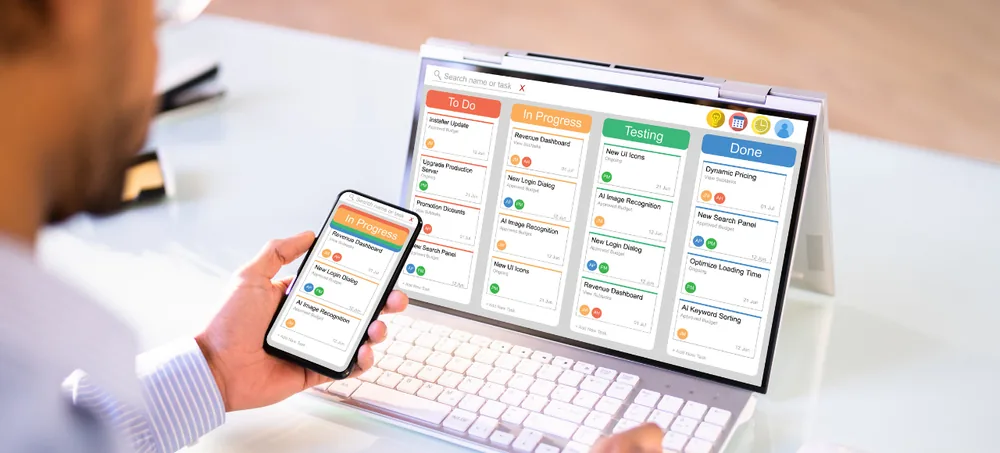
Keep every client record, conversation, document, task, deadline and invoice in one place. ERPLax builds customizable Client Management Software Australia for accountants, consultants, agencies, legal practices, trades and service businesses — configured to your engagement workflow rather than a fixed template.
Schedule Free Consultation
Tell us how your team handles clients today and we will map the right system around it.
Years Building Business Systems
Clients Across Industries
Projects Delivered
Client Lifecycle Out of the Box
Custom Client Management Software for Australian Businesses
Once a service business passes roughly fifty active clients, spreadsheets and shared inboxes stop scaling. These are the failure points a proper Client Management System Australia is built to remove.
Client Data Scattered Everywhere
Contact details in one app, notes in another, files on someone's desktop and history in an inbox nobody else can search.
Missed Follow-Ups & Deadlines
Renewals, review dates and promised callbacks depend on memory instead of a system that reminds someone.
No Single Client View
Three staff answer the same client three different ways because none of them can see the full history.
Slow, Inconsistent Onboarding
Every new client is onboarded slightly differently, and steps get skipped when the team is busy.
Billing Leakage
Work delivered but never invoiced, plus hours spent reconciling what was actually done against what was billed.
Compliance & Document Risk
Signed agreements, ID documents and consent records stored wherever the person handling them chose.
No Visibility for Management
Nobody can answer which clients are profitable, which are at risk, or who is carrying too much workload.
One System Across the Entire Client Lifecycle
Every client moves through defined stages with the owner, next action, documents and billing status attached at each step — visible to the whole team, not just the person who took the call.
Central Client Records
One master record per client holding contacts, entities, addresses, tags, assigned staff and full relationship history.
Client Onboarding Workflows
Repeatable checklists with owners and due dates so every new client gets the same complete start.
Communication History
Emails, calls, meetings and notes logged against the client so any team member can pick up the thread.
Document Management
Agreements, ID, consents and deliverables stored on the client record with version and access control.
Tasks, Deadlines & Reminders
Recurring obligations, review dates and follow-ups scheduled and escalated automatically.
Billing & Invoicing Link
Retainers, milestones and time captured against the client, then pushed to invoicing without re-entry.
What Is a Client Management System?
A client management system is a centralized platform for storing client information and coordinating everything your team does for that client — from first enquiry through onboarding, delivery, billing and renewal.
What It Stores
- Client and contact master records
- Communication and meeting history
- Contracts, documents and consents
- Notes, tags and relationship context
What It Coordinates
- Onboarding checklists and approvals
- Tasks, deadlines and recurring obligations
- Service delivery and job status
- Billing, renewals and reporting
Comparing Client Management Software Providers Australia
Most shortlists of Client Management Systems Australia look interchangeable on a feature grid — the difference appears three months after go-live. What separates the Best Client Management System Australia option from an expensive contact list is whether your onboarding steps, obligations and billing triggers are genuinely modelled in the system. That is why any serious Client Management Software Company Australia should scope your engagement workflow before quoting modules. ERPLax delivers Client Relationship Management Software Australia across the full size range: a lean Client Management Software for Small Business Australia setup running lists, notes and reminders, or a full Client Records Management Software Australia deployment with document control, portals and audit trails. Professional firms tend to need Client Management Systems for Accountants Australia with recurring compliance calendars; advisory teams want Client Management Software for Consultants Australia built around engagements and billable time; creative and marketing teams need a Client Management System for Agencies Australia geared to briefs, approvals and retainers. Businesses weighing Client Management Software Providers Australia should also test mobility and search — good Client Tracking Software Australia answers "what is happening with this client" in one screen. We support metro teams running Client Management System Sydney and Client Management System Melbourne operations alongside regional offices, and agencies looking for an Affordable Client Management Software Australia starting point can begin with core records and add modules later. For teams that also manage a sales pipeline, Client Management and CRM Software Australia can run as one connected platform instead of two disconnected tools.
Why Australian Businesses Need Client Management Systems
Service businesses do not lose clients on price nearly as often as they lose them on responsiveness and dropped detail.
One Complete Client View
Every conversation, document, task and invoice for a client visible on a single screen, to anyone authorised.
Nothing Falls Through
Obligations, renewals and follow-ups are scheduled, owned and escalated rather than remembered.
Consistent Service Delivery
Standard onboarding and delivery checklists mean the tenth client gets the same quality as the first.
Compliance & Audit Readiness
Documents, consents and approvals stored with timestamps, versions and access records.
Continuity When Staff Change
Client knowledge stays with the business instead of walking out with an employee's inbox.
Management Visibility
Workload, client health, revenue per client and team capacity measured instead of estimated.
Key Features of ERPLax Client Management Software
Switch on what your team needs now and extend the system as the client base grows.
Client Database & Profiles
Client Database Software Australia holding entities, contacts, addresses, tags and assigned account owners.
Fast Client Search
Find any client, contact, document or note in seconds with filters across every field.
Onboarding Checklists
Client Onboarding Software Australia with templated steps, owners, due dates and completion tracking.
Task & Deadline Management
Assign tasks, set recurring obligations and escalate anything overdue automatically.
Communication Logging
Email, call, SMS and meeting history captured chronologically against each client record.
Document Repository
Client Records Management Software Australia with versioning, expiry alerts and access control.
Client Portal
Client Portal Software Australia letting clients upload documents, approve work and view status.
Proposals & Agreements
Generate proposals and engagement letters from templates, then track acceptance.
Segmentation & Tagging
Group clients by service, value, industry, risk or renewal date for targeted action.
Billing & Invoice Tracking
Retainers, milestones and time linked to the client, with paid and outstanding status visible.
Reports & Dashboards
Client health, workload distribution, revenue per client, renewal and churn analytics.
Workflow Automation
Rule-based assignment, reminders, status changes and notification triggers.
Role-Based Permissions
Control which staff see which clients, documents and financial information.
Audit Trail
Every change recorded with user and timestamp for compliance and dispute resolution.
Cloud Deployment
Cloud Client Management System Australia with secure access from any location.
Mobile Access
Field and travelling staff update client records and log activity from their phone.
Website Enquiry Capture
New enquiries from your website flow straight into the system as client records.
Team & Capacity View
See who owns which clients and where workload is concentrated before it becomes a problem.
Custom Fields & Forms
Capture the information your industry actually needs without waiting on a vendor release.
Client Management Systems for Every Service Business
The same platform, configured around each profession's obligations and delivery rhythm.
Cloud Client Management System Australia
Cloud deployment puts the full client record in front of your team wherever they are working — office, site or home.
Automation and Integrations
Automate the repetitive administration and connect the system to the tools your business already runs.
Onboarding Automation
New client accepted triggers the full checklist — welcome email, document requests, owner assignment, kickoff task and calendar entries created automatically.
Obligation & Renewal Automation
Recurring deadlines, review dates and contract renewals generate tasks and reminders ahead of time, escalating to a manager if they age past due.
Communication Automation
Status updates, document requests and follow-up sequences sent from templates and logged against the client record automatically.
Client Management System Implementation Process
A six-step rollout that keeps your team serving clients while the system goes live.
Requirement Analysis
We map your client lifecycle, obligations, document flow, team roles and reporting needs before configuring anything.
System Configuration
Users, roles, permissions, lifecycle stages, custom fields, checklists and automation rules set up to match your practice.
Data Migration
Existing client records, contacts, documents and open tasks are cleaned, de-duplicated and imported.
Integration Setup
Email, calendar, accounting, website forms and any third-party tools connected and tested end to end.
Training & Go-Live
Role-specific training for staff and managers, with a supported cutover rather than a hard switch.
Support & Optimization
Ongoing support with workflows refined as client numbers, services and team structure change.
Benefits of Using Client Management Software
What businesses report after moving client information out of inboxes, spreadsheets and individual memory.
Choosing Between Client Management Systems Australia
Six questions worth asking any provider before you commit, including us.
Why Choose ERPLax for Client Management Software Australia
19+ years of delivery, 1500+ clients and 1700+ projects behind every implementation.
Frequently Asked Questions About Client Management Systems Australia
A client management system is a centralized platform that stores client records, contacts, communication history, documents, tasks and billing status, then coordinates the work your team does for each client from first enquiry through onboarding, delivery and renewal.
CRM is weighted towards winning new business — leads, pipeline and conversion. Client management software is weighted towards serving clients you already have — onboarding, obligations, documents, delivery and retention. Client Management and CRM Software Australia can run as one connected platform so nothing is lost at handover.
Any business with recurring client relationships and obligations: accounting and bookkeeping firms, consultants, marketing and creative agencies, legal practices, financial advisers, allied health, training providers, property services and trade contractors.
Yes. Client Management Software for Small Business Australia usually starts with a central client database, communication history, tasks and reminders. Portals, automation and reporting are added later as client numbers grow.
Yes. ERPLax provides Custom Client Management Software Australia with your own fields, onboarding checklists, lifecycle stages, document types, permissions and reports configured to how your team actually works.
Yes. A secure client portal can be enabled so clients upload documents, approve deliverables, view status and access their own records without emailing your team for every request.
Yes. Cloud deployment gives your team secure access from any location or device, with centralized data, multi-user collaboration and fast rollout. Cloud deployment is available where data must remain in-house.
Yes. Integrations cover accounting and invoicing software, email and calendar, SMS and WhatsApp, e-signature tools, payment gateways, website forms and custom third-party applications through APIs.
Role-based permissions restrict access by user, team and record type, every change is written to an audit trail, and documents carry version and access history. Backup and retention policies are configured during implementation.
Cost depends on user count, modules selected, customization depth, integrations, deployment choice and support level. ERPLax quotes each of these separately so you can compare providers on real numbers rather than a headline price.
Choose the Right Client Management System for Your Business
The best Client Management Systems Australia businesses adopt are the ones that match how their team actually serves clients. Manage records, onboarding, communication, documents, tasks, billing and reporting on one scalable platform.