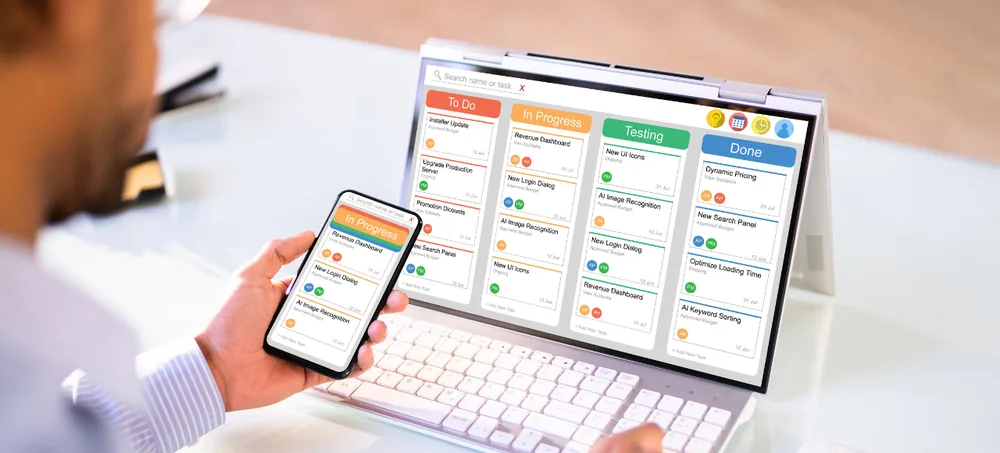
Growing businesses often reach a point where spreadsheets, disconnected customer records, individual sales notes and manual follow-up processes make customer management difficult. ERPLax provides cloud-based CRM applications for Bangalore businesses that want to centralize lead information, organize sales activities, configure customer workflows and improve visibility across the sales process.
Share your requirements and we'll get back within 24 hours.
ERPLax is developed by EchoPx Technologies as a cloud business management platform designed to connect workflows and reduce operational fragmentation across sales, customer management and related business processes.
As the number of prospects and customer interactions grows, managing those relationships manually becomes increasingly difficult.
Customer details may exist in spreadsheets, email inboxes and individual employee records. A centralized CRM provides a common location for relevant customer, lead and sales information.
Without structured activity and follow-up management, important conversations can be delayed or overlooked. CRM workflows help teams record activities and maintain continuity.
Managers need to understand where opportunities are positioned within the sales workflow. A structured CRM pipeline provides a clearer operational view.
When lead distribution and status updates depend on manual coordination, the sales process becomes difficult to manage consistently.
Multiple spreadsheets and independent databases can create duplicate records. Centralizing CRM data helps teams maintain a consistent working record.
Creating sales reports manually requires collecting information from multiple sources. CRM reporting gives a structured way to review sales activities and pipeline data.
ERPLax provides a cloud CRM platform for businesses that want to organize customer information and create more structured sales processes. Instead of treating CRM as an isolated contact database, ERPLax supports CRM as part of broader business process management.
Customer information can move through configurable stages from initial enquiry and qualification through sales activities, proposals, follow-ups and subsequent customer processes. ERPLax CRM configuration can be adapted within the SaaS platform according to the workflows a business actually needs.
Customization refers to configuration and development performed within ERPLax; customers use the solution as a cloud subscription service and do not receive application source code. This approach is particularly relevant for businesses evaluating CRM companies in Bangalore, since software selection should consider workflow requirements, integration needs, user roles and future process changes — not features alone.
Whether you are comparing CRM software Bangalore options, reviewing CRM solutions Bangalore providers, or simply searching for CRM Bangalore and CRM IT solutions Bangalore, the same evaluation approach applies: match the platform to your sales process first, then confirm it can be configured and supported as your business grows.
Configurable capabilities built around how Bangalore businesses actually sell and manage customers.
Capture and maintain lead information in a structured environment instead of relying on independent spreadsheets and personal records.
ERPLax enables CRM workflows to be configured around relevant business processes so teams can follow the stages they actually use.
Maintain structured customer and contact information so authorized teams can work with relevant relationship history from one place.
Organize sales tasks and follow-up activities around leads and opportunities for clearer visibility into what needs attention.
Configurable workflows can structure routine activities such as lead routing, stage changes and approval processes.
ERPLax reporting can support management visibility into relevant sales information, activities and pipeline data.
ERPLax workflows can be configured around user responsibilities so teams work within processes relevant to their role.
ERPLax can be configured to connect relevant business processes where technically appropriate, based on the systems and APIs involved.
ERPLax is a cloud-only SaaS platform. Businesses access the application through the cloud, supporting a subscription-based approach.
A configurable path from first enquiry through to reporting and management review.
A new enquiry enters the business and is recorded as a lead with relevant contact and enquiry information, creating a structured record early in the customer journey.
The lead can move to the appropriate salesperson or team according to the business's configured process, preventing ambiguity about ownership.
Sales users record relevant requirements and determine whether the enquiry should progress, structured around the organization's sales workflow.
Qualified opportunities progress through configured stages, giving managers a clearer view of where active opportunities sit.
Calls, meetings and other relevant activities can be organized against the customer or opportunity record, creating continuity across teams.
Where internal review is required before proposals or commercial actions proceed, approval workflows can be configured accordingly.
Once a prospect becomes a customer, relevant information remains available within the connected business workflow.
Sales managers can review CRM information through configured reports and dashboards to understand activities and pipeline movement.
Defined CRM stages help salespeople follow a repeatable process rather than managing every opportunity differently.
Centralized customer information and configurable workflows reduce dependence on repeated internal messages and spreadsheet updates.
Teams can work from organized customer and interaction information, understanding the context behind an enquiry or opportunity.
Pipeline and activity information gives managers a clearer operational view of the sales process.
When relevant information is maintained centrally, sales and other participating teams can coordinate around the same business record.
Structured activity management helps teams identify the next actions associated with active leads and opportunities.
As sales structures, products, teams or approval requirements change, configurable CRM workflows can be adjusted within the ERPLax SaaS platform.
Organize discovery, demos, technical evaluation and negotiation stages in one workflow.
Manage B2B enquiries involving specifications, quotations and repeat customer relationships.
Organize prospects through requirement matching, site visits and extended follow-up.
Track enquiries from discussion through requirement assessment, proposal and engagement.
Organize dealer, distributor and institutional sales relationships and follow-ups.
Manage course enquiries through counselling, follow-up and enrollment stages.
Organize service enquiries and communication with defined information-handling requirements.
Structured lead management and pipeline visibility that can grow with the business.
Businesses searching for CRM applications for small businesses in Bangalore don't necessarily need the most complicated CRM available — they need software aligned with how their teams actually sell. ERPLax's configurable SaaS approach allows CRM requirements to be planned around current processes while considering future operational needs.
Selecting CRM software should begin with business requirements rather than a long feature checklist.
Can the CRM reflect the stages and activities used by your actual sales team?
Determine which fields, workflows, reports and approvals need to match your organization.
Identify applications and data sources that need to exchange information with the CRM.
Define which teams will use the CRM and what each role needs to accomplish.
Determine which sales and customer information management needs to review regularly.
Existing customer and lead information may need to be reviewed and prepared before migration.
A focused CRM implementation can prioritize essential workflows before additional processes are configured.
Consider how the CRM will need to adapt when teams, sales processes or operations change.
Understanding the current sales process, customer journey, user responsibilities and existing applications.
Key CRM stages, activities, responsibilities and approvals are mapped to determine how the system should operate.
ERPLax is configured and, where required, developed within the SaaS platform per agreed requirements.
Existing customer and lead data is reviewed to determine what needs preparation for the new environment.
Required connections with other business systems are evaluated based on available methods and data flow.
Configured workflows are reviewed against expected business scenarios before broader operational use.
Teams learn how leads, customer records, activities and pipeline stages should be managed.
As requirements evolve, CRM configuration can be reviewed and adjusted within the platform.
ERPLax is backed by EchoPx Technologies with 19+ years of experience helping businesses adopt structured technology.
The organization brings experience from 1500+ clients and 1700+ completed projects to business software requirements.
ERPLax is provided as cloud subscription software, without requiring an on-premise installation.
CRM requirements differ between businesses. ERPLax supports configuration and development within its SaaS platform.
ERPLax includes CRM within a wider platform covering inventory, finance, HR, purchasing, projects and reports.
The focus is understanding lead flows, customer stages, responsibilities, approvals and reporting — not just installing software.
CRM applications are business software systems used to organize customer relationships, leads, opportunities, sales activities and related information. They help businesses centralize customer data and create more structured sales and follow-up processes.
ERPLax provides a configurable cloud CRM solution for managing leads, customer information, sales pipeline workflows, follow-up activities, reports and related business processes. Requirements can be configured within the ERPLax SaaS platform.
Yes. ERPLax is a cloud-only SaaS ERP and CRM platform provided through a subscription model.
ERPLax can be configured and developed within its SaaS platform according to agreed business requirements. Customization can include workflows, relevant fields, reports, user processes and other required CRM functionality. Customers do not receive ERPLax source code.
CRM pricing depends on factors such as the required users, workflows, configuration, development requirements, integrations and implementation scope. Businesses should define their requirements before evaluating the appropriate ERPLax subscription and implementation scope.
ERPLax can be considered by startups and small businesses that need structured lead, customer and sales processes, as well as by growing organizations requiring broader workflows. The appropriate configuration depends on business requirements.
Integration requirements can be evaluated based on the external application, available APIs, required data and intended workflow. ERPLax supports integration capabilities as part of its broader business platform.
Businesses should document their sales stages, lead sources, customer information requirements, user responsibilities, approval processes, reports, existing data and integration requirements.
CRM can centralize structured lead, customer and sales information that might otherwise be distributed across multiple spreadsheets. Whether every spreadsheet should be replaced depends on its purpose and required workflow.
Standard CRM software generally provides predefined workflows and functionality. A configurable CRM allows relevant workflows, fields, stages, reports and processes to be adapted more closely to organizational requirements.
ERPLax is designed as a cloud SaaS business platform where CRM workflows can be configured according to organizational requirements, considering user roles, process complexity, integrations and reporting.
Compare providers based on business-process fit, SaaS pricing, configuration capabilities, implementation approach, integration options, reporting requirements, support requirements and the ability to accommodate evolving workflows.
If spreadsheets, disconnected customer records and manual follow-ups are making your sales process harder to manage, ERPLax can help you move toward a structured cloud CRM environment. Discuss your lead process, customer journey and reporting requirements with the ERPLax team.
Specialized Applications
Purpose-built & ready to deploy. Hover to explore, click to learn more.
Testimonials
Real stories from businesses running their operations on ERPLax.
ERPLax gave us real-time visibility into stock across three warehouses. Wastage dropped and our fulfillment time improved almost overnight.
GST e-invoicing used to eat up two days every month. With ERPLax's accounting module it's now automatic and our filings are always on time.
Billing at our stores used to take a minute per customer. ERPLax's POS module cut that to under 15 seconds, even during peak festival rush.
Payroll for 200+ employees across two branches used to take our HR team a full week. ERPLax's HRM module now runs it in a single afternoon.
Tracking batch numbers and expiry across our distribution network was a nightmare on spreadsheets. ERPLax's inventory module made it effortless.
Front desk, housekeeping and billing are now all on one screen. ERPLax's hotel management module has made check-in day a breeze for our staff.
Fee collection, attendance and report cards used to live in three different tools. ERPLax brought it all into one dashboard our staff actually enjoys using.
Tracking material costs and site progress across four active sites was chaos before ERPLax. Now our project managers update status from their phones daily.
Our online store orders now sync straight into inventory and accounting — no more manual entry, no more overselling out-of-stock items.
Our sales team can now see every lead's history and follow-ups in one place. Deal closures are faster and nothing falls through the cracks anymore.
ERPLax gave us real-time visibility into stock across three warehouses. Wastage dropped and our fulfillment time improved almost overnight.
GST e-invoicing used to eat up two days every month. With ERPLax's accounting module it's now automatic and our filings are always on time.
Billing at our stores used to take a minute per customer. ERPLax's POS module cut that to under 15 seconds, even during peak festival rush.
Payroll for 200+ employees across two branches used to take our HR team a full week. ERPLax's HRM module now runs it in a single afternoon.
Front desk, housekeeping and billing are now all on one screen. ERPLax's hotel management module has made check-in day a breeze for our staff.
Fee collection, attendance and report cards used to live in three different tools. ERPLax brought it all into one dashboard our staff actually enjoys using.
Tracking material costs and site progress across four active sites was chaos before ERPLax. Now our project managers update status from their phones daily.
Our online store orders now sync straight into inventory and accounting — no more manual entry, no more overselling out-of-stock items.
Our sales team can now see every lead's history and follow-ups in one place. Deal closures are faster and nothing falls through the cracks anymore.
