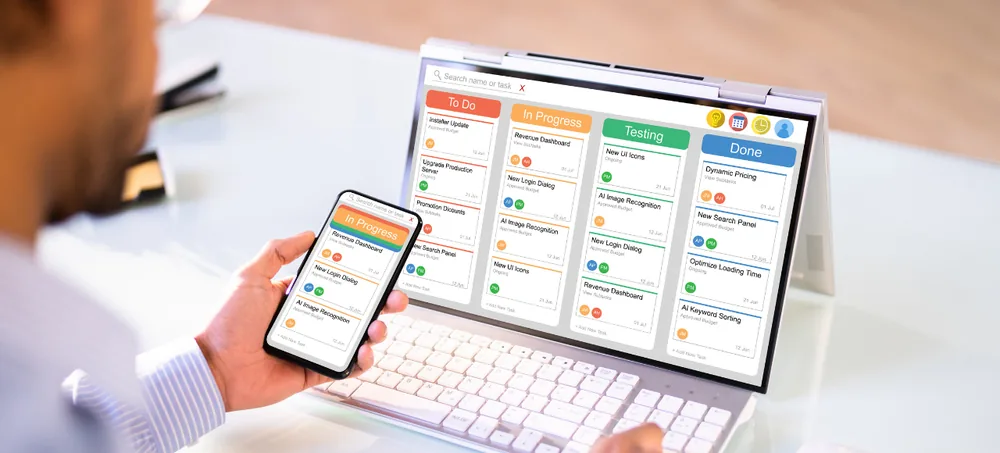
CRM Development Company in USA – Custom Cloud CRM by ERPLax
One Connected CRM & ERPCRM-to-ERP ready
Manage leads, sales pipelines, customer records, follow-ups and reporting in one configurable CRM platform. ERPLax is a configurable cloud CRM and ERP platform serving businesses in the USA, offering CRM development, configuration and implementation services tailored to organizational requirements.
Tell us about your sales process, customer journey and current CRM or spreadsheets – we'll walk through ERPLax using your own workflow.
RKSVAP+
Verified Experts
Free ConsultationNo Obligation24hr Response
EchoPx Technologies
CRM Software Experience with Business-Focused Development
19+Years Experience
1500+Clients Served
1700+Projects Delivered
8Connected CRM Modules
A distributor may need CRM software connected to inventory and quotations. A real estate company may require property enquiries and sales follow-ups. A professional service organization may need CRM connected to projects, tasks and invoicing.
Built Around Your Customer Journey
Custom CRM Software Development for Lead Management, Sales Automation and Customer Relationships
Managing customer relationships becomes increasingly complicated when sales leads, contact details, quotations, follow-up activities, customer conversations and support requests are maintained across separate applications. A well-organized customer relationship management system helps address these challenges by connecting customer information, sales activities, business processes and reporting.
Developed by EchoPx Technologies, ERPLax helps startups, small businesses, medium-sized companies and growing enterprises organize customer-facing processes through a centralized SaaS solution. From lead capture and contact management to opportunity tracking, sales quotations, approval workflows, customer support activities and management dashboards, ERPLax enables businesses to structure the customer relationship lifecycle around their actual operations.
Unlike a rigid CRM setup that requires every business to follow identical procedures, ERPLax can be configured and extended within its SaaS platform to accommodate agreed business requirements.
Bring customer information, sales processes and related business operations together through ERPLax cloud CRM software.
As CRM software development services USA businesses compare, ERPLax is offered as a cloud CRM development company option and a SaaS CRM software USA companies can subscribe to, positioned among business CRM solutions USA teams evaluate for custom CRM software development, CRM customization services and CRM implementation services USA relies on, with CRM automation software development and CRM development for small businesses configured around your company's actual sales process.
Why Businesses Need Custom CRM
Why Businesses in the USA Need Custom CRM Development
Businesses interact with customers through websites, email, telephone calls, marketing campaigns, sales meetings, service enquiries and other channels. When customer data is scattered across independent systems, employees may struggle to understand previous conversations, outstanding opportunities and next actions – CRM development helps establish a structured process for managing customer information and coordinating departments.
01
Scattered Customer Information
Customer contact details may be maintained in spreadsheets, email platforms, billing applications and employee records, with different departments storing conflicting or incomplete information about the same customer. ERPLax CRM supports centralized customer profiles, contact details, account information and relevant interaction records – a common reference for sales and customer-facing teams.
02
Missed Sales Leads and Follow-Ups
A potential customer may submit an enquiry but receive no follow-up because the assigned employee is unavailable or the request is not tracked properly. Without structured lead ownership, management may find it difficult to identify pending activities. ERPLax supports lead assignment, sales activities, follow-up schedules and opportunity status tracking.
03
Limited Sales Pipeline Visibility
Sales managers need to understand which opportunities are new, qualified, under discussion, awaiting quotation or nearing a decision. When employees maintain independent pipelines, preparing consolidated forecasts becomes difficult. ERPLax sales pipeline management organizes opportunities into configurable stages.
04
Manual Quotation and Approval Processes
Businesses often need sales quotations based on products, services, pricing rules and commercial terms. Manual quotation preparation may require repeated data entry or informal approvals. ERPLax can connect customer opportunities with quotation and relevant approval workflows.
05
Disconnected Sales and Operations
Closing a customer deal is not always the end of the process – the organization may need to create a sales order, reserve inventory, schedule a service, initiate a project or issue an invoice. ERPLax can connect CRM with relevant ERP, sales, inventory, project and billing workflows.
06
Inconsistent Customer Service Records
Customer service representatives may need information about previous enquiries, purchases, support requests or assigned employees. ERPLax can organize customer-related support activities, ticket records and relevant task information for a more structured service history.
07
Difficulty Measuring Sales Activities
Management may want to understand lead sources, sales opportunities, pending quotations, follow-up completion and deal status. Without consistent CRM data, reporting often depends on manual updates. ERPLax provides configurable CRM reports and dashboards based on recorded customer and sales information.
08
CRM Software That Does Not Fit the Business
Generic CRM software may use fields, sales stages or approval processes that do not match the organization's actual workflow, so employees create workarounds outside the application. ERPLax supports configuration and development within its SaaS platform, defining relevant sales stages, forms, fields, workflow rules and reports.
Configurable CRM Development
ERPLax: Configurable CRM Software Development Services in USA
ERPLax provides cloud CRM development services focused on configuring business processes within its SaaS platform. Instead of treating CRM as a simple database of contacts, ERPLax considers how customer information moves between marketing, sales, service and operations – from how enquiries arrive and leads are qualified to how quotations are approved and confirmed deals progress into operational transactions.
Custom CRM development within the SaaS platform: this can involve contact fields, account classifications, pipeline stages, approval rules, workflow conditions, reports and integrations. For example, an industrial equipment distributor may need opportunities linked to product categories, quotation records and relevant stock information, while a consulting company may require customer opportunities connected to projects and invoicing.
CRM implementation is more than activating a software subscription. Businesses should identify user responsibilities, sales stages, customer data requirements, integration needs and reporting expectations – ERPLax implementation planning can include discovery, process mapping, configuration, data migration, testing, training and rollout.
CRM and ERP as Connected Business Processes
One advantage of ERPLax is the ability to evaluate CRM alongside a broader enterprise resource planning platform. Sales opportunities can be connected to relevant business processes such as quotations, sales orders, inventory, billing or projects.
A CRM platform should help employees perform daily activities while providing management with useful information about customers, sales opportunities and business processes. ERPLax supports configurable CRM capabilities that can be adapted to the organization's agreed requirements.
01
Lead Management Software
Capturing, organizing, assigning and qualifying potential customer enquiries through lead records, source information, assigned employees, follow-up activities and qualification status – for example a B2B software company organizing enquiries from its website, marketing campaigns and direct referrals.
Business valueClearer lead ownership, organized prospect information and improved visibility into pending sales activities.
02
Customer and Contact Management
Accurate records of businesses, individual contacts and relevant communication history through customer profiles, contact details, account records and related business information, with configurable fields for classification, industry or territory.
Business valueCentralized customer information and more consistent records for sales, service and management teams.
03
Sales Pipeline Management
Configurable opportunity stages, assigned employees, expected values, planned activities and related status information so the sales pipeline reflects how opportunities progress through the organization's sales process – for example New Enquiry, Qualified, Demonstration, Proposal, Negotiation and Decision.
Business valueBetter visibility into active opportunities, clearer sales responsibilities and a structured basis for pipeline review.
04
Opportunity Management
Organizing potential business transactions being evaluated or negotiated – customer details, potential products or services, estimated value, responsible employees and relevant activities – as sales teams update status while discussions progress.
Business valueMore organized sales records and better information for reviewing the status of potential business.
05
Sales Activity and Follow-Up Management
Task and follow-up management associated with leads, contacts and opportunities, with configurable reminders, assigned responsibilities and relevant activity workflows – for example scheduling a follow-up after sending a quotation.
Business valueMore consistent activity tracking, clearer next steps and reduced dependence on personal spreadsheets.
06
Quotation and Proposal Management
Connecting relevant customer and opportunity information with quotation workflows, with configurable product or service details, approval procedures and commercial information – for example an industrial supplier preparing a quotation based on requested products and quantities.
Business valueMore structured proposal preparation and better coordination between sales discussions and commercial transactions.
07
Customer Interaction History
Maintaining interaction records associated with relevant contacts, accounts and opportunities, including activity notes and follow-up details, so an account manager can review earlier customer discussions before arranging another meeting.
Business valueBetter continuity of customer information and more coordinated communication across employees.
08
CRM Workflow Automation
Configurable business process automation for repetitive CRM activities including lead assignment, task creation, reminders, approval routing and status changes – for example a new qualified lead assigned to the appropriate salesperson automatically.
Business valueMore consistent execution of routine activities and reduced manual coordination.
09
Customer Support and Ticket Management
Support and ticketing-related workflows for receiving enquiries, assigning issues, tracking progress and recording resolutions, with relevant customer references, assigned employees, issue categories and status information.
Business valueOrganized service records, clearer task ownership and improved visibility into pending customer requests.
10
Sales Territory and Team Management
Configurable team assignments and relevant sales reporting structures for businesses organizing sales responsibilities by territory, industry, product line or customer category – for example a US distributor assigning representatives to regional customer groups.
Business valueClearer sales ownership and more organized team-level reporting.
11
Marketing Lead and Campaign Tracking
Recording lead source information and supporting relevant campaign classifications so businesses can review lead activity and opportunities associated with different acquisition sources, with specialized marketing automation assessed separately.
Business valueBetter organization of lead origins and more useful information for sales and marketing coordination.
12
CRM Reporting and Sales Dashboards
Configurable reports and dashboards based on CRM transaction data – leads by source, opportunities by stage, pending follow-ups, quotations, sales employee activities and recorded pipeline values.
Business valueBetter operational visibility and more structured sales performance reviews.
13
CRM Data Migration
Data preparation, field mapping, import and validation for organizations adopting a CRM platform with existing customer data in spreadsheets or other applications, reviewing duplicate records and inconsistent classifications before migration.
Business valueA more organized starting point for CRM adoption and better consistency in customer information.
14
CRM and ERP Integration
Connecting CRM information with relevant ERP functions including sales orders, inventory, purchasing, projects and billing – for example a confirmed sales opportunity providing the basis for a sales order handled by the operations team.
Business valueMore connected business processes and reduced need to recreate customer information between departments.
15
Accounting and Billing Integration
Connecting CRM-related workflows with applicable billing and financial processes within the ERP platform, with external accounting system integrations evaluated subject to available interfaces and agreed scope.
Business valueBetter coordination between sales and finance, with more consistent commercial records.
16
Configurable CRM Forms, Fields and Reports
CRM customization within the SaaS platform, including agreed forms, fields, sales stages, approval conditions and reports – for example a construction contractor needing project requirements associated with an opportunity.
Business valueA closer fit between the CRM interface and actual employee workflows.
17
Sales and Customer Task Management
Assigning relevant work, maintaining due dates and tracking completion for customer management activities that continue beyond the initial sales discussion – for example initiating onboarding documentation after a confirmed order.
Business valueClearer responsibilities and better coordination of customer-related tasks.
18
Multi-Department CRM Workflows
Configuring relevant workflows and user responsibilities across sales, marketing, support, finance and operations, all of which may require information associated with the same customer.
Business valueConnected customer information and better coordination of departmental activities.
End-to-End Customer Lifecycle
How ERPLax CRM Works: End-to-End Customer Lifecycle
CRM development should focus on how information moves through the customer relationship lifecycle. The following illustrates an order-driven CRM workflow that can be configured in ERPLax, from lead capture to sales conversion, service and reporting.
1. Lead Capture2. Lead Qualification3. Sales Assignment4. Follow-Up Activities5. Opportunity Tracking6. Quotation Approval7. Deal Confirmation8. ERP & Order Processing9. Customer Support10. Sales Reporting
Illustrative CRM and ERP workflow. External lead source and website integrations are implemented according to available interfaces and agreed scope – the exact workflow depends on the modules and configuration selected.
1
Capture Customer Enquiries
A prospective customer submits an enquiry through a configured source, such as a website form, connected application or manual entry. The CRM records the relevant contact information, customer requirements and source details, with external lead source integrations implemented according to available interfaces and agreed scope.
2
Qualify the Lead
The responsible employee reviews the enquiry and identifies the customer's requirements. The lead may be classified by product interest, service requirement, territory, priority or other business criteria, creating a structured basis for deciding the next sales activity.
3
Assign Sales Responsibility
The CRM assigns or records the responsible salesperson according to the configured process. The employee can review the lead and arrange the appropriate follow-up, while sales managers evaluate pending responsibilities through relevant reports.
4
Schedule Sales Activities
The salesperson records calls, meetings, demonstrations and follow-up tasks. Activity information is associated with the relevant customer or opportunity, maintaining a clearer history of the sales process.
5
Manage the Opportunity
Once a lead qualifies as a potential transaction, the corresponding opportunity is tracked through the applicable pipeline. Sales employees update the opportunity based on customer discussions and commercial progress.
6
Prepare and Approve the Quotation
The sales team prepares a quotation using relevant customer and commercial information. Where necessary, the quotation is routed through the configured approval process before the approved proposal is communicated to the customer.
7
Record the Sales Decision
When the customer confirms the transaction, the opportunity is updated accordingly. If the deal is not proceeding, the team may record its status and relevant reason, helping maintain more meaningful pipeline records.
8
Connect the Deal with ERP Operations
For confirmed business, relevant customer and order information can progress into the connected ERP workflow – depending on the company, this may involve sales orders, stock allocation, service onboarding, project creation or invoicing.
9
Manage Ongoing Customer Requests
Customer service or account management teams record relevant support requests and activities, helping maintain continuity after the initial sale.
10
Review Customer and Sales Performance
Managers review CRM dashboards for lead sources, pipeline values, opportunity progress, follow-up activity and relevant sales reports – information for evaluating the sales process and identifying areas requiring attention.
Business Benefits of ERPLax Custom CRM Development
A CRM implementation can help a business improve the way customer information is recorded, shared and used. ERPLax supports these objectives through configurable workflows and integrated CRM capabilities.
Centralized Customer Records
Sales and service teams can maintain customer information within a shared CRM structure, reducing dependence on independently maintained contact lists.
More Consistent Lead Management
Leads can be organized by source, status, responsibility and required action, helping employees identify the next steps in the sales process.
Better Sales Pipeline Visibility
Sales managers can review opportunities according to defined stages, creating a more consistent framework for discussing sales progress.
Reduced Manual Coordination
Configured reminders, task assignments and approval workflows can help organize repetitive activities, with the extent of automation depending on the selected functionality and integrations.
Improved Sales and Operations Coordination
CRM information can be connected to relevant operational processes through ERPLax ERP modules, helping employees transition from a confirmed deal to the next business activity.
More Organized Customer Support
Support requests and customer-related tasks can be managed using relevant ticket and activity records, creating clearer task ownership and customer interaction history.
Better Management Reporting
CRM dashboards provide information about leads, opportunities, quotations and sales activities that management can use to evaluate the recorded sales process.
Support for Multiple Sales Teams
Organizations can configure sales responsibilities and reporting around applicable teams and territories, useful when managing employees across different regions or business divisions.
Industry-Specific CRM Configuration
CRM forms, fields and workflows can be adapted to the requirements of different business models, helping employees maintain information relevant to their daily work.
A Foundation for Business Expansion
As customer operations become more complex, businesses can review additional workflows, modules, integrations and user requirements within the ERPLax SaaS platform.
Industries
Industries That Can Use ERPLax CRM Development Services in the USA
Businesses across the United States manage different types of sales opportunities, customer relationships and service requirements. ERPLax supports configuration and development within its SaaS platform based on these operational differences.
Manufacturing Companies
Connecting CRM records with relevant ERP workflows for inventory, manufacturing, sales and billing – for example managing customer specifications and commercial discussions before production-related transactions.
Real Estate Companies
Configuring contact records, opportunity categories, property reference fields, tasks and quotation-related workflows; specialized listing integrations and closing procedures evaluated separately.
Construction and Contracting Businesses
Connecting customer opportunities with relevant project records, task management, quotations and financial workflows – for example a contractor recording project requirements during sales discussions.
Wholesale and Distribution
Connecting CRM activities with inventory, sales orders and purchasing workflows, helping commercial and operations teams work with related customer information.
Healthcare Administration
Evaluated for appropriate non-clinical customer management workflows; use involving protected health information requires separate review of applicable legal obligations, including HIPAA where relevant.
Professional Services
Connecting CRM opportunities with relevant tasks, project information and financial workflows; specialized confidentiality and regulatory requirements assessed independently.
IT and Software Companies
Customer records, pipeline stages, sales activities and relevant support workflows for managing product demonstrations, subscription enquiries and implementation opportunities.
Retail and Ecommerce
CRM workflows integrated with applicable sales, inventory and ecommerce processes; external ecommerce integrations depend on platform compatibility and agreed scope.
Insurance Businesses
Configured for relevant customer management workflows; specialized policy administration, regulated data handling and compliance requirements assessed separately.
Logistics and Transportation
Connecting CRM records with relevant commercial, project or financial processes; specialized transportation management and shipment tracking integrations require separate evaluation.
Selection Guide
How to Choose a CRM Development Company in USA
A CRM development company should understand how customer information supports business operations. The evaluation process should begin with business requirements rather than a generic feature checklist. ERPLax is positioned as a configurable SaaS CRM and ERP platform, with development performed within that platform.
Guide 1
CRM Vendor Evaluation Approach
A CRM development company should understand how customer information supports business operations. The evaluation should begin with business requirements rather than a generic feature checklist. CRM buyers commonly compare consulting, customization, migration, integration, workflow automation and implementation services across providers.
Guide 2
CRM Development vs. Customization vs. Implementation
CRM development may involve creating new functionality or building business-specific processes. CRM customization involves adapting fields, forms, stages, reports and rules to organizational needs. CRM implementation includes setting up the platform, preparing data, configuring workflows, testing and training users.
Guide 3
Standard CRM vs. Configurable CRM
A standard CRM may be appropriate when an organization's processes closely match the product's predefined workflows. A configurable CRM may be more suitable when businesses require specialized sales stages, approval procedures, industry fields or integrations – the goal is to identify where configuration creates meaningful operational value.
Guide 4
Why CRM and ERP Connectivity Matters
Sales information often becomes relevant to other departments after a deal is confirmed. CRM-to-ERP connectivity can help link customer relationships with sales orders, inventory, projects and financial transactions – an important part of the evaluation for businesses with connected operational requirements.
CRM Vendor Evaluation Checklist
A useful quotation should explain subscription charges, included modules, user scope, configuration deliverables, integrations, migration responsibilities, implementation services and applicable recurring fees.
Evaluation Area
What to Ask
CRM functionality
Can the system manage our leads, contacts, accounts and opportunities?
Customization
Can fields, forms, pipelines and workflows match our processes?
SaaS model
What does the subscription include?
Sales automation
Which reminders, assignments and approvals can be configured?
Reporting
Can managers access the reports needed for our sales process?
Integration
Can CRM connect with our ERP, billing and other applications?
Data migration
How will existing customer records be prepared and transferred?
Multi-team usage
Can responsibilities and reports be organized by department or territory?
Implementation
What discovery, configuration, testing and training are included?
Pricing
What are the recurring and implementation costs?
Future requirements
How will additional modules and users be evaluated?
Compliance
Can the vendor substantiate any legal or regulatory capabilities we require?
Request a demonstration based on your organization's actual workflow – your material lead sources, sales stages, approval hierarchy and quotation requirements provide a more meaningful comparison than checking feature names alone.
As a custom CRM development company USA businesses can evaluate directly, ERPLax offers CRM development services in USA covering sales CRM software development, customer relationship management software development, CRM integration services USA teams rely on, and CRM and ERP integration services configured around your sales process – positioning ERPLax among the CRM software company USA options worth comparing for ongoing support and configuration depth.
Pricing
CRM Development Cost in USA – Pricing Considerations
CRM development costs vary according to business requirements. ERPLax operates through a cloud-only SaaS subscription model, with configuration and development scoped according to the organization's needs.
Pricing considerations include required modules, users, data migration, integrations, automation rules, custom reports, implementation services and training.
Request a Custom CRM Development Quote
A useful quotation should explain subscription charges, included modules, user scope, configuration deliverables, integrations, migration responsibilities, implementation services and applicable recurring fees – custom CRM software pricing and demo USA, discussed after reviewing your business requirements.
Data migration from spreadsheets or supported applications
CRM integrations with websites, email, accounting or existing ERP systems
Automation rules and configured reminders
Custom reports and dashboard requirements
Training and implementation services
Approval workflows and sales stage configuration
Ongoing subscription and recurring fees
Why ERPLax
Why Choose ERPLax as Your CRM Development Company for USA Businesses?
ERPLax combines CRM functionality with configurable business management workflows. For US organizations seeking more than basic contact management, the platform offers a way to organize customer relationships, sales processes and related ERP activities.
CRM Built Around Your Workflow
ERPLax begins with understanding how the organization manages leads, opportunities, quotations, follow-ups and customer requests, then configures CRM forms, sales stages and workflows around agreed requirements.
Integrated CRM and ERP Platform
ERPLax combines CRM with broader business modules including sales, inventory, purchasing, projects, billing and accounting, allowing businesses to evaluate connected processes between customer-facing and operational departments.
Configurable Sales Automation
Businesses can define appropriate lead assignments, activity reminders, approval stages and transaction workflows to establish consistent sales procedures.
SaaS CRM Subscription Model
ERPLax is provided as a cloud-based SaaS platform; businesses can discuss the required modules, users, configuration and implementation services according to their commercial needs.
Industry-Oriented CRM Configuration
Manufacturing companies, distributors, service providers, construction businesses and other organizations have different customer journeys – ERPLax supports relevant CRM configuration and development within its SaaS platform.
CRM Reports and Dashboards
Configurable reporting for customer information, sales activities, leads, opportunities, quotations and relevant operational records supports more organized sales management.
Business Software Experience
ERPLax is developed by EchoPx Technologies, with 19+ years of experience, 1500+ clients and 1700+ projects, bringing this business software background to CRM and ERP configuration.
Requirements-Based Implementation
CRM implementation should reflect actual organizational processes – ERPLax enables businesses to discuss workflow mapping, migration, configuration, testing and training before establishing the implementation scope.
A successful CRM implementation requires collaboration between the provider and the employees who manage customer relationships. ERPLax implementation planning can be organized around the following stages.
01Stage 1
CRM Requirements Discovery
Review existing customer records, sales processes, lead sources, opportunity stages and reporting requirements, and identify the challenges the organization wants to address.
02Stage 2
Customer Journey and Workflow Mapping
Document how an enquiry becomes a qualified lead, opportunity, quotation, confirmed order and ongoing customer relationship, identifying department responsibilities and approval requirements.
03Stage 3
CRM Configuration Planning
Define the required forms, fields, pipelines, user roles, activity types, dashboards and reports; evaluate any development or integration requirements for feasibility and scope.
04Stage 4
CRM Data Preparation
Prepare customer, contact, lead and opportunity records, reviewing duplicates, missing information and inconsistent classifications before migration.
05Stage 5
Configuration and Development
Configure the agreed functionality within the ERPLax SaaS platform, implementing approved workflow rules, forms, reports and relevant integrations according to scope.
06Stage 6
Testing and Validation
Test representative CRM transactions, including lead creation, assignment, follow-up, opportunity updates, quotations and reporting, with users verifying the system reflects the agreed business process.
07Stage 7
Employee Training and Rollout
Train sales, service and management users according to their responsibilities, introducing the configured CRM through the agreed operational rollout plan.
08Stage 8
CRM Process Review
Review adoption, recorded data quality and changing workflow requirements, assessing additional configuration or development as business operations evolve.
Across the United States
CRM Development Services Across the United States
Businesses across the USA have different industries, sales structures and customer management needs. ERPLax serves US businesses through its configurable SaaS CRM platform – service availability and implementation arrangements should be confirmed during consultation, and geographic targeting does not imply a physical ERPLax office in each city.
New York
CRM workflows for professional services, finance-related operations, retail, real estate, technology and B2B sales, evaluated for customer management, opportunity tracking, quotations and relevant reporting.
New York CityBuffaloAlbany
California
CRM software for technology services, manufacturing, ecommerce, professional services and distribution across Los Angeles, San Francisco and San Diego, with configurable customer and sales management workflows.
Los AngelesSan FranciscoSan Diego
Texas
CRM solutions for industrial services, construction, logistics, distribution, professional services and technology businesses across Houston, Dallas and Austin, supporting sales pipelines, customer records and CRM-to-ERP workflows.
HoustonDallasAustin
Florida
CRM evaluation for lead management, follow-ups, quotations and customer relationship workflows across Miami, Orlando and Tampa, covering real estate, hospitality, professional services and commercial operations.
MiamiOrlandoTampa
Illinois
CRM software connected with sales orders, customer accounts and financial processes for manufacturing, distribution, service and commercial organizations in Chicago.
ChicagoNapervilleRockford
Other US Markets
Organizations in Atlanta, Boston, Seattle, Phoenix, Denver, Washington DC and other US markets can evaluate ERPLax for relevant CRM requirements based on functionality, process fit and implementation services.
AtlantaBostonSeattle
New YorkLos AngelesHoustonMiamiChicagoAtlantaBostonSeattlePhoenixDenver
FAQ
Frequently Asked Questions About CRM Development Companies in USA
Answers on custom CRM development, pipelines, automation, ERP integration, pricing, implementation and regional coverage.
A CRM development company helps businesses plan, configure, implement and extend customer relationship management software. Services may include lead management workflows, contact records, sales pipelines, automation, reporting, integrations, migration and user training. ERPLax provides CRM configuration and development within its cloud-based SaaS platform.
Yes. ERPLax offers customizable CRM software and CRM development services for businesses operating in the United States. Requirements, implementation scope, integrations and commercial arrangements are discussed during consultation.
Custom CRM development involves adapting customer relationship management functionality to the organization's business requirements. With ERPLax, customization means configuration and development within its SaaS platform, including approved fields, forms, workflows, sales stages, reports and integrations.
Yes. ERPLax is a cloud-only SaaS CRM and ERP platform offered through a subscription model. The relevant functional and commercial scope is defined according to business requirements.
Yes. ERPLax supports lead management workflows including lead records, source tracking, assignment, qualification, follow-up activities and relevant sales reporting.
Yes. Sales stages, opportunity fields, responsibilities and approval requirements can be configured according to the organization's sales process. Different sales processes can be evaluated during requirements mapping.
ERPLax supports configurable workflows for activities such as lead assignment, follow-up reminders, task creation and approvals. Specific automation requirements are reviewed during configuration.
Yes. ERPLax includes CRM and ERP capabilities that can be connected through relevant business workflows. Businesses can evaluate connections between customer opportunities, quotations, sales orders, inventory, projects and financial transactions.
QuickBooks integration requirements can be assessed according to the relevant product version, available APIs, required data exchange and implementation scope. Specific integration functionality should be confirmed before purchase.
Website lead form integration can be evaluated based on the website platform and available integration methods, with the objective of transferring relevant enquiry information into CRM records according to configured rules.
ERPLax provides support and ticketing-related workflows that can be configured for relevant customer service processes, organizing support requests, customer references, assigned employees and status information.
Yes. Small businesses can evaluate ERPLax for essential CRM needs such as contact management, lead tracking, follow-ups, opportunities and quotations. Additional functionality can be discussed as requirements change.
ERPLax can be evaluated by medium-sized organizations with multiple sales teams, departments, customer categories and approval procedures. The implementation scope depends on the company's operating requirements.
ERPLax can organize sales information around configured teams, regions, territories and employee responsibilities. The appropriate reporting structure should be established during implementation planning.
CRM costs vary according to users, modules, workflow complexity, configuration, integrations, migration and implementation services. ERPLax uses a SaaS subscription model with requirement-based pricing discussions.
Implementation duration depends on the required modules, workflow complexity, data readiness, integrations, testing and employee training. A project schedule should be established after requirements assessment.
Existing CRM data can be assessed for migration from structured spreadsheets or supported systems. The process may involve cleaning, field mapping, duplicate review, import and validation.
Integration requirements involving email, calendars, communication tools and messaging platforms can be evaluated. Availability depends on the relevant application interfaces, permissions and agreed implementation scope.
Yes. ERPLax supports configurable CRM reports for leads, opportunities, activities, quotations and related sales information. The required calculations and reporting formats should be confirmed during implementation planning.
Yes. ERPLax can be evaluated for manufacturing sales processes involving customer enquiries, product requirements, quotations and sales orders. CRM information can be connected with relevant ERP and manufacturing workflows.
Real estate companies can evaluate ERPLax for customer enquiries, follow-ups, opportunity tracking and relevant property reference information. Specialized property listing, booking and compliance workflows require separate functional assessment.
CRM focuses primarily on customer relationships, sales opportunities, customer interaction records and support activities. ERP covers broader business functions including inventory, purchasing, manufacturing, projects, finance and reporting. ERPLax provides both CRM and ERP capabilities within a configurable SaaS platform.
Standard CRM software generally provides predefined customer management workflows. Custom CRM software can accommodate organization-specific sales stages, fields, approvals, reports and integrations – ERPLax provides these customization capabilities through configuration and development within its SaaS platform.
ERPLax can organize scheduled activities, assigned responsibilities, reminder workflows and recorded follow-up information, providing employees and managers with a clearer view of pending customer interactions.
Yes. ERPLax supports customer accounts, contacts, opportunities, quotations and sales activities relevant to B2B sales processes. Businesses can configure additional requirements according to their industry and customer relationships.
Yes. ERPLax can support different user responsibilities and relevant workflows for sales, marketing, customer service and business operations. The required access and process structure should be established during configuration.
Suitability depends on the industry's data handling, operational and regulatory requirements. Businesses should request evidence of applicable functionality and compliance arrangements before using the platform for regulated or sensitive information.
Prepare an overview of your customer journey, current lead sources, sales stages, employee roles, existing CRM or spreadsheets, required reports and integrations. Examples of actual enquiries, quotations and sales processes make the demonstration more useful.
Compare CRM providers based on business process fit, customization options, integration capabilities, migration services, implementation planning, training, reporting and commercial terms. Request a demonstration based on your organization's actual workflow.
You can contact ERPLax through the website and provide information about your business type, CRM challenges, required modules, integrations and user needs. The discussion can then focus on the appropriate SaaS configuration and implementation scope.
Looking for a CRM Development Company in USA?
Build Connected Customer Relationships with ERPLax
Configure CRM Software Around Your Sales Process, Customer Journey and Business Requirements
Customer relationship management is more than storing contact details. Businesses need to organize leads, manage sales opportunities, coordinate follow-ups, prepare quotations, support customers and connect sales activities with relevant business operations. ERPLax offers configurable cloud CRM software for US businesses seeking centralized customer management and integrated workflows.
From initial customer enquiries to opportunity management, deal confirmation, operational coordination and reporting, ERPLax helps organizations structure the customer lifecycle. Whether your business operates in manufacturing, distribution, real estate, professional services, construction, ecommerce or another industry, your CRM should reflect how your employees actually work.
Book a CRM Demo
Explore customer management, lead tracking, sales pipelines, workflow automation and reporting.
Request Custom CRM Pricing
Discuss subscription scope, configuration, users, integrations and implementation requirements.
Talk to a CRM Consultant
Review your current customer journey and identify opportunities for better sales process coordination.
Real stories from businesses running their operations on ERPLax.
ERPLax gave us real-time visibility into stock across three warehouses. Wastage dropped and our fulfillment time improved almost overnight.
RI
Ramesh Iyer
Operations Head, Textile Manufacturing
GST e-invoicing used to eat up two days every month. With ERPLax's accounting module it's now automatic and our filings are always on time.
DN
Divya Nair
Finance Manager, Food Processing
Billing at our stores used to take a minute per customer. ERPLax's POS module cut that to under 15 seconds, even during peak festival rush.
AB
Anil Bhatia
Owner, Consumer Electronics Retail
Payroll for 200+ employees across two branches used to take our HR team a full week. ERPLax's HRM module now runs it in a single afternoon.
MR
Meera Reddy
HR Head, IT Services
Tracking batch numbers and expiry across our distribution network was a nightmare on spreadsheets. ERPLax's inventory module made it effortless.
SM
Suresh Menon
Director, Pharma Distribution
Front desk, housekeeping and billing are now all on one screen. ERPLax's hotel management module has made check-in day a breeze for our staff.
KJ
Kavita Joshi
CEO, Hospitality
Fee collection, attendance and report cards used to live in three different tools. ERPLax brought it all into one dashboard our staff actually enjoys using.
PS
Pooja Sinha
Principal, K-12 Education
Tracking material costs and site progress across four active sites was chaos before ERPLax. Now our project managers update status from their phones daily.
VK
Vinod Kulkarni
Project Manager, Construction
Our online store orders now sync straight into inventory and accounting — no more manual entry, no more overselling out-of-stock items.
NT
Neha Thakur
Founder, D2C Ecommerce
Our sales team can now see every lead's history and follow-ups in one place. Deal closures are faster and nothing falls through the cracks anymore.
RG
Rohit Gupta
Sales Director, B2B Manufacturing
ERPLax gave us real-time visibility into stock across three warehouses. Wastage dropped and our fulfillment time improved almost overnight.
RI
Ramesh Iyer
Operations Head, Textile Manufacturing
GST e-invoicing used to eat up two days every month. With ERPLax's accounting module it's now automatic and our filings are always on time.
DN
Divya Nair
Finance Manager, Food Processing
Billing at our stores used to take a minute per customer. ERPLax's POS module cut that to under 15 seconds, even during peak festival rush.
AB
Anil Bhatia
Owner, Consumer Electronics Retail
Payroll for 200+ employees across two branches used to take our HR team a full week. ERPLax's HRM module now runs it in a single afternoon.
MR
Meera Reddy
HR Head, IT Services
Front desk, housekeeping and billing are now all on one screen. ERPLax's hotel management module has made check-in day a breeze for our staff.
KJ
Kavita Joshi
CEO, Hospitality
Fee collection, attendance and report cards used to live in three different tools. ERPLax brought it all into one dashboard our staff actually enjoys using.
PS
Pooja Sinha
Principal, K-12 Education
Tracking material costs and site progress across four active sites was chaos before ERPLax. Now our project managers update status from their phones daily.
VK
Vinod Kulkarni
Project Manager, Construction
Our online store orders now sync straight into inventory and accounting — no more manual entry, no more overselling out-of-stock items.
NT
Neha Thakur
Founder, D2C Ecommerce
Our sales team can now see every lead's history and follow-ups in one place. Deal closures are faster and nothing falls through the cracks anymore.