
Customer Relationship Management Software Australia for Better Customer Engagement
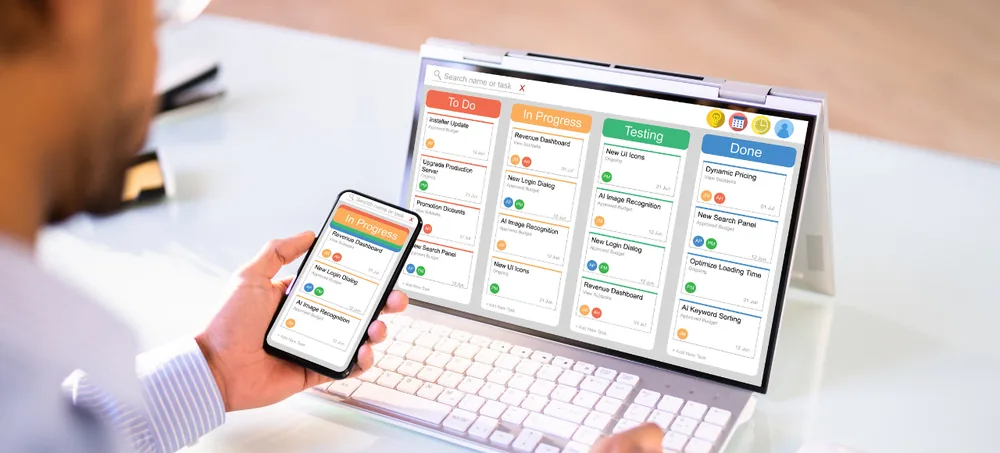
Most CRM projects fail at the handover from sale to service, because the pipeline was modelled and the relationship was not. ERPLax builds CRM Software Australia covering the whole lifecycle — enquiry, qualification, proposal, sale, onboarding, service and renewal — so customer history survives every internal handover and every staff change.
Schedule Free Consultation
Tell us where customer information currently lives and we will map the lifecycle around it.
Years Building Business Systems
Clients Across Industries
Projects Delivered
Relationship Lifecycle
Custom Customer Relationship Management Software Australia Solutions
Managing customer relationships without a system produces predictable failures — and they cluster at the points where a customer moves between people rather than between stages.
Information Held by Individuals
Context lives in one person's inbox and memory, so cover and handover are guesswork.
Follow-Ups That Depend on Memory
The promised callback slips, and the prospect reads the delay as disinterest.
No Reliable Pipeline Picture
Nobody can say which opportunities are live, what they are worth or who owns them.
Broken Handover to Service
Post-sale teams start cold because the sales conversation was never recorded anywhere shared.
Reports Built by Hand
Every figure reconstructed monthly, arriving late and rarely matching the previous version.
Relationships That Walk Out
When a salesperson leaves, the customer relationship and its history leave with them.
One Platform for the Whole Relationship
ERPLax provides flexible CRM Solutions Australia that create one centralized platform for customer profiles, sales opportunities, marketing enquiries, communication records, service history, tasks and reports — so the relationship belongs to the business rather than to whoever happened to answer the phone.
What Is Customer Relationship Management Software?
CRM software is a business application for managing customer interactions, sales activity and long-term relationships from one place, across the full lifecycle rather than only the sale.
What It Stores
- Customer and contact records
- Sales opportunities and deal values
- Communication and meeting history
- Service requests and documents
What It Changes
- Improved customer engagement
- Increased sales efficiency
- Automation of repetitive activity
- Decisions made on tracked data
Comparing CRM Providers Australia
Every ranking of the Best CRM Software Australia shows a similar feature set, because contacts, leads and a pipeline are table stakes. What separates a working Customer Relationship Management System Australia from an expensive address book is whether the stages, fields and automations reflect how your business actually earns and keeps customers. That makes the choice among CRM Providers Australia more consequential than the brand, and it is why comparing CRM Companies Australia should focus on implementation method rather than screenshots. A serious CRM Software Company Australia will scope your sales and service process before quoting modules, and good CRM Software Providers Australia will tell you which features to leave switched off in year one. ERPLax delivers CRM Systems Australia across the size range — a lean CRM Software for Small Business Australia setup running enquiries and follow-ups, or a full Customer Management Software Australia deployment with service history, permissions and ERP integration. Whether you describe it as a CRM System Australia or Client Management Software Australia, the practical test is the same: is the team still updating it a year after go-live.
Why Businesses Need CRM Software Australia
Six capabilities that a shared inbox and a spreadsheet cannot provide, however disciplined the team.
Centralized Customer Information
Profiles, contacts, previous interactions, sales history, documents and notes in one record.
Better Lead Management
Capture and organize enquiries from websites, social media, email campaigns, calls and marketing.
Improved Sales Performance
Opportunities, stages, customer discussions, follow-ups and expected revenue tracked in one pipeline.
Faster Customer Response
Complete history means whoever answers can respond properly, not just the account owner.
Automated Business Processes
Reminders, notifications, task creation and status updates handled by rules instead of memory.
Business Continuity
Customer relationships stay with the company when a staff member changes role or leaves.
How ERPLax CRM Helps Australian Businesses
Every customer moves through defined lifecycle stages, carrying an owner, a next action and the full history at each step — including after the sale closes.
Lead Management
Lead capture, assignment, qualification, status tracking, follow-up reminders and conversion reporting.
Customer Database Management
Profiles, contact persons, communication history, documents, purchase records and notes.
Sales Pipeline Management
Opportunities tracked from enquiry through qualification and proposal to closed deal.
Task and Activity Management
Calls, meetings, tasks, reminders and customer activities scheduled with owners and dates.
Service and Retention
Post-sale requests, resolutions, review cycles and renewals kept on the same customer record.
Reporting and Dashboards
Sales reports, lead analytics, customer insight, team performance and revenue visibility.
CRM Features for Customer and Sales Management
The operational detail that decides whether a CRM is used daily or quietly abandoned by month three.
Lead Capture and Assignment
Enquiries from every channel arrive as records and route to an owner by rule.
Lead Source Attribution
Trace each won deal back to the campaign or channel that produced it.
Lead Qualification and Scoring
Rank by budget, timeframe and fit so effort concentrates where it converts.
Pipeline and Forecasting
Configurable stages with weighted deal values and a forecast management can trust.
Customer Records and Profiles
Contacts, companies, preferences, purchase and communication history on one record.
Customer Segmentation
Group by value, industry, service, region or lifecycle stage for targeted action.
Communication Tracking
Calls, emails, messages, meetings and notes logged chronologically per customer.
Quotation Management
Generate quotes from templates, track versions and record acceptance against the deal.
Document Management
Contracts, proposals and supporting files attached with access control.
Activity and Calendar Management
Shared calendars and task lists per user, with overdue items visible at a glance.
Follow-Up Automation
Reminder sequences so agreed next contacts happen on the day promised.
Workflow and Approval Automation
Assignment, notifications, task creation and approval routing on your own rules.
Service Request Tracking
Post-sale requests, complaints and resolutions recorded on the customer history.
Role-Based Permissions
Control which users see which customers, deals and financial information.
Audit Trail
Every change recorded with user and timestamp for accountability.
Cloud Deployment
Secure access from any location with centralized data and real-time updates.
Mobile Access
Field and travelling teams update records and log activity from a phone.
Website Lead Capture
Website forms, landing pages and online enquiries flow straight into the CRM.
Email, SMS and WhatsApp
Connect email, SMS platforms and WhatsApp Business API with logged two-way messaging.
Cloud CRM Software Australia for Modern Businesses
Suitable for small businesses, distributed sales teams, multi-location companies and growing enterprises.
CRM for Small Business Australia
Small teams need customer management without administrative weight. The scope that works is narrower than most vendors propose.
Where to Start
- Customer database and contact records
- Enquiry capture and lead tracking
- Follow-up reminders and task lists
- Basic sales and activity reporting
What to Add Later
- Workflow automation and approval rules
- Custom dashboards and advanced reports
- Additional users, teams and permissions
- ERP, accounting and ecommerce integration
Sales CRM Software Australia for Better Conversions
Conversion improves through consistency far more often than through effort. These are the six mechanisms that produce it.
WhatsApp CRM Software Australia Integration
Customers increasingly message rather than email. If those threads live on a staff phone, the business does not hold the relationship.
Custom CRM Software Australia Development
Worth building where the customer process is genuinely part of how you compete — and not worth it anywhere else.
CRM Implementation Services Australia
A seven-step engagement. Adoption is decided here, not in the software selection.
Requirement Analysis
Map the customer lifecycle, sales process, handover points and reporting requirements.
CRM Configuration
Set up users, roles, fields, lifecycle stages, workflows and permissions to match.
Data Migration
Clean, de-duplicate and import customer records, contacts, leads and open activity.
Integration Setup
Connect website forms, email, WhatsApp, accounting and ERP, then test each path.
User Training
Role-specific sessions for sales, service and management rather than one generic briefing.
Go-Live Support
Supported cutover with someone available while the team builds the new habit.
Optimization and Support
Refine workflows and reports once real usage data arrives, then support ongoing.
CRM Software Cost Australia — Factors to Consider
Six variables drive the number. Any quote given before these are understood is a placeholder.
Why Choose ERPLax CRM Solutions?
19+ years of delivery, 1500+ clients and 1700+ projects behind every implementation.
Frequently Asked Questions About CRM Software Australia
Customer Relationship Management Software Australia is a business application that helps companies manage customer interactions, leads, sales opportunities, communication and service activity from one centralized platform across the full customer lifecycle.
Centralized customer information, better lead management, improved sales performance, faster customer response, automated follow-ups, stronger retention and reporting that reconciles because everyone works from the same record.
Yes. CRM Software for Small Business Australia usually starts with a customer database, enquiry tracking, follow-up reminders and simple reports, then extends into automation and integration as the business grows.
Yes. ERPLax provides customizable CRM solutions for Australian businesses, configured around your existing sales and service process rather than forcing your team into fixed software limitations.
Lead management, a customer database, sales pipeline, communication tracking, follow-up automation, reporting and integrations. Permissions, audit trails and service history matter as the team grows beyond a handful of people.
Yes. Integration with the WhatsApp Business API is supported alongside email, SMS and website enquiry forms, so messages are captured against the correct customer record automatically rather than staying on someone's phone.
Yes. Cloud CRM Software Australia provides secure access from any location, centralized data, faster deployment and easy scalability, with Cloud deployment available where data must remain in-house.
Yes. Fields, workflows, sales stages, dashboards, reports, permissions and integrations can all be customized. Customization should be scoped explicitly so you know what is standard configuration and what is built for you.
A structured engagement covering requirement analysis, configuration, data migration, integration setup, user training, go-live support and ongoing optimization — rather than handing over a login and a manual.
CRM pricing depends on users, features, customization depth, integrations, deployment model and support requirements. Ask each provider to quote licence, implementation and annual support separately so the comparison is meaningful.
Build Customer Relationships Your Business Actually Owns
The right system improves engagement, increases sales efficiency and keeps customer history where the whole team can use it. ERPLax provides customizable Customer Relationship Management Software Australia covering leads, sales, communication, service and reporting on one platform.