
Scale smarter with a complete AI-driven ERP solution built for manufacturing, distribution, and e-commerce businesses etc...

ERP Software India

Enterprise Resource Planning India
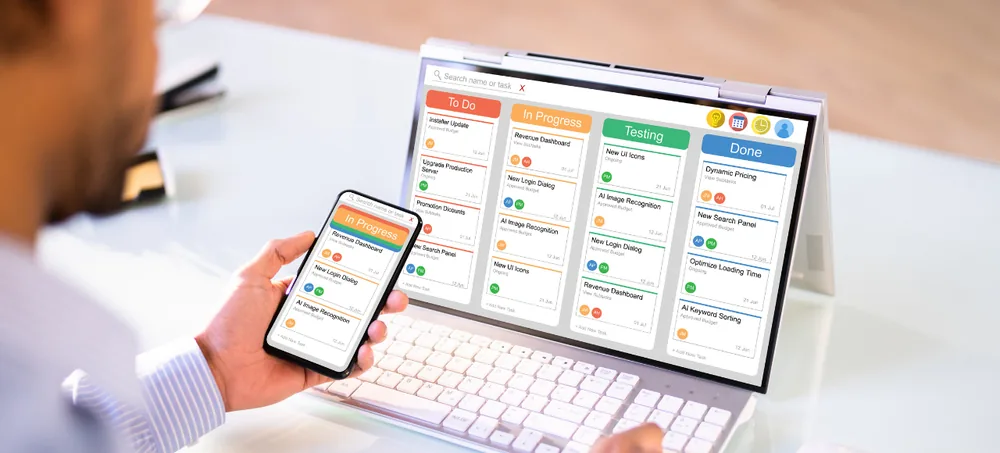
Enterprise Resource Planning India software dashboard
🛠️ 1500+ Clients Served

Custom ERP software built around your business workflow. Connect sales, purchase, inventory, billing, CRM, accounts, manufacturing, HRM, warehouse operations, reports, and workflow automation through one integrated ERP platform — ERPLax provides Enterprise Resource Planning India solutions for small, medium, and growing businesses that want to replace disconnected spreadsheets and separate business applications with a centralized system, customized according to your processes, departments, approval levels, reporting requirements, and integrations. Start with the modules your business needs today and expand as your operations grow.

Sales to ReportsCloud or On-PremiseModular ERPRole-Based AccessAPI Integrations

Request Custom ERP Quote

Schedule a free consultation with our ERP team.

SKNRVP
✓ Verified Experts
Free Consultation·No Obligation·24hr Response
0
Years Experience
0
Clients Served
0
Projects Delivered
0
ERP Implementation
Overview

Enterprise Resource Planning Software for Indian Businesses

Managing a growing business becomes difficult when sales, purchasing, inventory, billing, customer information, accounts, and operational data are maintained across different systems — ERPLax Enterprise Resource Planning Software India connects important business functions through one ERP system so authorized teams can work with consistent information, deployed as a cloud-based or on-premise ERP depending on your infrastructure.

!

Repeated Data Entry

Employees may repeatedly enter the same information across systems.

!

Stock Mismatches

Stock information may not match actual inventory.

!

Delayed Purchase Decisions

Without connected data, purchase decisions can be delayed.

!

Manual Reporting Dependency

Managers may depend on manually prepared reports.

!

Unclear Order Visibility

Customer orders can move between departments without clear visibility.

What Is It?

What is Enterprise Resource Planning Software?

Enterprise Resource Planning, commonly known as ERP, is business management software that connects different departments and processes through a centralized system — when a sales order is created, an integrated ERP system can make the same information available to inventory, billing, dispatch, accounts, and management teams according to their roles, connecting processes such as Enquiry → Quotation → Sales Order → Inventory → Dispatch → Invoice → Payment → Reports. For manufacturers, the workflow can extend further: Purchase → Raw Material → Production Planning → Work Order → Manufacturing → Quality → Finished Goods → Sales → Dispatch.

Enquiry & Quotation

Customer interest captured from first contact through formal pricing.

Sales Order & Inventory

Confirmed orders checked against available stock.

Dispatch & Invoice

Delivery coordinated directly with billing.

Payment & Reports

Collections tracked alongside business reporting.

Key Features

Key Features of ERPLax ERP Software India

ERPLax develops ERP Software India businesses can customize according to their workflows instead of forcing every company into the same process.

Sales Management

Manage the complete sales cycle from enquiries through order processing and invoicing.

Purchase Management

A structured procurement process from purchase requirements through supplier invoices.

Inventory Management

Maintain better visibility over products and stock movement.

Multi-Warehouse Management

Centrally manage stock across multiple locations.

Billing and Invoicing

Connect billing directly with sales and inventory processes.

CRM and Lead Management

Connect customer acquisition with order and business operations.

Manufacturing and Production Management

Connect production with purchase, inventory, and sales.

Batch, Lot and Serial Number Tracking

Detailed product traceability for expiry-sensitive or serialized products.

Barcode and QR Code

Speed up product identification and transaction processing.

Distribution and Dispatch Management

Connect customer orders with inventory and delivery processes.

POS Management

Connect retail counter billing with centralized inventory.

HRM and Employee Management

Centralize employee administration with configurable HRM modules.

Approval Workflow

Route quotations, purchases, expenses, and other transactions through authorization rules.

User Roles and Access Control

Control access based on user, role, department, branch, and module.

Reports and Dashboards

Customized operational and management reports based on ERP data.

Why You Need It

Why Businesses in India Need ERP Software

Basic billing applications, spreadsheets, and manual processes become increasingly difficult to coordinate as transaction volumes, employees, locations, and product ranges grow.

1

Reduce Manual Work

Routine information moves between connected processes instead of repeated entry.

2

Improve Stock Control

Monitor available stock, movement, transfers, and warehouse inventory centrally.

3

Connect Business Departments

Sales, purchasing, inventory, billing, and CRM work from connected data.

4

Process Orders Faster

Better visibility from quotation through stock allocation, billing, and dispatch.

5

Improve Reporting

Generate operational reports from centralized transactions.

6

Standardize Business Processes

Defined workflows, approval levels, and permissions for different users.

7

Prepare for Business Growth

Add users, branches, locations, workflows, and modules as requirements evolve.

Benefits

Benefits of ERP Solutions in India

What a connected ERP platform delivers for growing businesses.

Real-Time Business Visibility

Access updated operational information instead of separately maintained reports.

Faster Order Processing

Connect sales, stock, billing, and dispatch so orders move through defined workflows.

Better Stock Control

Improve visibility into inventory, warehouse stock, and reorder requirements.

Reduced Manual Errors

Reduce repetitive data entry by connecting related transactions.

Better Purchase Planning

Use stock information and sales demand to support purchasing decisions.

Improved Cash Flow Visibility

Track invoices, collections, and outstanding through connected processes.

Better Customer Service

Give teams visibility into enquiries, orders, deliveries, and past interactions.

Custom ERP Workflow

Configure software around your operating structure and reporting requirements.

Scalable ERP System

Implement essential modules first and add functionality as you grow.

Who Can Use It

ERP Software for Different Industries in India

ERPLax ERP Solutions India can be configured for different business models and operational requirements.

🏭Manufacturing Companies
🚚Distributors
📦Wholesalers
💼Retail Businesses
🔌Ecommerce Businesses
🔗Trading Companies
📦Warehouses
🤝Service Businesses
🏭Multi-Branch Businesses
How It Works

How ERPLax ERP System Works

Implementation should begin with actual business processes rather than simply activating a long list of modules.

Understand Business Requirements

Study your departments, transactions, existing software, and reporting needs.

Define ERP Workflow

Map required modules, business processes, user roles, and integrations.

Configure and Customize

ERP functionality configured according to the approved workflow.

Data Setup

Prepare customers, suppliers, products, warehouses, and other master data.

Testing

Test key workflows, reports, permissions, and integrations before deployment.

User Training

Train relevant users according to their roles and responsibilities.

ERP Deployment

Deploy through the agreed cloud-based or on-premise setup.

Expansion

Introduce additional modules, users, reports, and integrations as requirements grow.

Integrations

ERP Software Integrations

An ERP system often needs to exchange information with other applications, platforms, and devices.

Ecommerce Websites
Ecommerce Marketplaces
Accounting Software
Tally Integration
Payment Gateways
WhatsApp API
SMS Gateways
Email SMTP
Barcode Scanners
QR Scanners
Thermal Printers
POS Devices
Weighing Scales
GST & E-Invoice Tools
Courier & Logistics APIs
Mobile Applications
Existing Business Applications
Custom Third-Party APIs
Cloud ERP

Cloud ERP Software in India

Businesses looking for accessible ERP Software in India can choose a cloud-based setup depending on operational requirements — on-premise deployment is also available where business requirements call for infrastructure within the organization's own environment.

Multiple Offices
Multiple Warehouses
Remote Employees
Field Sales Teams
Growing User Requirements
Centralized Management
Growth Path

ERP Systems in India for Small and Growing Businesses

ERP is not limited to very large enterprises — small and medium businesses can begin with essential functions and expand as spreadsheets and disconnected applications become difficult to coordinate.

Distributor: Starting Point

Sales, Purchase, Inventory, Billing, and Reports.

Distributor: Expansion

CRM, Warehouse, Accounting, HRM, Workflow Automation, and Integrations.

Manufacturer: Starting Point

Purchase, Inventory, BOM, Production, and Sales.

Manufacturer: Expansion

Quality, Maintenance, Job Work, Advanced Planning, and Dashboards.

Buying Guide

How to Choose ERP Software in India

The right ERP depends on how well the system supports your actual processes — not simply the number of available features.

Business Workflow Fit

Can the ERP support the way your sales, purchase, inventory, and approval processes work?

Customization

Can workflows, documents, fields, and reports be configured to your requirements?

Required ERP Modules

Does the system support the functions your company actually needs?

Integration Capability

Can the ERP connect with the ecommerce, accounting, and payment tools you use?

Reporting

Can managers access the operational reports and dashboards required for decisions?

User Permissions

Can different roles and departments be given appropriate access?

Scalability

Can users, modules, warehouses, and branches be expanded later?

Deployment

Do you require cloud ERP, on-premise ERP, or a deployment approach based on infrastructure?

Implementation and Support

Understand the implementation process, training, and ongoing support model.

Why Choose ERPLax

Why Choose ERPLax for Enterprise Resource Planning India?

ERPLax focuses on building ERP software around real business workflows.

Custom ERP Development

Configured according to your business process, departments, users, and reporting.

ERP Based on Your Actual Workflow

Map current processes and develop a connected system around real requirements.

Modular and Scalable

Start with required modules and introduce functionality phase by phase.

Cloud or On-Premise Deployment

Choose a deployment approach based on your infrastructure requirements.

API Integrations

Connect ERP with ecommerce, accounting, payment, and messaging systems.

Role-Based Access

Configure access according to users, departments, locations, and responsibilities.

Custom Reports and Dashboards

Develop reports according to operational and management requirements.

Industry-Specific ERP Solutions

Customized workflows for manufacturing, distribution, retail, and more.

Training and Support

Help users understand ERP workflows and provide ongoing support.

Built for Growing Businesses

Expand modules, users, processes, and integrations as requirements change.

Get Started

Move From Disconnected Software to One ERP System

Your sales team should not need one system while inventory, purchasing, billing, and management depend on different spreadsheets and applications. ERPLax can connect your key business processes through a customizable Enterprise Resource Planning India solution designed around your operations.

FAQs

Frequently Asked Questions

Enterprise Resource Planning India refers to ERP software used by businesses in India to integrate important functions such as sales, purchase, inventory, billing, CRM, accounts, manufacturing, HRM and reporting through a centralized system.

ERP software is a business management system that connects different departments and processes so information can flow between sales, purchasing, inventory, finance, manufacturing, HR and other business functions.

Yes, ERPLax provides customizable Enterprise Resource Planning Software India businesses can configure according to their workflows, modules, users, reports and integration requirements.

There is no single ERP that is best for every business. The right solution depends on your industry, company size, workflows, required modules, customization, reporting, integrations, deployment requirements and budget.

Yes, ERPLax ERP can be customized based on business workflows, fields, approval processes, reports, documents, user permissions and integration requirements.

Yes, small businesses can implement essential ERP modules such as sales, purchase, inventory, billing and reporting and add other modules as their requirements grow.

ERP modules can include sales, CRM, purchase, inventory, warehouse, billing, accounting, manufacturing, HRM, POS, ecommerce, distribution, workflow automation, reports and dashboards.

Yes, ERPLax can provide cloud-based ERP depending on the business requirement. On-premise deployment can also be considered where required.

Yes, ERP can be configured to manage multiple warehouses, branches, stock locations, users and transactions with centralized reporting and role-based access.

Integration can be developed where required and technically supported, connecting ERP with accounting applications, ecommerce websites, payment gateways, WhatsApp APIs, logistics platforms and other third-party systems.

Yes, manufacturing ERP can connect BOM, material planning, purchasing, inventory, production, work orders, quality processes, finished goods, sales and reporting.

Start by defining your business processes and problems, then compare ERP systems based on workflow fit, required modules, customization, integrations, reporting, user permissions, scalability, deployment and implementation support.

Get Started

Move From Disconnected Software to One ERP System

Whether you need a complete ERP implementation or want to begin with selected modules, ERPLax can help define a practical solution for your business.

Phone: +91 97399 66977 · Email: info@erplax.com

Specialized Applications

ERP Solutions Built for Your Industry

Purpose-built & ready to deploy. Hover to explore, click to learn more.

View all modules

Testimonials

What Our Clients Say

Real stories from businesses running their operations on ERPLax.