
Enterprise Resource Planning System Software India
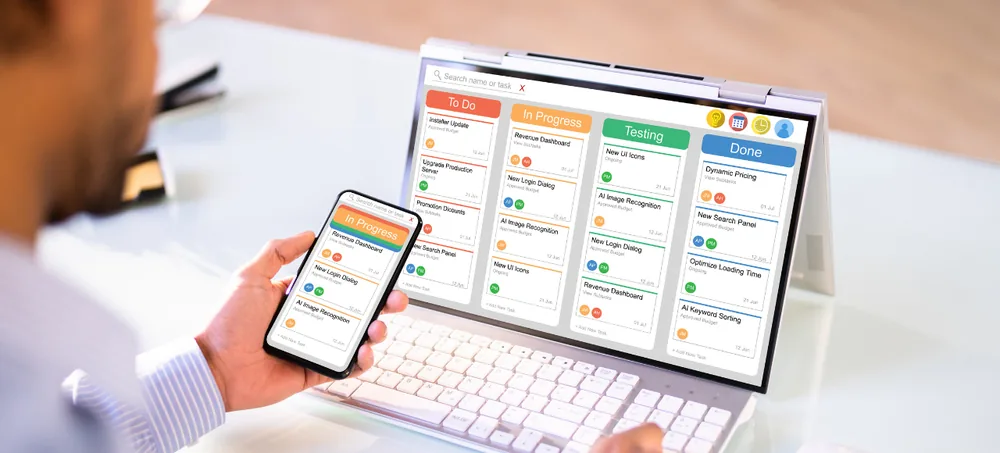
Connect sales, purchase, inventory, warehouses, manufacturing, billing, CRM, accounting-related workflows, HRM, projects, approvals, reports, and workflow automation through one customizable ERP environment. ERPLax provides Enterprise Resource Planning System Software India for small, medium, and growing businesses that want to move away from disconnected spreadsheets, standalone applications, and manual reporting — build the ERP around the way your teams actually work and expand modules as business requirements grow.
Request Custom ERP Quote
Schedule a free consultation with our ERP team.
Enterprise Resource Planning System Software India for Growing Businesses
Businesses often start with separate software for different departments — sales in one application, inventory in spreadsheets, purchasing through email approvals, and billing in another system. An Enterprise Resource Planning System India can connect these functions through shared information and structured workflows.
Duplicate Data Entry
The same information entered across applications wastes time and invites mistakes.
Stock Mismatches
Disconnected inventory records create unreliable stock counts.
Delayed Orders
Orders stuck between disconnected systems take longer to fulfill.
Purchase Planning Errors
Without visibility into stock, purchasing decisions become guesswork.
Billing Mistakes
Manual billing disconnected from sales data is prone to errors.
Poor Manufacturing Visibility
Production activity disconnected from inventory is hard to track.
Disconnected Customer Information
Customer records scattered across departments are hard to consolidate.
Slow Reporting
Manually combined reports delay timely business decisions.
What Is an Enterprise Resource Planning System?
Enterprise Resource Planning, or ERP, is a centralized approach to managing connected business processes — an ERP system brings information from several departments into one business environment, going beyond using billing, inventory, CRM, or manufacturing software separately, so related transactions can move through connected processes instead of being maintained several times.
Customers & Suppliers
Company records, contacts, and transaction history maintained centrally.
Sales, Purchase & Inventory
Core commercial and stock transactions connected in one system.
Warehouses & Manufacturing
Production and storage activity tracked from materials to finished goods.
Billing & CRM
Invoicing connected with customer-facing sales activity.
Accounting, HRM & Projects
Financial, workforce, and project information alongside operations.
Approvals
Authorization rules configured for key business transactions.
Reports & Automation
Business visibility and reduced manual work across departments.
Key Features of ERPLax ERP Software India
A complete Enterprise Resource Planning System Software India foundation connecting every core business department in one system.
Product Master Management
Maintain centralized product information including pricing, tax, and reorder levels.
Customer Management
Maintain company details, credit terms, transaction history, and outstanding.
Supplier Management
Track supplier details, products, payment terms, and purchase history.
Sales Management
Manage customer sales from enquiry through quotation, order, and billing.
Purchase Management
Structured procurement from purchase request through goods receipt.
Inventory Management
Track stock inward, outward, adjustments, transfers, and valuation.
Warehouse Management
Manage bin locations, goods receipt, picking, packing, and dispatch.
Multi-Branch Management
Branch-wise sales, purchase, and inventory with consolidated dashboards.
Manufacturing ERP
BOM, MRP, production planning, work orders, and quality control.
Batch, Lot and Serial Number Tracking
Trace products by batch, lot, or serial number through every transaction.
Billing and Invoicing
Sales and purchase invoices, credit notes, debit notes, and GST workflows.
CRM Integration
Connect leads, opportunities, and quotations with sales and inventory.
Accounting and Financial Workflows
Customer receipts, supplier payments, and financial dashboards.
HRM and Employee Management
Employee records, attendance, leave, shifts, and HR reports.
Project Management
Connect projects, tasks, milestones, resources, and billing.
Distribution Management
Manage dealers, distributors, stock allocation, and dispatch.
Ecommerce ERP
Connect online orders with inventory, billing, and courier integrations.
POS and Retail Management
Barcode scanning, discounts, payment modes, and daily sales reports.
Approval Workflow & User Roles
Configure authorization and access by user, role, and department.
Reports and Dashboards
Sales, purchase, inventory, manufacturing, and performance reports.
Why Businesses in India Need ERP Software
What ERP solves as departments, transactions, and reports become difficult to track manually.
Centralized Business Data
Bring records from separate spreadsheets and applications into one system.
Better Sales Control
Connect enquiries, quotations, orders, stock, dispatch, and invoicing.
Better Purchase Planning
Use stock and business requirements when planning purchases.
Better Inventory Visibility
Track movements across purchase, sales, manufacturing, and transfers.
Better Manufacturing Management
Connect material requirements with production and finished goods.
Reduced Manual Work
Reduce repeated entry and manual reconciliation between departments.
Better Approval Control
Configure approval rules for purchases, discounts, payments, or adjustments.
Better Reporting
Generate business reports from connected operational transactions.
Better Scalability
Expand as you add users, departments, branches, warehouses, and modules.
ERP Systems India for Different Industries
ERPLax ERP Software India can be configured for manufacturers, distributors, wholesalers, retailers, ecommerce businesses, warehouse operations, and service providers.
ERP Workflow Automation
Routine ERP administration can consume significant time — Workflow Automation is one of ERPLax's configurable ERP modules.
How Does an ERP System Work?
An ERP system connects individual business transactions with the departments that need them — the ten stages a typical order follows.
Customer Enquiry
A customer requests a product or service.
Quotation
The sales team prepares a quotation.
Sales Order
An accepted quotation becomes a sales order.
Inventory Check
Available inventory is reviewed.
Purchase or Production
If sufficient stock is unavailable, purchasing or manufacturing can begin.
Warehouse Processing
Goods are received, transferred, picked, or packed as required.
Dispatch
Products are prepared for delivery.
Billing
The relevant invoice is created.
Payment Tracking
Receipts and outstanding amounts are managed according to the configured workflow.
Management Reporting
Relevant transactions become available for business reports and dashboards.
ERP for Trading and Distribution vs Retail and Ecommerce
ERP connects different workflows depending on how your business sells.
Trading and Distribution
Purchase → Inventory → Customer Order → Warehouse → Dispatch → Invoice → Payment, connecting suppliers, pricing, and outstanding.
Retail and Ecommerce
POS, online orders, and store inventory connected with purchase, billing, returns, and reports.
Enterprise Resource Planning Workflow
From requirement analysis to phase-wise expansion — the eleven stages ERPLax follows to implement your ERP.
Requirement Analysis
Review your industry, departments, users, branches, and existing systems.
Process Mapping
Understand how information currently moves across departments.
Module Selection
Select priority modules such as sales, purchase, inventory, and billing.
System Configuration
Configure fields, forms, documents, approval workflows, and business rules.
Master Data Setup
Create products, customers, suppliers, warehouses, branches, and employees.
Integration
Connect required compatible systems.
Testing
Test transactions, roles, approvals, reports, and integrations.
Data Migration
Move approved existing business data according to implementation scope.
User Training
Train users according to their responsibilities.
Deployment
Deploy through the agreed environment.
Phase-Wise Expansion
Add modules, users, branches, reports, and integrations as requirements grow.
ERP Software Integrations
ERPLax can support requirement-specific integrations based on business and technical needs.
Why Choose ERPLax Enterprise Resource Planning System Software India?
ERPLax provides custom ERP development based on approved business requirements rather than assuming every company needs the same fixed workflow.
Custom ERP Development
ERP development based on approved business requirements, not a fixed workflow for every company.
ERP Based on Actual Business Workflow
ERPLax studies how teams manage enquiries, orders, purchasing, and production before configuring ERP.
Sales, Purchase and Inventory Integration
Connect important commercial and stock-management workflows through one platform.
Manufacturing ERP
Production planning, BOM, MRP, shop-floor processes, quality, and inventory.
CRM and Customer Management
Connect customer-facing processes with quotations, sales orders, and wider ERP workflows.
Accounting and HRM Modules
Finance and accounting, plus HRM and payroll, within the wider custom ERP offering.
Project Management
Project management can form part of the wider ERP environment when required.
Role-Based Workflows
Configure responsibilities and approvals according to users, departments, and processes.
Custom Reports and Dashboards
Design operational and management reporting around business requirements.
Workflow Automation
Add alerts, approvals, and automated processes according to business rules.
Modular and Scalable ERP
Start with priority modules and expand the system as operational requirements grow.
Benefits of Enterprise Resource Planning India
What Enterprise Resource Planning System Software India delivers for growing businesses.
Real-Time Business Visibility
See current sales, stock, and purchase information across the organization.
Faster Order Processing
Move customer orders through stock, dispatch, and billing more efficiently.
Better Stock Control
Connect purchases, sales, manufacturing, and warehouse activity.
Better Purchase Planning
Use inventory and demand information when purchasing.
Better Manufacturing Visibility
Connect materials, production, quality, and finished goods.
Reduced Manual Errors
Use connected records instead of repeating entries across applications.
Improved Department Coordination
Departments work from shared, consistent information.
Better Management Reporting
Generate operational reports from centralized ERP data.
Better Approval Control
Route transactions through defined approval rules.
Better Customer Service
Give sales teams clearer visibility into orders, stock, and delivery.
Custom ERP Workflow
Configure ERP according to actual business processes.
Scalable for Growth
Start with essential modules and expand later.
Get Custom ERP Software for Your Business in India
The right ERP should connect the complete business cycle — enquiry, quotation, sales order, inventory, dispatch, billing, payment, and reports. Bring sales, purchase, inventory, and manufacturing into one centralized platform.
Frequently Asked Questions
Enterprise Resource Planning System Software India refers to integrated ERP software used by businesses in India to connect sales, purchase, inventory, manufacturing, billing, CRM, HRM, reporting, and other operational processes through one centralized platform.
Enterprise Resource Planning Software India is business-management software designed to integrate multiple departments, business transactions, and reports through shared data and connected workflows.
An Enterprise Resource Planning System India is an ERP platform used to manage connected business processes such as sales, purchasing, inventory, manufacturing, billing, CRM, and reporting.
ERP stands for Enterprise Resource Planning. ERP software centralizes business processes so departments can work with shared information.
Yes, ERPLax provides customizable ERP solutions for small, medium, and growing businesses in India, with modules configured according to workflow, users, reports, and integration requirements.
Yes, these processes can be connected within ERP so orders, purchasing, and stock information work together. Sales, purchase, and inventory are core modules in ERPLax's ERP offering.
Yes, ERPLax provides manufacturing ERP functionality covering production planning, MRP, BOM, shop-floor processes, quality control, and inventory.
Yes, ERPLax's custom ERP systems include modules across Sales & CRM, finance and accounting, HRM and payroll, procurement, and project management.
Yes, ERP can be configured around multi-location workflows, warehouse stock, and role-based users, with cloud access provided where required.
Yes, ERPLax supports beginning with priority modules and adding manufacturing, HRM, projects, automation, or advanced reporting later.
Yes, ERPLax ERP is a cloud-hosted platform, giving authorized users centralized access from any location without managing on-site servers.
Yes, ERPLax provides custom ERP based on actual workflows and can configure modules, users, departments, approval rules, reports, and integrations.
Build a Connected Business With ERPLax ERP
Connect sales, purchase, inventory, warehouses, manufacturing, billing, CRM, accounting-related workflows, HRM, projects, approvals, reports, and workflow automation through one customizable ERP environment — start with priority ERP modules and expand as your business grows.
Phone: +91 97399 66977 · Email: info@erplax.com