
Enterprise Resource Planning Systems India
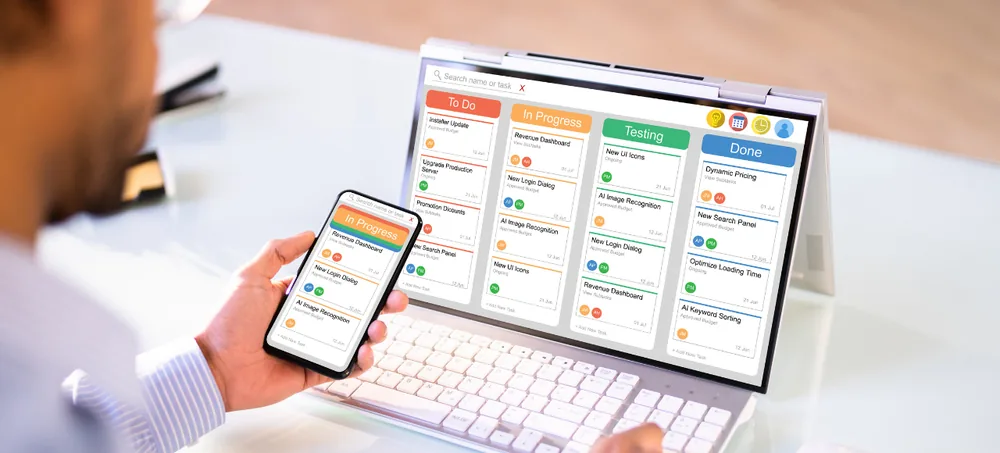
Custom ERP systems built around your business workflow. Connect sales, purchase, inventory, billing, CRM, manufacturing, warehouses, HRM, reports, approvals, and workflow automation through one configurable ERP platform — ERPLax provides Enterprise Resource Planning Systems India for small, medium, and growing businesses that want to replace disconnected spreadsheets, standalone applications, and manual processes with a centralized business management system, configured according to your workflows, departments, users, approval levels, locations, reports, and integration requirements. Start with the modules your organization needs today and expand as business requirements grow.
Request Custom ERP Quote
Schedule a free consultation with our ERP team.
Enterprise Resource Planning Systems India for Growing Businesses
Sales may use one application, inventory may be maintained in spreadsheets, purchasing may depend on email approvals, billing may run through separate software — as transaction volumes increase this creates real problems, and Enterprise Resource Planning Systems India help bring these activities into a connected business environment based on the company's actual workflow.
Duplicate Data Entry
The same information gets entered more than once.
Inventory Mismatch
Records drift from what's actually on the shelf.
Delayed Order Processing
Orders stall moving between disconnected systems.
Manual Approvals
Email-based approval chains slow routine transactions.
Billing Errors
Disconnected sales and billing data leads to mistakes.
Disconnected Departments
Teams work from inconsistent versions of the same data.
Difficult Reporting
Manual spreadsheet consolidation slows management down.
Limited Operational Visibility
Disconnected data makes it hard to see the full picture.
Repeated Follow-Ups
Nothing prompts the next step without a connected system.
Difficulty Scaling Processes
Processes that worked small become difficult to coordinate.
What Is an Enterprise Resource Planning System?
An Enterprise Resource Planning system, commonly called an ERP system, is software that integrates important business processes through a centralized platform, commonly connecting functions such as finance, manufacturing, procurement, and supply chain management — helping different departments work with connected information instead of maintaining isolated records.
Sales: Lead to Reports
Lead → Quotation → Sales Order → Inventory → Dispatch → Invoice → Payment → Reports.
Purchasing: Requirement to Invoice
Purchase Requirement → Approval → Purchase Order → Goods Receipt → Stock → Supplier Invoice.
Manufacturing: Demand to Dispatch
Demand → Material Planning → Raw Material → Production → Quality → Finished Goods → Sales → Dispatch.
Why Businesses in India Need ERP Systems
What a connected ERP platform solves as employees rely on multiple disconnected applications.
Reduce Manual Work
Related processes work from connected transactions instead of repeated entry.
Connect Departments
Sales, purchase, inventory, manufacturing, and billing move information in a structured way.
Improve Inventory Control
Track stock through purchase receipts, sales, consumption, and adjustments.
Reduce Stock Errors
Centralized transactions reduce dependence on manual stock records.
Process Orders Faster
Connect quotation, order, stock allocation, billing, and dispatch.
Improve Purchase Planning
Use current inventory and operational requirements when planning procurement.
Improve Reporting
Generate reports from recorded transactions instead of spreadsheet consolidation.
Standardize Workflows
Define approval rules, permissions, transaction stages, and responsibilities.
Support Business Growth
Expand as the organization adds users, products, warehouses, and departments.
Key Features of ERPLax ERP Software India
ERPLax's current ERP platform includes modules such as sales and CRM, inventory, accounting, HRM, purchase, POS, projects, reports, ecommerce, and workflow automation.
Sales Management
Manage sales activity from customer enquiry through invoice and outstanding.
Purchase Management
Manage procurement through defined workflows.
Inventory Management
Track products and stock movement through an integrated system.
Multi-Warehouse Management
Manage inventory across multiple locations.
Billing and Invoicing
Connect billing with customer and sales transactions.
CRM and Lead Management
Connect leads and opportunities with sales activity.
Batch, Lot, Serial Number and Expiry Tracking
Configure traceability according to industry and product requirements.
Barcode and QR Code Management
Improve product identification and transaction processing.
Distribution and Dispatch Management
Connect customer orders with inventory, warehouse, and delivery processes.
POS Management
Connect point-of-sale operations with centralized ERP inventory.
HRM and Employee Management
Manage attendance, leave, shifts, payroll, and HR reports.
Approval Workflows
Route important transactions through predefined approval levels.
User Roles and Access Control
Configure permissions by user, role, department, branch, and module.
Reports and Dashboards
Give managers visibility into business transactions across departments.
Manufacturing Enterprise Resource Planning Systems
Manufacturing companies require ERP systems that connect materials, purchasing, production, quality, inventory, and finished goods — ERPLax's manufacturing ERP in India covers BOM, MRP, production planning, inventory, job work, quality, costing, and dispatch, following a connected workflow: Sales Demand → MRP → Purchase → Raw Materials → Production → Quality → Finished Goods → Dispatch.
Bill of Materials
Define material structures for finished products and assemblies.
Multi-Level BOM
Support nested product structures across multiple assembly levels.
Raw Material Planning
Plan material needs ahead of production requirements.
MRP
Calculate material requirements from demand, BOM, and stock.
Production Planning
Schedule manufacturing activities against confirmed demand.
Work Orders
Create and track manufacturing orders through completion.
Material Issue and Consumption
Track materials issued to and consumed by production.
Work-in-Progress
Monitor products currently moving through manufacturing.
Production Stages
Track manufacturing progress through defined process stages.
Finished Goods
Move completed production into inventory for dispatch.
Job Work
Manage materials sent to outside processors.
Wastage Tracking
Record scrap and wastage generated during production.
Quality Processes
Configure inspections at incoming, in-process, and final stages.
Production Costing
Track material, labour, and process costs against output.
Dispatch
Coordinate finished-goods delivery against confirmed orders.
Production Reports
Monitor manufacturing performance through dedicated reports.
Benefits of ERP Systems in India
What a connected ERP platform delivers for growing businesses.
Centralized Business Management
Bring important business functions into one connected system.
Real-Time Operational Visibility
Review current transaction information across relevant departments.
Faster Order Processing
Connect sales, stock, billing, and dispatch workflows.
Better Stock Control
Track purchases, sales, transfers, and production consumption.
Reduced Manual Errors
Reduce repeated data entry between connected business processes.
Better Purchase Planning
Use stock and operational information when planning purchases.
Improved Customer Service
Let teams view relevant enquiries, quotations, orders, and delivery info.
Better Reporting
Generate reports using centralized ERP transactions.
Process Automation
Automate defined approvals, notifications, and workflow stages.
Flexible ERP Workflow
Configure processes around business requirements, not fixed workflows.
Scalable ERP System
Add modules, users, branches, warehouses, and integrations as you grow.
ERP Systems India for Different Industries
ERPLax offers custom ERP solutions across CRM, inventory, manufacturing, distribution, ecommerce, billing, and POS functions.
How an ERP System in India Works
ERP implementation should start with understanding the business process — the nine stages ERPLax follows.
Requirement Analysis
Review departments, users, products, processes, and existing applications.
Workflow Mapping
Map how transactions move from one department to another.
Module Selection
Identify which ERP modules are required initially.
Configuration and Customization
Configure fields, documents, roles, approvals, and business rules.
Master Data Setup
Configure customers, suppliers, products, warehouses, and employees.
Testing
Test major workflows, permissions, reports, and integrations.
User Training
Train employees based on their ERP responsibilities.
ERP Deployment
Deploy through the agreed cloud or on-premise environment.
Phase-Wise Expansion
Introduce additional modules, reports, users, and integrations as requirements grow.
Cloud and On-Premise ERP Systems
ERPLax currently offers scalable cloud or on-premise ERP deployment based on business requirements.
Cloud ERP Systems
Suits businesses that need centralized access across offices, warehouses, branches, and distributed teams, with access controlled through user roles.
On-Premise ERP Systems
For organizations that prefer infrastructure within their own environment — selection considers IT policy, locations, and integration architecture.
ERP Software Integrations
ERP systems may need to exchange information with external applications and business devices.
Enterprise Resource Planning Software India for Small Businesses
ERP systems are not limited to large enterprises — small and growing businesses can implement essential modules first, making implementation easier to align with changing business needs.
Distributor: Starting Point
Sales, Purchase, Inventory, Billing, and Reports.
Distributor: Expansion
CRM, Warehouse, HRM, Automation, and Integrations.
Manufacturer: Starting Point
Purchase, Inventory, BOM, Production, and Sales.
Manufacturer: Expansion
Quality, Job Work, Costing, Dashboards, and Integrations.
How to Choose an Enterprise Resource Planning System India
The right ERP system should match your processes rather than simply offer the longest feature list.
Business Workflow Fit
Check whether the ERP can support how you manage sales, purchase, inventory, and approvals.
Required Modules
Identify current requirements and future functionality separately.
Customization
Evaluate support for custom fields, reports, documents, and workflows.
Inventory Requirements
Review warehouses, transfers, reorder levels, and batch tracking.
Manufacturing Requirements
Evaluate BOM, MRP, production planning, work orders, and costing.
Integration Capability
Check whether the ERP can connect with external systems your business needs.
Reporting
Identify the reports management needs before implementation.
User Permissions
Ensure access can be configured according to roles and responsibilities.
Scalability
Consider future users, branches, warehouses, modules, and integrations.
Deployment
Choose cloud or on-premise ERP according to infrastructure requirements.
Training and Support
Evaluate requirement analysis, configuration, testing, and ongoing support.
Why Choose ERPLax for Enterprise Resource Planning Systems India?
ERPLax focuses on custom ERP solutions that can be configured around actual business processes.
Custom ERP Development
Configured around actual business processes rather than fixed templates.
ERP Based on Your Workflow
Configure sales, purchase, inventory, billing, and CRM around how your teams operate.
Modular and Scalable
Start with required modules and introduce functionality as your business grows.
Cloud or On-Premise Deployment
Select deployment based on business and infrastructure requirements.
Manufacturing ERP
Covers BOM, MRP, production planning, inventory, job work, quality, and dispatch.
Inventory and Warehouse Management
Stock tracking, multiple warehouses, and connected purchasing and sales.
API Integrations
Connect compatible applications, platforms, and devices.
Role-Based Access
Configure system permissions according to employees and responsibilities.
Custom Reports and Dashboards
Build reports around operational and management requirements.
Training and Support
Implementation guidance, training, and support for your ERP solution.
Suitable for Growing Businesses
Add users, modules, warehouses, branches, and integrations as requirements change.
Build an ERP System Around Your Business
Your sales team, purchasing team, warehouse, production department, and management should not need to depend on disconnected systems to understand the same business transaction. ERPLax Enterprise Resource Planning Systems India brings important operations into one customizable ERP environment.
Frequently Asked Questions
Enterprise Resource Planning Systems India are ERP software systems used by Indian businesses to connect and manage processes such as sales, purchase, inventory, manufacturing, billing, CRM, HRM and reporting.
An Enterprise Resource Planning System India is a centralized software system that integrates important business processes, commonly connecting areas such as finance, manufacturing, procurement and supply chain management.
Enterprise Resource Planning Software India refers to ERP software used by businesses to manage connected departmental processes and business data through one system.
Yes, ERPLax provides customizable ERP software in India for sales, purchase, inventory, production, billing and CRM, with cloud or on-premise deployment options.
ERPLax currently offers modules including sales and CRM, inventory management, accounting, HRM, purchase, POS, projects, reports, ecommerce and workflow automation.
Yes, ERPLax manufacturing ERP supports requirements including BOM, MRP, production planning, inventory, job work, quality, costing and dispatch.
Yes, ERPLax inventory management software supports multiple warehouses along with stock tracking and connected purchasing and sales processes.
Yes, small businesses can start with essential modules such as sales, purchase, inventory, billing and reports, then add more functionality as their requirements grow.
Yes, ERPLax currently provides scalable cloud or on-premise ERP deployment depending on business requirements.
Requirement-specific integrations can be developed with compatible accounting applications, ecommerce platforms, WhatsApp APIs, payment systems, logistics services and other software.
The terms are commonly used interchangeably. ERP software refers to the application itself, while an ERP system can also describe the complete environment of modules, workflows, users, data, integrations and deployment used by a business.
Yes, a modular ERP implementation allows businesses to begin with priority functions and add modules, users, reports, locations and integrations as operational requirements grow.
Build an ERP System Around Your Business
Start with the processes you need now and expand the ERP system as your organization grows.
Phone: +91 97399 66977 · Email: info@erplax.com