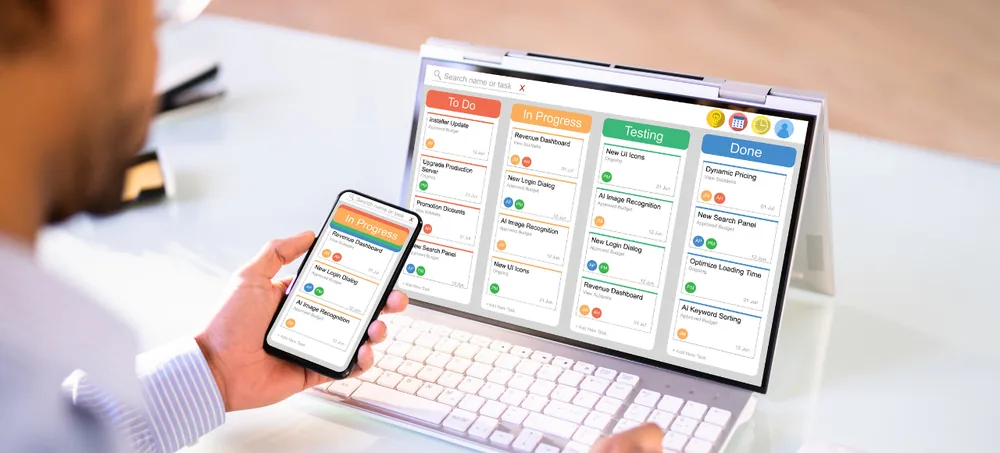
ERPLax provides ERP for small businesses in India with sales, purchase, inventory, billing, CRM, accounting, manufacturing, reports and cloud access.
Schedule a free consultation with our ERP team.
ERP for small business connects daily sales, purchase, inventory, billing and accounting activity into one system rather than spreadsheets and disconnected tools.
Leads, quotations, sales orders, stock movement, purchase decisions, billing and accounts stay connected, so every department works from the same information.
ERPLax configures ERP for manufacturers, retailers, traders, distributors, service companies and contractors — not a generic one-size-fits-all template.
Businesses comparing ERP for small business in India, ERP software for small business in India, or small business ERP software India are usually looking for the same thing: a system that connects sales, purchase, inventory and accounts without unnecessary complexity. ERPLax provides business ERP software India and small business management software India built for owner-managed companies evaluating an ERP system for small business or a small business ERP system.
Businesses working from more than one location can also use ERPLax as cloud ERP for small business, cloud ERP software for small business, and cloud ERP software for small business India, with centralized access and no heavy local infrastructure requirement.
A phased rollout keeps early cost and complexity manageable.
Customer, supplier and product masters, sales, purchase, inventory and billing — the foundation for daily operations.
Add receipts, payments, outstanding tracking and dashboards once the basics are running smoothly.
Expand into manufacturing, HRM, payroll, projects and workflow automation as the business grows.
Track enquiries and leads through to conversion.
Centralized customer profiles and outstanding balances.
Supplier records and purchase history.
Manage SKUs, variants and pricing.
Quotations, sales orders and dispatch.
Requisitions, orders and goods receipt.
Stock receipts, issues and reconciliation.
Multiple warehouses and stock movement.
GST-compliant invoices and notes.
Receipts, payments and financial statements.
Track and approve business expenses.
BOM, production planning and costing.
Projects, tasks and milestones.
Employee records, attendance and salary.
Configure approvals by type or amount.
Automate reminders and stage-based tasks.
Sales, purchase, stock and profitability.
Role-based access by department.
Cloud ERP software for small business India gives owners centralized visibility without heavy local infrastructure.
The right ERP scope depends on how your business actually operates. Here's how ERPLax configures ERP for each type.
Connects sales demand with materials, purchasing, production, quality, inventory, billing and reports. As ERP software for small manufacturing business, it suits small manufacturing ERP software India needs across assembly, fabrication, food, textile, electronics and auto-component businesses.
Manages store and warehouse inventory, purchases, GST billing, pricing, discounts, returns and branch reports, with barcode, POS, thermal printer and ecommerce integration options.
Gives clear control over customers, suppliers, products, prices, stock, billing and outstanding balances, with customer-specific pricing, credit limits and salesperson performance reports.
Coordinates sales demand, stock availability, procurement, dispatch, billing and collections across dealers, territories, sales teams, price lists and schemes.
Manages leads, contracts, projects, tasks, service requests, renewals and profitability reports, with custom workflows for consulting, maintenance, repair and recurring contracts.
Handles leads, clients, projects, BOQs, budgets, site inventory, contractors, labour and equipment, configured around your project size and billing stages.
Real-Time Visibility
Faster Order Processing
Better Stock Control
Improved Purchase Planning
Reduced Manual Errors
Better Cash-Flow Control
Better Customer Service
Faster Reports
Custom Business Workflow
Scalable for Growth
Configure Business Masters
Manage Leads & Enquiries
Prepare Quotations & Sales Orders
Check Inventory
Process Purchase or Production
Receive Materials or Finished Goods
Dispatch & Invoice
Record Receipts, Payments & Expenses
Review Reports
Requirement discussion, process study, scope definition, configuration, data preparation, testing, training, deployment and post-implementation support — with existing masters and balances migrated into the new system.
ERPLax can evaluate integrations with accounting tools, ecommerce platforms, barcode scanners and payment gateways, alongside automation for reminders, escalations and approval workflows.
Centralized access from any location, suited to businesses with multiple branches or remote staff.
Deployed within your own server and network, suited to businesses with specific infrastructure preferences.
ERP cost for small businesses in India depends on users, modules, branches, customization, migration, integrations, training and support — not a single fixed number. Here's how to keep small business ERP affordable.
Manufacturing, retail, trading, distribution, service or construction.
Right-sized modules that scale with you.
No disconnected spreadsheets or tools.
Choose based on your infrastructure.
Start essential, add functions in phases.
Sales, purchase, stock and profitability views.
Connect with accounting tools, ecommerce and barcode devices.
Structured onboarding and ongoing help.
ERP for small business connects sales, purchase, inventory, billing, CRM and accounting into one system, replacing spreadsheets and disconnected tools.
There's no single provider that suits every business. Evaluate options on workflow fit, module coverage, usability, customization, cloud access, implementation, reporting, integrations, pricing, training and support.
Most small businesses start with customer and supplier management, product master, sales, purchase, inventory and billing, then add manufacturing, HRM, payroll or projects as needed.
Yes. ERPLax recommends starting with core business management modules and adding advanced functions like manufacturing, HRM or workflow automation in later phases.
Yes. ERPLax manufacturing ERP for small business connects sales demand with materials, purchasing, production, quality, inventory, billing and reports, including multi-level BOM and WIP tracking.
Yes. ERPLax configures ERP for retailers, traders, distributors and wholesalers, service companies, and small construction and contracting businesses, each with workflows suited to that business type.
Yes. Cloud ERP for small business gives centralized information, multi-location access, better owner visibility and support for growing or remote teams.
Yes. ERP can manage quotations, sales orders, purchase requisitions, goods receipt, stock movement and reconciliation in one connected system.
Yes. CRM, HRM and payroll can be added as ERPLax modules, either from the start or in a later implementation phase.
ERPLax can evaluate integrations with accounting tools, ecommerce platforms, barcode scanners and payment gateways depending on the required data flow.
ERP cost depends on users, modules, branches, customization, migration, integrations, training and support — there's no single fixed number. Request a proposal based on your requirements.
Start with priority modules, avoid unnecessary customization, prepare clean data, use phased implementation, define reports early, limit duplicate integrations, and train users properly.
Implementation covers requirement discussion, process study, scope definition, configuration, data preparation, testing, training, deployment and post-implementation support, with existing data migrated into the new system.
Yes. Cloud ERP suits businesses needing centralized access across locations, while Cloud ERP suits businesses with specific infrastructure preferences.
Call ERPLax at +91 97399 66977 or email info@erplax.in with your business type, team size and the modules you're evaluating.
Whether you manufacture, retail, trade, distribute, provide services, or run a construction business, ERPLax configures ERP around how you actually operate — starting with essential modules and expanding as you grow.
Call +91 97399 66977 or email info@erplax.in
Specialized Applications
Purpose-built & ready to deploy. Hover to explore, click to learn more.
Testimonials
Real stories from businesses running their operations on ERPLax.
ERPLax gave us real-time visibility into stock across three warehouses. Wastage dropped and our fulfillment time improved almost overnight.
GST e-invoicing used to eat up two days every month. With ERPLax's accounting module it's now automatic and our filings are always on time.
Billing at our stores used to take a minute per customer. ERPLax's POS module cut that to under 15 seconds, even during peak festival rush.
Payroll for 200+ employees across two branches used to take our HR team a full week. ERPLax's HRM module now runs it in a single afternoon.
Tracking batch numbers and expiry across our distribution network was a nightmare on spreadsheets. ERPLax's inventory module made it effortless.
Front desk, housekeeping and billing are now all on one screen. ERPLax's hotel management module has made check-in day a breeze for our staff.
Fee collection, attendance and report cards used to live in three different tools. ERPLax brought it all into one dashboard our staff actually enjoys using.
Tracking material costs and site progress across four active sites was chaos before ERPLax. Now our project managers update status from their phones daily.
Our online store orders now sync straight into inventory and accounting — no more manual entry, no more overselling out-of-stock items.
Our sales team can now see every lead's history and follow-ups in one place. Deal closures are faster and nothing falls through the cracks anymore.
ERPLax gave us real-time visibility into stock across three warehouses. Wastage dropped and our fulfillment time improved almost overnight.
GST e-invoicing used to eat up two days every month. With ERPLax's accounting module it's now automatic and our filings are always on time.
Billing at our stores used to take a minute per customer. ERPLax's POS module cut that to under 15 seconds, even during peak festival rush.
Payroll for 200+ employees across two branches used to take our HR team a full week. ERPLax's HRM module now runs it in a single afternoon.
Front desk, housekeeping and billing are now all on one screen. ERPLax's hotel management module has made check-in day a breeze for our staff.
Fee collection, attendance and report cards used to live in three different tools. ERPLax brought it all into one dashboard our staff actually enjoys using.
Tracking material costs and site progress across four active sites was chaos before ERPLax. Now our project managers update status from their phones daily.
Our online store orders now sync straight into inventory and accounting — no more manual entry, no more overselling out-of-stock items.
Our sales team can now see every lead's history and follow-ups in one place. Deal closures are faster and nothing falls through the cracks anymore.
