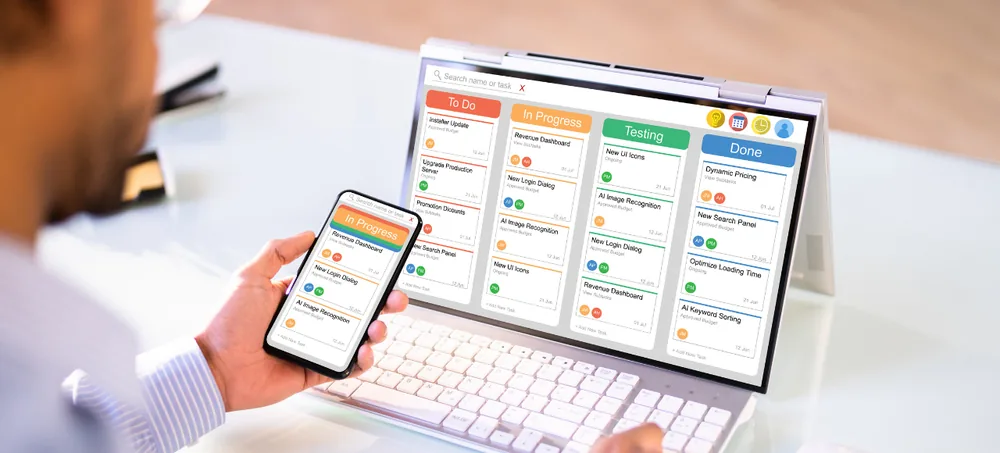
ERPLax Automobile Manufacturing ERP Software in Bangalore helps automotive manufacturers manage production, materials, inventory, purchasing, quality, sales, workforce activities and business information through one centralized cloud ERP platform.
Get a requirement-based walkthrough for your automobile manufacturing unit
Automobile and automotive component manufacturing involves multiple interconnected processes, from procurement and Bill of Materials management to production planning, shop-floor activities, quality inspection, inventory movement, dispatch and customer delivery. When these activities are managed through spreadsheets, paper records and disconnected software, manufacturers can struggle to maintain accurate information and real-time operational visibility.
Bangalore and the surrounding industrial regions support a broad ecosystem of manufacturing and technology businesses. Automobile manufacturers increasingly require connected systems capable of bringing production, inventory, supply chain, quality and financial information into one centralized platform. ERPLax Automobile ERP Software Bangalore gives manufacturers a structured way to manage operations without depending on multiple standalone applications.
Whether you manufacture automobile components, precision-engineered parts, electrical components, assemblies, sheet-metal products, machined parts, fabricated components or automotive accessories, ERPLax can be configured according to your manufacturing workflow.
Automotive manufacturing businesses frequently manage large numbers of parts, suppliers, purchase requirements, production activities, quality checks and customer orders. Without an integrated automotive ERP system, common operational challenges can include the following.
Production plans, work orders, inventory and purchase information may exist in different spreadsheets or systems, making coordination difficult.
Automotive assemblies may involve multiple components and subassemblies. Maintaining accurate BOM information is essential for planning.
Poor visibility of available stock and upcoming production requirements can result in material shortages and production delays.
Purchasing without accurate demand and stock visibility can increase unnecessary inventory holding.
Manual planning makes it harder for production teams to determine what needs to be manufactured, when, and which materials are required.
Automotive manufacturers need structured quality processes at different stages of procurement, production and finished-goods inspection.
Managing supplier quotations, purchase orders, delivery schedules, material receipts and supplier information through separate systems can slow procurement.
Without integrated production, material and expense information, understanding actual manufacturing costs can become difficult.
Preparing reports manually takes time and can leave management working with outdated information.
ERPLax addresses these challenges by connecting operational information through a centralized ERP for automotive manufacturing.
Connected modules covering production planning through CRM and lead management.
ERPLax connects major business functions through one integrated system. Instead of employees repeatedly entering information into separate software, departments can work using centralized business data.
Management receives a clearer view of what is happening across the organization.
ERPLax ERP software for automotive manufacturing can be configured for different automobile and component manufacturing environments.
Automobile manufacturing involves much more than production alone. Sales demand affects production planning. Production planning affects material requirements. Material requirements affect purchasing. Purchasing affects inventory. Inventory affects production schedules. Production affects quality and delivery. When each department uses separate systems, management loses this connection.
Management can review production information without waiting for manually prepared reports.
Purchasing and production teams can work using centralized stock information.
Production requirements can be considered while planning procurement.
Information entered into one workflow can be used by other connected business processes.
Sales, purchase, production, stores and management teams work with centralized information.
Dashboards and reports give decision-makers easier access to operational information.
Businesses can standardize processes as production volumes, locations and employee numbers increase.
ERPLax is a cloud-based Automotive ERP Software in Bangalore, allowing authorized users to access business information through a centralized online ERP platform. A cloud ERP environment is especially useful for organizations managing multiple departments, manufacturing facilities, warehouses or branches. Management teams can access operational information without depending entirely on individual office systems or manually exchanged spreadsheets.
Automotive companies operating multiple factories, offices, warehouses or business units require centralized control with branch-level visibility. ERPLax supports multi-branch business operations so organizations can manage information across different locations using one ERP environment — useful for growing automobile manufacturers that need standardized processes across multiple operational locations.
Organize and monitor production activities more systematically.
View material and stock information through centralized records.
Connect purchasing activities with material requirements.
Maintain structured quality-related workflows and records.
Reduce repetitive manual work and disconnected processes.
Connect sales, purchase, inventory and manufacturing teams.
Reduce repeated entry of the same information across different applications.
Provide management with centralized dashboards and reports.
Add users, modules and business processes as operations grow.
ERPLax supports integrated manufacturing workflows instead of functioning only as accounting or billing software.
Every automobile manufacturer follows different production, approval and reporting processes. ERPLax can be configured around organizational requirements.
Manufacturing can be connected with sales, CRM, purchasing, inventory, expenses, HR, attendance, payroll and projects.
Teams can securely work through a centralized cloud ERP system rather than relying on isolated local applications.
Manage operations across different branches, warehouses or business units.
Businesses can expand their ERP usage as operational requirements increase.
ERPLax provides ERP solutions for manufacturing businesses looking to digitize and integrate their operational workflows.
Many manufacturing businesses start operations using Excel sheets, accounting software, WhatsApp communication, paper registers and separate inventory applications. These systems may work during the early stages of a business, but managing larger production volumes through disconnected tools can become increasingly difficult. ERPLax automobile ERP software creates a common platform where departments can work together using centralized business information.
Companies researching ERP Automotive Industry options, or specifically an Automotive Manufacturing ERP Software Bangalore fit, often start by comparing ERP for Automotive Industry Bangalore providers on configurability rather than feature count alone. ERPLax is positioned as genuine ERP Software for Automobile Manufacturers and one of the more configurable Automotive ERP Solution Bangalore options — a reason many teams list ERPLax among the Automotive ERP Software Providers in Bangalore worth evaluating.
ERP implementation should begin by understanding how your organization currently operates. The objective is not simply to install software — the goal is to create an ERP workflow that employees can use effectively in their daily operations.
Business process discussion
Requirement analysis
Module planning
Workflow configuration
Data preparation
User configuration
Testing
User training
Go-live
Ongoing support & improvement
The right ERP should match your manufacturing processes rather than forcing your organization to manage every activity through generic workflows. ERPLax provides a configurable automotive manufacturing ERP solution for companies that need stronger control over production, materials, inventory, purchasing, customers and business reporting. Talk to our ERP team to discuss your automobile manufacturing workflow and see how ERPLax can be configured for your business.
Specialized Applications
Purpose-built & ready to deploy. Hover to explore, click to learn more.
Testimonials
Real stories from businesses running their operations on ERPLax.
ERPLax gave us real-time visibility into stock across three warehouses. Wastage dropped and our fulfillment time improved almost overnight.
GST e-invoicing used to eat up two days every month. With ERPLax's accounting module it's now automatic and our filings are always on time.
Billing at our stores used to take a minute per customer. ERPLax's POS module cut that to under 15 seconds, even during peak festival rush.
Payroll for 200+ employees across two branches used to take our HR team a full week. ERPLax's HRM module now runs it in a single afternoon.
Tracking batch numbers and expiry across our distribution network was a nightmare on spreadsheets. ERPLax's inventory module made it effortless.
Front desk, housekeeping and billing are now all on one screen. ERPLax's hotel management module has made check-in day a breeze for our staff.
Fee collection, attendance and report cards used to live in three different tools. ERPLax brought it all into one dashboard our staff actually enjoys using.
Tracking material costs and site progress across four active sites was chaos before ERPLax. Now our project managers update status from their phones daily.
Our online store orders now sync straight into inventory and accounting — no more manual entry, no more overselling out-of-stock items.
Our sales team can now see every lead's history and follow-ups in one place. Deal closures are faster and nothing falls through the cracks anymore.
ERPLax gave us real-time visibility into stock across three warehouses. Wastage dropped and our fulfillment time improved almost overnight.
GST e-invoicing used to eat up two days every month. With ERPLax's accounting module it's now automatic and our filings are always on time.
Billing at our stores used to take a minute per customer. ERPLax's POS module cut that to under 15 seconds, even during peak festival rush.
Payroll for 200+ employees across two branches used to take our HR team a full week. ERPLax's HRM module now runs it in a single afternoon.
Front desk, housekeeping and billing are now all on one screen. ERPLax's hotel management module has made check-in day a breeze for our staff.
Fee collection, attendance and report cards used to live in three different tools. ERPLax brought it all into one dashboard our staff actually enjoys using.
Tracking material costs and site progress across four active sites was chaos before ERPLax. Now our project managers update status from their phones daily.
Our online store orders now sync straight into inventory and accounting — no more manual entry, no more overselling out-of-stock items.
Our sales team can now see every lead's history and follow-ups in one place. Deal closures are faster and nothing falls through the cracks anymore.
