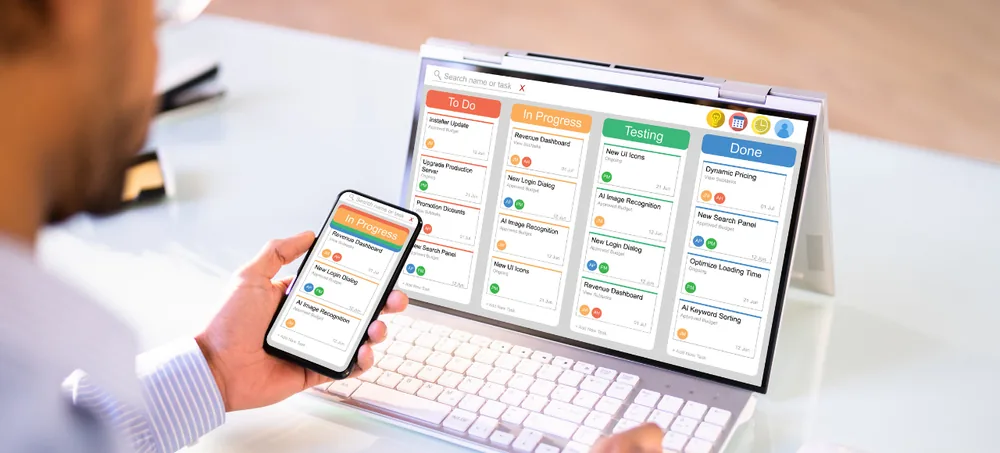
Manage fleet, freight, warehousing, dispatch, route planning, tracking, billing, driver management and accounting through one integrated ERP for Logistics platform. Our Logistics Management Software connects fleet operations with freight, warehousing, billing and finance.
Talk to our logistics ERP specialists — response within 24 hours.
Logistics businesses must manage large vehicle fleets, complex delivery routes, multiple warehouses, driver schedules, shipment tracking, fuel expenses, and time-sensitive deliveries. Managing these operations through notebooks, spreadsheets, and disconnected applications often leads to route delays, higher transportation costs, missed deliveries, inaccurate records, poor fleet utilisation, and limited visibility across the logistics network. A centralised logistics management system helps businesses connect fleet operations, route planning, warehouse activities, driver management, shipment tracking, delivery updates, expenses, and reporting on one integrated platform. This improves fleet utilisation, reduces transportation costs, strengthens shipment visibility, supports timely deliveries, and provides better control across the entire logistics operation.
Difficulty tracking fuel, toll, driver and maintenance costs per trip and per vehicle.
Poor route planning and dispatch visibility lead to missed delivery windows.
Without utilization tracking, vehicles sit idle while other loads wait for dispatch.
Manual inbound and outbound records rarely match actual warehouse stock.
Manual freight rate calculation slows down customer invoicing.
Inaccurate cost allocation makes it difficult to calculate true route-wise margins.
An integrated ERP for Logistics Industry helps different departments work with the same operational information. When a shipment is booked, dispatch planning updates. When a vehicle is dispatched, tracking status updates. When delivery is confirmed, billing is triggered automatically.
Fifteen integrated modules bring every aspect of transportation and logistics together, covering fleet management, freight operations, warehousing, dispatch, driver management, billing, and finance on one unified platform.
Maintain complete records for trucks, vans, trailers and other fleet vehicles.
ERPLax Freight Management Software handles booking, consignment notes and shipment status.
ERPLax Route Planning Software optimizes delivery routes and multi-stop planning.
Plan vehicle allocation, loading schedules and dispatch confirmation for every shipment.
ERPLax Shipment Tracking Software provides real-time visibility into consignment status.
ERPLax Warehouse Management Software manages inbound, outbound and storage operations.
ERPLax Driver Management Software tracks driver profiles, licences and trip assignments.
Track service schedules, breakdown records and spare parts usage per vehicle.
ERPLax Logistics Billing Software automates freight rate calculation and customer invoicing.
ERPLax Trucking Software supports owned and hired truck operations end to end.
ERPLax 3PL Software helps third-party logistics providers manage multiple client operations.
Maintain shipper, consignee and transport vendor records with contract terms.
ERPLax Supply Chain Management Software connects procurement, warehousing and distribution.
Manage e-way bills, permits, insurance and statutory documentation.
ERPLax Logistics Accounting Software connects fleet, freight, billing and sales with financial accounting.
A complete Transport Management Software connects fleet, drivers, routes, dispatch and billing into one operational view for transport operators and fleet managers.
ERPLax Warehouse Management Software improves inbound processing, storage optimization and outbound dispatch accuracy across distribution centres.
ERPLax Supply Chain Management Software supports end-to-end visibility from procurement through warehousing to final delivery.
ERP supports structured documentation and workflow control. Each business remains responsible for defining and following the transport, safety, environmental and statutory requirements applicable to its logistics operations.
Every logistics business follows different fleet structures, route networks and billing methods. ERPLax Logistics ERP Software can be customized module by module.
Deployed through cloud or private-server infrastructure based on connectivity, accessibility and security requirements.
Mobile-compatible workflows help drivers and field staff record trip and delivery data from supported devices.
Requirement Discussion
Workflow Mapping
ERP Configuration
Data Migration
System Testing
Employee Training
Go-Live & Support
Track vehicle usage and idle time to maximize fleet efficiency.
Reduce distance and delivery time with structured route planning.
Track consignment status from booking through final delivery.
Reduce stock mismatch with connected inbound and outbound records.
Track licence validity, working hours and trip performance.
Automated rate calculation speeds up customer invoicing.
Preventive maintenance scheduling reduces unexpected breakdowns.
Track permits, insurance and document expiry proactively.
Understand true cost and margin for every trip and route.
Use real-time reports for fleet, freight, warehouse and accounting.
ERPLax can be configured for a wide range of logistics, transport and warehousing businesses.
We study your fleet structure, route network and billing requirements.
Fleet tracking, route planning, dispatch scheduling, driver management and freight billing.
Begin with essential modules and add more functions as your business grows.
Connect branches, warehouses, distribution centres and offices.
Control what each employee can view, create, update, approve or download.
Receive management and operational reports according to your requirements.
Requirement gathering, configuration, testing, data migration, training and deployment.
Deep implementation experience across 1700+ ERP projects nationwide.
ERP for logistics is an integrated software system used to manage fleet, freight, warehousing, dispatch, route planning, shipment tracking, billing, driver management, and accounting.
Logistics management software helps businesses plan and track shipments, vehicles, drivers, warehousing, dispatch schedules, freight billing and logistics expenses.
The right ERP depends on fleet size, freight types, number of warehouses, route complexity and reporting requirements. ERPLax can be configured around the existing workflow of a logistics business.
Yes. Vehicle master, fuel consumption, maintenance schedules, permits and insurance can be tracked for the entire fleet.
Yes. Shipment booking, consignment tracking, delivery status and proof of delivery can be recorded from pickup to drop.
Yes. Route master, distance calculation, multi-stop delivery planning and route-wise cost tracking can be maintained.
Yes. Inbound, outbound, storage location, stock transfer and warehouse-wise inventory can be tracked.
Yes. Driver profiles, licence validity, trip assignment, working hours and performance records can be maintained.
Yes. Freight rate calculation, invoice generation, customer billing and payment tracking can be managed.
Yes. Dispatch planning, vehicle allocation, loading schedules and dispatch confirmation can be tracked.
Yes. Third-party logistics providers can manage multiple client shipments, warehousing and billing through one system.
Yes. Fuel, driver, toll, maintenance and route-wise costs can be allocated to trips and shipments.
Yes. Service schedules, breakdown records, spare parts usage and maintenance costs can be maintained per vehicle.
Yes. Cloud or private-server deployment can be selected according to the organization's accessibility, connectivity and security requirements.
Yes. Fleet structures, route planning methods, billing rules, warehouse workflows, reports and approvals can be customized.
Connect fleet, freight, warehousing, dispatch, route planning, tracking, billing, driver management and accounting through one customizable ERP platform. Speak with ERPLax to discuss your logistics operations and schedule a personalized demonstration.
Specialized Applications
Purpose-built & ready to deploy. Hover to explore, click to learn more.
Testimonials
Real stories from businesses running their operations on ERPLax.
ERPLax gave us real-time visibility into stock across three warehouses. Wastage dropped and our fulfillment time improved almost overnight.
GST e-invoicing used to eat up two days every month. With ERPLax's accounting module it's now automatic and our filings are always on time.
Billing at our stores used to take a minute per customer. ERPLax's POS module cut that to under 15 seconds, even during peak festival rush.
Payroll for 200+ employees across two branches used to take our HR team a full week. ERPLax's HRM module now runs it in a single afternoon.
Tracking batch numbers and expiry across our distribution network was a nightmare on spreadsheets. ERPLax's inventory module made it effortless.
Front desk, housekeeping and billing are now all on one screen. ERPLax's hotel management module has made check-in day a breeze for our staff.
Fee collection, attendance and report cards used to live in three different tools. ERPLax brought it all into one dashboard our staff actually enjoys using.
Tracking material costs and site progress across four active sites was chaos before ERPLax. Now our project managers update status from their phones daily.
Our online store orders now sync straight into inventory and accounting — no more manual entry, no more overselling out-of-stock items.
Our sales team can now see every lead's history and follow-ups in one place. Deal closures are faster and nothing falls through the cracks anymore.
ERPLax gave us real-time visibility into stock across three warehouses. Wastage dropped and our fulfillment time improved almost overnight.
GST e-invoicing used to eat up two days every month. With ERPLax's accounting module it's now automatic and our filings are always on time.
Billing at our stores used to take a minute per customer. ERPLax's POS module cut that to under 15 seconds, even during peak festival rush.
Payroll for 200+ employees across two branches used to take our HR team a full week. ERPLax's HRM module now runs it in a single afternoon.
Front desk, housekeeping and billing are now all on one screen. ERPLax's hotel management module has made check-in day a breeze for our staff.
Fee collection, attendance and report cards used to live in three different tools. ERPLax brought it all into one dashboard our staff actually enjoys using.
Tracking material costs and site progress across four active sites was chaos before ERPLax. Now our project managers update status from their phones daily.
Our online store orders now sync straight into inventory and accounting — no more manual entry, no more overselling out-of-stock items.
Our sales team can now see every lead's history and follow-ups in one place. Deal closures are faster and nothing falls through the cracks anymore.
