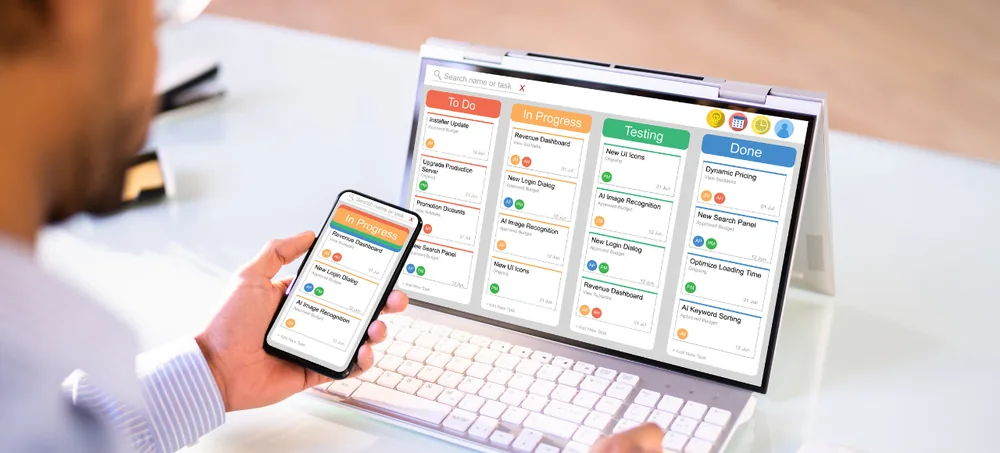
Plan raw materials, components, purchases, production schedules and inventory through one flexible MRP ERP platform.
Schedule a free consultation with our MRP & manufacturing team
Manufacturers need the right materials at the right place and time to complete production without holding unnecessary inventory. This becomes difficult when production plans, bills of materials, stock balances and supplier orders are maintained in separate systems.
A production team may schedule a work order without checking component availability. Purchase may order materials already available in another warehouse. Sales may confirm a delivery date without considering production capacity or supplier lead time.
ERPLax MRP ERP Software — custom MRP Software for Manufacturers — connects demand, materials, purchasing, production and inventory through one system. When demand changes, planners can review its effect on raw-material requirements, production orders and supplier schedules.
MRP Software is a manufacturing planning system used to calculate the raw materials and components required to complete a production plan — functioning as ERP for Material Requirements Planning. MRP stands for Material Requirements Planning.
It answers three practical questions: what materials are required, how much of each material is required, and when each material should be available.
Based on master production schedules, orders, forecasts, BOMs, inventory and lead times, an MRP System for Manufacturing identifies shortages and suggests supply actions — purchasing, producing subassemblies, transferring stock, rescheduling or using an approved substitute.
Sales orders, forecasts, branch requirements and internal production requests gathered.
Current, reserved, quality-hold and in-transit stock checked.
Quantity needed to manufacture is calculated when stock can't fulfil demand.
Subassemblies, components and raw materials calculated through every BOM level.
Gross requirements compared with stock, POs, allocations and safety stock.
The actual shortage identified for each material.
Supplier/production lead time, MOQ, batch size and safety days applied.
Purchase requisitions, production orders, transfers or rescheduling suggested.
Planners approve suggestions; the ERP tracks execution against the plan.
Ten reasons manufacturers move from spreadsheet planning to a connected MRP system.
Material Planning Software identifies shortages by comparing requirements with available and incoming stock.
Purchase according to production demand, safety stock, MOQ and lead time.
Production Scheduling Software determines which jobs run when and with what materials.
Review stock, material availability and schedules before confirming delivery dates.
Purchase Planning Software connects supplier orders with the production plan.
MRP calculates requirements through assemblies, subassemblies and components.
MRP and Inventory Management Software gives visibility into available, reserved and in-transit stock.
Automated BOM explosion and net-requirement calculations reduce spreadsheet dependence.
Jobs prioritized by delivery dates, material availability and business rules.
A scalable MRP system provides a structured foundation as operations grow.
A complete Manufacturing Resource Planning Software covering BOMs, planning, purchasing, production and shop floor.
Centralized records for finished goods, components and raw materials.
Defines the materials and components required to manufacture a product.
BOM Management Software for product structures with several levels.
Approved substitutes and grouped components for planning.
Demand Planning Software feeding the master production schedule.
The MRP engine calculates gross and net requirements.
Inventory Planning Software and Supply Planning Software combined.
Purchase Planning Software converting shortages into procurement.
Maintain lead times by supplier, material and location.
Manufacturing Inventory Software and Raw Material Management Software.
Record consumption or automate it for stable, repetitive production.
Create orders from confirmed demand or MRP recommendations.
Production Planning Software, Manufacturing Planning Software and Production Scheduling Software.
Compare demand with available resources and operation sequences.
Shop Floor Management Software connecting plans to real activity.
Production Planning and Control Software comparing plan vs actual.
Configurable for formula-based, batch or countable production.
Planning models matched to your production strategy.
Custom production and outsourced job-work management.
Record outputs beyond the main finished product.
Inspection and cost tracking integrated with planning.
Exception management and scenario evaluation.
Controlled workflows for sensitive planning transactions.
Role-specific visibility across planning and execution.
Configured around how each type of manufacturer actually plans and produces.
Multi-level BOMs, serial numbers, routing, work orders and assembly tracking for countable products.
Formula management, batch production, yield calculation, co-products and by-products.
Order-specific BOMs, custom routing, project material planning and job costing.
Material issue, subcontractor stock, job-work orders and material reconciliation.
Standard BOMs, production schedules, backflushing and line-capacity monitoring.
MRP Software for Small Business starting with masters, BOMs, purchase planning and production orders.
Identify components required for upcoming production ahead of time.
Identify gaps before production begins using stock, BOM and demand data.
Purchase according to actual demand, safety stock and lead time.
Coordinate jobs with materials, machines, shifts and commitments.
Convert approved shortages into requisitions and supplier orders quickly.
View raw materials, components, WIP and finished goods across locations.
Identify supply or production delays before committing a delivery date.
Automate BOM explosion, net requirements and planned order dates.
Track products across production stages and identify delayed jobs.
Connect receipts, batches, issues, production and finished output.
Compare planned materials and standard costs with actual expenses.
Add plants, warehouses, machines, products and modules as you grow.
Customized for manufacturers across nearly every product category.
Multi-level BOMs and assembly tracking.
Serial tracking and component planning.
Custom BOMs and job-based production.
Process loss and yield tracking.
Batch and repetitive production planning.
Formula-based process manufacturing.
Batch traceability and quality control.
Recipe management and shelf-life tracking.
Component and assembly planning.
Serial tracking and quality-linked production.
Job work and batch-level costing.
Outsourced production and material reconciliation.
Products, materials, BOMs, planning methods and current challenges reviewed.
Products, materials, units, warehouses, suppliers, BOMs and routings set up.
Duplicate materials, missing BOM components and inaccurate lead times reviewed.
Sales orders, forecasts, safety stock, MOQ and batch size configured.
Production plans, work orders, material issue and quality checks set up.
Initial planning run compared with manual calculations.
Production, purchase and inventory teams review suggested quantities and dates.
Planners, purchase users, warehouse users and supervisors trained.
Start with BOMs, inventory and purchasing before advanced scheduling.
Configured around your products, BOMs, materials and planning rules.
Designed after reviewing how your teams plan, purchase and manufacture.
Assemblies, subassemblies, alternatives and controlled revisions.
Material requirements compared with stock and converted into purchases.
Schedules connected with materials, resources and shop-floor updates.
Begin with MRP, inventory and purchase; add quality and finance later.
Select the approach that suits your locations and infrastructure.
Control BOMs, product costs, purchase rates and production plans.
Automate planning alerts, approvals, purchase requests and notifications.
Dashboards for shortages, production plans, WIP, capacity and cost.
Connect with accounting, barcode, machine and third-party platforms.
Start with essentials and add complexity as requirements increase.
MRP Software is a manufacturing planning system that calculates which raw materials and components are required, how much is needed and when each item should be available for production.
An MRP system normally uses customer demand, sales forecasts, bills of materials, available stock, reserved inventory, open purchase orders, production orders, lead times and safety-stock rules.
MRP focuses mainly on material and production planning. ERP connects MRP with wider business functions such as sales, purchasing, inventory, finance, CRM, HRM and reporting.
MRP calculates material requirements. MRP II, or Manufacturing Resource Planning, extends planning to machines, labour, capacity, production costs and other manufacturing resources.
Yes. ERPLax can configure products, BOMs, planning rules, lead times, production workflows, approvals and reports according to the manufacturer's actual process.
Yes. Multi-level BOMs can contain assemblies, subassemblies, components and raw materials across several product levels.
Yes. BOM revisions can include effective dates, change reasons, approvals, attachments and revision history.
Yes. The system can compare material demand with available and incoming stock before suggesting purchase requisitions or planned supplier orders.
Yes. MRP can suggest finished-product and subassembly production requirements when demand cannot be fulfilled from available or planned inventory.
Yes. Demand Planning Software can use historical demand, customer forecasts, confirmed orders and management adjustments, with results depending on data quality.
Yes. Raw Material Management Software can track receipts, batches, serial numbers, warehouses, reservations, production issues, returns and adjustments.
Yes. WIP records can show the production order, product, current operation, completed quantity, pending quantity and responsible work centre.
Yes. Production Scheduling Software can organize work by plant, machine, work centre, shift, product, priority and required date.
Capacity planning can be configured to compare planned production hours with available machines, work centres, employees and shifts.
Yes. Contract-manufacturing and job-work workflows can track material issues, expected receipts, completed quantity, rejection and pending balances.
Yes. The system can compare planned and actual scrap, process loss, by-products, recoverable material and rework.
Yes. Production cost can include raw materials, labour, machine time, subcontracting, scrap, rework and configured overheads.
Yes. MRP Software for Small Business can begin with BOMs, inventory, purchase planning and production orders, with advanced features added later.
Yes. ERPLax can provide Cloud MRP Software for centralized and multi-location access, with on-premise deployment also available.
Barcode, QR code, RFID, weighing-scale, machine and IoT integrations can be evaluated according to device compatibility and available interfaces.
Yes. Authorized planners can review and adjust suggested quantities, dates, suppliers or supply methods before creating operational orders.
No. MRP calculates requirements using configured data and rules. Planners should review recommendations, exceptions and business priorities before approval.
MRP accuracy depends on the quality of BOMs, inventory balances, demand data, lead times, open orders and planning rules. Regular data review is essential.
Yes. The modular approach allows businesses to start with BOM, MRP, inventory and purchasing before adding advanced production, finance, CRM or HRM.
Replace manual BOM calculations, disconnected stock records and spreadsheet-based schedules with custom MRP Software from ERPLax.
Call +91 97399 66977 | Email info@erplax.com
Specialized Applications
Purpose-built & ready to deploy. Hover to explore, click to learn more.
