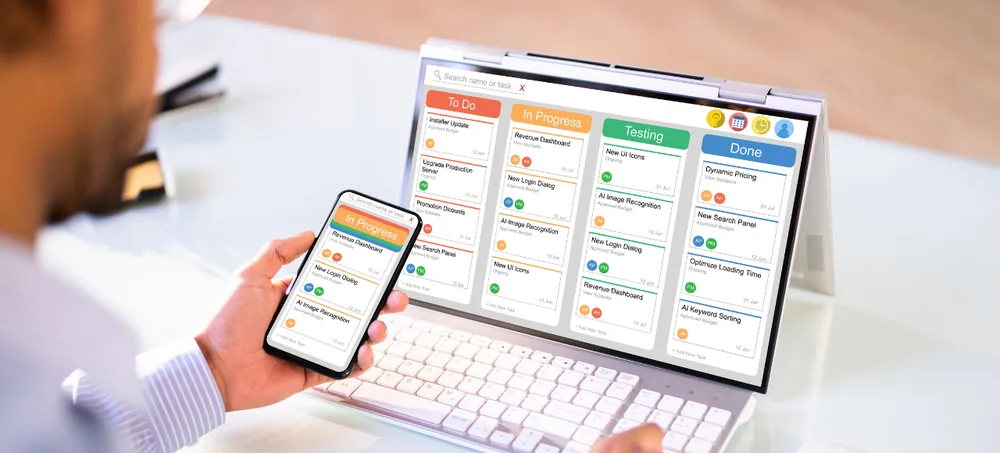
ERPLax provides customizable ERP for procurement that brings purchase requisitions, approvals, suppliers, purchase orders, goods receipts, invoices and procurement reports into one connected platform — replacing spreadsheets, paper approvals and disconnected purchasing tools.
Tell us about your purchasing workflow — we'll respond within 24 hours.
Spreadsheets, emails and phone calls make purchasing hard to control and even harder to trace.
Unapproved purchases and duplicate purchase requests
Delayed approvals and incorrect purchase orders
Missed supplier quotations and uncontrolled spending
Material shortages alongside excess inventory
Invoice mismatches and poor supplier-performance visibility
Delayed payments and inaccurate procurement reports
Requisition to payment, tracked in one connected platform
Procurement affects inventory availability, production schedules, operating costs, supplier relationships and cash flow. ERPLax brings purchase teams, department managers, warehouse employees and finance teams together on connected information.
When a purchase is requested, the system routes it for approval, collects vendor quotations, creates a purchase order, updates expected inventory, records received material and verifies the supplier invoice — as complete procurement management software without forcing a fixed workflow.
ERP in procurement uses an Enterprise Resource Planning system to connect purchasing activities with inventory, finance, manufacturing, projects and warehouses.
Inventory levels can generate purchase requirements, production plans can create raw-material demand, and departments can submit requisitions that route through configured approvals automatically.
ERPLax can be configured as procurement management software, a vendor management system, a supplier management system, or a broader ERP platform connecting procurement with the rest of the organization.
Whether you need standalone purchasing software, a full e procurement software rollout, or procure-to-pay software solutions connected to accounts, ERPLax scales as cloud based procurement software or on-premise deployment. As an ERP procurement system, it works equally well as vendor management software, purchase order management software or standalone purchase management software — built around your actual approval hierarchy.
A digital requisition records requester, department, product, quantity and business purpose.
Route requests through configurable approval levels with a maintained approval history.
Visibility into stock, reorder levels and pending orders reduces unnecessary purchases.
Centralized vendor records keep contacts, rates, quotations and performance together.
Supplier invoices checked against purchase orders and goods receipts before approval.
Add branches, warehouses, users, suppliers and approval levels gradually.
From requisition to payment — every step covered.
Structured requests with quantity, delivery date, estimated price and cost centre — true purchase requisition software.
Rules based on purchase value, department, category, branch or budget availability.
Contacts, tax details, bank details, agreed rates, contracts and performance ratings in one record.
Document upload, tax verification, product-category assignment and approval.
Send RFQs to selected suppliers with specifications, delivery and commercial terms.
Evaluate price, freight, payment terms, lead time and total landed cost side by side.
Auto-numbered POs from approved requisitions or quotations, with revision history.
Track draft, approved, partially received and closed statuses in real time — a complete purchase order management system.
Requirements generated from reorder points, safety stock and supplier lead time.
Record received, accepted and rejected quantities against the purchase order.
Compare purchase order, goods receipt and supplier invoice before payment approval.
Connect request, quotation, order, receipt, invoice and payment as full procure to pay software and procurement automation software.
Scorecards on delivery, quality, rejection rate and price competitiveness — supplier relationship management software.
Warn or restrict purchases beyond approved budgets by department or project.
Spend by supplier, product, category, department or branch — role-based dashboards.
View requests, approvals, quotations and invoice status without chasing updates.
Digital workflows get requests to the correct approver more quickly.
Approval rules, vendor restrictions and budget checks reduce uncontrolled spend.
Connecting procurement with inventory and demand prevents shortages.
Centralized records and performance reports support consistent evaluation.
Expected purchases and payment commitments improve finance visibility.
A standalone tool works for isolated purchasing. A procurement ERP connects purchasing with your wider operations.
| Standalone E-Procurement | ERP for Procurement |
|---|---|
| Focuses mainly on purchasing | Connects purchasing with wider operations |
| May require separate inventory updates | Can connect directly with inventory |
| Financial info exported manually | Connects purchases with accounts and budgets |
| Production requirements stay separate | Can generate demand from manufacturing plans |
| Reporting is procurement-specific | Supports cross-functional business reporting |
| Supplier records may be isolated | Supplier data connects with receipts and payments |
A complete procurement process workflow covering every step from initial request to supplier payment.
From reorder levels, production plans or a manual request.
Product, quantity, date, department and business purpose.
Routed through the configured approval hierarchy.
RFQ issued to eligible suppliers.
Price, delivery, quality and past performance.
Approved quotation converts to a purchase order.
GRN recorded, quality-sensitive material inspected.
Invoice matched against PO and receipt, then approved.
As procurement ERP software, we study how requirements are raised, approved, ordered, received and paid.
Procurement works with inventory, warehouse, accounting and manufacturing.
Start with requisitions and POs, add supplier portals and reports later.
Deep implementation experience across manufacturing, retail and services.
ERP in procurement is an integrated software system used to manage purchase requisitions, approvals, suppliers, quotations, purchase orders, goods receipts, invoices and procurement reports. It connects purchasing with inventory, finance, warehouses, production and projects.
E-procurement software primarily manages digital purchasing activities. ERP procurement connects purchasing with inventory, accounting, production, projects, warehouses and business reporting.
Yes. Approval workflows can be configured according to purchase value, department, branch, product category, project or budget, with notifications and a complete action history.
Yes. ERPLax can manage purchase-order creation, approval, supplier sharing, revisions, delivery schedules, partial receipts, invoice status and closure.
The system centralizes supplier contact information, tax details, bank records, documents, contracts, rates, quotations, orders, invoices and performance information under role-based access.
Procure-to-pay automation connects the full process from purchase request and approval through supplier selection, purchase order, goods receipt, invoice verification and payment approval.
Yes. The system can compare the purchase order, goods receipt note and supplier invoice, flagging quantity, price or tax differences for review before invoice approval.
Yes. Procurement can use current stock, reorder levels, pending purchase orders and sales demand to support purchasing decisions, and received material can update inventory automatically.
Yes. Small businesses can begin with purchase requests, approvals, vendor records and purchase orders, then add modules as purchasing volume grows.
ERPLax can support cloud-based or on-premise deployment depending on the organization's requirements.
Contact ERPLax at +91 97399 66977 or info@erplax.com with your procurement workflow, branches, users and required modules to receive a requirement-based proposal.
Replace disconnected purchase requests, manual approvals and spreadsheet-based supplier tracking with a procurement ERP designed around your workflow.
Specialized Applications
Purpose-built & ready to deploy. Hover to explore, click to learn more.
