Scale smarter with a complete AI-driven ERP solution built for manufacturing, distribution, and e-commerce businesses etc...

ERP for Trading Industry | Custom Trading ERP | ERPLax
⚓ Custom Trading ERP Software

ERP for Trading Industry — Custom Trading ERP Software

Connect Purchasing, Inventory, Sales, Billing, Warehouses and Supply Chain Operations
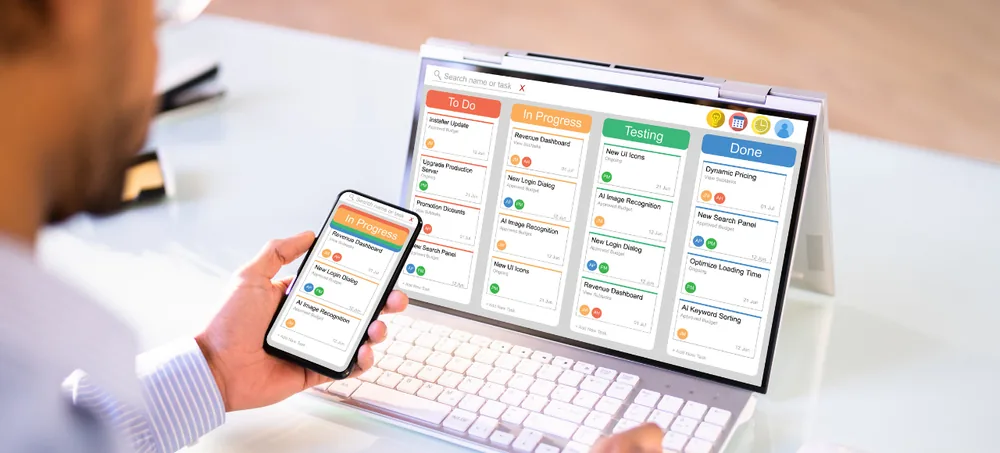
ERP for trading companies dashboard by ERPLax
1500+ ClientsTrust ERPLax nationwide

ERPLax provides customizable ERP for trading companies that want to manage products, suppliers, purchases, stock, quotations, sales orders, billing, dispatch, payments, CRM and business reports from one integrated platform. Whether you run a wholesale business, import-export company, distribution network or growing small trading business, ERPLax configures around your actual operational workflow.

📦 Inventory & Warehouse 🧾 GST Billing 🚚 Dispatch & Logistics 🌐 Import Export 📊 Real-Time Reports
ARS
✔ Verified Experts

Request Custom ERP Quote

Schedule a free consultation with our trading ERP specialists

✔ Free Consultation✔ No Obligation✔ 24hr Response
0
Years of Experience
0
Clients Served
0
Projects Delivered
0
Support Availability
🚛 Purchase to Payment📦 Multi-Warehouse Inventory🧾 GST Billing & Invoicing🌐 Import Export ERP Software📈 Supply Chain Visibility🤝 Dealer & Distributor Pricing 🚛 Purchase to Payment📦 Multi-Warehouse Inventory🧾 GST Billing & Invoicing🌐 Import Export ERP Software📈 Supply Chain Visibility🤝 Dealer & Distributor Pricing
Growing Distribution Businesses

ERP for Trading Companies and Growing Distribution Businesses

Trading businesses coordinate purchasing, stock, sales and dispatch every day. Managing these through spreadsheets, accounting apps and manual registers creates gaps between departments.

Stock quantities not matching physical inventory

Sales teams committing products that are unavailable

Delayed purchase orders and supplier follow-ups

Duplicate data entry between sales, warehouse and accounts

Poor visibility into customer outstanding amounts

Slow-moving stock and delayed management reports

ERPLax connects these processes within a customizable trading ERP software platform. Information entered by one department becomes available to authorized users across sales, purchase, inventory, warehouse, finance and management functions.

This creates a structured workflow from enquiry and procurement to stock receipt, order processing, delivery, billing and payment collection.

Understanding Trading ERP

What Is Trading ERP Software?

Trading ERP software is an integrated business management system designed for companies that purchase products from suppliers and sell them to customers, retailers, dealers, distributors or other businesses. An ERP system for trading company creates a common database for different departments — when a purchase is received, stock updates; when a sales order is approved, inventory is allocated; when goods are dispatched, billing and accounting entries follow the configured workflow.

  • Product, supplier and purchase order management
  • Inventory control and warehouse management
  • Quotations, sales orders, pricing and dispatch
  • Billing, customer outstanding, CRM and reports

ERPLax customizes this process according to how your business operates instead of forcing your team to follow a fixed software structure.

Purchase Received
Stock Updated
Order Approved & Allocated
Dispatched, Billed & Recorded
Why It Matters

Why Trading Businesses Need an ERP System

A single connected platform for the information that drives day-to-day trading decisions.

Centralized Business Information

Customer, supplier, product, inventory and financial data in one platform for every authorized team.

Better Stock Control

Monitor available stock, reserved quantities, incoming purchases and stock transfers accurately.

Faster Order Processing

Enquiries, quotations, orders, allocation, dispatch and invoices connected through one workflow.

Improved Purchase Planning

Review stock levels, pending orders, reorder quantities and supplier rates before placing orders.

More Accurate Pricing

Customer-wise, product-wise and quantity-based pricing with approval controls for discounts.

Better Credit Control

Check customer credit limits, outstanding invoices and payment history before confirming orders.

Real-Time Management Reports

Role-based reports and dashboards on sales, purchases, margins, receivables and payables.

Scalable Operations

Start with sales, purchase, inventory and billing, then add CRM, warehouses and automation.

Platform Capabilities

Key Features of ERPLax Trading ERP

Modules configured around how your business actually purchases, stocks, sells and delivers.

01

Product & Item Master

Structured product database for purchasing, inventory, sales and billing.

  • SKU, category, HSN & tax class
  • Multiple unit conversions
  • Barcode, batch & expiry tracking
02

Supplier & Vendor Management

Supplier master, price history, payment terms and performance reports.

  • Supplier quotations & comparison
  • Delivery lead times
  • Supplier outstanding & returns
03

Purchase & Procurement

Manage procurement from requirement to supplier invoice and payment.

  • RFQ & quotation comparison
  • Approval-based purchase orders
  • Reorder-level based suggestions
04

Real-Time Inventory Management

Track stock movements across products, locations and warehouses.

  • Stock ledger & ageing
  • Reserved & in-transit stock
  • Reorder alerts
05

Multi-Warehouse & Branch

Centralized control across warehouses and branches.

  • Rack, bin & location tracking
  • Inter-warehouse transfers
  • Branch-wise profitability
06

Sales Enquiry & Quotation

Convert customer requirements into structured, trackable quotations.

  • Customer-specific rates
  • Quotation-to-order conversion
  • Approval for special pricing
07

Sales Order Management

Complete order cycle with stock and credit visibility.

  • Stock reservation & backorders
  • Multi-location delivery
  • Order status tracking
08

Pricing & Margin Control

Dealer, distributor and customer-specific price lists.

  • Quantity-based discounts
  • Minimum margin rules
  • Price revision history
09

Billing, Invoicing & Accounts

Operational transactions connected to billing and financial records.

  • Sales & purchase invoices
  • Credit & debit notes
  • GST, e-invoice & e-way bill ready
10

Customer Relationship Management

Connect customer interactions with sales and transaction data.

  • Enquiry & opportunity tracking
  • Follow-up reminders
  • Customer segmentation
11

Credit & Outstanding Control

Structured checks to reduce uncontrolled credit exposure.

  • Credit limits & ageing analysis
  • Overdue alerts
  • Statement of accounts
12

Dispatch & Logistics

Coordinate warehouse preparation, shipment and delivery.

  • Pick list & packing list
  • Transporter & route info
  • Proof of delivery
13

Import & Export Management

Import export ERP software workflow for international procurement or sales.

  • Multi-currency transactions
  • Landed cost allocation
  • Shipment & container tracking
14

Barcode, QR & Serial Tracking

Improve product identification at receipt, transfer and dispatch.

  • Barcode & QR scanners
  • Batch, lot & serial numbers
  • Mobile scanning workflows
Connected Supply Chain

ERP in Supply Chain Management for Trading Companies

ERP in supply chain management connects the movement of products, information and commercial documents between suppliers, warehouses, branches, sales teams, logistics partners and customers. Without a connected system, each department may have a different understanding of what has been ordered, received, allocated, dispatched or paid for.

SupplierPurchase order
WarehouseGoods receipt
Sales OrderStock allocation
DispatchDelivery & billing
CustomerPayment collection

Supplier-to-Warehouse Visibility

Purchase teams monitor pending orders, expected delivery dates and received quantities — a core function of any supply chain ERP software deployment.

Warehouse-to-Sales Visibility

Sales teams check available, reserved and incoming inventory before making customer commitments using connected supply chain ERP systems.

Order-to-Dispatch Visibility

Warehouse and logistics users review approved orders and delivery priorities through ERP for supply chain logistics workflows.

Transaction-to-Finance Visibility

Sales, purchase, returns and payment transactions flow into financial records — an example of ERP and supply chain management working together.

An ERP system in supply chain management tracks purchase lead times, supplier fulfilment, inventory turnover, dispatch delays and delivery performance. A connected SCM ERP system — built on capable ERP supply chain software and supported by the right ERP software for supply chain management — gives trading businesses one operational view instead of separate reports from different departments, extending naturally into ERP in logistics and supply chain management for dispatch-heavy operations.

Measurable Impact

Benefits of ERP for the Trading Industry

Real-Time Visibility

Centralized orders, inventory and receivables

Faster Order Processing

Linked quotations to invoices

Better Stock Control

Live records & reorder alerts

Reduced Manual Errors

Shared data across departments

Working Capital Control

Stock ageing & outstanding reports

Better Customer Service

Orders, dispatch & history in one view

Stronger Supplier Management

Purchase history & delivery records

Better Margin Visibility

Cost, price, discount & freight tracked

Custom ERP Workflow

Screens & approvals built for you

Scalable for Growth

Add branches, users & modules in phases

Built For Every Trading Model

Who Can Use Trading ERP Software?

Adaptable for B2B, B2C, wholesale, dealership, distribution, import-export or hybrid trading models.

General Trading CompaniesWholesale BusinessesDistributorsDealersImportersExportersStockistsRetail ChainsEcommerce TradingMulti-Branch TradersFMCG DistributorsElectronics TradersElectrical Product SuppliersHardware & Building Material TradersIndustrial Equipment SuppliersAutomobile Parts TradersTextile & Garment WholesalersFood Product DistributorsChemical TradersMedical Supply DistributorsFurniture TradersConsumer Goods SuppliersAgricultural Product TradersCommodity TradersPackaging Material Suppliers
Start Small, Scale Up

ERP for Small Trading Business

A small trading company may not need every ERP module at the beginning. ERPLax allows an ERP for small trading business to start with essential functions and add modules as the organization grows — making it a practical route to the best ERP for trading business at any stage.

Start With

  • Product master & customer/supplier management
  • Purchase, sales & inventory
  • Billing & basic accounts
  • Outstanding reports & dashboards

Add As You Grow

  • CRM & multi-warehouse management
  • Barcode scanning & mobile sales
  • Approval workflows & ecommerce integration
  • Advanced finance, HRM & custom analytics
Implementation Flow

How Trading ERP Software Works

1

Configure Masters

Products, categories, units, taxes, warehouses, suppliers, customers and permissions.

2

Create Purchase Requirements

Manually or based on stock levels, pending orders and reorder rules.

3

Place & Track Purchase Orders

Supplier orders, approvals and expected delivery monitoring.

4

Receive Products

Goods receipt, quantity verification and warehouse stock updates.

5

Process Customer Orders

Quotations and sales orders using pricing, stock and credit data.

6

Pick, Pack & Dispatch

Picking lists, packing details, delivery documents and logistics.

7

Generate Invoice

Correct invoice, tax details and customer ledger entry.

8

Track Payments

Record receipts, monitor overdue invoices and follow up collections.

9

Review Reports

Analyze sales, purchases, inventory, margins and branch performance.

Connected Ecosystem

Trading ERP Integrations

ERPLax can be integrated with relevant business applications and devices based on project requirements — extending ERP and SCM software across your existing tools.

Accounting & Finance

  • Tally integration
  • Banking reconciliation
  • Payment gateway
  • GST & e-invoice tools

Ecommerce

  • Ecommerce website
  • Marketplace order import
  • Dealer ordering portal
  • Online payment collection

Communication

  • WhatsApp API
  • SMS gateway & email SMTP
  • Payment reminders
  • Dispatch notifications

Warehouse & Hardware

  • Barcode & QR scanners
  • Thermal & label printers
  • Weighing scale
  • Mobile scanning

Logistics

  • Courier API
  • Shipment tracking
  • Freight partner API
  • Proof-of-delivery system
Deployment Options

Cloud or On-Premise Trading ERP

☁ Cloud-Based ERP

  • Access from different locations
  • Centralized multi-branch operations
  • Remote user access
  • Easier infrastructure scalability
  • Mobile or browser-based usage

🖥 On-Premise ERP

  • Hosting within internal infrastructure
  • Local network access
  • Internal server management
  • Aligned with company IT policies
Why Choose ERPLax

Why Choose ERPLax for Trading ERP?

19+ years of experience delivering the best ERP software for trading company operations across India.

Custom ERP Development

Built around each company's operational workflow, reporting needs and approval structure.

Built Around Your Process

Configured around your purchase, stock, pricing, sales, dispatch and payment processes.

Modular & Scalable

Start with the most important modules and add functionality phase by phase.

Cloud or On-Premise

Choose a deployment model according to infrastructure and business preferences.

API Integration

Connect with ecommerce, accounting, logistics and payment gateway systems.

Role-Based Access

User access by department, branch, responsibility and approval authority.

Custom Reports & Dashboards

Operational and management reports based on the KPIs your business uses.

Workflow Automation

Automate alerts, reminders, document generation and recurring activities.

Training & Support

Role-specific user training and implementation support for every team.

Common Questions

Frequently Asked Questions

ERP for trading companies is an integrated software system that manages products, suppliers, purchases, inventory, warehouses, sales orders, billing, customer accounts, dispatch and reports from one platform. It helps different departments work with connected and updated business information.
Accounting software primarily manages financial entries, ledgers, taxation and reports. Trading ERP covers a wider operational process, including purchase orders, product inventory, warehouse movements, customer orders, pricing, dispatch, returns, CRM and accounts.
Trading ERP software records stock received, sold, returned, transferred, reserved, damaged or adjusted. It can provide warehouse-wise availability, stock ledgers, reorder alerts, stock ageing and slow-moving inventory reports.
Yes. A small trading company can begin with essential modules such as purchase, sales, inventory, billing and reports. CRM, multiple warehouses, mobile access, workflow automation and integrations can be added as requirements grow.
Yes. ERPLax can be configured as an ERP for wholesale business and distribution operations. It can support bulk orders, customer-specific pricing, dealer discounts, credit limits, warehouse stock, partial dispatches, returns and outstanding management.
Yes. The system can manage stock, sales, purchases, transfers, users and reports across multiple branches or warehouses. Management can view location-level information as well as consolidated reports.
Yes. Customer-wise, dealer-wise, product-wise, quantity-based and date-based price lists can be configured. Approval controls can also be introduced for special discounts or transactions below the required margin.
Tally integration can be considered based on the version, transaction flow, required data fields and synchronization requirements. The integration scope should be finalized during the requirement analysis stage.
ERPLax can support GST-related billing fields, tax calculations and reports. E-invoice and e-way bill processes can be configured or integrated according to applicable business requirements and the selected implementation scope.
Yes. Import-export workflows can be configured for multi-currency transactions, international purchase or sales orders, shipment information, freight, insurance, landed cost allocation and import-export documentation.
ERP in supply chain management connects supplier orders, incoming stock, warehouse availability, customer orders, dispatch and financial transactions. It gives authorized teams better visibility into what has been ordered, received, allocated and delivered.
Reports can include product sales, customer sales, purchase analysis, supplier performance, stock summary, stock ageing, outstanding receivables, outstanding payables, margins, pending orders, pending dispatches and branch performance. ERPLax can also create custom reports.
Yes. ERPLax can be deployed as a cloud-based ERP for businesses requiring remote and multi-location access. On-premise deployment can also be considered depending on infrastructure and company policies.
Implementation time depends on the number of modules, users, branches, integrations, data migration requirements and customization complexity. A project schedule is prepared after the workflow and scope are reviewed.
Evaluate whether the software can support your actual purchase, inventory, sales, pricing, dispatch, credit and reporting processes. Also review its customization options, scalability, deployment model, integration capability, training and support — the true test of the best ERP for trading business.

Build a Trading ERP Around Your Business Workflow

Replace disconnected spreadsheets and applications with one customizable platform for purchasing, sales, inventory, billing, CRM, warehouses, dispatch and reports.

Phone: +91 97399 66977  |  Email: info@erplax.com

Specialized Applications

ERP Solutions Built for Your Industry

Purpose-built & ready to deploy. Hover to explore, click to learn more.

ERPlax SupportTypically replies instantly
Start Chat on WhatsApp
⚡ Powered by ERPlax
👋 Hi! Need help? Chat with us