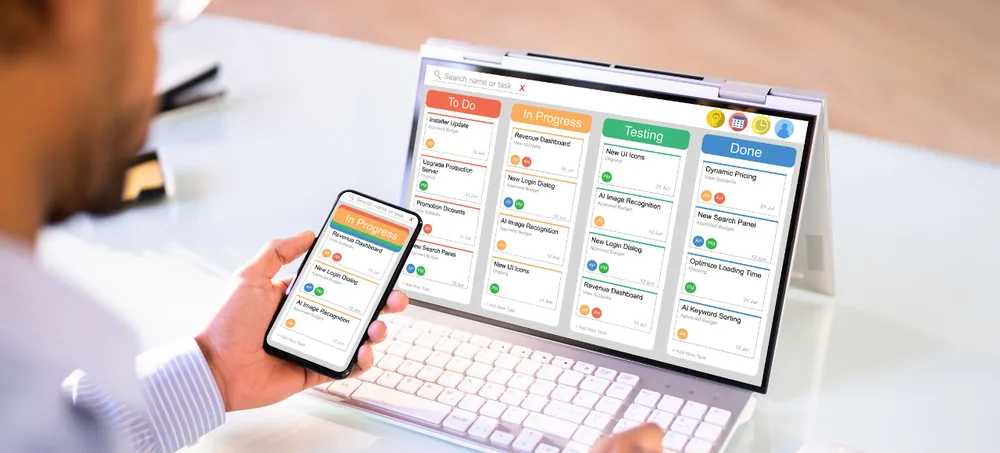
ERPLax provides ERP Of CRM Bangalore businesses can use to understand exactly how a CRM lead transforms into ERP transactions — how an opportunity becomes a sales order, how a sales order becomes an invoice, and how that invoice affects inventory and financial records. Rather than treating CRM and ERP as abstractly "connected," this page traces the actual data flow so you understand what happens at each step.
Bangalore businesses evaluating CRM-ERP integration often hear vague claims about connectivity without understanding the actual mechanics. Here's what genuinely happens.
This page traces the actual ERP Of CRM Bangalore data flow within ERPLax's unified platform — from lead capture through sales order, invoice, inventory update, and financial posting — functioning as complete CRM ERP Software Bangalore, Integrated CRM ERP Software Bangalore, and Lead To Invoice Software Bangalore explanation.
Within ERPLax's unified platform, CRM and ERP share the same underlying data model — a lead becomes a customer record, an opportunity becomes a sales order, and a confirmed sales order generates an invoice that updates both inventory and financial records. There's no separate 'integration' step because it's one connected system, not two systems synchronized after the fact.
Example flow: Lead Captured → Qualified → Opportunity Created → Quotation Sent → Sales Order Confirmed → Invoice Generated → Stock Deducted → Receivable Recorded.
Bangalore businesses evaluating CRM-ERP connectivity gain measurable value from understanding the actual data flow across several key areas.
Once a lead becomes a customer, that record is used throughout the sales order and invoice process.
Confirmed sales orders reserve or deduct inventory automatically, visible to both sales and warehouse teams.
Invoices generated from CRM-originated sales orders post directly to financial records.
Customer data has one authoritative record, not separate CRM and ERP copies to reconcile.
Every invoice can be traced back to its originating opportunity and lead source.
Knowing exactly what happens at each stage removes guesswork from evaluating the platform.
A complete feature set built for businesses of every size across India.
The starting point of the data flow.
A qualified lead becomes a customer record.
Track the sales opportunity through stages.
Formalize the opportunity into a quotation.
Convert an approved quotation into a sales order.
Generate a GST-compliant invoice from the sales order.
Stock updates automatically from the sales order.
The invoice updates financial records.
Trace any invoice back to its originating lead.
Tailored ERP capabilities for the industries ERPLax works with most across India.
Understand how dealer opportunities become production and inventory commitments.
Understand how customer orders flow into stock and billing.
Understand how customer interest becomes sales and inventory impact.
Understand how client opportunities become project billing.
IT stakeholders wanting to understand actual system mechanics before committing.
Understand how sales activity flows into financial records.
How ERPLax's single platform architecture supports this data flow.
CRM and ERP data live in the same underlying data model, not separate synchronized systems.
Because it's one system, there's no synchronization delay or integration failure risk.
The unified platform is delivered through ERPLax's cloud-only SaaS infrastructure.
How a typical Bangalore business's sales activity moves through the ERPLax data flow.
A new lead enters the CRM through a configured source.
The lead is qualified and converted into a customer record.
The sales opportunity progresses through configured pipeline stages.
A quotation is generated and, once approved, becomes a sales order.
The confirmed order generates an invoice and updates inventory automatically.
The invoice posts to financial records, creating a receivable.
ERPLax ERP can integrate with the tools your business already relies on.
What businesses gain after moving to ERPLax.
One connected data flow eliminates re-entering the same customer information.
Sales activity impacts inventory automatically and immediately.
Invoices post directly to financial records without manual entry.
Customer data has one authoritative record throughout the flow.
Every invoice traces back to its originating lead and opportunity.
Understanding the actual mechanics removes guesswork from your evaluation.
ERPLax ERP solutions are suitable for a wide range of businesses.
ERPLax provides technical consultations to walk through the actual CRM-to-ERP data flow relevant to your specific business processes.
ERPLax supports complete ERP implementation.
Understand business processes and goals.
Set up required modules and workflows.
Transfer existing business data.
Verify system performance.
Help teams adopt the ERP system.
Provide hands-on assistance during launch week to resolve issues quickly.
ERPLax is the Best ERP Software in India businesses trust, with 19+ years, 1500+ clients, and 1700+ projects delivered.
CRM and ERP share the same underlying data model, not separate synchronized systems.
Eliminate the failure points that come with connecting two separate systems.
ERPLax is delivered through a subscription-based cloud platform.
Every transaction traces back through the full lead-to-cash journey.
Sales activity posts to financial records without manual reconciliation.
Reports spanning the complete data flow configured to requirements.
Receive implementation and support suited to local business needs.
ERPLax explains the actual mechanics, not just marketing claims.
Receive assistance during implementation and usage.
Real-time dashboards give sales, purchase, and management teams the numbers they need without waiting for month-end reports.
Sensitive customer, costing, and supplier data requires controlled, role-based access.
Restrict data and actions by department, role, and user permission level.
Track who created, modified, or approved every sales and purchase record.
Regular data backups to protect sales, inventory, and financial records.
Common terms used across ERP systems.
When evaluating ERP software, consider these factors alongside cost.
A unified data model eliminates mismatches that come from synchronizing separate CRM and ERP systems.
Automatic flow from opportunity to invoice reduces manual handoffs between sales and finance.
Complete traceability from lead source to revenue improves marketing and sales ROI analysis.
Talk to our team about your business workflow and see how ERPLax can fit your operation.
Common questions from businesses across India about ERPLax.
ERP Of CRM Bangalore refers to understanding how CRM data actually transforms into ERP transactions — leads becoming customers, opportunities becoming sales orders and invoices — for Bangalore businesses.
ERPLax uses one unified data model; CRM and ERP functionality share the same underlying data rather than being synchronized separately.
The opportunity becomes a sales order, which generates an invoice, updates inventory, and posts to financial records.
No. The lead becomes the customer record directly, without duplication.
Yes. ERPLax is delivered as cloud-only SaaS software.
Yes. Complete traceability from lead through opportunity, order, and invoice is maintained.
Yes. Confirmed sales orders reserve or deduct inventory automatically.
Yes. Invoices post directly to receivables and the general ledger.
Yes. Pipeline stages, approval workflows, and document formats can be configured to your specific process.
Contact ERPLax for a technical consultation to walk through the data flow relevant to your specific processes.
See exactly how CRM leads transform into ERP transactions within ERPLax's unified platform — from lead capture through sales order, invoice, inventory, and financial posting.
Specialized Applications
Purpose-built & ready to deploy. Hover to explore, click to learn more.
Testimonials
Real stories from businesses running their operations on ERPLax.
ERPLax gave us real-time visibility into stock across three warehouses. Wastage dropped and our fulfillment time improved almost overnight.
GST e-invoicing used to eat up two days every month. With ERPLax's accounting module it's now automatic and our filings are always on time.
Billing at our stores used to take a minute per customer. ERPLax's POS module cut that to under 15 seconds, even during peak festival rush.
Payroll for 200+ employees across two branches used to take our HR team a full week. ERPLax's HRM module now runs it in a single afternoon.
Tracking batch numbers and expiry across our distribution network was a nightmare on spreadsheets. ERPLax's inventory module made it effortless.
Front desk, housekeeping and billing are now all on one screen. ERPLax's hotel management module has made check-in day a breeze for our staff.
Fee collection, attendance and report cards used to live in three different tools. ERPLax brought it all into one dashboard our staff actually enjoys using.
Tracking material costs and site progress across four active sites was chaos before ERPLax. Now our project managers update status from their phones daily.
Our online store orders now sync straight into inventory and accounting — no more manual entry, no more overselling out-of-stock items.
Our sales team can now see every lead's history and follow-ups in one place. Deal closures are faster and nothing falls through the cracks anymore.
ERPLax gave us real-time visibility into stock across three warehouses. Wastage dropped and our fulfillment time improved almost overnight.
GST e-invoicing used to eat up two days every month. With ERPLax's accounting module it's now automatic and our filings are always on time.
Billing at our stores used to take a minute per customer. ERPLax's POS module cut that to under 15 seconds, even during peak festival rush.
Payroll for 200+ employees across two branches used to take our HR team a full week. ERPLax's HRM module now runs it in a single afternoon.
Front desk, housekeeping and billing are now all on one screen. ERPLax's hotel management module has made check-in day a breeze for our staff.
Fee collection, attendance and report cards used to live in three different tools. ERPLax brought it all into one dashboard our staff actually enjoys using.
Tracking material costs and site progress across four active sites was chaos before ERPLax. Now our project managers update status from their phones daily.
Our online store orders now sync straight into inventory and accounting — no more manual entry, no more overselling out-of-stock items.
Our sales team can now see every lead's history and follow-ups in one place. Deal closures are faster and nothing falls through the cracks anymore.
