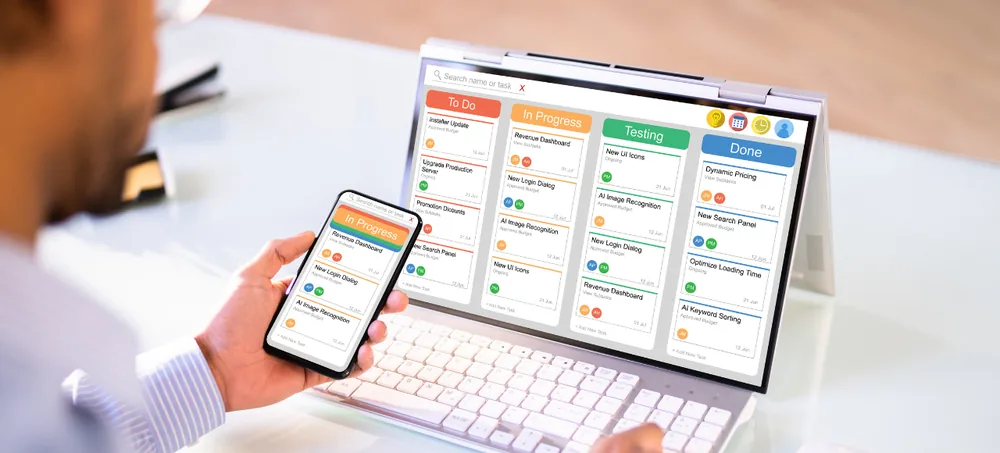
Connect sales, purchases, inventory, accounts, CRM, manufacturing, HR and management reporting through one configurable ERP system Dubai businesses can rely on. ERPLax is built for business owners comparing ERP software companies in Dubai who need a system that fits their actual workflow — not a rigid, one-size-fits-all package.
Get a custom ERP walkthrough for your Dubai business — no obligation.
Dubai businesses often manage operations across several departments, branches, warehouses, sales channels or legal entities — including mainland and free-zone structures. When these activities are maintained in separate spreadsheets and applications, employees spend valuable time copying information, checking discrepancies and preparing reports manually. Custom ERP software Dubai companies rely on removes this friction by connecting every department to one workflow.
Sales and inventory information stored in separate systems, with duplicate customer and supplier records.
Differences between warehouse records and physical quantities, with limited visibility into order status.
Manual billing, data entry and delayed purchase approvals that slow down day-to-day operations.
Reports prepared from outdated information and inconsistent employee workflows across branches.
ERPLax provides a connected business management platform in which information moves through departments according to a defined workflow. For example, an approved customer order can support stock allocation, warehouse processing, dispatch, invoicing and reporting without maintaining separate records for every department. As ERP software for mainland and free-zone businesses, the same configurable platform adapts to either jurisdiction.
ERP stands for Enterprise Resource Planning. Enterprise resource planning software Dubai businesses use is an integrated business management system used to manage core activities such as sales, purchasing, inventory, warehousing, accounting, customer relationships, manufacturing, distribution, HR, projects, billing and reporting.
Instead of using separate applications for every function, an ERP system creates a connected database and workflow for multiple departments.
Information entered in one part of the system becomes available to other authorised users and modules, reducing repeated data entry.
ERPLax — a configurable business management software Dubai teams can adopt module by module — can be implemented as a complete suite or phase by phase.
Reliable ERP software Dubai companies depend on connects every core process into one platform — the same standard expected of leading ERP software UAE providers.
Separate tools for billing, inventory, CRM, accounting and HR often create duplicated information. ERP brings these into one connected environment.
Track purchases, receipts, transfers, sales, returns, production consumption and available stock through integrated inventory workflows.
Connect quotations, sales orders, stock allocation, dispatch and invoicing to reduce manual coordination between departments.
Connect operational transactions with receivables, payables, expenses, cash flow and management reports.
Use approval workflows, alerts, reminders, document generation and status changes to reduce repetitive manual activity.
Generate reports from current operational data instead of waiting for employees to consolidate spreadsheets.
Maintain branch, warehouse, outlet, department or company-level records through centralised access and role-based controls.
Add users, locations, products, workflows, reports and ERP modules as operations become more complex.
Knowing how to choose an ERP software company in Dubai should not depend only on a feature list or an initial demonstration. The selected ERP software company in Dubai must understand your processes and explain how the system will be implemented, customised and supported — the same criteria that separate serious ERP solution providers in Dubai from generic resellers.
A capable ERP company should study how your departments currently work before recommending modules — order flow, purchase process, inventory movement, approvals and reporting.
Standard software may not support every industry. Ask whether fields, documents, workflows, approvals, reports and permissions can be configured.
Confirm the provider supports the functions your company needs today and the modules it may require later.
Evaluate whether the ERP can connect with ecommerce websites, payment gateways, accounting tools and communication platforms.
Ask whether the provider supports cloud-based, Cloud or hybrid deployment based on your operational and IT requirements.
The provider should explain how customer, supplier, product, stock, opening balance and transaction data will be migrated.
A technically complete ERP can still fail when employees do not understand the workflow. Check whether role-based training is included.
Ensure operational and management reports can be adapted to your KPIs, departments, branches and decision-making process.
The ERP system should support additional users, warehouses, branches, products and modules without restarting the software project.
Clarify how issues, updates, new reports, integrations and future customisation requests will be handled after deployment.
ERPLax provides a modular platform covering customer-facing, operational, financial and administrative processes — built by a custom ERP development company Dubai businesses can configure module by module.
Manage the complete sales cycle from enquiry to order fulfilment.
A structured procurement process from material request to supplier payment.
Visibility over products and stock across locations, batches and serials.
Control goods receiving, storage, picking, packing and dispatch.
Connect financial management with business transactions — an integrated accounting and inventory software Dubai companies can rely on for one source of truth.
Generate invoices using approved customer, order, tax and pricing information.
Manage leads, opportunities, follow-ups and customer communication.
Connect customer demand with material planning, production and finished-goods inventory.
Manage high-volume purchasing, warehousing, dealer orders and dispatch.
Connect retail billing with inventory and customer information.
Manage employee information and workforce processes.
Track project activities, employees, costs and progress.
Whether you run an ERP for small business Dubai setup with a handful of users, or need full ERP software for SMEs in Dubai operating across branches, ERPLax configures the same core feature set to your scale.
Configure fields, forms, transaction stages, approvals, formats, notifications and permissions around your process.
Manage several entities, branches, outlets or locations with controlled user access and consolidated reporting.
Track item quantities, transfers, reservations and availability across warehouses and storage locations.
Record transactions in relevant currencies with configured exchange-rate and reporting workflows.
Control what users can view, create, edit, approve, cancel, print or export.
Create approvals for quotations, discounts, purchase requests, expenses, payments and stock adjustments.
Notify users about pending approvals, overdue payments, low stock, delayed orders and follow-ups.
Attach quotations, supplier documents, contracts, specifications and invoices to relevant ERP records.
Maintain a history of selected user actions and transaction changes according to system configuration.
Allow authorised employees to access relevant ERP functions through supported devices and environments.
Build department, branch, customer, supplier, product, project or management reports.
Connect selected third-party applications where compatible APIs and access permissions are available.
Structured ERP solutions Dubai businesses implement through ERPLax are designed to deliver measurable operational gains across every connected department.
Manage core departments using consistent records instead of maintaining isolated applications.
View sales, purchases, stock, production, collections and pending activities through central dashboards.
Reduce the manual handoffs required between sales, warehouse, billing and dispatch teams.
Track stock movement, warehouse quantities, reserved inventory, batches, serials and reorder requirements.
Allow approved transactions to support the next stage of processing without re-entering information.
Generate reports from current ERP records instead of compiling data from multiple spreadsheets.
Use status-based workflows, access permissions and approval levels for consistent operating procedures.
Give authorised employees access to customer orders, invoices, communication and service history.
Monitor customer outstanding, supplier payments, order values and operational expenses through connected reporting.
Different industries require different transactions, controls and reports. ERPLax configures industry-specific ERP Dubai deployments according to the operational requirements of each business.
ERP software for trading companies in Dubai manages imports, supplier purchases, landed costs, inventory and outstanding payments.
ERP software for distribution companies in Dubai controls dealer orders, bulk inventory, price lists, dispatch and territory-wise sales.
ERP software for manufacturing companies in Dubai connects material requirements, production planning, shop-floor activity, quality and costing.
ERP software for retail companies in Dubai integrates POS billing, outlets, inventory, purchasing, pricing and customer management.
Connect online orders with stock, payments, fulfilment, courier integration and returns.
ERP software for construction companies in Dubai manages project budgets, material requests, procurement, site inventory and progress billing.
Manage leads, property records, bookings, contracts, payment schedules and maintenance requests.
Coordinate customers, shipments, warehouses, service orders, billing and operational expenses.
Track leads, proposals, projects, timesheets, expenses and client billing.
Manage reservations or service requirements, procurement, inventory, billing and employees.
Manage products, batches, expiry dates, institutional customers, sales representatives and orders.
Track equipment availability, rental orders, deposits, service requests, technician assignments and spare parts.
The final module selection depends on the organisation's industry, transaction volume, user count, locations and reporting requirements.
Set up products, customers, suppliers, employees, warehouses, branches and accounts.
Enter enquiries, quotations, sales orders, purchase requests, receipts and expenses.
Route transactions through authorised users based on value, department, branch or type.
Allocate stock, receive materials, begin production, schedule services or prepare deliveries.
Create invoices, payment records and accounting transactions according to the configured workflow.
Track open orders, delayed purchases, low stock, pending production and outstanding payments.
Use dashboards and reports to understand sales, stock, purchasing, finance and overall performance.
ERPLax structures every ERP implementation Dubai engagement into ten clearly defined stages, from requirement discovery to ongoing support.
ERPLax discusses your business structure, departments, users, locations and challenges.
Current workflows are mapped from the initial transaction to completion and reporting.
Required modules, customisation, reports, integrations and deployment method are documented.
Masters, workflows, user roles, transaction formats and approval levels are configured.
Business-specific forms, reports, dashboards and workflow extensions are developed.
Selected customer, supplier, product, inventory and opening-balance information is reviewed and imported.
The configured ERP is tested using representative business scenarios.
Employees receive training relevant to their roles and responsibilities.
The ERP is made available through the selected Cloud-Based environment.
ERPLax supports issue resolution, user adoption and approved enhancements after go-live.
ERPLax can integrate with selected business tools according to available APIs and project requirements.
ERPLax can be deployed according to your business and infrastructure requirements.
A cloud-based ERP system for Dubai businesses that need access across branches, warehouses, offices or field locations.
Cloud deployment may suit businesses with specific internal infrastructure or data-hosting requirements.
A hybrid architecture may be evaluated when selected systems must operate across local and cloud environments.
Among the many ERP companies in Dubai, ERPLax focuses on configuring the system around your actual workflow rather than fitting your business into a fixed template.
ERPLax configures and develops ERP functionality according to your actual workflow and reporting requirements.
The system is planned around the way your sales, purchase, inventory, finance and service teams operate.
Start with priority modules and add further capabilities as business requirements evolve.
Select a deployment approach based on your operational structure and IT requirements.
Adapt transactions, masters, reports and approvals for trading, distribution, manufacturing, retail and construction.
Connect selected websites, ecommerce channels, payment tools and third-party applications.
Control data visibility and transaction permissions for users, departments, branches and managers.
Plan the migration of relevant master data, stock information and opening records from existing applications.
Common questions from businesses evaluating ERP software companies in Dubai.
ERP software companies provide systems and implementation services that connect activities such as sales, purchasing, inventory, accounting, CRM, manufacturing, HR and reporting. Available modules and services vary between providers.
ERPLax is a custom ERP solutions company serving businesses in Dubai and other markets. The system can be configured remotely or through an agreed implementation model according to project requirements.
Standard ERP offers predefined features and workflows. Custom ERP allows selected fields, documents, approvals, reports, integrations and processes to be adapted to the organisation's requirements.
Yes. Small businesses can begin with essential modules such as sales, purchases, inventory, billing and reports. Additional modules can be implemented as the organisation grows.
Yes. ERPLax can support multiple users, departments, warehouses, branches and business processes according to the approved implementation scope.
Yes. A phased implementation can begin with priority modules and introduce additional departments or functionality later.
ERPLax can be deployed in a cloud environment depending on the technical and business requirements of the project.
Cloud deployment can be discussed for organisations with specific hosting, network, security or infrastructure requirements.
ERPLax can integrate with selected accounting systems, ecommerce platforms, payment gateways, communication tools and third-party applications where suitable APIs and technical access are available.
Relevant customer, supplier, product, inventory, employee and opening-balance information can be evaluated for migration. Data quality, format and mapping must be reviewed before import.
The implementation period depends on the number of modules, users, workflows, custom reports, integrations, data migration and testing requirements. A project schedule can be prepared after requirement analysis.
ERP pricing depends on the selected modules, users, customisation, deployment, integrations, migration, training and support requirements. ERPLax provides a project quotation after reviewing the required scope.
ERPLax can be configured for trading, distribution, manufacturing, retail, ecommerce, construction, real estate, logistics, professional services, equipment rental, maintenance and other businesses.
Yes. The inventory module can support multiple warehouses, stock transfers, location-wise quantities and warehouse reports.
Yes. Approval rules can be configured for quotations, purchases, expenses, discounts, stock adjustments and other selected transactions.
Yes. Reports and dashboards can be created or configured around the organisation's operational and management requirements.
Evaluate business-process understanding, customisation capability, relevant modules, integration support, deployment choices, data migration, training, scalability and post-implementation support.
ERP can replace many operational spreadsheets by centralising transactions and reports. Some analytical or temporary spreadsheets may still be used depending on business requirements.
Selecting from the many ERP software companies in Dubai becomes easier when you begin with your own requirements. ERPLax can study your current process, identify disconnected activities and propose a modular ERP solution for sales, purchasing, inventory, warehousing, CRM, accounts, manufacturing, HR, projects and reports.
Whether you are replacing spreadsheets, upgrading separate applications or planning an integrated business platform, ERPLax can configure the system according to your operational priorities.
Specialized Applications
Purpose-built & ready to deploy. Hover to explore, click to learn more.
Testimonials
Real stories from businesses running their operations on ERPLax.
ERPLax gave us real-time visibility into stock across three warehouses. Wastage dropped and our fulfillment time improved almost overnight.
GST e-invoicing used to eat up two days every month. With ERPLax's accounting module it's now automatic and our filings are always on time.
Billing at our stores used to take a minute per customer. ERPLax's POS module cut that to under 15 seconds, even during peak festival rush.
Payroll for 200+ employees across two branches used to take our HR team a full week. ERPLax's HRM module now runs it in a single afternoon.
Tracking batch numbers and expiry across our distribution network was a nightmare on spreadsheets. ERPLax's inventory module made it effortless.
Front desk, housekeeping and billing are now all on one screen. ERPLax's hotel management module has made check-in day a breeze for our staff.
Fee collection, attendance and report cards used to live in three different tools. ERPLax brought it all into one dashboard our staff actually enjoys using.
Tracking material costs and site progress across four active sites was chaos before ERPLax. Now our project managers update status from their phones daily.
Our online store orders now sync straight into inventory and accounting — no more manual entry, no more overselling out-of-stock items.
Our sales team can now see every lead's history and follow-ups in one place. Deal closures are faster and nothing falls through the cracks anymore.
ERPLax gave us real-time visibility into stock across three warehouses. Wastage dropped and our fulfillment time improved almost overnight.
GST e-invoicing used to eat up two days every month. With ERPLax's accounting module it's now automatic and our filings are always on time.
Billing at our stores used to take a minute per customer. ERPLax's POS module cut that to under 15 seconds, even during peak festival rush.
Payroll for 200+ employees across two branches used to take our HR team a full week. ERPLax's HRM module now runs it in a single afternoon.
Front desk, housekeeping and billing are now all on one screen. ERPLax's hotel management module has made check-in day a breeze for our staff.
Fee collection, attendance and report cards used to live in three different tools. ERPLax brought it all into one dashboard our staff actually enjoys using.
Tracking material costs and site progress across four active sites was chaos before ERPLax. Now our project managers update status from their phones daily.
Our online store orders now sync straight into inventory and accounting — no more manual entry, no more overselling out-of-stock items.
Our sales team can now see every lead's history and follow-ups in one place. Deal closures are faster and nothing falls through the cracks anymore.
