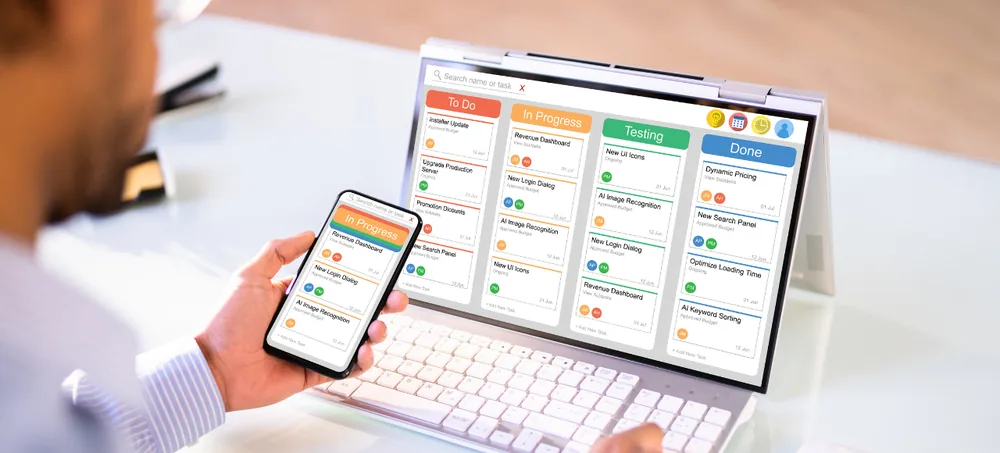
Explore how ERPlax can simplify your business operations through a personalised ERP software demo. Our ERP experts understand your existing workflow and demonstrate the modules most relevant to your organisation — from CRM and sales to manufacturing, HR and reporting.
Our ERP consultant will contact you to schedule a personalised demonstration.
A brochure tells you what the software includes. An ERP demonstration helps you understand how it works in your daily operations.
Whether you're looking for an ERP system demo, an online ERP demo, an ERP software online demo, a focused inventory ERP software demo, a combined CRM and ERP software demo, or want to schedule an ERP software demo in India (an ERP Software Demo India session), ERPlax can tailor the walkthrough to the modules and industry that matter most to your business.
From your first request to a recommended implementation plan.
We understand your existing workflow and demonstrate the modules most relevant to your organisation.
Watch how information moves between departments, how approvals work and how reports are generated.
Invite department heads so everyone can evaluate the modules that matter to them, together.
Twelve areas of the platform, demonstrated around the departments that matter to you.
ERPlax can be configured for the workflow and reporting needs of different industries.
Raw materials, BOM, work orders, quality control and finished goods in one system.
Project planning, material requests, site inventory and subcontractor management.
Customer orders, vendor purchases, warehouse inventory and dispatch.
Enquiries, appointments, projects, service requests and customer support.
Patient records, appointments, billing, pharmacy inventory and reports.
Admissions, student records, fees, attendance and examinations.
Vehicles, drivers, routes, shipments, warehouses and deliveries.
Five ways to explore ERPlax, depending on how your team wants to evaluate it.
Connect with an ERP specialist through an online meeting and explore modules relevant to your business live.
Share your workflow before the meeting so our team can prepare a demo around your departments.
Understand how users access a cloud-based ERP platform from authorised devices and locations.
Discuss custom modules, approval workflows, reports, integrations and automation requirements.
Explore essential modules such as CRM, sales, invoicing, purchase, inventory and expenses.
Six reasons teams choose to see the software live before deciding.
See how the ERP works instead of deciding from feature lists or screenshots alone.
Focus on the modules your departments need instead of reviewing unnecessary features.
Explain how your business works today and identify what can be automated or improved.
Invite sales, finance, inventory, production and HR to evaluate the platform together.
Discuss custom fields, forms, reports, approvals and industry-specific modules.
Understand implementation stages, data requirements, training and deployment.
Including department representatives helps collect practical feedback before selecting a platform.
An ERP software demo is a guided presentation that shows how an enterprise resource planning system manages different business processes, including CRM, sales, purchase, inventory, accounting, manufacturing, HRMS, projects, customer support and reporting.
You can request a free initial ERP demonstration to understand the platform and discuss your business requirements. Modules covered will depend on the information provided in your demo request.
Yes. The ERP software demo online can be conducted through an online meeting, allowing your management and department representatives to attend from different locations.
Yes. A custom ERP software demo can be prepared around your industry, departments, existing workflow, operational challenges and required modules.
The duration depends on the number of modules and complexity of your requirements. A focused session may cover essentials, while a detailed demonstration may need separate module-wise sessions.
The demonstration can include CRM, sales, purchase, inventory, accounting, manufacturing, HRMS, payroll, project management, tasks, support, expenses, reports and other relevant modules.
Yes. Manufacturing companies can request a demonstration covering bill of materials, production planning, work orders, raw material consumption, quality control and production reports.
Yes. A small business ERP demo can focus on essential modules such as CRM, quotations, invoices, purchase, inventory, expenses and employee management.
A demo is generally a guided presentation conducted by an ERP consultant. A free trial provides temporary access so users can explore independently; availability can depend on the selected solution.
Yes. You can invite management representatives and department heads so everyone can review workflows and provide feedback.
Yes. The session can include an overview of requirement analysis, configuration, customisation, data migration, testing, training, deployment and support.
Complete the online demo request form with your contact details, company information, preferred date and required modules. The ERPlax team will contact you to confirm the session.
See how ERPlax can bring your business processes, departments, employees, customers and reports into one connected platform.
Call us at +91 97399 66977 or email info@erplax.in
Specialized Applications
Purpose-built & ready to deploy. Hover to explore, click to learn more.
Testimonials
Real stories from businesses running their operations on ERPLax.
ERPLax gave us real-time visibility into stock across three warehouses. Wastage dropped and our fulfillment time improved almost overnight.
GST e-invoicing used to eat up two days every month. With ERPLax's accounting module it's now automatic and our filings are always on time.
Billing at our stores used to take a minute per customer. ERPLax's POS module cut that to under 15 seconds, even during peak festival rush.
Payroll for 200+ employees across two branches used to take our HR team a full week. ERPLax's HRM module now runs it in a single afternoon.
Tracking batch numbers and expiry across our distribution network was a nightmare on spreadsheets. ERPLax's inventory module made it effortless.
Front desk, housekeeping and billing are now all on one screen. ERPLax's hotel management module has made check-in day a breeze for our staff.
Fee collection, attendance and report cards used to live in three different tools. ERPLax brought it all into one dashboard our staff actually enjoys using.
Tracking material costs and site progress across four active sites was chaos before ERPLax. Now our project managers update status from their phones daily.
Our online store orders now sync straight into inventory and accounting — no more manual entry, no more overselling out-of-stock items.
Our sales team can now see every lead's history and follow-ups in one place. Deal closures are faster and nothing falls through the cracks anymore.
ERPLax gave us real-time visibility into stock across three warehouses. Wastage dropped and our fulfillment time improved almost overnight.
GST e-invoicing used to eat up two days every month. With ERPLax's accounting module it's now automatic and our filings are always on time.
Billing at our stores used to take a minute per customer. ERPLax's POS module cut that to under 15 seconds, even during peak festival rush.
Payroll for 200+ employees across two branches used to take our HR team a full week. ERPLax's HRM module now runs it in a single afternoon.
Front desk, housekeeping and billing are now all on one screen. ERPLax's hotel management module has made check-in day a breeze for our staff.
Fee collection, attendance and report cards used to live in three different tools. ERPLax brought it all into one dashboard our staff actually enjoys using.
Tracking material costs and site progress across four active sites was chaos before ERPLax. Now our project managers update status from their phones daily.
Our online store orders now sync straight into inventory and accounting — no more manual entry, no more overselling out-of-stock items.
Our sales team can now see every lead's history and follow-ups in one place. Deal closures are faster and nothing falls through the cracks anymore.
