
ERP Software Enterprise Resource Planning India
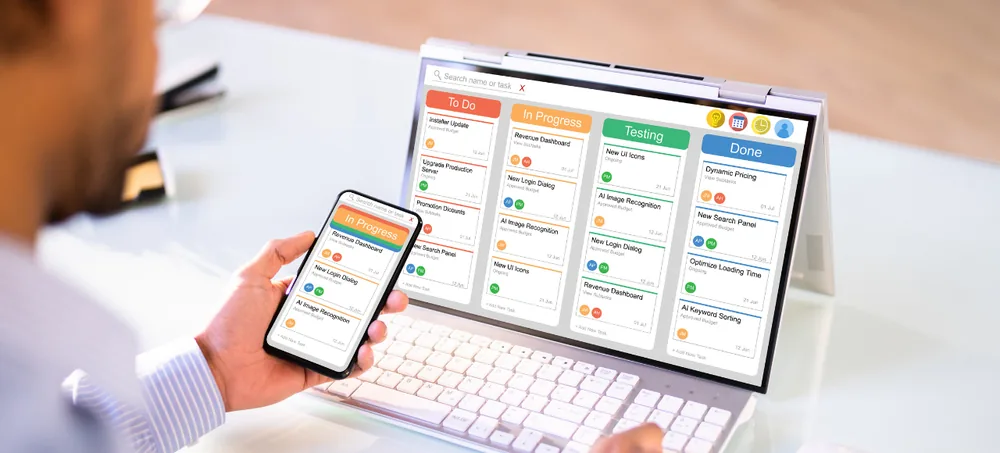
Manage sales, purchase, inventory, warehouses, manufacturing, billing, CRM, accounting-related workflows, HRM, projects, approvals, reports, and workflow automation through one customizable ERP platform. ERPLax provides ERP Software Enterprise Resource Planning India for small, medium, and growing businesses that need a centralized system instead of disconnected spreadsheets and standalone business applications — bringing departments together so customer orders, purchasing, inventory, manufacturing, billing, and management reporting can work through connected information.
Request Custom ERP Quote
Schedule a free consultation with our ERP team.
ERP Software Enterprise Resource Planning India for Growing Businesses
A growing business often adds software gradually — sales in one application, inventory in spreadsheets, purchasing through emails, and management combining information manually across departments. ERPLax ERP Software Enterprise Resource Planning India brings these functions together on one centralized platform to reduce duplicate data, delays, errors, and limited visibility.
Duplicate Data Entry
The same records maintained in separate systems waste time and invite errors.
Delayed Sales Processing
Orders stuck between disconnected tools take longer to fulfill.
Purchase Planning Errors
Without inventory visibility, purchasing decisions become guesswork.
Disconnected Customer Information
Customer records scattered across departments are hard to consolidate.
Poor Manufacturing Visibility
Production activity disconnected from inventory is hard to track.
Manual Approval Tracking
Authorization steps tracked outside the system are easy to lose.
Inconsistent Information Across Departments
Different teams working from different numbers cause confusion.
Difficulty Managing Multiple Warehouses
Stock across locations is hard to reconcile without a shared system.
What Is Enterprise Resource Planning Software?
ERP stands for Enterprise Resource Planning — Enterprise Resource Planning software is a centralized business platform used to manage and connect multiple departments, processes, users, and business data, going beyond inventory, billing, or CRM software alone to connect the related processes across your organization.
Customers & Suppliers
Company records, contacts, and transaction history maintained centrally.
Sales, Purchase & Inventory
Core commercial and stock transactions connected in one system.
Warehouses & Manufacturing
Production and storage activity tracked from materials to finished goods.
Billing & CRM
Invoicing connected with customer-facing sales activity.
Accounting, HRM & Projects
Financial, workforce, and project information alongside operations.
Approvals
Authorization rules configured for key business transactions.
Reports & Automation
Business visibility and reduced manual work across departments.
Key Features of ERPLax Enterprise Resource Planning Software India
A complete Enterprise Resource Planning Software India foundation connecting every core business department in one system.
Product Master Management
Maintain centralized product information including pricing, tax, and reorder levels.
Customer Management
Maintain company details, credit terms, transaction history, and outstanding.
Supplier Management
Track supplier details, products, payment terms, and purchase history.
Sales Management
Manage customer sales from enquiry through quotation, order, and billing.
Purchase Management
Structured procurement from purchase request through goods receipt.
Inventory Management
Track stock inward, outward, adjustments, transfers, and valuation.
Warehouse Management
Manage bin locations, goods receipt, picking, packing, and dispatch.
Multi-Branch Management
Branch-wise sales, purchase, and inventory with consolidated dashboards.
Manufacturing ERP
BOM, MRP, production planning, work orders, job work, and quality control.
Batch, Lot and Serial Number Tracking
Trace products by batch, lot, or serial number through every transaction.
Billing and Invoicing
Sales and purchase invoices, credit notes, debit notes, and GST workflows.
CRM Integration
Connect leads, opportunities, and quotations with sales and inventory.
Accounting and Financial Workflows
Customer receipts, supplier payments, and financial dashboards.
HRM and Employee Management
Employee records, attendance, leave, shifts, and HR reports.
Project Management
Connect projects, tasks, milestones, resources, and billing.
Distribution Management
Manage dealers, distributors, stock allocation, and dispatch.
Ecommerce ERP
Connect online orders with inventory, billing, and courier integrations.
POS and Retail Management
Barcode scanning, discounts, payment modes, and daily sales reports.
Approval Workflow & User Roles
Configure authorization and access by user, role, and department.
Reports and Dashboards
Sales, purchase, inventory, manufacturing, and performance reports.
Why Businesses in India Need ERP Software
What ERP solves as departments, transactions, and reports become difficult to track manually.
Centralized Business Information
One connected environment for business records instead of isolated files.
Better Sales Management
Connect enquiries, quotations, orders, inventory, delivery, and billing.
Better Purchase Planning
Purchase teams work with inventory requirements and operational demand.
Better Inventory Control
Track stock affected by purchases, sales, returns, production, and transfers.
Better Manufacturing Planning
Connect demand, BOM, MRP, purchasing, raw materials, and production.
Reduced Manual Data Entry
Reduce the need to recreate the same information across applications.
Better Approval Control
Route important transactions through defined approval hierarchies.
Improved Reporting
Use connected ERP information instead of manually combining department reports.
Better Scalability
Grow with additional users, departments, branches, warehouses, and modules.
ERP Systems India for Different Industries
ERPLax positions custom ERP across manufacturing, retail, ecommerce, and other business models.
ERP Workflow Automation
ERP automation can support repetitive business processes, configured around actual business rules instead of adding unnecessary complexity.
How Does an ERP System Work?
ERP works by allowing business transactions to move through connected departments — the ten stages a typical sales transaction follows.
Customer Enquiry
A customer requests a product or service.
Quotation
The sales team prepares the commercial quotation.
Sales Order
The accepted quotation is converted into an order.
Stock Availability
ERP checks whether the required products are available.
Purchase or Production
If stock is insufficient, purchasing or manufacturing can be initiated.
Warehouse Processing
Products are received, picked, packed, or transferred as needed.
Dispatch
Goods are prepared for delivery.
Billing
The corresponding invoice is generated.
Payment and Outstanding
Receipts and balances are tracked according to configured workflows.
Reporting
Sales, purchase, inventory, and management reports reflect the transaction.
ERP Software vs Separate Business Applications
Separate applications may solve individual departmental requirements — ERP connects these related functions into one shared operational environment.
Separate Applications
CRM handles leads, inventory software handles stock, billing software handles invoices, and spreadsheets try to connect them manually.
Connected ERP
CRM Lead → Quotation → Sales Order → Inventory → Invoice, moving through one shared system instead of several disconnected tools.
ERP Implementation Workflow
From requirement analysis to phase-wise expansion — the eleven stages ERPLax follows to implement your ERP.
Business Requirement Analysis
Review your industry, departments, users, branches, and existing systems.
Process Mapping
Understand how transactions currently move between departments.
Module Selection
Choose priority ERP modules such as sales, purchase, inventory, and billing.
ERP Configuration
Configure fields, forms, business documents, user roles, and approval rules.
Master Data Setup
Configure products, customers, suppliers, warehouses, branches, and employees.
Integration Setup
Connect compatible third-party systems where required.
Testing
Test transactions, user permissions, reports, approvals, and integrations.
Data Migration
Move approved existing business data according to implementation scope.
Training
Train users according to their responsibilities.
Deployment
Deploy the ERP through the agreed environment.
Phase-Wise Expansion
Add modules, reports, automation, branches, and integrations as requirements grow.
ERP Software Integrations
ERPLax can support requirement-specific integrations based on business and technical needs.
Why Choose ERPLax ERP Software Enterprise Resource Planning India?
ERPLax provides customizable ERP based on actual business requirements rather than relying only on a one-size-fits-all system.
Custom ERP Development
Customizable ERP based on actual business requirements, not a one-size-fits-all system.
ERP Based on Actual Business Workflow
Configure ERP according to your users, departments, modules, and approval rules.
Sales, Purchase and Inventory Integration
Connect major commercial and stock-related processes through one platform.
Manufacturing ERP
BOM, MRP, production planning, job work, quality, and costing in one system.
CRM Integration
Connect leads, opportunities, and quotations with wider sales and ERP processes.
Accounting and HRM Workflows
Connect financial and employee-related processes where required.
Project Management
Add project-management functionality to the wider ERP environment when needed.
Workflow Automation
Automate selected alerts, reminders, approvals, and operational tasks.
Role-Based Access
Give employees access according to responsibility.
Custom Reports and Dashboards
Configure reports around operational and management requirements.
Modular and Scalable
Start with essential modules and add functionality phase by phase.
Benefits of Enterprise Resource Planning India
What ERP Software Enterprise Resource Planning India delivers for growing businesses.
One Connected Business Platform
Bring multiple operational functions together.
Better Inventory Visibility
Connect stock movements with purchase, sales, manufacturing, and warehouse operations.
Faster Order Processing
Move transactions from quotation to sales order, inventory, dispatch, and billing.
Better Purchase Planning
Use inventory and demand information for procurement decisions.
Better Manufacturing Control
Connect materials, planning, production, quality, and finished goods.
Reduced Manual Errors
Reduce repeated data entry and reconciliation between departments.
Better Workflow Control
Use structured business rules and approvals.
Improved Reporting
Generate management reports using connected ERP data.
Better Multi-Location Visibility
Manage operations across branches, warehouses, and factories.
Custom ERP Workflow
Configure ERP according to the way the business actually operates.
Modular and Scalable
Start with priority modules and add functionality as requirements grow.
Get Custom ERP Software for Your Business in India
The right ERP should connect the complete business cycle — enquiry, quotation, sales order, inventory, dispatch, billing, payment, and reports. Bring sales, purchase, inventory, and manufacturing into one centralized platform.
Frequently Asked Questions
ERP Software Enterprise Resource Planning India refers to ERP software used by businesses in India to connect sales, purchase, inventory, manufacturing, billing, CRM, HRM, projects, reports, and other operational workflows through one centralized system.
Enterprise Resource Planning Software India is business-management software that integrates multiple departments, transactions, and reports into one platform.
ERP stands for Enterprise Resource Planning. It's a business-management system that connects multiple departments, processes, users, data, and reports from one centralized platform.
Yes, ERPLax provides custom ERP software in India for sales, purchase, inventory, manufacturing, production, billing, CRM, accounts, and reports.
There is no single ERP that is best for every organization. The right solution depends on industry, workflow, modules, users, reporting requirements, and integrations.
Yes, ERP connects these workflows so customer demand, purchasing, and stock information work together rather than remaining in separate systems.
Yes, ERPLax provides manufacturing ERP covering BOM, MRP, production planning, inventory, job work, quality, costing, and dispatch.
Yes, ERP can include CRM, HRM, and project-management workflows alongside core operational modules.
Yes, ERP can be configured with branch-level transactions, warehouse-wise inventory, role-based access, and consolidated reports.
Yes, businesses can begin with priority modules and add manufacturing, HRM, projects, automation, or advanced reporting later.
Yes, ERPLax ERP is a cloud-hosted platform, giving authorized users centralized, multi-location access without managing on-site servers.
Yes, ERPLax provides custom ERP based on actual workflow, users, modules, departments, approval rules, reports, and integrations.
Build a Connected Business With ERPLax Enterprise Resource Planning Software
Connect sales, purchase, inventory, warehouses, manufacturing, billing, CRM, accounting-related workflows, HRM, projects, approvals, reports, and workflow automation through one customizable ERP environment — start with your most important modules today and expand as your business grows.
Phone: +91 97399 66977 · Email: info@erplax.com