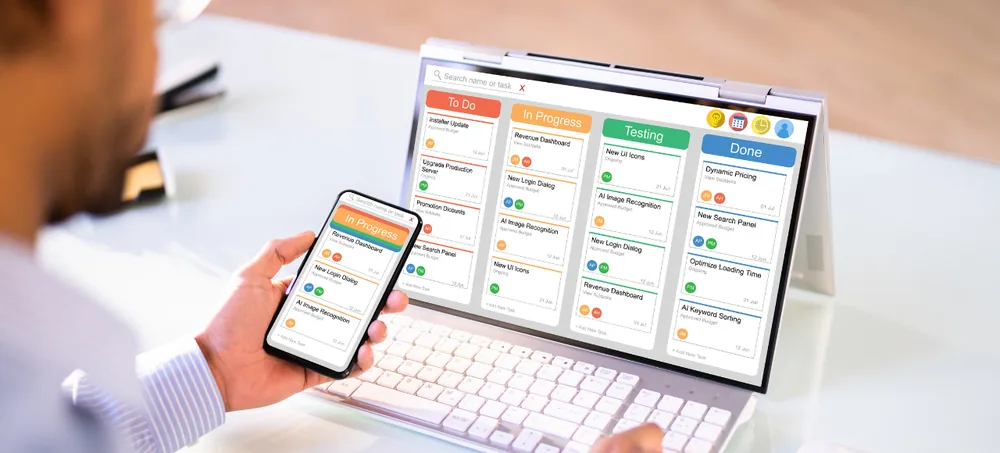
Connect sales, purchase, inventory, billing, CRM, manufacturing, HRMS, accounts and reports through one flexible ERP platform. ERPLax provides customizable ERP solutions India businesses can use to replace manual work, disconnected applications and delayed reporting — configured around your actual workflow, departments, users, approvals and operational requirements.
Tell us about your business — our ERP expert will get back within 24 hours.
Many businesses use separate applications for billing, inventory, customer management, accounting, production, employee records and reporting — even when each application works individually, disconnected systems create real operational problems.
ERPLax brings essential business functions into one centralized ERP system. Information entered in one department can support the next stage of the workflow — a confirmed sales order can update stock requirements, initiate warehouse activities, support billing and appear in management reports without maintaining separate records at every stage.
The system can be customized according to your business size, industry, transaction flow and reporting needs, making ERPLax a practical ERP solution provider in India for small, medium and growing companies.
Instead of entering the same information into several applications, employees work with connected records. A customer order can move through these stages — the exact process configured to the way your organization operates.
A confirmed sales order can update stock requirements, initiate warehouse activities, support billing and appear in management reports without maintaining separate records at every stage.
The transaction flow, approval levels, document formats and reports can be configured to match how your departments actually work — not a generic template.
Sales, purchase, inventory, production, expenses and outstanding amounts appear on centralized dashboards — not scattered across weekly spreadsheets.
ERP solutions are integrated software systems that help businesses manage important departments, transactions, resources and workflows through one platform. ERP stands for enterprise resource planning.
ERP software solutions connect customer records, transactions, stock, accounts, employees, production and reports so information entered once flows into every stage that depends on it — instead of duplicated across half a dozen applications.
A complete ERP solution can be configured to your size, industry, transaction flow and reporting needs — from a single-branch trading firm to a multi-warehouse manufacturer with GST, ecommerce and HRMS in one platform.
ERPLax delivers ERP solutions India businesses of every size can adopt — from a single-branch trading firm to a multi-location manufacturer. Whether you evaluate this as ERP software solutions, custom ERP solutions India, cloud ERP solutions India, or a broader search for ERP software in India and enterprise resource planning solutions, ERPLax configures the platform around your workflow rather than forcing your business into a fixed template.
As an experienced ERP solution provider in India and ERP software company in India, ERPLax offers business ERP solutions, integrated ERP solutions and manufacturing ERP solutions on one modular architecture — scalable ERP software that starts with what you need today and expands into industry-specific ERP solutions, ERP automation solutions, and ERP integration solutions as your business grows. This modular approach makes ERPLax a practical choice for ERP solutions for small business, ERP solutions for MSME, and organisations evaluating online ERP solutions India through cloud-based delivery, with ERP implementation services India delivered end to end.
Nine practical reasons ERP software in India replaces spreadsheets and disconnected tools for growing companies.
ERP automation connects transactions, calculations, approvals and reports, cutting repetitive administrative work.
Structured inward, outward, transfer, adjustment and valuation processes prevent mismatches and delayed deliveries.
Sales, purchase, stores, production and accounts work with connected customer, product, supplier and transaction records.
ERP workflows give every order clear stages, responsibilities and transaction statuses.
Billing uses approved order information, configured pricing and tax rules — not manual re-typing.
Reports bring stock, demand, production requirements and pending orders together for better decisions.
Role-based approval workflows ensure sensitive transactions are reviewed by authorized users.
Centralized visibility into sales, purchases, inventory, production, expenses and outstanding amounts.
A modular ERP solution expands phase by phase as users, branches, warehouses and product lines grow.
Ten focused ERP solution categories — pick the one that fits your business, or combine several as you grow.
Designed or configured around the specific processes of a business. Suitable when standard software cannot manage important industry or company-specific requirements.
Hosted on remote infrastructure and accessed through an internet connection. Cloud ERP solutions India suit multi-location, mobile and centrally-accessed businesses.
Deployed on infrastructure controlled by the business — considered by organisations with internal servers, dedicated IT teams and specific policies.
Manufacturing ERP solutions connect purchasing, materials, planning, production, quality, inventory and costing on a single platform.
Distribution ERP helps businesses manage dealer orders, warehouses, pricing, dispatch, returns and collections.
Trading companies manage purchasing, stock, sales, billing and outstanding payments through connected workflows.
Retail ERP connects counter billing with inventory, purchases and management reporting for one or many stores.
Ecommerce ERP connects online orders with products, inventory, billing, fulfilment and shipping across channels.
ERP solutions for small business start with essential modules instead of implementing every feature at once — additional modules can be added later.
ERP solutions for MSME require a balance between operational control, customization, affordability and scalability — ERPLax delivers all four.
Fourteen connected modules covering every function of a modern business ERP.
Manage the sales process from enquiry to customer payment with connected quotations, orders and follow-ups.
A structured procurement process for materials, products and services with supplier quotation comparison.
Monitor materials and products across locations with batch, serial and expiry tracking as an integrated ERP solutions module.
Manage warehouse activities from goods receipt to dispatch across multiple warehouses.
Generate quotations, GST invoices, retail bills, delivery challans and credit notes from connected transactions.
Organize leads, customers, follow-ups and sales opportunities inside one integrated ERP solutions platform.
Connect operational transactions with financial visibility — receivables, payables, ledgers and dashboards in one system.
Manage materials, production stages and finished goods on a full manufacturing ERP solutions module.
Structured inspection and quality workflows for incoming, in-process and finished goods.
Maintain employee information and HR workflows with attendance, leave, expenses and payroll inputs.
Manage customer projects, service requests and employee activities with timesheets and billing.
Operational and management visibility — sales, purchase, production, quality, outstanding and custom dashboards.
Control access according to responsibility with department, branch and transaction-level permissions.
ERP automation solutions for approvals, alerts, reminders and recurring activities across the business.
Twelve practical outcomes companies see once every business function runs on a single ERP platform.
Customer, supplier, product, employee and transaction information in one connected platform.
Reduce delays between enquiry, order, purchase, production, dispatch, billing and payment stages.
Monitor available stock, reserved stock, stock movement and reorder requirements across locations.
Connected transactions, calculations and validation rules cut repeated entry and data mismatch.
Quicker information about quotations, orders, delivery and payment status for every customer.
Demand, stock and production information support procurement decisions in real time.
Track materials, work orders, production stages, finished goods and quality activities.
Monitor receivables, payables, overdue invoices and expected collections in one ledger.
Generate reports from centralized transactions instead of combining several spreadsheets.
Assign tasks, transactions and approvals to responsible users and departments with audit trail.
Configure ERP forms, processes, calculations and reports according to business requirements.
Add modules, users, branches, warehouses and integrations as the business grows.
From small businesses adopting their first ERP to multi-company organisations, ERPLax adapts to your scale.
Start with essentials and expand later.
Department workflows and richer controls.
Expand modules and geographies together.
Central masters, local control.
Separate books, unified reporting.
Industry-specific ERP solutions built for ten sectors — each with modules configured to the operations that actually run the business.
ERPLax delivers both deployment models — the correct option depends on access, IT infrastructure, security and operational requirements.
Cloud ERP may suit businesses that need remote and mobile access, centralized data and scalable user access — ideal for online ERP solutions India delivery.
Cloud deployment suits organizations with local servers, internal IT resources and specific infrastructure or connectivity requirements.
ERPLax evaluates both options and recommends a deployment model based on the approved requirements — taking into account hosting, storage, backup, security, internet availability, hardware, network management, maintenance and upgrades.
A structured nine-step implementation model that turns your workflow into a live, connected ERP — ERP implementation services India teams follow this exact framework.
Discuss business type, departments, users, branches, warehouses, current applications, problems, reporting and growth plans.
Document important processes — enquiry to order, purchase to payment, material to finished product, complaint to resolution.
Essential and future modules are separated into implementation phases — sales, purchase, inventory, billing and reports first, others later.
The ERP is configured with approved masters, forms, fields, workflows, permissions, approvals, calculations, reports and document formats.
Prepare existing customers, suppliers, products, opening stock, outstanding amounts, price lists, employees and accounting balances.
Users test complete transactions, permissions, calculations, reports and integrations before go-live.
Department users and administrators are trained on the configured workflow, not a generic manual.
The ERP is introduced for regular business operations using an agreed rollout plan.
Additional reports, users, integrations and modules are introduced as requirements evolve — the ERP grows with the business.
ERPLax plans ERP integration solutions according to available third-party systems and APIs — the quotation and project scope specify which integrations are included.
Nine practical evaluation criteria that help business owners pick the right ERP the first time — without over-buying.
Define the operational problems the ERP should solve — incorrect stock, slow billing, delayed reports, repeated entry, missing approvals or disconnected branches.
Begin with priority modules rather than implementing every available function — a phased approach reduces risk and cost.
Confirm whether forms, fields, approvals and reports can match your business process — not the other way around.
A manufacturing company, distributor and service company require different workflows — industry-specific ERP solutions matter.
Ensure the ERP can connect with the applications and devices your business already uses.
Evaluate cloud and Cloud options based on access, infrastructure and security requirements.
ERP cost includes subscription or licence, implementation, customization, data migration, integrations, hosting, training and support.
A useful demonstration shows how your important processes can work in the proposed system — not a generic tour.
Employee adoption, issue resolution and continued assistance should be considered before selecting an ERP provider.
Ten practical reasons growing companies pick ERPLax as their long-term ERP software company in India.
ERP modules configured around your approved business requirements, not a rigid template.
Sales, purchase, inventory, billing, CRM, warehouse, production and reporting processes are considered during implementation.
Start with essential modules and add more functions in later phases as the business grows.
ERPLax solutions are configured for small, medium and expanding organizations across every sector.
Select a deployment model based on operational and infrastructure requirements.
Connect relevant business applications, communication services, devices and custom APIs.
Give employees access according to their roles, departments, branches and responsibilities.
Reports for business owners, managers and operational departments — not a fixed set.
Configure approvals, alerts, reminders and recurring activities across the ERP.
Help users understand the configured ERP process and use the software effectively from go-live onwards.
Straight answers to what business owners ask before selecting an ERP.
ERP solutions are integrated business software systems that connect departments such as sales, purchase, inventory, billing, CRM, accounts, manufacturing, HRM and reporting through one platform.
Yes. ERPLax provides customizable ERP solutions for small, medium and growing businesses in India. The system can be configured according to modules, users, workflows, reports and integration requirements.
A custom ERP solution includes fields, forms, workflows, approvals, reports or modules configured around the specific requirements of a business.
Available modules can include sales, purchase, inventory, warehouse, billing, CRM, accounts, manufacturing, distribution, ecommerce, POS, HRM, projects, service management, reports and workflow automation.
Yes. Small businesses can begin with essential modules such as sales, purchase, inventory, billing and reports. Additional capabilities can be added later.
Yes. ERPLax provides modular ERP solutions for MSMEs requiring better stock control, billing, customer management, manufacturing, warehouses, reports and business automation.
Yes. Manufacturing requirements can include BOM, material planning, production orders, work orders, job cards, quality control, job work, finished goods and production costing.
Cloud ERP is hosted remotely and accessed online. Cloud ERP is deployed on infrastructure managed by the business. The correct option depends on access, IT infrastructure, security and operational requirements.
Yes. Customization can include fields, forms, document formats, workflows, approval levels, reports, dashboards and integrations, subject to the agreed project scope.
ERP can be integrated with ecommerce websites, accounting applications, payment gateways, WhatsApp, SMS, barcode devices, logistics services and other platforms when suitable APIs are available.
ERP implementation normally includes requirement analysis, workflow mapping, module planning, configuration, customization, data preparation, testing, training, deployment and support.
ERP pricing depends on users, modules, customization, data migration, deployment, hosting, integrations and training. ERPLax prepares a quotation after reviewing the business requirements.
Replace disconnected tools and manual processes with an ERP platform configured around your business workflow. Discuss your users, departments, modules, branches, warehouses, integrations and reporting requirements with ERPLax.
Specialized Applications
Purpose-built & ready to deploy. Hover to explore, click to learn more.
Testimonials
Real stories from businesses running their operations on ERPLax.
ERPLax gave us real-time visibility into stock across three warehouses. Wastage dropped and our fulfillment time improved almost overnight.
GST e-invoicing used to eat up two days every month. With ERPLax's accounting module it's now automatic and our filings are always on time.
Billing at our stores used to take a minute per customer. ERPLax's POS module cut that to under 15 seconds, even during peak festival rush.
Payroll for 200+ employees across two branches used to take our HR team a full week. ERPLax's HRM module now runs it in a single afternoon.
Tracking batch numbers and expiry across our distribution network was a nightmare on spreadsheets. ERPLax's inventory module made it effortless.
Front desk, housekeeping and billing are now all on one screen. ERPLax's hotel management module has made check-in day a breeze for our staff.
Fee collection, attendance and report cards used to live in three different tools. ERPLax brought it all into one dashboard our staff actually enjoys using.
Tracking material costs and site progress across four active sites was chaos before ERPLax. Now our project managers update status from their phones daily.
Our online store orders now sync straight into inventory and accounting — no more manual entry, no more overselling out-of-stock items.
Our sales team can now see every lead's history and follow-ups in one place. Deal closures are faster and nothing falls through the cracks anymore.
ERPLax gave us real-time visibility into stock across three warehouses. Wastage dropped and our fulfillment time improved almost overnight.
GST e-invoicing used to eat up two days every month. With ERPLax's accounting module it's now automatic and our filings are always on time.
Billing at our stores used to take a minute per customer. ERPLax's POS module cut that to under 15 seconds, even during peak festival rush.
Payroll for 200+ employees across two branches used to take our HR team a full week. ERPLax's HRM module now runs it in a single afternoon.
Front desk, housekeeping and billing are now all on one screen. ERPLax's hotel management module has made check-in day a breeze for our staff.
Fee collection, attendance and report cards used to live in three different tools. ERPLax brought it all into one dashboard our staff actually enjoys using.
Tracking material costs and site progress across four active sites was chaos before ERPLax. Now our project managers update status from their phones daily.
Our online store orders now sync straight into inventory and accounting — no more manual entry, no more overselling out-of-stock items.
Our sales team can now see every lead's history and follow-ups in one place. Deal closures are faster and nothing falls through the cracks anymore.
