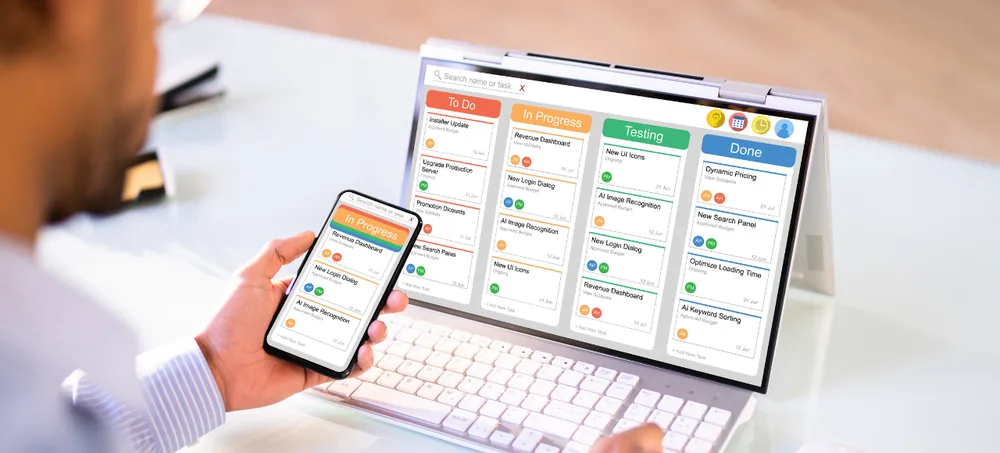
Connect sales, purchasing, inventory, finance, CRM, HR and reporting in one platform
Businesses comparing ERP systems UK solutions often find that standard software does not fully match their processes. ERPLax develops custom ERP software around your actual business workflow, helping your departments share information, automate routine work and manage operations from one connected system.
Tell us about your business — our team will get back to you.
Growing businesses frequently depend on spreadsheets, separate accounting tools, standalone CRM platforms and manual stock records. As order volumes increase, these disconnected systems can create duplicated work, inconsistent information and limited operational visibility.
ERPLax brings these processes together through a custom ERP platform. Sales, purchasing, warehouses, production, billing, customer management, employees and reporting can work from shared information and structured workflows.
Instead of forcing your company to follow a rigid software process, ERPLax can be configured around how your organisation operates — forms, approval levels, reports, user roles and integrations adapted to your requirements.
ERP stands for Enterprise Resource Planning — business management software that connects operational functions through a central platform.
An ERP system may include sales, CRM, purchasing, inventory, manufacturing, billing, HR, ecommerce, projects, approval workflows and reporting — all connected.
Confirming a sales order can reserve stock, notify the warehouse, generate a dispatch task and prepare invoicing information automatically.
ERPLax provides modular enterprise resource planning software for UK businesses that need a system aligned with their industry and growth plans.
Structured, connected operations replace spreadsheets and disconnected business tools.
ERP software provides structured records and automated workflows for routine activities.
Departments work with consistent customer, stock, order and financial data.
Track available, reserved, damaged, incoming and outgoing stock across locations.
Orders move through checking, approval, picking, packing, dispatch and billing.
Dashboards display sales, stock, payments and order status without manual collation.
Access customer history, quotations, orders and support from one authorised view.
Approval levels, permissions, transaction limits and audit records apply consistent procedures.
A modular ERP introduces new modules, locations and integrations as requirements change.
A complete feature set spanning sales through HR, workflow automation and reporting.
Manage the complete sales process from initial enquiry to order fulfilment.
Manage leads, opportunities and customer communication with role-specific dashboards.
Purchase requests, supplier comparisons, multi-level approvals and goods receipt.
Real-time stock, batch and serial tracking, reorder levels and stock transfers.
BOM management, production orders, material planning and quality checkpoints.
Invoicing, receivables and payables, tax configuration and revenue dashboards.
Synchronise online orders, stock and channels with dispatch and billing.
Picking, packing, dispatch planning, delivery tracking and back-order handling.
Employee profiles, attendance, leave, timesheets and self-service access.
Discount, purchase, expense and leave approvals with escalation rules.
Sales, stock, supplier and production reports with scheduled delivery.
Company-specific records, branch transactions and consolidated reporting.
Role-based access, transaction audit history and controlled export access.
Sales reps, managers and warehouse staff work without being tied to one office.
What connected ERP software changes for sales, stock, finance and management teams.
Current information across sales, purchasing, stock and payments.
Connected workflows from confirmation to stock allocation and invoicing.
Track quantities, locations, batches and receive shortage alerts.
Automated calculations and data sharing minimise avoidable mismatches.
Review balances, commitments, receipts and payment status through reports.
Access customer interactions, order history and delivery status instantly.
Screens, approvals, documents and reports configured around your operations.
Add users, locations and modules in planned phases as you expand.
Suitable for small, medium-sized and growing UK businesses that need more control than spreadsheets can provide.
From master setup to performance review — a connected, six-step order-to-cash cycle.
Create product, customer, supplier, employee and warehouse master records.
Sales enquiries progress through follow-ups, quotations and approval.
The system checks availability and creates purchase or production requirements.
Warehouse, production or service teams receive authorised tasks.
Completed orders move to packing, delivery and billing generation.
Review revenue, outstanding invoices and operational performance.
ERPLax can be integrated with external systems when required by the project.
Every integration should be assessed for API availability, data fields, transaction volume, security requirements and ongoing third-party costs before implementation.
ERPLax can recommend an appropriate deployment model after reviewing user locations, transaction volume and security policies.
A structured eight-stage approach from discovery through ongoing support.
Review departments, existing software, reports and future plans.
Document current workflows to identify manual steps and gaps.
Modules, roles, reports and integrations organised into a plan.
The ERP is configured and customised per the approved scope.
Customer, supplier, product and opening data prepared and migrated.
Business scenarios tested; key users verify workflows and reports.
Users receive role-specific training before the system goes live.
Post-launch assistance, issue resolution and enhancement planning.
A custom ERP development partner built around your actual business workflow.
Built around your actual business workflow, not a rigid one-size-fits-all process.
Begin with essential modules and add CRM, manufacturing, HR or ecommerce in phases.
Supports businesses moving beyond spreadsheets and established companies alike.
Select an option based on infrastructure, access needs and security policies.
Reports designed around your business indicators and decision-making needs.
Control access according to job role, department, location or approval authority.
Connect with ecommerce, accounting, payment and communication services.
Training, documentation and support planned according to project scope.
Common questions about ERPLax as an ERP systems UK provider.
An ERP system is business management software that connects functions such as sales, purchasing, inventory, finance, CRM, manufacturing, HR and reporting. It helps departments share information and follow connected workflows.
Yes. ERPLax can be configured for small and growing businesses that need to move away from spreadsheets or disconnected applications. A company can begin with essential modules and introduce additional functions in phases.
Accounting software primarily focuses on financial transactions and reporting. ERP software has a broader operational scope and can connect finance-related information with sales, purchasing, inventory, manufacturing, CRM, HR and other business functions.
Relevant invoice fields, tax configurations and data-exchange requirements can be reviewed during implementation. ERPLax may also be integrated with suitable UK accounting or Making Tax Digital-compatible platforms. Statutory compliance depends on the final configuration, third-party software and advice from the business's accountant or tax professional.
Yes. ERPLax can be deployed as a cloud-based system, subject to the project's hosting, security and access requirements. Cloud deployment can also be considered.
Yes. Modules, forms, fields, approval levels, reports, dashboards, notifications and workflows can be customised according to the approved business requirements.
Available functions can include sales, CRM, purchasing, inventory, warehouse management, manufacturing, billing, finance, HRM, projects, ecommerce, POS, reports and workflow automation.
ERPLax can connect with third-party applications that provide suitable APIs or supported integration methods. This may include ecommerce websites, accounting platforms, payment gateways, courier services, communication tools and custom business applications.
Yes. Relevant records can be reviewed, cleaned and migrated from approved spreadsheets, databases or legacy applications. The migration scope depends on data quality, format, volume and system accessibility.
The implementation period depends on the number of modules, users, workflows, reports, integrations and data-migration requirements. A phased approach can launch priority functions first and introduce additional modules later.
Custom ERP pricing depends on project scope, required modules, number of users, integrations, deployment preference and custom-development requirements. ERPLax provides a quotation after reviewing the business workflow.
Yes. ERPLax uses a modular approach, allowing businesses to add functions, locations, integrations and reports as their requirements develop.
Stop managing sales, stock, purchases, customers, employees and reporting through disconnected tools. ERPLax can help you plan and implement a custom ERP solution based on your workflow, industry and business priorities.
Start with the functions you need now and expand the platform as your company develops.
Phone: +91 97399 66977 • Email: info@erplax.in
Specialized Applications
Purpose-built & ready to deploy. Hover to explore, click to learn more.
Testimonials
Real stories from businesses running their operations on ERPLax.
ERPLax gave us real-time visibility into stock across three warehouses. Wastage dropped and our fulfillment time improved almost overnight.
GST e-invoicing used to eat up two days every month. With ERPLax's accounting module it's now automatic and our filings are always on time.
Billing at our stores used to take a minute per customer. ERPLax's POS module cut that to under 15 seconds, even during peak festival rush.
Payroll for 200+ employees across two branches used to take our HR team a full week. ERPLax's HRM module now runs it in a single afternoon.
Tracking batch numbers and expiry across our distribution network was a nightmare on spreadsheets. ERPLax's inventory module made it effortless.
Front desk, housekeeping and billing are now all on one screen. ERPLax's hotel management module has made check-in day a breeze for our staff.
Fee collection, attendance and report cards used to live in three different tools. ERPLax brought it all into one dashboard our staff actually enjoys using.
Tracking material costs and site progress across four active sites was chaos before ERPLax. Now our project managers update status from their phones daily.
Our online store orders now sync straight into inventory and accounting — no more manual entry, no more overselling out-of-stock items.
Our sales team can now see every lead's history and follow-ups in one place. Deal closures are faster and nothing falls through the cracks anymore.
ERPLax gave us real-time visibility into stock across three warehouses. Wastage dropped and our fulfillment time improved almost overnight.
GST e-invoicing used to eat up two days every month. With ERPLax's accounting module it's now automatic and our filings are always on time.
Billing at our stores used to take a minute per customer. ERPLax's POS module cut that to under 15 seconds, even during peak festival rush.
Payroll for 200+ employees across two branches used to take our HR team a full week. ERPLax's HRM module now runs it in a single afternoon.
Front desk, housekeeping and billing are now all on one screen. ERPLax's hotel management module has made check-in day a breeze for our staff.
Fee collection, attendance and report cards used to live in three different tools. ERPLax brought it all into one dashboard our staff actually enjoys using.
Tracking material costs and site progress across four active sites was chaos before ERPLax. Now our project managers update status from their phones daily.
Our online store orders now sync straight into inventory and accounting — no more manual entry, no more overselling out-of-stock items.
Our sales team can now see every lead's history and follow-ups in one place. Deal closures are faster and nothing falls through the cracks anymore.
