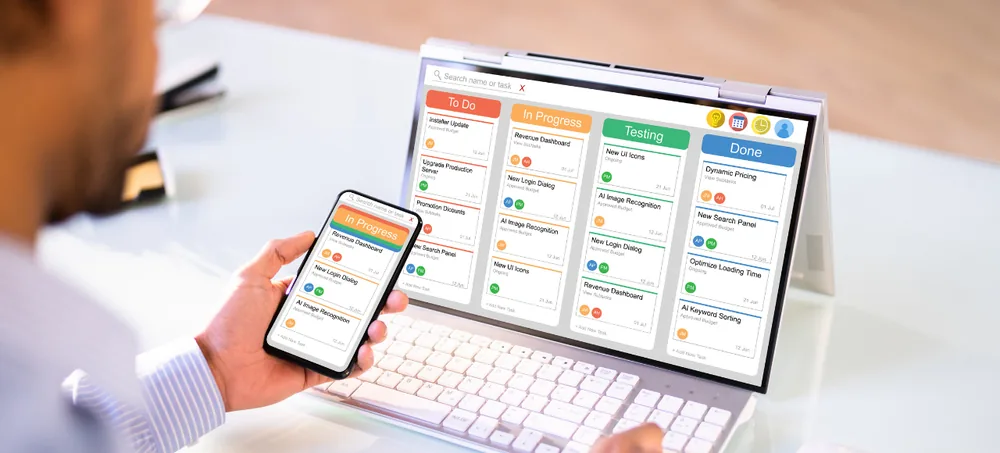
Manage cases, clients, documents, contracts, billing, accounts, employees, and legal workflows from one flexible platform. ERPLax provides customizable law firm management software designed around the actual workflow of your legal practice.
Tell us about your law firm's workflow
Client enquiries, matters, documents, billing and deadlines managed in separate tools make it difficult to get a complete view of firm performance.
Documents stored across folders, email and paper registers with no single source of truth.
Hearings, filings and renewals tracked manually risk being overlooked as caseloads grow.
Manually collecting time entries and expenses each month slows invoicing and cash flow.
Partners lack a real-time view of case status, workload and profitability across the firm.
Sensitive client and matter information isn't restricted to the right roles.
No consolidated dashboard for revenue, collections, utilization and matter profitability.
ERPLax connects enquiries, matters, documents, billing, accounting, HR and reporting into one configurable law firm management software platform — built around your firm's actual workflow.
A single configurable workflow carries every matter from first contact through to billing and management reporting.
An integrated business system that manages the administrative, operational, financial and workforce-related activities of a legal practice — sometimes called law practice management software or law office management software.
Because modules use connected records, information entered during client onboarding flows into matter creation, task assignment, document storage, billing and payment tracking without repeated manual entry. As a law firm ERP software, ERPLax can be developed as a cloud-based legal practice management software or an Cloud deployment, functioning as a full legal case management software, law firm billing software and law firm accounting software in one legal client management software platform — well beyond a standalone legal matter management software tool.
Structured records, controlled access and connected workflows replace disconnected spreadsheets and paper files with dependable lawyer management software.
Structured records with controlled access replace scattered spreadsheets.
Review status, advocates, documents, time and billing from one matter record.
Calendars, reminders and escalation workflows track hearings and renewals.
Recorded time and approved expenses connect straight to billing workflows.
Centralized history, documents and invoices help respond with full context.
Role-based permissions for partners, advocates, finance, HR and clients.
Configurable dashboards for workload, revenue, collections and profitability.
Add new users, practice areas, branches and modules as the firm expands.
Twenty-one connected modules covering CRM, matters, documents, billing, finance, HR and reporting.
Capture and track prospective clients as a law firm CRM software before they become active matters.
Consistent onboarding with checklists, conflict screening and approvals.
Central record for every case, transaction or legal engagement.
Assign advocates and staff by practice area, availability and workload.
Shared calendar for hearings, meetings, filings and renewals.
Convert repeatable firm processes into configurable legal workflow automation software.
A searchable legal document management software repository with version history and role-based access.
Draft, review, approve, e-sign and track contracts to renewal.
Daily timers, billable classification and matter-wise rates.
Record court fees, travel and consultant costs against matters.
Hourly, fixed-fee, retainer or milestone billing with GST invoices.
Track client advances, retainers and matter-wise allocation.
Monitor billed, received, overdue and disputed amounts.
Receipts, journals, cost centers and Tally integration.
Profiles, agreements, bills and payment status for external experts.
Employee records, attendance, leave and payroll inputs.
Controlled online access to matter status, documents and invoices.
Matter, revenue, utilization and profitability dashboards.
Role-based permissions with activity tracking for key actions.
Office-wise users, matters, billing and consolidated reports.
Choose the model that fits your infrastructure and access needs.
Two of the most complex parts of running a legal practice, connected and configurable.
Approved time and expenses flow straight into hourly, fixed-fee, retainer or milestone invoices — connected to receipts, outstanding ageing and firm-wide financial reports.
Version-controlled documents, contract lifecycle tracking as a contract management software for legal teams, and an optional client portal that shares only the matter updates, invoices and documents your firm approves.
Measurable improvements across visibility, billing, client service and financial control.
Connected records across every matter.
Defined forms and approval steps.
Shared calendars and escalations.
Data flows between connected modules.
Time & expenses transfer to invoices.
Revenue, collections & profitability.
Review workloads before allocating work.
Centralized history & portal access.
Role-based restrictions on sensitive files.
Add modules as the firm grows.
Configurable workflows and terminology for firms of every size and practice area — from a single advocate office management software setup to large corporate legal departments.
Seven connected steps from first client contact to management reporting.
Record prospect, source & requirement.
Documents, checks & fee approval.
Matter number, team & billing method.
Allocate tasks, track progress.
Billable hours & matter expenses.
Prepare, approve & send invoices.
Payments, profitability & dashboards.
Connect with the business and communication tools your firm already relies on.
Choose the model that fits your firm's accessibility, infrastructure and security requirements.
Remote access, centralized updates and multi-office collaboration.
Operate within your own infrastructure and security policies.
Start with essential modules and expand as your firm grows.
19+ years of ERP experience configured around how your legal practice actually works.
We study enquiries, matters, documents, billing and reporting before configuring the system.
Start with what you need now, add more functionality as the firm grows.
Configured for solo offices, growing practices, or multi-office firms alike.
Legal work alongside CRM, billing, finance, HR and reporting in one system.
Permissions defined for partners, advocates, finance, HR and clients.
Connect payment, accounting, e-signature and communication tools.
Matter types, statuses and reports configured in your firm's terminology.
Reports on matters, advocates, billing, collections and profitability.
Requirement analysis, configuration, training and ongoing improvements.
Common questions about ERPLax law firm management software.
Law firm management software is a business application used to manage clients, legal matters, documents, tasks, deadlines, advocates, time entries, expenses, billing, payments, and reports. An integrated ERP system can also connect these activities with accounting, HR, CRM, and workflow automation.
ERP for law firms is a centralized system that connects the operational and financial processes of a legal practice, helping firms manage matters, employees, billing, expenses, collections, documents, resources, and management reporting through connected modules.
ERPLax can include legal case and matter management as part of a wider law firm ERP solution, also covering CRM, documents, contracts, billing, finance, HRM, employee workloads, approvals, and reports.
Yes. Matter types, forms, fields, statuses, workflows, document categories, fee structures, approval stages, and reports can be configured for the firm's practice areas and internal processes.
Yes. ERPLax can support daily timesheets, timers, billable and non-billable hours, advocate-specific and matter-specific rates, expense recording, invoice generation, retainers, fixed fees, milestones, and recurring billing.
Yes. Documents can be organized by client and matter, with categories, tags, version history, approval status, expiry dates, role-based access, and activity records.
A contract management module can be configured for contract requests, templates, drafting, reviews, approvals, versions, e-signature integration, repositories, expiry reminders, renewals, and obligations.
An optional client portal can provide controlled access to selected matter updates, documents, invoices, payments, messages, and schedules, with the firm deciding which information is visible.
Yes. Small firms can begin with essential modules such as client management, matters, documents, tasks, billing, and reports, adding CRM, accounting, HRM, contracts, and client portals later.
Yes. ERPLax can configure office-wise users, matters, expenses, billing, and permissions while providing consolidated dashboards for firm management.
Yes. ERPLax can provide cloud-based access depending on the firm's requirements, with Cloud deployment also available for firms that prefer to manage the application within their own infrastructure.
ERPLax can integrate with accounting software, Tally, email, WhatsApp API, SMS gateways, payment gateways, e-signature platforms, calendars, and other applications where suitable technical access or APIs are available.
The ERP can be configured with role-based permissions that define which users can view, create, modify, approve, download, or delete information, along with audit history and restricted document access.
Yes. When time, employee rates, expenses, billing, and collections are connected, customized reports can help management review financial performance by matter, client, advocate, practice area, office, or period.
Contact ERPLax at +91 97399 66977 or info@erplax.in to schedule a consultation, discuss your existing workflow, and request a customized software demonstration.
Move away from disconnected spreadsheets, paper files, billing applications, and communication channels. ERPLax builds law firm management software in India for practices of every size — start with the modules your firm needs today and expand as your legal practice grows.
Specialized Applications
Purpose-built & ready to deploy. Hover to explore, click to learn more.
Testimonials
Real stories from businesses running their operations on ERPLax.
ERPLax gave us real-time visibility into stock across three warehouses. Wastage dropped and our fulfillment time improved almost overnight.
GST e-invoicing used to eat up two days every month. With ERPLax's accounting module it's now automatic and our filings are always on time.
Billing at our stores used to take a minute per customer. ERPLax's POS module cut that to under 15 seconds, even during peak festival rush.
Payroll for 200+ employees across two branches used to take our HR team a full week. ERPLax's HRM module now runs it in a single afternoon.
Tracking batch numbers and expiry across our distribution network was a nightmare on spreadsheets. ERPLax's inventory module made it effortless.
Front desk, housekeeping and billing are now all on one screen. ERPLax's hotel management module has made check-in day a breeze for our staff.
Fee collection, attendance and report cards used to live in three different tools. ERPLax brought it all into one dashboard our staff actually enjoys using.
Tracking material costs and site progress across four active sites was chaos before ERPLax. Now our project managers update status from their phones daily.
Our online store orders now sync straight into inventory and accounting — no more manual entry, no more overselling out-of-stock items.
Our sales team can now see every lead's history and follow-ups in one place. Deal closures are faster and nothing falls through the cracks anymore.
ERPLax gave us real-time visibility into stock across three warehouses. Wastage dropped and our fulfillment time improved almost overnight.
GST e-invoicing used to eat up two days every month. With ERPLax's accounting module it's now automatic and our filings are always on time.
Billing at our stores used to take a minute per customer. ERPLax's POS module cut that to under 15 seconds, even during peak festival rush.
Payroll for 200+ employees across two branches used to take our HR team a full week. ERPLax's HRM module now runs it in a single afternoon.
Front desk, housekeeping and billing are now all on one screen. ERPLax's hotel management module has made check-in day a breeze for our staff.
Fee collection, attendance and report cards used to live in three different tools. ERPLax brought it all into one dashboard our staff actually enjoys using.
Tracking material costs and site progress across four active sites was chaos before ERPLax. Now our project managers update status from their phones daily.
Our online store orders now sync straight into inventory and accounting — no more manual entry, no more overselling out-of-stock items.
Our sales team can now see every lead's history and follow-ups in one place. Deal closures are faster and nothing falls through the cracks anymore.
