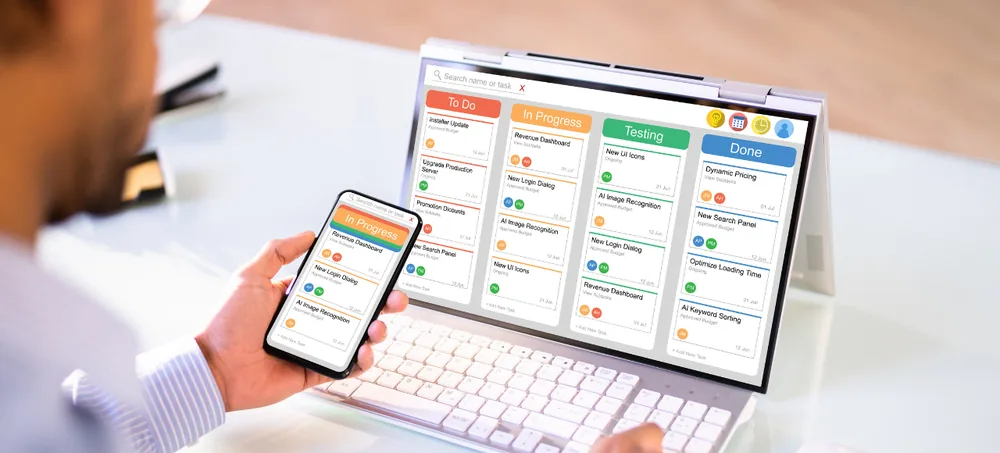
ERPLax provides a unified ERP platform for Indian businesses that want to manage sales, purchases, inventory, customers, billing, manufacturing, warehouses, employees, approvals and reporting from one connected system.
Instead of running separate software for each department, One ERP brings business data and workflows together so teams can work with a shared source of information.
ERPLax can be configured around your company structure, departments, branches, warehouses, approval processes, reporting requirements and future growth plans.
Tell us about your business and we’ll get back with next steps.
ERPLax is developed by EchoPx Technologies with experience supporting organizations through enterprise software and business process management platforms.
ERPLax has supported 1500+ clients across business requirements, industries, and operating models across India.
1700+ projects delivered across different technology needs support businesses looking for structured ERP solutions.
This experience helps businesses align ERP capabilities with their operational requirements — not just a feature checklist.
As businesses grow, they often accumulate multiple tools for sales, billing, inventory, purchasing, CRM, accounting, HR and operations. When these tools do not communicate properly, employees may spend time reconciling data, repeating entries and preparing manual reports.
Separate applications for sales, billing, inventory, purchasing, CRM, accounting, HR and operations rarely communicate with each other, leaving each department working from its own version of the truth.
When systems do not communicate properly, employees may spend significant time reconciling data between tools instead of focusing on actual business work.
The same customer, product or transaction details are often typed into several separate systems, increasing effort and the chance of mismatched records.
Without shared records, teams often pull numbers from different tools by hand to build management reports, which delays decisions and introduces errors.
Sales, purchase, warehouse, production, accounts and management teams end up working from different, sometimes outdated, information instead of one shared source.
Tools picked one at a time for one purpose rarely flex as the business adds modules, users, branches, warehouses or new approval requirements.
A One ERP system is a unified enterprise resource planning platform designed to manage multiple business functions through one connected application. When a sales order is confirmed, ERPLax can check stock availability, reserve inventory, trigger approvals, prepare dispatch documents, generate invoices and update management reports — configured around your actual operating process.
Lead management, enquiries, follow-ups, sales opportunities, customer history, salesperson assignment and reminders in one place.
Quotations, sales orders, purchase orders, approvals, goods receipt and stock movement connected end to end.
Bill of materials, work orders, material requirements, WIP, finished goods and multi-warehouse dispatch, tracked together.
Instead of operating sales, purchase, stock, CRM, billing, manufacturing, HR and reporting as separate systems, ERPLax connects these activities through common data and structured workflows.
Track leads, enquiries and follow-ups through to confirmed sales, with a full customer history available to every team that needs it.
Move from quotation to invoice with pricing, discount approvals and delivery tracking handled inside one workflow.
Coordinate purchase requests, RFQs and approvals with suppliers, inventory and finance in one connected view.
Track stock inward, outward, transfers and adjustments across locations, with reorder levels and batch tracking built in.
Run Bill of Materials, production planning, work orders and costing alongside the rest of the business, not as a separate system.
Keep employee records, attendance, leave and department structures inside the same platform that runs the rest of the business.
ERP implementation follows a structured path so every module, integration and report is configured around how your teams actually work.
Bringing business functions into one connected ERP environment changes how teams work, not just what software they use.
Bring sales, purchase, inventory, CRM, billing, manufacturing, HR and reporting into one connected ERP environment.
Give authorized teams and managers easier access to current operational information across departments.
Shared records reduce the need to maintain the same customer, product or stock information in multiple applications.
Connected transactions reduce unnecessary handoffs between sales, purchase, warehouse and finance teams.
Build dashboards and reports around actual management requirements instead of exporting from several disconnected tools.
Expand modules, users, locations and integrations as business requirements grow, without starting over.
Connect sales, purchasing, BOM, production, inventory, warehouse, costing and dispatch in one ERP.
Manage dealer orders, pricing, stock, warehouses, dispatch, returns and outstanding payments.
Connect purchasing, stock, billing, customers, branches and reporting from one platform.
Integrate online orders, inventory, warehouse, customer data, billing, fulfilment and returns.
Manage customers, orders, dispatch, documents, billing and operational workflows based on requirements.
Manage leads, quotations, customers, tasks, service requests, billing, employees and reports.
Businesses researching ERP platforms in India often compare different categories of systems, including SAP Business One and other ERP products. ERPLax is a separate, independent ERP platform — not affiliated with SAP — positioned for businesses that need workflows and modules aligned with their own operating processes.
ERPLax can be configured around specific business workflows rather than forcing every organization into the same operating model.
Connect sales, CRM, purchase, inventory, warehouse, billing, manufacturing, HR and reporting in a single system.
Start with essential modules and add functionality phase by phase as your business is ready.
Support centralized access for authorized users across branches, warehouses and remote locations.
Extend ERP functionality as business processes and requirements change well beyond go-live.
Using separate tools can work at an early stage, but it becomes difficult when the same customer, product, stock or transaction information must be maintained in multiple places. Here is a practical path to a shared operating environment.
List every application used for sales, purchase, inventory, CRM, billing and HR, and note where data is manually copied between them.
Check where sales orders should trigger stock checks, where purchase needs material requirements, and where management needs consolidated reports.
Decide what should be centralized across branches and warehouses, and what should remain location-specific with its own permissions.
Weigh the ongoing cost of reconciling disconnected tools against the goal of improving how departments coordinate and how management receives information.
Implement in phases based on operational priorities, so modules go live as each department is ready rather than all at once.
One ERP India refers to using a single integrated ERP platform to manage multiple business functions such as sales, purchase, inventory, CRM, billing, manufacturing, HR and reporting.
A single ERP system can reduce duplicate data entry, improve coordination between departments, provide centralized reporting and create more consistent business workflows.
Yes. ERPLax provides customizable ERP solutions that can connect multiple business functions through one platform.
Modules can include sales, CRM, purchase, suppliers, inventory, warehouses, billing, manufacturing, HRM, attendance, ecommerce, POS, reports, dashboards and workflow automation.
Yes. ERP can be configured for branch-wise transactions, warehouse-wise inventory, stock transfers, location-based permissions and consolidated reports.
Yes. Manufacturing ERP can include BOM, planning, work orders, material requirements, inventory consumption, WIP, finished goods, costing and production reporting.
No. ERPLax is a separate ERP platform. SAP Business One is a third-party ERP product from SAP. Businesses should compare platforms based on their workflow, integration, customization, implementation and budget requirements.
ERP pricing depends on project scope, modules, users, integrations, deployment and customization requirements. ERPLax can prepare a scope-based quotation after understanding the business requirements.
If your business is using different software for sales, purchase, stock, CRM, billing, manufacturing, HR and reporting, ERPLax can help you bring these processes into one integrated ERP environment. The ERP can be implemented in phases based on your operational priorities and expanded as your business grows.
Phone: +91 97399 66977 · Email: info@erplax.com
Specialized Applications
Purpose-built & ready to deploy. Hover to explore, click to learn more.
Testimonials
Real stories from businesses running their operations on ERPLax.
ERPLax gave us real-time visibility into stock across three warehouses. Wastage dropped and our fulfillment time improved almost overnight.
GST e-invoicing used to eat up two days every month. With ERPLax's accounting module it's now automatic and our filings are always on time.
Billing at our stores used to take a minute per customer. ERPLax's POS module cut that to under 15 seconds, even during peak festival rush.
Payroll for 200+ employees across two branches used to take our HR team a full week. ERPLax's HRM module now runs it in a single afternoon.
Tracking batch numbers and expiry across our distribution network was a nightmare on spreadsheets. ERPLax's inventory module made it effortless.
Front desk, housekeeping and billing are now all on one screen. ERPLax's hotel management module has made check-in day a breeze for our staff.
Fee collection, attendance and report cards used to live in three different tools. ERPLax brought it all into one dashboard our staff actually enjoys using.
Tracking material costs and site progress across four active sites was chaos before ERPLax. Now our project managers update status from their phones daily.
Our online store orders now sync straight into inventory and accounting — no more manual entry, no more overselling out-of-stock items.
Our sales team can now see every lead's history and follow-ups in one place. Deal closures are faster and nothing falls through the cracks anymore.
ERPLax gave us real-time visibility into stock across three warehouses. Wastage dropped and our fulfillment time improved almost overnight.
GST e-invoicing used to eat up two days every month. With ERPLax's accounting module it's now automatic and our filings are always on time.
Billing at our stores used to take a minute per customer. ERPLax's POS module cut that to under 15 seconds, even during peak festival rush.
Payroll for 200+ employees across two branches used to take our HR team a full week. ERPLax's HRM module now runs it in a single afternoon.
Front desk, housekeeping and billing are now all on one screen. ERPLax's hotel management module has made check-in day a breeze for our staff.
Fee collection, attendance and report cards used to live in three different tools. ERPLax brought it all into one dashboard our staff actually enjoys using.
Tracking material costs and site progress across four active sites was chaos before ERPLax. Now our project managers update status from their phones daily.
Our online store orders now sync straight into inventory and accounting — no more manual entry, no more overselling out-of-stock items.
Our sales team can now see every lead's history and follow-ups in one place. Deal closures are faster and nothing falls through the cracks anymore.
