
Online ERP Software in India
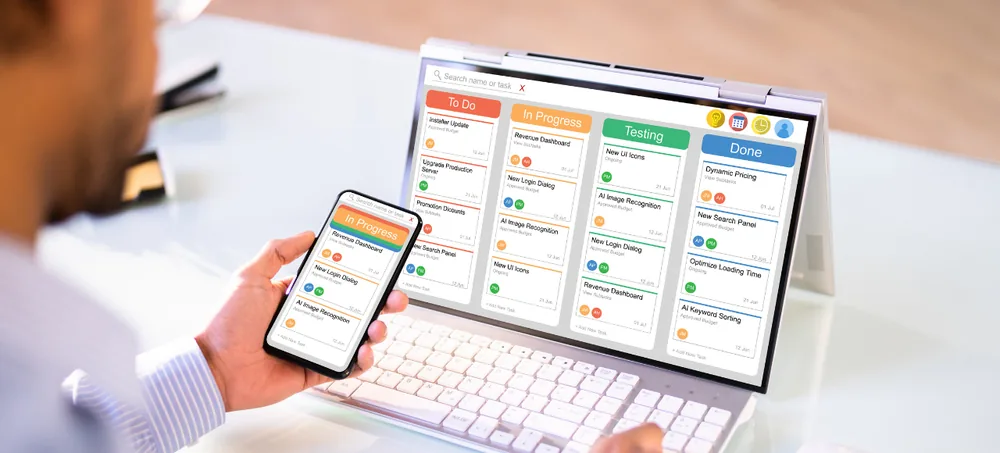
ERPLax provides customizable Online ERP Software in India for small, medium and growing businesses that need one connected platform to manage sales, inventory, accounts, CRM, manufacturing, HR and reports — accessible from anywhere your team works.
Request a Custom ERP Quote
Tell us about your business — our team will get back within 24 hours.
Still Running Your Business on Disconnected Software?
Many Indian businesses manage sales, accounts, inventory and employee data through separate applications and spreadsheets — creating delays, mismatches and blind spots.
Duplicate Customer Records
Customer and product data scattered across billing, accounting and CRM tools with no single source of truth.
Stock Mismatches
Physical inventory does not match system records, causing missed sales and excess purchasing.
Billing & GST Errors
Manual invoicing and tax calculation lead to compliance risk and reconciliation headaches.
Delayed Management Reports
Owners wait days for consolidated reports instead of viewing live business performance.
No Multi-Branch Visibility
Branches operate in silos with no centralized view of sales, stock or collections.
Manual Approvals
Discounts, purchases and expenses depend on phone calls and messages instead of tracked workflows.
One Connected Platform for Your Entire Business
Accessible from Anywhere
Online ERP Software is accessed through a browser or internet-connected application, so authorized users can work from offices, branches, warehouses, stores or remote locations according to their permissions.
Every Function, One Database
CRM, sales, purchase, inventory, billing, accounting, manufacturing, HR, payroll and reports work through connected records instead of separate applications that require manual data transfer.
Online ERP, Cloud ERP, SaaS ERP or Cloud ERP?
These terms are often used interchangeably — here is what each actually means before you evaluate ERP Solutions in India.
Accessed via Internet
A business system that authorized users reach through the internet or a web-based interface, from any permitted device or location.
Hosted on Cloud Infrastructure
Hosted remotely rather than on a local office server — commonly used by businesses with multiple branches or mobile teams.
Subscription-Based Service
Typically delivered as a subscription, with standardized features, configurable modules or custom extensions depending on the provider.
Installed on Your Own Servers
Installed and hosted within the organization’s own server environment, managed by an internal IT team.
Why Indian Businesses Need Cloud ERP Software
Access from Multiple Locations
Work from offices, warehouses, stores, factories and remote locations without maintaining separate databases.
Centralized Department Data
Sales, inventory, purchases and accounts work with connected customer, supplier and product records.
Real-Time Visibility
Managers review sales, stock, receivables, purchases, production and expenses on updated dashboards.
Reduced Repeated Data Entry
Information entered once flows into the next relevant transaction, reducing duplicate work and mismatches.
Faster Approvals
Quotations, purchase requests, expenses and payments move through tracked online approval workflows.
Support for Multiple Branches
Branch-specific access while management reviews consolidated performance from one dashboard.
Key Features of ERPLax Online ERP Software
A single connected platform covering sales, inventory, accounts, manufacturing, HR and reports — configured around how your business already works.
ERP CRM Software
Manage leads, opportunities, follow-ups and the full sales pipeline with connected quotation and order history.
Sales Enquiry & Quotation
Convert enquiries into priced, approved quotations with pricing rules, discounts and revision tracking.
Sales Order Management
Convert approved quotations into controlled sales orders with credit-limit and available-stock checks.
Purchase Management
Manage procurement from internal requisition through supplier comparison, purchase orders and goods receipt.
ERP Inventory Management Software
Track stock across products, warehouses, bins, batches, serial numbers and expiry with real-time visibility.
Warehouse Management
Manage goods receipt, put-away, picking, packing, dispatch and stock transfers across warehouses.
Billing & Invoicing
Create sales invoices, tax invoices, credit notes, debit notes and recurring invoices from connected order data.
GST ERP Software in India
GSTIN records, HSN/SAC codes, CGST/SGST/IGST calculation and GST-related sales and purchase reports.
ERP Accounting Software
Chart of accounts, ledgers, receivables, payables, bank reconciliation and financial dashboards.
ERP Software with Accounting and Inventory
Sales orders reserve stock, dispatches reduce inventory and invoices create receivables — automatically, in one flow.
Expense & Payment Management
Track employee and vendor expenses through approval workflows with department and project-wise reporting.
Manufacturing ERP Software
BOM, MRP, production orders, job cards, shop-floor tracking, quality control and production costing.
Retail ERP Software
POS billing, barcode transactions, promotions, customer loyalty and multi-store inventory in one system.
Distribution ERP Software
Dealer management, price lists, credit limits, route sales, batch tracking and distributor outstanding reports.
Ecommerce ERP Software
Sync orders, products and inventory across marketplaces with connected invoicing and shipment tracking.
Service Management
Service tickets, technician allocation, warranty tracking and AMC management with customer feedback.
HRM & Payroll Management
Employee records, attendance, leave, salary structures and payslip generation in a connected HR module.
Multi-Company ERP Software
Manage multiple legal entities with company-specific numbering, accounting and consolidated reporting.
Mobile ERP Software
CRM follow-ups, approvals, expense entry and dashboards accessible through mobile-friendly interfaces.
Role-Based Access & Security
Company, branch, department and warehouse-level permissions with activity logs and approval audit trails.
Online ERP Solutions for Different Industries
Benefits of Cloud-Based ERP Software
Access from Anywhere
Work from any permitted device or location through an internet-connected system.
One Centralized Platform
Sales, purchase, inventory, accounts, CRM and operations work through connected modules.
Real-Time Visibility
Review current sales, stock, collections and expenses without waiting for manual reports.
Faster Decisions
Updated dashboards reduce dependence on manually prepared spreadsheets.
Fewer Manual Errors
Connected records and automated calculations reduce duplicate entry and mismatches.
Better Team Coordination
Departments access relevant information without exchanging multiple spreadsheets.
Improved Inventory Accuracy
Track stock across products, warehouses, branches, batches and serial numbers.
Custom Business Workflow
Modules, fields, approvals and reports configured around your actual processes.
Online ERP for Small and Growing Businesses
ERPLax can be configured as practical ERP Software for Small Business, Small Business ERP Software in India and ERP Software for SMEs, starting with essential modules and expanding phase by phase — a genuinely Affordable ERP Software in India approach that avoids paying for capability you don’t need yet. It is not marketed as the only Best Cloud ERP Software in India, simply a practical starting point most small teams can adopt quickly.
Start With
- CRM & lead management
- Sales & purchase
- Inventory management
- Billing & GST
- Accounting
- Basic reports
Add Later As You Grow
- Manufacturing & distribution
- Ecommerce integration
- HRM & payroll
- Service management
- Workflow automation
- Advanced dashboards
How ERPLax Online ERP Works
Understand the Workflow
Study departments, users, transactions, approvals and reporting requirements.
Define ERP Scope
Finalize modules, features, user roles, reports and implementation phases.
Configure Masters
Set up customer, supplier, product, tax, account, warehouse and employee records.
Set Up User Access
Assign permissions by company, branch, department, role and responsibility.
Prepare Data Migration
Clean, format and prepare agreed master data and opening balances.
Configure Custom Requirements
Develop custom fields, documents, print formats, approvals and integrations.
Test the ERP
Validate key business scenarios with selected users before go-live.
Train Users
Provide role-specific training on the modules and workflows relevant to each team.
Go Live
Introduce the ERP according to the agreed rollout plan.
Review & Improve
Refine reports, workflows and additional modules as usage begins.
Online ERP Software Integrations
ERPLax can support integrations across accounting, ecommerce, communication, logistics, manufacturing and HR — based on technical feasibility and project requirements.
Accounting & Tax
Ecommerce
Communication
Sales & CRM
Warehouse & Device
Logistics
Manufacturing
HR & Attendance
Cloud ERP or Cloud ERP
Choose Cloud ERP When You Need
Multi-location access, remote management visibility, centralized data, mobile-friendly workflows, easier branch expansion and reduced dependence on local servers.
Choose Cloud ERP When You Need
Internal server hosting, local network deployment managed by your IT team, specific internal data policies and plant-level local integrations.
How to Choose Online ERP Software in India
There is no single ERP that is automatically the Best ERP Software in India for every business — the right one fits your workflow and stays practical for your users.
Why Choose ERPLax?
Custom ERP Software in India
Developed and configured around your organization’s actual business workflow.
Integrated Business Management
CRM, sales, purchase, inventory, billing, accounting, HR and reports through one system.
Modular & Scalable
Start with priority modules and add more features as requirements expand.
Cloud-Based
Select a deployment model based on access, infrastructure and security needs.
Small & Growing Business Ready
Move from spreadsheets and separate applications to an integrated ERP, phase by phase.
Role-Based Access
Control information by company, branch, department, warehouse and responsibility.
Training & Support
Guidance based on the agreed modules, workflows and implementation scope.
Mobile-Friendly Access
Selected CRM, sales, approval, service and reporting functions for mobile users.
Frequently Asked Questions
Move Your Business to a Connected Online ERP
Replace disconnected spreadsheets and applications with a centralized Online Business Management Software platform. Start with the modules your business needs today and expand phase by phase.