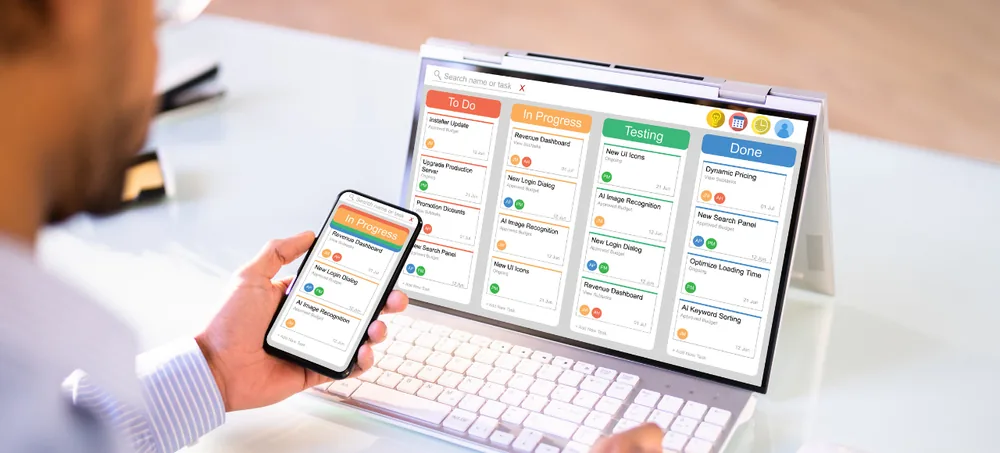
Manage sales, purchase, inventory, billing, CRM, suppliers, accounts, manufacturing, approvals, automation and reports through one flexible ERP platform. ERPLax provides small ERP software in India for small companies, startups, traders, distributors, retailers, service businesses, ecommerce companies and small manufacturers.
Tell us about your business — our team responds within 24 hours.
Small businesses often begin with spreadsheets, billing tools, messaging applications and manual records. These may work during the early stage of the business, but as orders, products, customers, suppliers, employees and locations increase, disconnected systems can create operational problems.
The same information gets typed into multiple disconnected applications.
Physical stock and system records drift out of sync as order volume grows.
Manual pricing and tax calculations lead to inconsistent invoices.
Material requirements surface late without a connected view of demand and stock.
Enquiries and follow-ups fall through the cracks without a shared system.
Slow order processing and poor coordination make scaling difficult.
ERPLax small business ERP connects important business processes through one centralized system. The software can be customized according to the company's workflow without forcing the business to implement unnecessary modules at the beginning — start with sales, purchase, inventory and billing, then add CRM, manufacturing, warehouse management, HRM, mobile access, portals and integrations phase by phase.
Small business ERP software is a centralized system used to manage the daily operations of a small or growing company. ERP stands for Enterprise Resource Planning.
For example, when a customer order is confirmed, the ERP can check stock, reserve products, create a purchase or production requirement, prepare dispatch details, generate an invoice and update management reports — a connected workflow rather than a set of disconnected tools.
A small business ERP system may manage leads, customers, quotations, sales orders, purchase orders, suppliers, inventory, warehouses, billing, receipts, outstanding balances, expenses, manufacturing, employees, approvals, reports, automation and integrations.
ERP brings customer, supplier, inventory, sales, purchase and billing data into one system.
Track stock received, sold, transferred, returned, damaged or consumed.
Use centralized product, pricing, tax, customer and transaction information.
Connect quotation, sales order, inventory, dispatch, invoicing and payment workflows.
Monitor receivables, payables, overdue amounts and payment history.
Use stock levels, pending orders and reorder information to plan purchases.
Review sales, stock, purchase, collections and expenses without combining multiple spreadsheets.
Give employees access only to the functions and information required for their roles.
Configure reminders, alerts, approvals and notifications.
Add users, branches, warehouses, modules and integrations as the business grows.
A small business ERP system can reduce these problems by centralizing information and standardizing workflows.
The best small-business ERP should match the current business requirement and support future growth — not add unnecessary complexity. Before choosing, review:
The most suitable small-business ERP depends on your requirements. ERPLax does not claim to be the number-one small-business ERP provider or guarantee financial returns.
A modular feature set that can be configured to match how your business already works.
Small businesses need a connected workflow from customer enquiry to payment collection — and from stock requirement to supplier payment.
Sales: enquiry to outstanding review. Purchase: requirement to payment tracking.
Better purchasing decisions and faster stock verification.
Combine ERP and CRM to manage the complete customer journey.
Small manufacturers need more than basic billing and inventory software. A manufacturing ERP can connect materials, BOM, production, quality, costing, finished goods and sales — a small manufacturing company may begin with product master, raw materials, BOM, purchase, inventory, production orders and basic costing, then add MRP, multi-stage production, quality control, job work and machine tracking later.
Define raw materials, components, quantities, units and production requirements.
Plan production according to sales orders, forecasts, stock levels and capacity.
Calculate required materials based on BOM and planned production.
Create and track production jobs.
Issue raw materials to production and record actual consumption.
Monitor products moving through production stages.
Track materials sent to and received from external job workers.
Record incoming, in-process and finished-goods inspections.
Update completed production into inventory.
Track material, labour, machine, overhead, wastage and rework costs.
ERPLax can deploy small-business ERP in an approved cloud environment, or Cloud, according to project needs.
Hosted in an online environment and accessed through a browser or supported mobile interface. May benefit:
May be considered when a company prefers:
Integration feasibility depends on API availability, provider capability, permissions, device compatibility and required information flow. WhatsApp integrations depend on approved provider capability, Meta policies, template approvals and customer consent.
Automation should be configured around actual responsibilities and approval rules.
ERPLax follows a structured implementation process for small and growing businesses.
Understand business model, products, customers, suppliers, users, branches, current software and operational problems.
Review sales, purchase, inventory, billing, accounts, CRM, manufacturing, approvals and reporting.
Define modules, users, locations, forms, workflows, documents, reports, permissions, integrations and migration.
Configure ERP modules and implement approved custom requirements.
Prepare products, customers, suppliers, price lists, warehouses, opening stock, balances and users.
Test sales, purchase, inventory, billing, manufacturing, reports, permissions, integrations and migration.
Train users according to their daily responsibilities.
Deploy the ERP in the approved Cloud-Based environment.
Provide user assistance, configuration guidance, issue diagnosis and approved enhancements.
Migration effort depends on data format, record volume, duplicate entries, missing values, coding consistency and validation requirements. Data should be reviewed, cleaned and approved before final import.
The cost of small ERP software depends on the approved scope. ERPLax prepares a custom proposal after reviewing the users, modules, workflows, migration, integrations, deployment and rollout plan.
Keep customers, suppliers, products, orders, stock, billing and reports in one system.
Connect quotation, sales order, stock, dispatch, invoicing and payment.
Track stock accurately across stores, warehouses and locations.
Use shared master data, validations, calculations and approval workflows.
Use stock levels and pending orders to plan purchases.
Monitor receivables, payables, overdue balances and payment history.
Generate sales, purchase, inventory, finance and production reports from centralized data.
Track ownership, actions, approvals and transaction history.
Configure forms, documents, approvals and reports around actual requirements.
Add users, branches, warehouses, modules, reports, portals and integrations over time.
The exact modules and workflows should be selected according to the industry and business process.
ERPLax serves as ERP system for small business needs and business ERP software India requirements alike — from ERP for small business India to small company ERP software India, plus small manufacturing ERP software India and ERP software for small manufacturing business as manufacturing ERP software India specialists. Whatever your small business ERP system requirement, ERPLax configures around your actual workflow rather than a fixed template — and does not guarantee financial returns or claim to be the number-one provider.
ERPLax configures ERP according to actual business workflows.
Begin with essential functions without implementing unnecessary complexity.
Add CRM, manufacturing, HRM, portals, mobile access, automation and integrations phase by phase.
Connect the main commercial workflows through one platform.
Manage invoices, receipts, customer balances and supplier balances.
Manage BOM, materials, production orders, consumption, finished goods, quality and costing.
Choose deployment according to access, infrastructure, security and integration requirements.
Create reports according to operational and management needs.
Control permissions by user, role, branch, warehouse, module and approval responsibility.
Connect selected websites, accounting systems, communication providers, devices and custom applications where technically feasible.
Prepare and migrate approved products, customers, suppliers, stock, balances and open transactions.
Provide role-based training and post-implementation assistance according to the agreed scope.
Small ERP software is a centralized business system for managing sales, purchase, inventory, billing, customers, suppliers, accounts, manufacturing and reports.
Yes. Small businesses can implement only the essential modules and expand the system later.
The most suitable ERP depends on business processes, users, modules, industry, customization, reporting, migration, integrations, deployment, support and budget - which is why there is no single best ERP software for small business in India, best small business ERP software or best cloud ERP for small business that fits every company. ERPLax does not claim to be the number-one small-business ERP provider or guarantee financial returns.
Common starting modules include sales, purchase, inventory, billing, customers, suppliers, reports and user roles.
Start with the business problem, select essential modules, review ease of use, check customization capability, compare cloud and Cloud options, review data migration, evaluate reporting and integrations, check training and support, and evaluate scalability.
Yes. Enquiries, quotations, sales orders, dispatch, invoices, returns and sales reports can be managed.
Yes. Purchase requests, quotations, orders, goods receipt, supplier invoices, returns and pending purchases can be tracked.
Yes. Stock, warehouses, batches, serial numbers, expiry dates, transfers, adjustments and reorder levels can be managed.
Yes. Warehouse-wise stock, transfers, inward, outward, picking, packing and stock counts can be configured.
Yes. Tax invoices, proforma invoices, delivery documents, credit notes, receipts and customer statements can be generated.
Yes. Receivables, payment history, overdue invoices, due dates and balances can be tracked.
Yes. Supplier invoices, payments, payables, due dates and outstanding balances can be managed.
Yes. Leads, enquiries, customers, follow-ups, opportunities, pipelines, quotations and communication history can be connected with ERP.
Yes. Small manufacturers can manage BOM, raw materials, production plans, work orders, material issue, finished goods, quality and costing.
It is an ERP system that connects sales demand, materials, BOM, purchase, inventory, production, quality, costing and finished goods.
Yes. Products, components, quantities, units, revisions and material requirements can be maintained.
Yes. Production can be planned according to orders, forecasts, stock, material availability and capacity.
Yes. ERPLax ERP can be deployed in an approved cloud environment.
Cloud ERP supports remote access, multiple locations, centralized data, easier user expansion and reduced local-server dependency.
Yes. Cloud deployment can be evaluated according to infrastructure, security, access, integration and internal IT requirements.
Yes. Branch-wise users, transactions, inventory, reports, approvals and permissions can be configured.
Yes. Access can be controlled by role, department, branch, warehouse, module, record ownership and approval level.
Tally integration can be evaluated according to available interfaces, permissions, required data flow and technical feasibility.
Integration with approved WhatsApp API providers can be evaluated, subject to provider capability, Meta policies, template approvals, customer consent and technical feasibility.
Cost depends on users, modules, branches, warehouses, customization, migration, integrations, deployment, hosting, training and support.
Some ERP solutions use per-user pricing. Others use module-based, project-based, company-based, subscription or hybrid pricing.
Yes. The business can begin with sales, purchase, inventory, billing and reports, then add CRM, manufacturing, HRM, portals and integrations later.
Call +91 97399 66977 or email info@erplax.in to schedule an ERP requirement discussion and demonstration.
Connect sales, purchase, inventory, billing, CRM, accounts, manufacturing, approvals, automation and reports through one flexible ERP system. ERPLax provides customizable small-business ERP solutions with Cloud Deployment and modular implementation.
Specialized Applications
Purpose-built & ready to deploy. Hover to explore, click to learn more.
Testimonials
Real stories from businesses running their operations on ERPLax.
ERPLax gave us real-time visibility into stock across three warehouses. Wastage dropped and our fulfillment time improved almost overnight.
GST e-invoicing used to eat up two days every month. With ERPLax's accounting module it's now automatic and our filings are always on time.
Billing at our stores used to take a minute per customer. ERPLax's POS module cut that to under 15 seconds, even during peak festival rush.
Payroll for 200+ employees across two branches used to take our HR team a full week. ERPLax's HRM module now runs it in a single afternoon.
Tracking batch numbers and expiry across our distribution network was a nightmare on spreadsheets. ERPLax's inventory module made it effortless.
Front desk, housekeeping and billing are now all on one screen. ERPLax's hotel management module has made check-in day a breeze for our staff.
Fee collection, attendance and report cards used to live in three different tools. ERPLax brought it all into one dashboard our staff actually enjoys using.
Tracking material costs and site progress across four active sites was chaos before ERPLax. Now our project managers update status from their phones daily.
Our online store orders now sync straight into inventory and accounting — no more manual entry, no more overselling out-of-stock items.
Our sales team can now see every lead's history and follow-ups in one place. Deal closures are faster and nothing falls through the cracks anymore.
ERPLax gave us real-time visibility into stock across three warehouses. Wastage dropped and our fulfillment time improved almost overnight.
GST e-invoicing used to eat up two days every month. With ERPLax's accounting module it's now automatic and our filings are always on time.
Billing at our stores used to take a minute per customer. ERPLax's POS module cut that to under 15 seconds, even during peak festival rush.
Payroll for 200+ employees across two branches used to take our HR team a full week. ERPLax's HRM module now runs it in a single afternoon.
Front desk, housekeeping and billing are now all on one screen. ERPLax's hotel management module has made check-in day a breeze for our staff.
Fee collection, attendance and report cards used to live in three different tools. ERPLax brought it all into one dashboard our staff actually enjoys using.
Tracking material costs and site progress across four active sites was chaos before ERPLax. Now our project managers update status from their phones daily.
Our online store orders now sync straight into inventory and accounting — no more manual entry, no more overselling out-of-stock items.
Our sales team can now see every lead's history and follow-ups in one place. Deal closures are faster and nothing falls through the cracks anymore.
