Compare ERP Systems Based on Your Workflow, Users, Modules, Integrations, Budget and Growth Plans
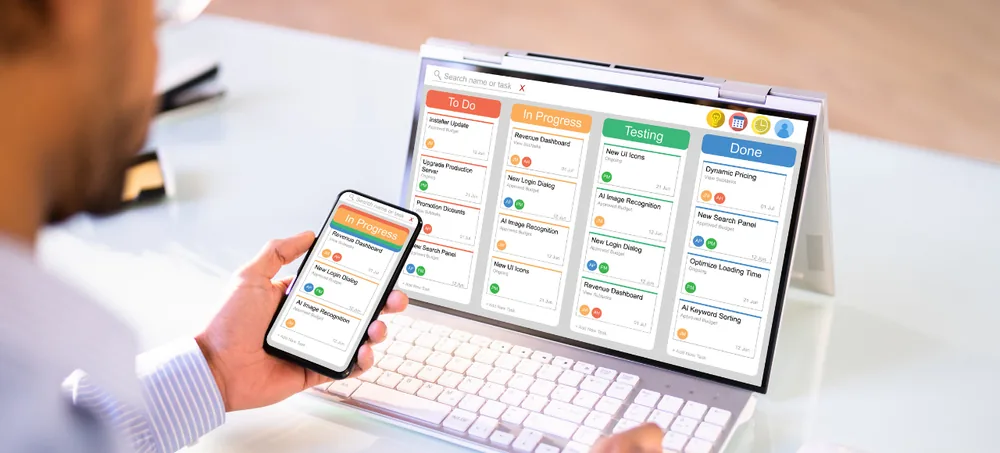
Choosing ERP software is not simply about finding the system with the longest feature list. The right solution should support your actual business processes, provide the modules your teams need, connect important data and remain flexible as your company grows.
ERPLax helps small, medium and growing businesses evaluate, customize and implement ERP solutions for sales, purchase, inventory, billing, CRM, accounts, manufacturing, distribution, HRM, reporting and workflow automation. Use this guide to understand what to evaluate before requesting a demonstration, comparing quotations or starting implementation.
Tell us about your business and we'll help you shortlist the right ERP approach.
ERP can become a central operating platform for several departments. Selecting unsuitable software can affect employees, customers, stock, reporting and management decisions.
Employees keep using spreadsheets and important workflows remain manual.
Generic modules fail to support industry-specific transactions.
Disconnected modules force the same information to be entered repeatedly.
Poor API support makes connecting existing applications harder later.
Management struggles to get connected, trustworthy business reports.
Employees resist a system that does not match their daily workflow.
Implementation, customization and support costs exceed initial estimates.
Adding branches, users or modules later becomes difficult and costly.
ERP software is an integrated business management software system that connects important departments, transactions and information through one platform.
Instead of employees entering the same information in several applications, ERP allows approved transaction data to move between connected processes. For example, a confirmed sales order can automatically trigger a chain of connected activity:
Whether you call it ERP software, ERP systems, enterprise resource planning software or integrated business management software, the goal is the same — connecting departments through one reliable platform. Businesses researching ERP solutions, comparing ERP platforms or requesting an ERP software comparison should evaluate every option against real workflows rather than a generic feature list.
ERPLax works as an ERP solution provider offering ERP implementation services, ERP consulting and ERP integration services, so that ERP software cost and ERP software pricing stay aligned with what your business genuinely needs.
How to choose the right ERP software comes down to a structured, 16-stage evaluation process rather than comparing brochures. Each stage below builds on the one before it.
Document the business results you expect from the new system, not just a feature list.
Trace how leads, orders, purchases and approvals move through your departments today.
List and rank daily issues by Critical, High, Medium or Low business impact.
Choose modules according to the departments and workflows that must be connected.
Group requirements into Must-Have, Should-Have and Future categories.
Decide who needs access to which screens, transactions and approvals.
List every application and device that must exchange data with the ERP.
Choose deployment based on access, infrastructure and internal policy needs.
Estimate software, implementation, customization, training and support cost.
Narrow options based on workflow fit, industry experience and modules.
Ask providers to demonstrate your actual transactions, not generic screens.
Assess business-process understanding, communication and support model.
Confirm what data will move and how employees will be trained.
Compare quotations using a detailed scope, not just the initial price.
Have employees from each department complete realistic sample transactions.
Agree on go-live scope, stabilization plan and future expansion phases.
Start with the problems you want ERP to solve, then evaluate the right ERP system against your company's actual size and growth stage.
Simple navigation, essential modules, faster setup, cloud access, basic reports and the ability to add modules and users later — the priorities for ERP software for small business.
Multiple departments, several approval levels, multiple warehouses, custom reports, API integrations and greater transaction volume.
User scalability, branch and warehouse expansion, database performance, module expansion and multi-company requirements.
Do not select modules only because they are available — choose modules according to the departments and workflows that must be connected.
A standard ERP provides predefined modules and workflows. Custom ERP software is configured or developed around your organization's specific requirements.
Deployment affects accessibility, infrastructure, maintenance and cost. Cloud ERP and Cloud ERP each suit different operating requirements.
| Criteria | Cloud ERP | Cloud ERP |
|---|---|---|
| Access | Remote, browser-based access | Local-network access |
| Infrastructure | Reduced local-server dependency | Internal server deployment |
| Locations | Suited to multiple / distributed locations | Suited to a single controlled site |
| Data Control | Centralized online information | Internal infrastructure control |
| Scaling | Easier infrastructure expansion | Depends on internal hardware capacity |
| Administration | Provider-managed updates | Local database administration |
List every application, platform and device that must exchange information with the ERP before you shortlist ERP vendors.
Does the external system provide a documented API for two-way data exchange?
Which system will be the authoritative source when records overlap?
What happens, and who is alerted, when a synchronization fails?
Is integration included in the quotation, and are third-party API charges separate?
Do not compare ERP software cost or ERP software pricing using only the initial licence or subscription amount. Use a detailed scope for every quotation.
ERP selection includes both the software and the team responsible for ERP implementation. Compare ERP vendors and ERP platforms on how well they understand your business process.
Does the provider ask about your departments, workflows, approvals and growth plans?
Does the team understand the terminology and transactions used in your industry?
How does the provider handle custom fields, approvals, reports and integrations?
Review the proposed discovery, configuration, migration, testing and training process.
Who manages the project, and how are scope changes and issues reported?
What support, response process and future module development are included?
Use the same weighted criteria to compare every shortlisted ERP solution. Adjust the weighting to match your business priorities.
Score each solution 1 (does not meet requirement) to 5 (strongly meets requirement). A manufacturer may weight production and costing higher; an ecommerce business may weight integrations and fulfilment higher.
These recurring mistakes affect ERP system selection across small, medium and growing businesses.
A well-known product may still require heavy configuration or not match your workflow.
A low starting price may exclude implementation, migration or support costs.
Unnecessary modules increase complexity and training requirements.
Daily users can identify usability and workflow problems early.
Generic demos may not reveal whether your actual processes are supported.
Incomplete or duplicate records affect the quality of the new ERP.
Required applications may need additional API development work.
Unnecessary customization increases implementation time and maintenance.
Software selection alone doesn't define migration, testing and training.
Employees need assistance and workflow improvements after go-live.
Different industries need different transactions, terminology and reports. An ERP demo should use scenarios relevant to your industry, not generic sample data.
ERPLax begins with your business workflow rather than a fixed product demonstration — our ERP consulting process covers selection through to post-go-live support.
We study your departments, users, locations, current software and operational problems.
We map how sales, purchase, inventory, billing and production should move through the ERP.
We identify essential modules and classify requirements as configuration, customization or future development.
We help assess cloud ERP and Cloud requirements suited to your infrastructure.
We review the feasibility of connecting accounting, ecommerce, payment and logistics applications.
We identify the data that must be cleaned, mapped, imported and validated.
We configure and develop ERP according to your approved business requirements.
We coordinate configuration, testing, role-based training and go-live activities.
We help users resolve issues and introduce workflow improvements after deployment.
Answers to common questions on how to choose the right ERP software for your business.
Begin by documenting your workflows, operational problems, required modules, users, reports, integrations, deployment requirements and budget. Compare ERP systems using realistic business scenarios rather than feature lists alone.
Review business-process fit, required modules, ease of use, customization, reporting, integrations, security, scalability, implementation services, training, support and total cost.
There is no single ERP that is best for every company. The suitable solution is one that supports your industry, workflows, users, integrations, reporting requirements and future growth.
Prioritize essential modules, simple navigation, controlled implementation cost, cloud access where suitable and the ability to add modules and users later.
Cloud ERP may suit businesses requiring remote access and centralized online information. Cloud ERP may suit organizations that prefer internal infrastructure and local-network deployment. The decision depends on access, security, infrastructure and operating requirements.
Standard ERP may be suitable when its existing workflows match your requirements. Custom ERP may be more appropriate when your business requires specialized processes, calculations, reports or integrations.
Begin with modules that solve critical operational problems. Common first-phase modules include sales, purchase, inventory, billing, CRM and reports. Manufacturing, HRM, ecommerce and advanced automation can be introduced later.
Compare their business-process understanding, industry experience, implementation method, customization ability, integration capability, documentation, communication, training and post-go-live support.
Ask the provider to demonstrate your actual workflows, approval rules, reports, user roles, integration requirements and exception scenarios.
The total cost can include software, implementation, customization, migration, integrations, hosting or hardware, training, support and future changes.
Scalability is important for growing businesses. The ERP should support additional users, branches, warehouses, products, transactions, modules and integrations.
ERP can be integrated with Tally, ecommerce websites, payment gateways, WhatsApp, courier systems and other applications when suitable APIs or data-exchange methods are available.
Ask employees from different departments to complete realistic transactions. Review navigation, data-entry speed, search, reports, error messages and mobile access.
Data may include customers, suppliers, products, price lists, opening stock, outstanding balances, active orders, financial balances and other operational records.
The duration depends on modules, users, locations, customization, data migration, integrations, testing and training. A project schedule should be prepared after requirement analysis.
Yes. A phased implementation allows a business to begin with priority modules and add more functions after the initial system is stable.
Common reasons include poor workflow fit, difficult navigation, inadequate training, limited user involvement and unclear responsibilities.
Yes. ERPLax can analyze your workflows, identify modules, assess integrations, plan migration and prepare a custom ERP implementation roadmap.
Do not select ERP based only on a feature list, product name or initial price. Discuss your workflows, required modules, users, branches, integration needs and budget with ERPLax.
Specialized Applications
Purpose-built & ready to deploy. Hover to explore, click to learn more.
Testimonials
Real stories from businesses running their operations on ERPLax.
ERPLax gave us real-time visibility into stock across three warehouses. Wastage dropped and our fulfillment time improved almost overnight.
GST e-invoicing used to eat up two days every month. With ERPLax's accounting module it's now automatic and our filings are always on time.
Billing at our stores used to take a minute per customer. ERPLax's POS module cut that to under 15 seconds, even during peak festival rush.
Payroll for 200+ employees across two branches used to take our HR team a full week. ERPLax's HRM module now runs it in a single afternoon.
Tracking batch numbers and expiry across our distribution network was a nightmare on spreadsheets. ERPLax's inventory module made it effortless.
Front desk, housekeeping and billing are now all on one screen. ERPLax's hotel management module has made check-in day a breeze for our staff.
Fee collection, attendance and report cards used to live in three different tools. ERPLax brought it all into one dashboard our staff actually enjoys using.
Tracking material costs and site progress across four active sites was chaos before ERPLax. Now our project managers update status from their phones daily.
Our online store orders now sync straight into inventory and accounting — no more manual entry, no more overselling out-of-stock items.
Our sales team can now see every lead's history and follow-ups in one place. Deal closures are faster and nothing falls through the cracks anymore.
ERPLax gave us real-time visibility into stock across three warehouses. Wastage dropped and our fulfillment time improved almost overnight.
GST e-invoicing used to eat up two days every month. With ERPLax's accounting module it's now automatic and our filings are always on time.
Billing at our stores used to take a minute per customer. ERPLax's POS module cut that to under 15 seconds, even during peak festival rush.
Payroll for 200+ employees across two branches used to take our HR team a full week. ERPLax's HRM module now runs it in a single afternoon.
Front desk, housekeeping and billing are now all on one screen. ERPLax's hotel management module has made check-in day a breeze for our staff.
Fee collection, attendance and report cards used to live in three different tools. ERPLax brought it all into one dashboard our staff actually enjoys using.
Tracking material costs and site progress across four active sites was chaos before ERPLax. Now our project managers update status from their phones daily.
Our online store orders now sync straight into inventory and accounting — no more manual entry, no more overselling out-of-stock items.
Our sales team can now see every lead's history and follow-ups in one place. Deal closures are faster and nothing falls through the cracks anymore.
