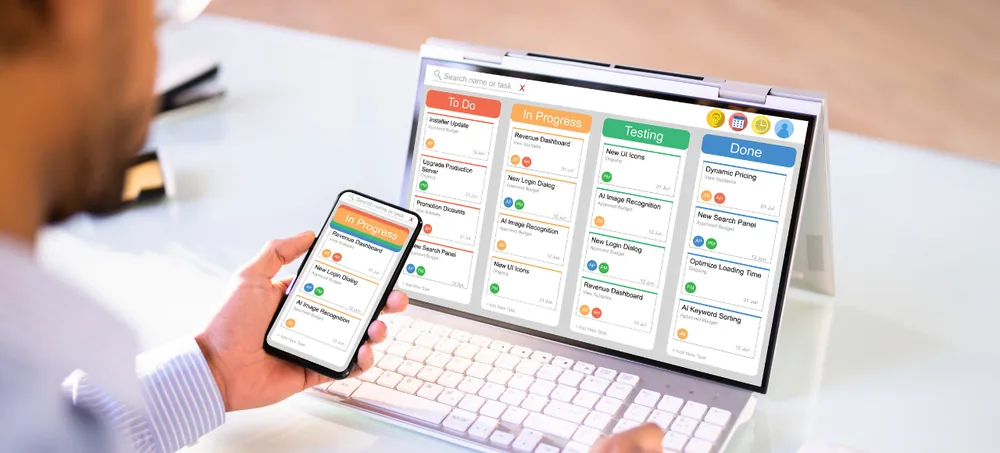
ERPLax provides customizable CRM software that helps businesses manage leads, contacts, enquiries, sales activities, opportunities, quotations, follow-ups and support requests — all on one connected platform, configured around your actual sales workflow.
Tell us about your sales process — we'll respond within 24 hours.
Businesses without a structured CRM system run into the same problems, again and again.
Leads scattered across spreadsheets, notebooks and personal phones
Enquiries not assigned to the right salesperson in time
Missed follow-up calls and delayed quotations
Duplicate customer records and no visibility into deal status
Customer communication spread across email, calls and messaging apps
Salespeople leaving without transferring customer history
Live view of a configurable sales pipeline board
Every business follows a different process for generating, qualifying and converting leads. A real estate business needs site-visit scheduling. A distributor needs dealer enquiries and price lists. A service company needs proposals and contract renewals.
Generic CRM systems often fail to reflect the actual steps your team follows. ERPLax develops and configures CRM software according to your business process — not the other way around, working as complete sales management software from first enquiry to renewal.
CRM stands for customer relationship management — a business application used to organize customer information and manage interactions with prospects and existing customers.
A central place to store leads, contacts, companies, calls, emails, meetings, tasks, opportunities, quotations, orders, complaints and customer history — shared across sales, marketing and support teams as one unified customer management software platform.
Instead of forcing your business to use fixed stages and forms, a custom CRM reflects your lead qualification process, sales stages, terminology, quotation format and reporting requirements.
Whether you need simple contact management software or a complete customer database software platform with sales pipeline management software capabilities, ERPLax scales from crm software for small business teams to enterprise-wide business crm software — making it a dependable CRM for growing businesses at every stage.
One authorized location for contacts, enquiries, conversations, quotations and order history.
New leads assigned automatically by territory, product, branch or salesperson availability.
Reminders, tasks and escalations for every pending customer activity.
See how many opportunities sit at each stage and which deals need attention.
A defined workflow keeps every salesperson following the same qualification-to-close process.
Identify where enquiries come from and support planning with stage-based forecasts.
A complete CRM lead management system for capturing, qualifying, converting and retaining customers.
Capture and organize enquiries with source, priority, value and status tracking — complete lead management software for growing sales teams.
Website forms, calls, WhatsApp, exhibitions, referrals and imported spreadsheets.
Territory, product, branch, source or round-robin rules with manager escalation.
Contacts, opportunities, calls, quotations, orders, invoices and support in one screen.
Stage-based board to review deal value, move opportunities and spot bottlenecks.
Track calls, meetings, demos and site visits with reminders and escalations.
Products, pricing, tax, discounts, terms, validity and revision history.
Configure approvals by quotation value, discount, margin, salesperson or branch.
Auto-assign leads, send acknowledgements, escalate inactive deals and notify managers — powered by CRM workflow automation and sales automation software.
Enquiry acknowledgement, follow-ups, quotation notifications and reminders.
Opportunity value, probability, stage and closing date roll up into forecast reports.
Complaints, priorities, SLA targets, escalations and customer feedback — a dependable customer service CRM for post-sale teams.
Branch-level access, central allocation and consolidated performance reports.
Field teams view leads, update follow-ups, add visit notes and submit quotations using mobile CRM software built for on-the-go sales.
Lead source, conversion, pipeline value, salesperson performance and renewals.
Permissions by module, branch, territory, team or record ownership.
From first enquiry to renewal — a structured, repeatable journey.
Website, phone, email, WhatsApp or manual entry.
Routed by branch, territory, product or rule.
Budget, timeline, decision-maker recorded.
Contact, account and deal created.
Meeting, demo, proposal, negotiation.
Products, pricing, terms and approval.
Won deals move to order & onboarding.
Sales order, invoice, delivery, service.
Post-sale tickets and renewal reminders.
ERPLax CRM connects with the tools your team already uses.
ERPLax offers a deployment approach based on your business requirements.
We study how your team captures, qualifies and converts leads before configuring anything.
CRM connects with inventory, billing, accounts, ecommerce and service management.
Start with lead and sales management, add marketing, support or ERP modules in phases.
Deep implementation experience across manufacturing, retail, services and distribution.
CRM software is a system used to store customer information and manage leads, contacts, opportunities, follow-ups, quotations, communications and support activities.
CRM stands for customer relationship management — the processes and software businesses use to manage relationships with prospects and customers.
Custom CRM software is configured or developed according to a company's specific sales stages, fields, workflows, reports and integrations.
CRM mainly manages customer-facing activities such as leads, sales and support. ERP manages broader operations such as inventory, purchasing, production, billing, finance and HRM. ERPLax can connect CRM and ERP modules within one platform.
Yes. Small businesses can start with lead management, contacts, follow-ups, opportunities and quotations. Additional modules can be introduced as the business grows.
Yes. Leads can be assigned according to branch, territory, product, source, salesperson or round-robin rules.
Yes. ERPLax can connect CRM opportunities and quotations with inventory, sales orders, billing, accounts and delivery workflows.
A compatible WhatsApp Business API integration and supported email or SMTP integration can be configured for approved customer communication workflows.
Yes. Support-ticket functionality can be configured for complaints, priorities, assignments, service targets, resolutions and customer feedback.
Yes. ERPLax can provide cloud-based CRM for authorized access across locations. Cloud deployment can also be considered.
Mobile-friendly CRM screens can be configured for leads, contacts, visits, tasks, notes and pipeline updates.
Contact ERPLax at +91 97399 66977 or info@erplax.in. Share the number of users, sales teams, branches, lead sources, pipeline stages and required modules to receive a requirement-based proposal.
Replace spreadsheets, missed follow-ups and disconnected customer information with CRM software designed around your sales process.
Specialized Applications
Purpose-built & ready to deploy. Hover to explore, click to learn more.
Testimonials
Real stories from businesses running their operations on ERPLax.
ERPLax gave us real-time visibility into stock across three warehouses. Wastage dropped and our fulfillment time improved almost overnight.
GST e-invoicing used to eat up two days every month. With ERPLax's accounting module it's now automatic and our filings are always on time.
Billing at our stores used to take a minute per customer. ERPLax's POS module cut that to under 15 seconds, even during peak festival rush.
Payroll for 200+ employees across two branches used to take our HR team a full week. ERPLax's HRM module now runs it in a single afternoon.
Tracking batch numbers and expiry across our distribution network was a nightmare on spreadsheets. ERPLax's inventory module made it effortless.
Front desk, housekeeping and billing are now all on one screen. ERPLax's hotel management module has made check-in day a breeze for our staff.
Fee collection, attendance and report cards used to live in three different tools. ERPLax brought it all into one dashboard our staff actually enjoys using.
Tracking material costs and site progress across four active sites was chaos before ERPLax. Now our project managers update status from their phones daily.
Our online store orders now sync straight into inventory and accounting — no more manual entry, no more overselling out-of-stock items.
Our sales team can now see every lead's history and follow-ups in one place. Deal closures are faster and nothing falls through the cracks anymore.
ERPLax gave us real-time visibility into stock across three warehouses. Wastage dropped and our fulfillment time improved almost overnight.
GST e-invoicing used to eat up two days every month. With ERPLax's accounting module it's now automatic and our filings are always on time.
Billing at our stores used to take a minute per customer. ERPLax's POS module cut that to under 15 seconds, even during peak festival rush.
Payroll for 200+ employees across two branches used to take our HR team a full week. ERPLax's HRM module now runs it in a single afternoon.
Front desk, housekeeping and billing are now all on one screen. ERPLax's hotel management module has made check-in day a breeze for our staff.
Fee collection, attendance and report cards used to live in three different tools. ERPLax brought it all into one dashboard our staff actually enjoys using.
Tracking material costs and site progress across four active sites was chaos before ERPLax. Now our project managers update status from their phones daily.
Our online store orders now sync straight into inventory and accounting — no more manual entry, no more overselling out-of-stock items.
Our sales team can now see every lead's history and follow-ups in one place. Deal closures are faster and nothing falls through the cracks anymore.
