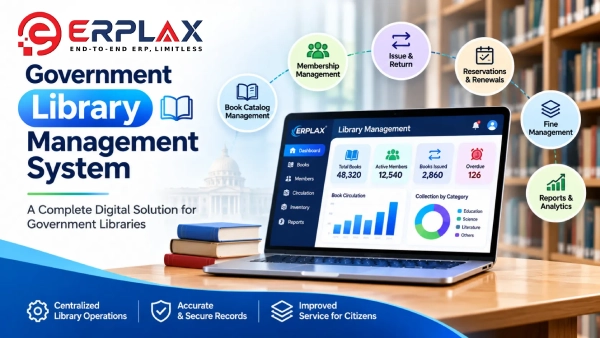
Cloud-Based Book Catalog and Supplier Management with ERPLax. ERPLax Government Library Management System is a cloud-based library management application designed to organize book catalogs, supplier information and library administration in one centralized platform.
The software provides dedicated Books, Suppliers and Settings sections, allowing library administrators to maintain book information, search records, filter collections and manage supplier details.
ERPLax supports structured book records containing book names, identification numbers, suppliers, authors, publishers, subjects, languages, publication years and pricing information.
The application also includes catalog summary indicators, advanced search filters, export options and bulk book document functionality.
Government libraries and public institutions can use these features to organize their book collections and simplify everyday catalog administration.
Developed by EchoPx Technologies, ERPLax provides a SaaS ERP platform with library management functionality.
ERPLax provides a dedicated Books section for maintaining library book records.
Library administrators can add books and view existing records in a structured table.
The Books interface includes the following information:
The catalog provides a centralized location for viewing and organizing recorded books.
The Books page displays summary cards showing:
These indicators provide a quick overview of the book records displayed within the library management application.
ERPLax includes a search box in the Books section.
Library staff can search catalog records using details such as book titles and other recorded information.
The search functionality helps administrators locate specific books without manually reviewing every catalog entry.
The Books interface contains dedicated filters for:
Library staff can use these filters to narrow down the displayed book records.
For example, administrators can view books associated with a particular supplier, author, publisher or publication year.
ERPLax includes a separate Suppliers section for managing book supplier information.
The supplier records contain:
The interface provides an Add Supplier option for creating supplier records.
Existing supplier entries are displayed in a searchable table.
The Suppliers page includes a search facility for locating supplier information by name or address.
It also provides:
These options help administrators filter supplier records according to the selected dates.
The supplier management interface provides actions for editing and deleting supplier records.
Authorized administrators can use these controls to maintain the supplier list.
ERPLax includes Export options in both the Books and Suppliers sections.
Library administrators can use these functions to export the corresponding records for administrative purposes.
The Books section includes a Bulk Doc option.
This functionality provides a dedicated action for bulk book document-related operations.
The library application also supports document-related functionality for book records as described in the product brochure.
The library application includes pricing-related fields for book records.
These include listed and fixed price information associated with individual titles.
Maintaining pricing details alongside book information helps administrators organize the relevant book records.
The Books interface provides selection checkboxes alongside catalog entries.
Administrators can select individual records or use the table selection control.
This supports record selection for applicable actions within the interface.
The Books and Suppliers tables include pagination and page-size controls.
The interface displays the number of records being shown and provides options for navigating catalog entries.
ERPLax includes a Settings section within the Library module.
This section provides a dedicated area for library-related application settings.
The demonstrated application includes a Super Admin account and administrative interface.
The library management prototype also identifies role-based access for viewing, editing, deleting and exporting records.
Specific role configurations can be defined according to the agreed implementation requirements.
The Books section provides an Add Book option for creating catalog entries.
Library staff can maintain book details and view recorded entries through the catalog interface.
Administrators can search for a book and apply the available filters for language, publication year, supplier, author, publisher and subject.
The Suppliers section allows administrators to add supplier records, locate existing entries and use the available edit and delete controls.
Administrators can enter From Date and To Date values to filter supplier records.
The Clear control allows the applied date filters to be reset.
The Books section provides an Export option for book catalog records.
The Suppliers section provides an Export option for supplier information.
The Books section contains a Bulk Doc action for applicable bulk book document operations.
Maintain book catalog information in a structured library application.
Keep supplier names and addresses in a dedicated supplier management section.
Find catalog records through the search facility and available book filters.
Organize book information by language, subject, publication year, author and publisher.
View total-book and year-based summary indicators from the Books dashboard.
Use the available export options for book and supplier records.
Maintain book and supplier information through the dedicated management interface.
ERPLax offers book catalog and supplier management functionality that can be evaluated for use by:
The demonstrated application focuses on book records, supplier information, catalog searching, filtering, exports and library administration.
Institutions comparing Library Management Software India has to offer can review ERPLax as a Cloud Library Management System and Library ERP Software that combines Book Catalog Management Software with Library Supplier Management in one platform.
The following functionality is identified in the ERPLax Library Management brochure as additional workflows subject to agreed scope, rather than existing features of the demonstrated application:
Subject to agreed scope
Subject to agreed scope
Subject to agreed scope
Subject to agreed scope
Subject to agreed scope
These requirements can be discussed separately as part of a library implementation project.
Contact ERPLaxERPLax Government Library Management System is a cloud-based application for managing book catalogs, supplier information and library records.
Yes. The Books section displays book names, identification numbers, suppliers, authors, publishers, subjects, languages, years and pricing-related information.
Yes. The Books interface includes a catalog search facility.
Yes. ERPLax provides a language filter in the Books section.
Yes. The Books interface provides separate filters for authors and publishers.
Yes. The Suppliers section supports supplier records containing names, addresses and added dates.
Yes. The demonstrated supplier interface includes edit and delete actions.
Yes. The Suppliers section includes From Date and To Date filters.
Yes. The Books and Suppliers sections both include Export options.
Yes. The demonstrated Books interface includes a Bulk Doc option.
Yes. The Books dashboard includes a Total Books summary card and a This Year indicator.
Book issue and return is identified as an additional workflow subject to agreed scope, not as an existing feature in the supplied prototype.
Membership management is listed as an additional workflow that can be evaluated separately.
Barcode and RFID are identified as potential additional integrations subject to agreed scope and technical feasibility.
Yes. ERPLax is a SaaS ERP platform providing cloud-based library management functionality.
ERPLax Government Library Management System provides a centralized cloud-based interface for managing books, suppliers and catalog information.
With book search, advanced filters, supplier records, export options, document-related actions and administrative functionality, ERPLax helps institutions organize their library records.
Explore the library management application and discuss the functions required for your institution.
ERPLax – Cloud Library Management Software. Developed by EchoPx Technologies.
Specialized Applications
Purpose-built & ready to deploy. Hover to explore, click to learn more.
Testimonials
Real stories from businesses running their operations on ERPLax.
ERPLax gave us real-time visibility into stock across three warehouses. Wastage dropped and our fulfillment time improved almost overnight.
GST e-invoicing used to eat up two days every month. With ERPLax's accounting module it's now automatic and our filings are always on time.
Billing at our stores used to take a minute per customer. ERPLax's POS module cut that to under 15 seconds, even during peak festival rush.
Payroll for 200+ employees across two branches used to take our HR team a full week. ERPLax's HRM module now runs it in a single afternoon.
Tracking batch numbers and expiry across our distribution network was a nightmare on spreadsheets. ERPLax's inventory module made it effortless.
Front desk, housekeeping and billing are now all on one screen. ERPLax's hotel management module has made check-in day a breeze for our staff.
Fee collection, attendance and report cards used to live in three different tools. ERPLax brought it all into one dashboard our staff actually enjoys using.
Tracking material costs and site progress across four active sites was chaos before ERPLax. Now our project managers update status from their phones daily.
Our online store orders now sync straight into inventory and accounting — no more manual entry, no more overselling out-of-stock items.
Our sales team can now see every lead's history and follow-ups in one place. Deal closures are faster and nothing falls through the cracks anymore.
ERPLax gave us real-time visibility into stock across three warehouses. Wastage dropped and our fulfillment time improved almost overnight.
GST e-invoicing used to eat up two days every month. With ERPLax's accounting module it's now automatic and our filings are always on time.
Billing at our stores used to take a minute per customer. ERPLax's POS module cut that to under 15 seconds, even during peak festival rush.
Payroll for 200+ employees across two branches used to take our HR team a full week. ERPLax's HRM module now runs it in a single afternoon.
Front desk, housekeeping and billing are now all on one screen. ERPLax's hotel management module has made check-in day a breeze for our staff.
Fee collection, attendance and report cards used to live in three different tools. ERPLax brought it all into one dashboard our staff actually enjoys using.
Tracking material costs and site progress across four active sites was chaos before ERPLax. Now our project managers update status from their phones daily.
Our online store orders now sync straight into inventory and accounting — no more manual entry, no more overselling out-of-stock items.
Our sales team can now see every lead's history and follow-ups in one place. Deal closures are faster and nothing falls through the cracks anymore.
