Scale smarter with a complete AI-driven ERP solution built for manufacturing, distribution, and e-commerce businesses etc...

ERP for Warehouse Management | Warehouse ERP Software
📦 Custom Warehouse ERP Software

ERP for Warehouse Management

Control Inventory, Locations, Orders and Dispatch from One Connected Platform
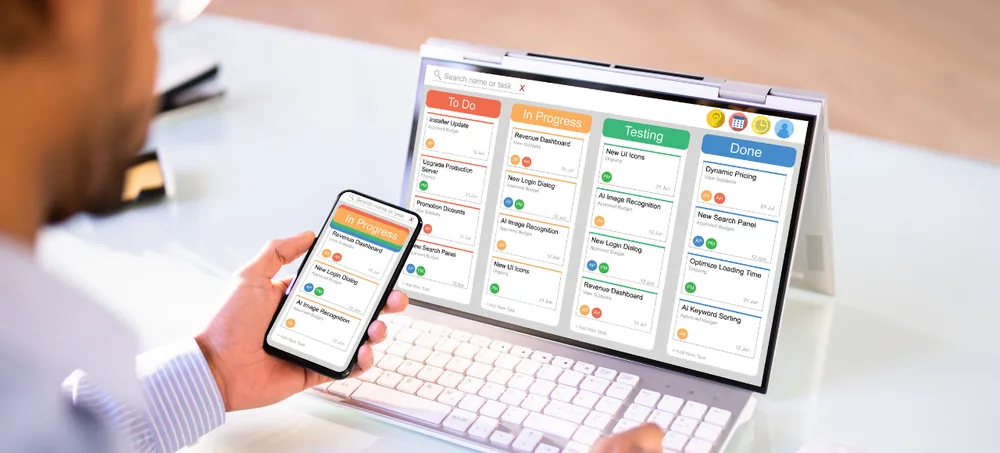
ERP for warehouse management dashboard by ERPLax
1500+ ClientsTrust ERPLax nationwide

ERPLax provides ERP for warehouse management to help businesses control inventory, receiving, putaway, bin locations, stock transfers, picking, packing, dispatch, returns, billing and warehouse reports from one customizable platform. Configured around your actual workflow — whether you operate one storage facility, multiple warehouses, regional distribution centres or warehouse-connected retail and ecommerce operations.

📥 Receiving & Putaway 🗂️ Rack & Bin Management 📱 Barcode & QR Scanning 🚚 Picking, Packing & Dispatch 📊 Real-Time Reports
ARS
✔ Verified Experts

Request Custom ERP Quote

Schedule a free consultation with our warehouse ERP specialists

✔ Free Consultation✔ No Obligation✔ 24hr Response
0
Years of Experience
0
Clients Served
0
Projects Delivered
0
Support Availability
📦 Multi-Warehouse Management Software🗂️ Rack, Bin & Zone Tracking📱 Barcode Warehouse Management🔁 Inter-Warehouse Stock Transfers🚚 Picking, Packing & Dispatch☁️ Cloud Warehouse Management Software 📦 Multi-Warehouse Management Software🗂️ Rack, Bin & Zone Tracking📱 Barcode Warehouse Management🔁 Inter-Warehouse Stock Transfers🚚 Picking, Packing & Dispatch☁️ Cloud Warehouse Management Software
Inventory Control

ERP for Warehouse Management and Inventory Control

Warehouse operations involve much more than recording incoming and outgoing stock — verifying purchase receipts, allocating storage locations, coordinating picking and packing, and completing dispatches on time.

Stock mismatches between physical inventory and records

Difficulty finding products inside the warehouse

Delayed goods receiving, putaway & picking errors

Unplanned stockouts and excessive inventory

Missing batch, serial number or expiry information

Limited coordination between warehouse, sales & accounts

ERPLax connects these activities through an integrated warehouse management ERP. Every authorized transaction can update the relevant inventory, purchase, sales, dispatch and reporting records, helping teams work with consistent information.

The system is suitable for small, medium and growing businesses and can be implemented as a cloud-based or on-premise solution based on operational requirements.

Understanding Warehouse ERP

What Is ERP for Warehouse Management?

ERP for warehouse management is an enterprise resource planning system that combines warehouse and inventory operations with other business functions such as purchasing, sales, billing, accounting, CRM, manufacturing and reporting. As a complete Warehouse management system and ERP warehouse management system, it replaces disconnected spreadsheets with one authoritative source of stock truth.

  • Receiving, putaway & bin location management
  • Real-time inventory tracking across locations
  • Picking, packing, dispatch & returns
  • Connected billing, accounting & reports

Unlike a standalone WMS, warehouse ERP software connects warehouse activity directly with sales, procurement and finance — no separate integration layer required.

Goods Received
Putaway to Bin
Order Allocated
Picked, Packed & Dispatched
Making the Right Choice

Warehouse ERP Software vs Standalone WMS

A WMS software and an ERP system with warehouse functionality manage similar activities, but their overall scope is different.

AreaStandalone WMSERP for Warehouse Management
Main focusWarehouse activitiesWarehouse and wider business operations
Receiving & putawayYesYes
Picking & packingYesYes
Sales managementUsually requires integrationCan be included
Purchase managementUsually requires integrationCan be included
Billing & accountingUsually requires integrationCan be included
Business reportingWarehouse-focusedCross-functional reporting
Custom workflowDepends on platformConfigured around business workflow

A standalone WMS may suit highly specialized or very complex warehouse environments. ERP is suitable when the business wants warehouse operations connected with sales, procurement, billing, finance and customer management.

Why It Matters

Why Businesses Need ERP for Warehouse Management

Maintain Accurate Stock Information

Real-time visibility into every location and quantity.

Process Orders Faster

Allocation, picking and dispatch connected end to end.

Improve Receiving & Putaway

Structured verification and bin allocation on arrival.

Reduce Picking & Dispatch Errors

Barcode-driven accuracy at every step.

Manage Multiple Warehouses

Consolidated visibility across every location.

Improve Purchase Planning

Reorder levels driven by real stock data.

Connect Warehouse & Finance Data

Stock movement tied directly to accounting.

Support Business Growth

Add warehouses, users and modules in phases.

Platform Capabilities

Key Features of ERPLax Warehouse ERP

Modules configured around how your warehouse actually receives, stores, picks and ships.

01

Product & Inventory Master

Structured product database for every SKU and variant.

  • Unit conversions & categories
  • Reorder & safety stock levels
  • Multi-attribute product records
02

Supplier & Purchase Management

Manage procurement tied directly to warehouse receipt.

  • Purchase orders & approvals
  • Supplier rate history
  • Pending delivery tracking
03

Goods Receipt & Verification

Verify quantities and quality on arrival.

  • PO-matched receiving
  • Quality inspection status
  • Discrepancy reporting
04

Putaway Management

Move received stock into the correct storage location.

  • Rule-based putaway
  • Location suggestions
  • Confirmation scanning
05

Rack, Bin, Shelf & Zone Management

Structure your warehouse by zones, aisles, racks and bins.

  • Location hierarchy
  • Zone-wise capacity
  • Location-level stock
06

Real-Time Inventory Tracking

Warehouse inventory management software and Warehouse stock management software with live stock visibility, forming complete Inventory and warehouse management software.

  • Available vs reserved stock
  • Location-wise quantities
  • Stock movement history
07

Barcode & QR Code Management

Barcode warehouse management software for every stage.

  • Receiving & putaway scanning
  • Picking & packing scanning
  • Mobile scanning workflows
08

Batch, Lot, Serial & Expiry Tracking

Track sensitive inventory by batch and expiry.

  • Batch & lot numbers
  • Serial number tracking
  • Expiry & ageing reports
09

Multi-Warehouse Management

Multi-warehouse management software for distributed operations.

  • Warehouse-wise stock
  • Location-specific users
  • Consolidated reporting
10

Inter-Warehouse Stock Transfers

Move stock between locations with full visibility.

  • Transfer requests & approvals
  • In-transit inventory
  • Transfer confirmation
11

Sales Order Allocation

Reserve and allocate stock against confirmed orders.

  • Stock availability check
  • Order-wise allocation
  • Backorder handling
12

Picking & Packing Management

Coordinate warehouse floor tasks efficiently.

  • Pick lists & wave picking
  • Packing confirmation
  • Carton & package details
13

Dispatch & Logistics Management

Plan and confirm outbound shipments.

  • Dispatch planning
  • Transporter details
  • Delivery documentation
14

Returns Management

Record and process sales and purchase returns.

  • Return inspection status
  • Restock or reject decisions
  • Credit/debit note linkage
15

Reorder & Replenishment Planning

Avoid stockouts and excess inventory.

  • Min/max stock rules
  • Automated reorder alerts
  • Purchase requirement suggestions
16

Stock Counts & Adjustments

Reconcile physical stock with system records using reliable Inventory tracking software for warehouses.

  • Cycle counting
  • Adjustment approvals
  • Variance reporting
17

Warehouse Automation

Warehouse automation software for repetitive tasks.

  • Workflow triggers
  • Automated notifications
  • Task assignment rules
18

Reports & Dashboards

Configurable dashboards to spot bottlenecks fast.

  • Stock & movement reports
  • Pending putaway/dispatch reports
  • Fast & slow-moving inventory
19

Role-Based Access & Audit Trail

Control what each warehouse role can view or modify.

  • Manager, picker & packer roles
  • Approval permissions
  • Full audit history
20

Mobile & Cloud Access

Cloud warehouse management software for authorized access anywhere.

  • Mobile scanning screens
  • Cloud or on-premise deployment
  • Multi-device support
Measurable Impact

Benefits of ERP for Warehouse Management

Real-Time Warehouse Visibility

Stock, receipts & dispatches visible instantly

Better Stock Control

Fewer mismatches & better accuracy

Faster Order Processing

Allocation to dispatch, streamlined

Reduced Manual Errors

Barcode-driven accuracy throughout

Improved Warehouse Space Usage

Zone & bin utilization visible

Improved Cash-Flow Planning

Purchasing tied to real stock needs

Better Customer Service

Faster, more accurate fulfilment

Scalable Warehouse Operations

Add locations & users as you grow

Built For Every Warehouse Operation

Who Can Use Warehouse ERP Software?

Distributors & WholesalersManufacturing CompaniesEcommerce BusinessesRetail ChainsImporters & ExportersPharmaceutical & Healthcare SuppliersFood & FMCG BusinessesElectronics & Electrical DistributorsAutomotive Parts BusinessesHardware & Building Material SuppliersLogistics & 3PL OperationsTrading Companies
Getting Started

How the Warehouse ERP Workflow Works

1

Configure Products & Locations

Products, warehouses and location structures set up.

2

Create Purchase Orders

Purchase requirements created and approved.

3

Receive & Verify Goods

Incoming stock checked against purchase orders.

4

Capture Tracking Details

Batch, lot and serial numbers recorded.

5

Complete Putaway

Stock moved to assigned bin locations.

6

Allocate Sales Orders

Stock reserved against confirmed orders.

7

Pick, Pack & Dispatch

Orders picked, packed and shipped.

8

Update Inventory & Reports

Stock and reports updated automatically.

9

Manage Returns or Adjustments

Returns and stock corrections processed.

10

Review Performance

Management reviews warehouse-wide reports.

Connected Ecosystem

Warehouse ERP Integrations

Connect ERPLax with the tools your business already relies on.

Ecommerce & Marketplace

Tally & Accounting

Barcode & QR Equipment

Courier & Logistics APIs

Why Choose ERPLax

Why Choose ERPLax for Warehouse ERP Development?

19+ years of experience delivering warehouse-specific ERP functions across India.

ERP Based on Your Actual Workflow

We study your warehouse process before configuring the system.

Custom Warehouse Management Features

Rack, bin and zone structures built around you.

Integrated Business Operations

Warehouse connected with sales, purchase & finance.

Modular & Scalable Implementation

Start with essential modules and add functionality later.

Cloud or On-Premise Deployment

Choose a deployment model according to infrastructure.

Role-Based Access

Control what each warehouse role can view or approve.

Common Questions

Frequently Asked Questions

ERP for warehouse management is business software that connects inventory and warehouse activities with purchasing, sales, billing, accounting, CRM, manufacturing and reports. It can manage receiving, putaway, stock locations, picking, packing, dispatch, transfers and returns.
Warehouse management software focuses mainly on activities inside a warehouse. ERP covers warehouse operations along with other business departments such as sales, purchasing, finance, CRM and manufacturing. ERP is useful when businesses need connected information across departments.
Yes. ERPLax can be configured as multi-warehouse management software with warehouse-wise stock, inter-warehouse transfers, in-transit inventory, location-specific users and consolidated reports.
Yes. Warehouses can be structured by zones, aisles, racks, shelves, bins or pallet locations. Users can track available inventory within individual storage locations.
Yes. Barcode and QR workflows can be configured for receiving, putaway, picking, stock transfers, stock counting, packing and dispatch. Integration depends on the devices and operational setup.
Yes. ERPLax can track batch numbers, lot numbers, serial numbers, manufacturing dates and expiry dates according to product and industry requirements.
Yes. The ERP can connect ecommerce orders with warehouse inventory, picking, packing, shipping, returns and order-status updates. Custom integrations can be developed for websites, marketplaces and courier systems.
Yes. Purchase orders can be connected with receiving, while sales orders can be connected with stock availability, allocation, picking, packing and dispatch.
Yes. ERPLax can provide cloud-based warehouse ERP for businesses that require centralized access across locations. On-premise deployment can also be considered based on the requirement.
Yes. Minimum stock, maximum stock, safety stock and reorder levels can be configured by product or warehouse. The system can generate alerts or purchase requirements according to defined rules.
ERPLax can develop integrations with Tally-related workflows, ecommerce websites, marketplaces, payment gateways, courier services, WhatsApp APIs, SMS gateways, email systems and other third-party applications based on technical feasibility.
Yes. Small businesses can begin with inventory, warehouse, purchase, sales and billing modules. Additional modules can be added as transaction volume, users and operational requirements grow.
Yes. ERPLax can configure forms, fields, location structures, approval processes, reports, roles and transaction workflows according to the way your warehouse operates.
Yes. The ERP can record sales returns, purchase returns, damaged products, rejected stock, inspection status and the final movement of returned inventory.
Contact ERPLax at +91 97399 66977 or info@erplax.com. Share details such as the number of warehouses, users, products, daily transactions, required modules, barcode process and integrations to receive a requirement-based quotation.

Get ERP Software for Your Warehouse Operations

Manage receiving, putaway, rack and bin inventory, picking, packing, stock transfers, dispatch and warehouse reports through one connected ERP platform.

Phone: +91 97399 66977  |  Email: info@erplax.com

Specialized Applications

ERP Solutions Built for Your Industry

Purpose-built & ready to deploy. Hover to explore, click to learn more.

ERPlax SupportTypically replies instantly
Start Chat on WhatsApp
⚡ Powered by ERPlax
👋 Hi! Need help? Chat with us