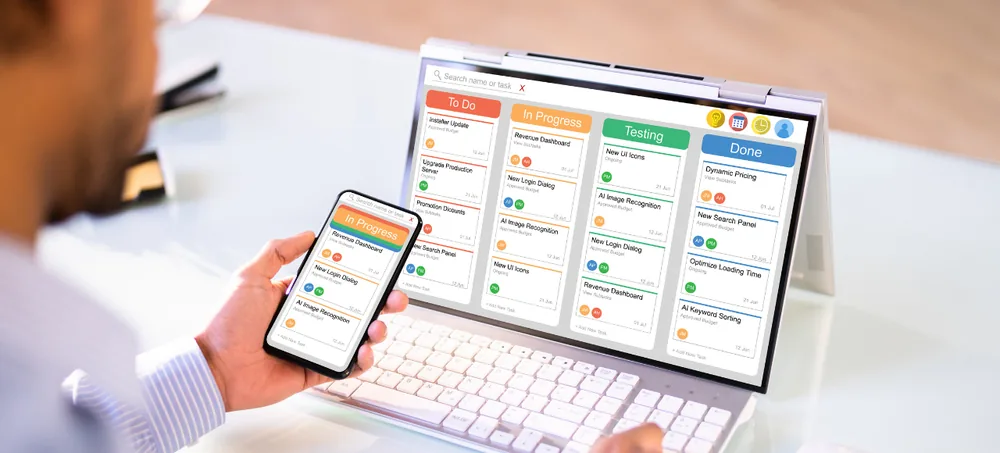
Connect production planning with actual shop-floor execution using customizable MES software built around your manufacturing workflow. ERPLax Manufacturing Execution System software helps manufacturers manage work orders, production stages, work-in-progress, materials, quality checks, machine activities, operators and production reporting from one connected platform.
Get a requirement-based walkthrough for your shop-floor process
Production becomes difficult to manage when shop-floor information is spread across paper job cards, spreadsheets, separate machine records, WhatsApp messages and disconnected software. Supervisors may not know which production orders are delayed. Management may struggle to see actual output against planned quantities. Raw-material consumption, WIP, rejection, rework and machine downtime may be recorded too late to support timely decisions.
ERPLax MES software creates a connected environment for executing and monitoring manufacturing activities. Production teams can record what is happening at every important manufacturing stage while managers receive current information about work orders, materials, output, WIP, quality, downtime and production performance.
A modern MES generally sits between business planning systems such as ERP and actual shop-floor operations, capturing manufacturing data as production progresses and providing real-time visibility into production activities, resources and materials. ERPLax extends this approach with a customizable ERP and MES environment designed around the operational workflows of small, medium and growing manufacturing businesses.
A Manufacturing Execution System, or MES, is software used to manage, track and monitor manufacturing activities while production is actually taking place on the shop floor. Instead of only knowing what was planned, an MES helps businesses understand what is happening now.
MES systems commonly track the transformation of materials into finished products and can maintain information about scheduling, order execution, production analysis, quality and material traceability. With ERPLax, the MES workflow can also connect with inventory, purchase, sales, manufacturing ERP, warehouse, quality, costing and reporting modules, reducing gaps between business planning and factory execution.
Manufacturing plans do not always match what actually happens on the factory floor. A machine may stop unexpectedly. A component may not be available. A work order can remain pending at one operation. Actual cycle time may exceed the expected time. Production may generate rejection or require rework. When this information is recorded manually or updated only at the end of a shift, managers receive information after the problem has already affected production.
Digitize paper-based job cards and inconsistent shop-floor records.
Clarify WIP status and reduce delayed production updates.
Connect consumption records with actual manufacturing activity.
Identify orders getting delayed and where excess rejection occurs.
Maintain structured records connecting materials with production.
A modular MES supports growth without rebuilding production workflows.
The purpose is not simply to collect more data. It is to make production information available where it can support faster operational decisions.
Connected modules covering production order management through role-based access.
See current work orders, WIP, output, delays and quality status instead of end-of-day reports.
Give supervisors updated production information so problems can be addressed earlier.
Identify exactly where production orders are waiting and which process is a bottleneck.
Digitize production updates, job cards, inspections and shop-floor records.
Connect material issues, batches, production operations and finished products.
Introduce quality checks within production and record rejection and rework systematically.
Compare planned production against actual results across orders and work centers.
Connect purchasing, inventory and planning data with real manufacturing execution.
Configure production stages, approvals, job cards and reporting to actual processes.
Start with production orders, WIP and reporting; add quality and integrations later.
ERPLax manufacturing execution software can be configured for different production environments.
Requirements differ significantly between factories, so modules, workflows and integrations should be configured according to the specific production process.
Configure manufacturing masters
Create production requirement
Generate production & work orders
Allocate resources
Execute production
Capture shop-floor data
Complete production
Analyze production performance
ERP and MES solve related but different manufacturing problems. ERP primarily handles wider business planning and transactions, while MES concentrates more deeply on executing and monitoring what is happening on the production floor. MES is commonly described as the operational connection between ERP-level planning and factory-floor production.
| ERP | MES |
|---|---|
| Sales, purchase & inventory | Work order progress & operation status |
| Procurement & production planning | Work-in-progress |
| Finance & customer information | Machine activity & production quantities |
| Supplier & warehouse operations | Material consumption & quality checks |
| Business reports | Rejection, rework, downtime & shop-floor performance |
Without integration, planners may see one version of production while factory teams work from another. With an integrated ERP and MES workflow: Sales Order → Production Planning → Material Planning → Production Order → Work Order → Shop Floor Execution → Quality → Finished Goods → Inventory → Dispatch → Reports. ERPLax can configure both ERP and MES functions within a connected environment or integrate MES requirements with existing business applications where technically feasible.
ERPLax MES software can be integrated with relevant systems and shop-floor technologies depending on available APIs, interfaces and technical requirements. Machine and automation integrations require technical evaluation because capabilities differ by machine manufacturer, controller, protocol and existing factory infrastructure.
Manufacturing companies have different infrastructure, connectivity and security requirements. ERPLax can evaluate deployment options including the following.
Suitable for businesses that require centralized access across locations and want web-based production information.
Can be considered where factory infrastructure, internal IT policies, connectivity or machine integration requirements make local deployment preferable.
Some manufacturing environments may require a combination of local shop-floor connectivity and centralized business systems.
The right architecture should be selected only after reviewing the production workflow, machines, locations, integrations and operational requirements.
ERPLax builds manufacturing workflows around the actual production process instead of an identical setup for everyone.
Connect shop-floor execution with production planning, inventory, purchase, sales, warehouse and reporting.
Start with the functions your factory needs now and add additional modules as requirements grow.
Configure production stages, job cards, routing, approvals, quality processes and reporting.
Production reports built according to management, supervisor and operational requirements.
Connect MES with ERP systems, machines, barcode devices, applications and third-party APIs where supported.
Give users access according to department, factory, work center or job responsibility.
Select deployment based on operational and infrastructure requirements.
Implementation assistance, training and ongoing support based on the agreed solution scope.
Digitize operations gradually rather than implementing every possible function at once.
Teams evaluating this category use different terms for a similar need. Manufacturing MES software, production management software, shop floor management software, shop floor control software, production tracking software and real-time production monitoring software all describe visibility into what is happening on the factory floor right now.
Others search specifically for WIP tracking software, work order management software, production scheduling software, factory management software or manufacturing operations management software, while quality-focused teams look for manufacturing quality management software, production planning and control software, manufacturing traceability software or OEE monitoring software. ERPLax brings these needs together as configurable MES ERP integration, smart manufacturing software and digital manufacturing software within one connected platform.
Digital manufacturing is not simply about installing more machines or collecting more data. Manufacturers need to connect production plans with what actually happens across machines, work centers, operators, materials and quality processes.
ERPLax MES provides a configurable layer for capturing and organizing this production information. As your manufacturing operation grows, the same system can be extended with inventory, procurement, warehouse, sales, CRM, reporting, automation and other ERP modules. This modular approach helps businesses digitize critical production workflows first and expand the solution according to practical operational requirements.
Move from disconnected production records to a centralized manufacturing execution system that connects people, materials, machines, work orders and production information. Tell ERPLax how your factory currently manages production — we can evaluate your workflow and configure a custom MES software solution around your production requirements.
Specialized Applications
Purpose-built & ready to deploy. Hover to explore, click to learn more.
Testimonials
Real stories from businesses running their operations on ERPLax.
ERPLax gave us real-time visibility into stock across three warehouses. Wastage dropped and our fulfillment time improved almost overnight.
GST e-invoicing used to eat up two days every month. With ERPLax's accounting module it's now automatic and our filings are always on time.
Billing at our stores used to take a minute per customer. ERPLax's POS module cut that to under 15 seconds, even during peak festival rush.
Payroll for 200+ employees across two branches used to take our HR team a full week. ERPLax's HRM module now runs it in a single afternoon.
Tracking batch numbers and expiry across our distribution network was a nightmare on spreadsheets. ERPLax's inventory module made it effortless.
Front desk, housekeeping and billing are now all on one screen. ERPLax's hotel management module has made check-in day a breeze for our staff.
Fee collection, attendance and report cards used to live in three different tools. ERPLax brought it all into one dashboard our staff actually enjoys using.
Tracking material costs and site progress across four active sites was chaos before ERPLax. Now our project managers update status from their phones daily.
Our online store orders now sync straight into inventory and accounting — no more manual entry, no more overselling out-of-stock items.
Our sales team can now see every lead's history and follow-ups in one place. Deal closures are faster and nothing falls through the cracks anymore.
ERPLax gave us real-time visibility into stock across three warehouses. Wastage dropped and our fulfillment time improved almost overnight.
GST e-invoicing used to eat up two days every month. With ERPLax's accounting module it's now automatic and our filings are always on time.
Billing at our stores used to take a minute per customer. ERPLax's POS module cut that to under 15 seconds, even during peak festival rush.
Payroll for 200+ employees across two branches used to take our HR team a full week. ERPLax's HRM module now runs it in a single afternoon.
Front desk, housekeeping and billing are now all on one screen. ERPLax's hotel management module has made check-in day a breeze for our staff.
Fee collection, attendance and report cards used to live in three different tools. ERPLax brought it all into one dashboard our staff actually enjoys using.
Tracking material costs and site progress across four active sites was chaos before ERPLax. Now our project managers update status from their phones daily.
Our online store orders now sync straight into inventory and accounting — no more manual entry, no more overselling out-of-stock items.
Our sales team can now see every lead's history and follow-ups in one place. Deal closures are faster and nothing falls through the cracks anymore.
