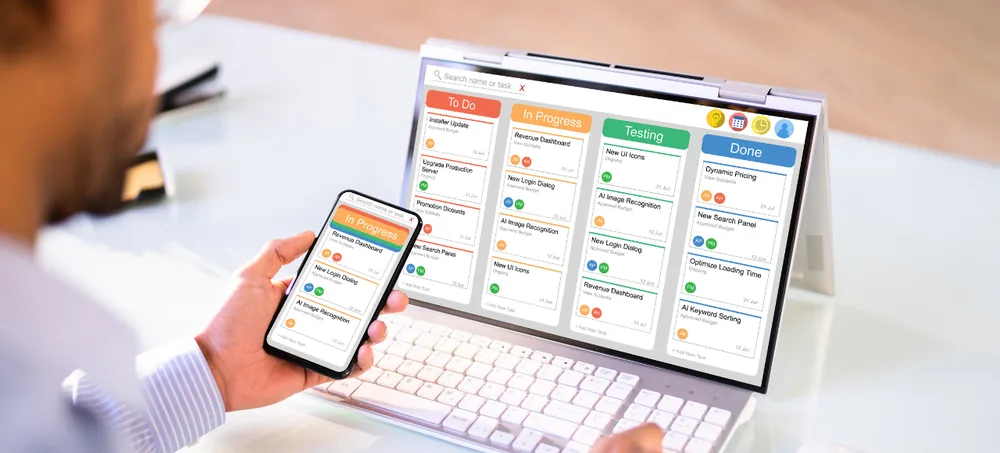
ERPLax provides customizable production planning software that connects customer orders, master scheduling, capacity planning, work orders, material requirements, shop-floor tracking and management reports. Plan and sequence manufacturing operations across machines, work centres and shifts, and monitor progress against schedule as work moves through the shop floor — for discrete, process and multi-stage manufacturing environments.
Tell us about your production process, we'll get back within 24 hours.
Many factories still depend on whiteboards, spreadsheets, and disconnected tools for production planning, making it difficult to accurately assess machine capacity, material availability, workforce requirements, and delivery timelines. This often results in scheduling conflicts, production delays, idle resources, and missed commitments.
Sales commits dates without visibility into actual machine and material capacity.
Rush orders and machine breakdowns force manual, error-prone rescheduling.
Without capacity visibility, some machines sit idle while others are overbooked.
Planners can't see real-time progress until a job is already late.
Production schedules don't automatically check material availability.
Head office lacks a consolidated view of schedules across plants and lines.
ERPLax converts confirmed orders and demand forecasts into a master production schedule, then automatically breaks it down into machine-level work orders aligned with actual production capacity, ensuring efficient resource utilisation and timely execution.
Production planning software connects demand, materials, machine capacity and labour into a realistic schedule, then tracks actual shop-floor progress against that plan so planners can react to delays or priority changes.
Where MRP focuses on material requirements from demand and inventory, production planning software also manages machine sequencing, work-centre capacity, shop-floor tracking and delivery commitments.
Schedules reflect actual machine, labour and material capacity, not assumptions.
Capacity visibility helps balance load across machines and work centres.
Rush orders and breakdowns can be re-sequenced with visible downstream impact.
Schedules trigger material checks instead of running independently of stock.
Planners see actual progress instead of finding out a job is late after the fact.
Head office gets one view of schedules and capacity across every location.
Configurable modules covering scheduling, capacity, materials, shop floor and reporting.
Build a master schedule from confirmed orders, forecasts and safety-stock policy.
Visual schedule with drag-and-drop rescheduling and sequence dependencies.
Compare planned load against available machine and labour capacity.
Generate, release, track and close work orders with operations and quantities.
Define operations, work centres, standard times and dependencies per product.
Sequence jobs across machines by priority, due date, setup time and capacity.
Reschedule around rush orders, breakdowns and material delays with impact visibility.
Trigger MRP calculations from confirmed schedules and check stock availability.
Operators report operation start, completion, quantity and rejection in real time.
See exactly which operations are pending, in progress or completed at any time.
Identify machines or work centres that limit overall production throughput.
Estimate realistic delivery dates against current schedule and open capacity.
Consolidate schedules and capacity across plants, lines and work centres.
Track planned and unplanned downtime affecting available capacity.
Schedule adherence, capacity utilization and delivery performance in one view.
Control who can reschedule, release work orders or edit master schedules.
Advanced planning and scheduling software compares planned load with actual available capacity before commitments are made.
Available hours per machine, shift and calendar exceptions.
Operator availability, skills and shift assignments.
Spot constraint resources limiting overall throughput.
Choose scheduling logic appropriate to your production environment.
Commitments based on actual capacity rather than assumptions.
Balanced scheduling reduces idle time and overbooking.
Rush orders and breakdowns are rescheduled with visible impact.
Schedules check material availability instead of running blind.
See progress against schedule instead of finding out jobs are late.
One consolidated view of schedules and capacity across locations.
Products, routings, work centres, machines and calendars.
Consolidate confirmed orders and forecasts into a schedule.
Break the schedule into detailed, sequenced work orders.
Validate availability before releasing to the shop floor.
Capture shop-floor data and report against the schedule.
ERPLax evaluates integration feasibility with your existing systems, subject to API availability.
Nearly two decades building configurable manufacturing ERP systems.
A track record across discrete, process and multi-stage manufacturers.
Proven implementation experience across planning and scheduling systems.
ERPLax builds schedules against real machine and labour capacity.
Scheduling links directly with MRP and inventory availability.
Manage schedules and capacity across plants, lines and work centres.
Real-time progress capture from operators, terminals and machine data.
Start with scheduling and add MRP, quality, maintenance and reporting later.
Production planning software is a system used to plan, schedule, sequence and monitor manufacturing operations, connecting customer orders, materials, machines, labour, work orders and shop-floor progress.
MRP primarily calculates material requirements from demand and inventory. Production planning software also manages scheduling, machine capacity, sequencing, work orders, shop-floor tracking and delivery commitments.
Yes. A master production schedule can be built from confirmed orders, forecasts and safety-stock policies, then broken down into detailed work orders and shop schedules.
Yes. ERPLax can compare planned production load against available machine and labour capacity, highlighting bottlenecks before they affect delivery.
Yes. Work orders and operations can be displayed on a Gantt-style schedule showing planned start, end, machine and sequence, with drag-and-drop rescheduling where configured.
Yes. Routings can define multiple operations, work centres, standard times and dependencies for products that pass through several production stages.
Yes. Jobs can be sequenced and assigned across multiple machines or work centres based on priority, due date, setup time and capacity.
Yes. Authorized planners can reschedule work orders, and the system can highlight the downstream impact on capacity and delivery dates.
Yes. Operators or supervisors can report operation start, completion, quantity and rejection, giving planners a current view of progress against schedule.
Yes. Confirmed schedules can trigger material requirement calculations, checking stock availability and generating purchase or production suggestions.
Yes. ERPLax can plan and schedule production across multiple plants, lines or work centres, with visibility controlled by location.
ERPLax can provide cloud-based deployment for centralized access across plants, with Cloud deployment also considered based on infrastructure requirements.
Yes. ERPLax can review and migrate approved product, routing, machine, work-centre and open work-order data from spreadsheets or existing systems.
Call ERPLax at +91 97399 66977 or email info@erplax.in with details about your production process, machines, work centres, order volume and required integrations.
Replace whiteboards, spreadsheets and disconnected planning tools with a customized production planning system connected to materials, capacity and shop-floor tracking. Discuss your production process, machines and locations with ERPLax.
Phone: +91 97399 66977 · Email: info@erplax.in
Specialized Applications
Purpose-built & ready to deploy. Hover to explore, click to learn more.
Testimonials
Real stories from businesses running their operations on ERPLax.
ERPLax gave us real-time visibility into stock across three warehouses. Wastage dropped and our fulfillment time improved almost overnight.
GST e-invoicing used to eat up two days every month. With ERPLax's accounting module it's now automatic and our filings are always on time.
Billing at our stores used to take a minute per customer. ERPLax's POS module cut that to under 15 seconds, even during peak festival rush.
Payroll for 200+ employees across two branches used to take our HR team a full week. ERPLax's HRM module now runs it in a single afternoon.
Tracking batch numbers and expiry across our distribution network was a nightmare on spreadsheets. ERPLax's inventory module made it effortless.
Front desk, housekeeping and billing are now all on one screen. ERPLax's hotel management module has made check-in day a breeze for our staff.
Fee collection, attendance and report cards used to live in three different tools. ERPLax brought it all into one dashboard our staff actually enjoys using.
Tracking material costs and site progress across four active sites was chaos before ERPLax. Now our project managers update status from their phones daily.
Our online store orders now sync straight into inventory and accounting — no more manual entry, no more overselling out-of-stock items.
Our sales team can now see every lead's history and follow-ups in one place. Deal closures are faster and nothing falls through the cracks anymore.
ERPLax gave us real-time visibility into stock across three warehouses. Wastage dropped and our fulfillment time improved almost overnight.
GST e-invoicing used to eat up two days every month. With ERPLax's accounting module it's now automatic and our filings are always on time.
Billing at our stores used to take a minute per customer. ERPLax's POS module cut that to under 15 seconds, even during peak festival rush.
Payroll for 200+ employees across two branches used to take our HR team a full week. ERPLax's HRM module now runs it in a single afternoon.
Front desk, housekeeping and billing are now all on one screen. ERPLax's hotel management module has made check-in day a breeze for our staff.
Fee collection, attendance and report cards used to live in three different tools. ERPLax brought it all into one dashboard our staff actually enjoys using.
Tracking material costs and site progress across four active sites was chaos before ERPLax. Now our project managers update status from their phones daily.
Our online store orders now sync straight into inventory and accounting — no more manual entry, no more overselling out-of-stock items.
Our sales team can now see every lead's history and follow-ups in one place. Deal closures are faster and nothing falls through the cracks anymore.
