Manage part numbers, vehicle compatibility, purchasing, stock, warehouses, billing and dealer orders through one customizable ERP platform.
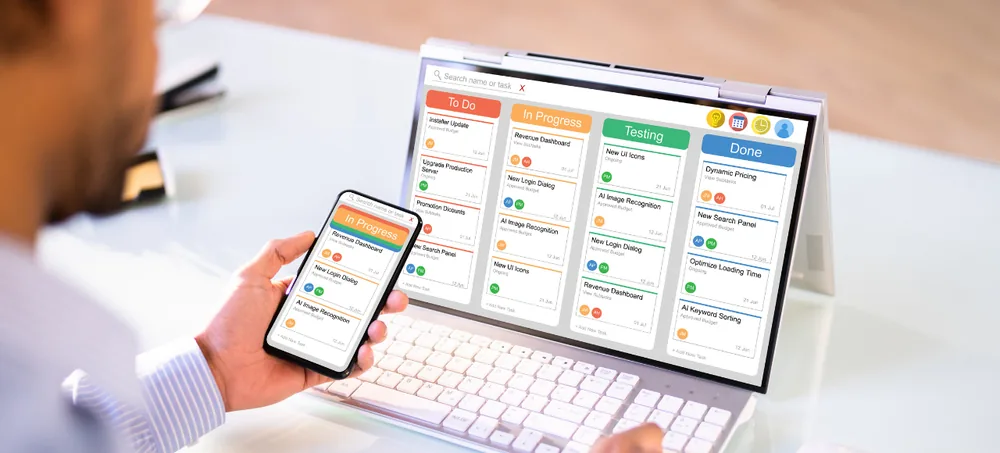
ERPLax spare parts management software helps auto-parts retailers, wholesalers, distributors and aftermarket businesses manage large product catalogues without depending on spreadsheets or disconnected billing applications.
Maintain OEM part numbers, alternate codes, brands, vehicle applications, suppliers, prices, warehouse locations and stock quantities in one structured auto parts inventory software system. Connect inventory with purchases, sales orders, POS billing, GST invoicing, dealer credit, returns, warranty, ecommerce and management reports.
Tell us about your parts catalogue, brands, warehouses, customers and inventory workflow.
Auto-parts businesses often manage thousands of products that may look similar but differ by brand, model, year, engine, specification or OEM part number. Selecting the wrong item can result in customer returns, delayed repairs and avoidable stock movement.
Spreadsheets and printed catalogues make it hard to confirm the correct part quickly.
Disconnected systems create multiple entries for the same part.
Manual reconciliation between billing and inventory leads to mismatches.
Similar-looking parts get shipped without proper compatibility checks.
Purchasing without movement data ties up capital in dead stock.
Frequently requested parts run out without reorder visibility.
Warehouse-to-warehouse movement goes untracked and unreconciled.
Returns and supplier claims lack a connected transaction history.
Auto parts inventory software is a specialized stock-management system used to organize, track and sell automobile components and spare parts — connecting product identifiers with stock, purchasing, sales, warehouses and billing.
Unlike general inventory software, an automotive parts inventory system needs to manage several identifiers for the same product:
Whether your team searches for spare parts inventory software, an automotive inventory management system, or auto parts inventory management software, the goal is the same — matching the right part to the right vehicle, every time. ERPLax works equally well as auto parts billing software, a parts inventory control system, and auto parts POS software for shops that need spare parts billing software at the counter.
For example, when a customer requests a brake pad for a specific vehicle model, staff can search by vehicle details, OEM number, product name or alternate code. When the item is sold, the corresponding stock, customer transaction, invoice, payment and business report update through the same ERP workflow.
A small spare-parts shop can begin with billing and inventory before adding multi-warehouse management, accounting, ecommerce, CRM or field-sales modules.
A structured product master helps users find parts using different codes, descriptions and compatibility attributes.
Vehicle compatibility, OEM references and alternate codes help staff identify suitable items more accurately.
Real-time inventory shows whether a part is available at the current shop, another branch or a central warehouse.
Stock-ageing and movement reports help identify products that have remained unsold for long periods.
Reorder levels, supplier lead times and sales history help teams decide which parts need replenishment.
The same inventory supports counter sales, dealer orders, workshop supplies and ecommerce orders.
Apply configured price lists and discount policies for dealers, workshops, fleets and retail customers.
Returned parts connect with the original invoice, serial number, customer and supplier warranty workflow.
Bin, rack and shelf locations make it easier for teams to locate, pick and dispatch the correct product.
A centralized, configurable platform covering product identification, compatibility, inventory, purchasing, billing and reporting.
One part can be mapped to multiple vehicles, and one vehicle can be connected with multiple compatible parts and brand options.
Search by vehicle manufacturer, model, year, variant, fuel and engine type to display compatible parts, available brands, prices and warehouse quantities.
Search by product name, OEM number, alternate code or barcode to confirm every vehicle application a part supports, plus its superseded or substitute references.
A connected auto parts inventory management system reduces guesswork across sales, purchasing and warehouse teams.
Search by product name, internal code, OEM number, barcode, alternate reference or vehicle application.
Sales, purchases, returns and transfers update connected stock records, reducing dependence on spreadsheets.
Compatibility records and alternate-part mapping give sales staff more information before confirming a product.
Check stock across shops, branches, warehouses and goods-in-transit locations.
Minimum levels, reorder reports and pending-order visibility help identify replenishment requirements.
Movement and ageing reports help management identify products that require purchasing or pricing review.
Price lists, credit rules, stock reservation and warehouse documents support an organized order-to-dispatch process.
Invoices, payments, customer outstanding and stock movements remain connected through the ERP workflow.
Compare purchase history, prices, lead times, returns and pending orders across suppliers.
Add warehouses, branches, users, ecommerce channels and business modules phase by phase.
Built for retail, wholesale, distribution and service businesses across the automotive aftermarket.
Counter billing, product search, barcode scanning and shop inventory.
Dealer orders, customer-specific prices, bulk billing and credit limits.
Supplier purchases, dealer networks and multi-warehouse transfers.
Multiple brands and quality options for the same vehicle application.
Original part numbers, supplier records, serial numbers and dealer orders.
Workshop-consumable and spare-parts stock, internal issues and counter sales.
Parts inventory connected with service orders, job cards and billing.
Serial numbers, warranty periods and supplier claims.
Brands, sizes, patterns, serial details and customer history.
Batches, pack sizes, expiry information and dealer sales.
Vehicle applications, wholesale customers and special orders.
Parts by make, model, variant, brand and vehicle application.
Specialized parts, dealer orders and multi-warehouse inventory.
Centralized products and purchasing with branch-level stock.
Online orders synchronized with warehouse stock and dispatch.
From product configuration through to dispatch, returns and reorder review — a connected 12-step process.
Set up part numbers, OEM codes, alternate codes, brands, categories and vehicle compatibility.
Create customer groups, price lists, credit limits, payment terms and supplier mappings.
Create purchase orders and record received products with quantities, costs and warehouse locations.
Verified goods are added to the relevant warehouse, branch, rack or bin.
Search by product name, OEM number, alternate number, barcode or vehicle details.
The ERP displays permitted prices, compatible alternatives and stock across locations.
Generate a POS bill, quotation, wholesale sales order or customer reservation.
Warehouse staff receive product, quantity, rack and order information for picking.
Create the GST invoice, record payment or credit terms and update dispatch details.
The ERP deducts inventory and updates sales, customer and reporting records.
Returned products are inspected, restocked, replaced or routed through a warranty claim.
Purchase teams review low-stock, fast-moving, slow-moving and pending-order information.
ERPLax can integrate the auto parts inventory ERP with relevant applications and devices according to the project scope.
Choose the deployment model that suits your locations, infrastructure and access requirements.
This modular approach allows businesses to implement priority workflows first and introduce additional functions as requirements grow.
ERPLax is suitable for small, medium and expanding auto-parts businesses that need a system capable of adapting to new products, warehouses, branches and sales channels.
Built around the business's products, part-number system, warehouses, customers and operating workflow.
OEM codes, alternate references, vehicle compatibility, brands and replacement-part relationships.
Purchases, stock, quotations, orders, POS billing, GST invoices, payments and reports connected end to end.
Support walk-in customers, dealers, workshops, resellers, ecommerce orders and institutional accounts.
Begin with required inventory and billing modules and expand the system phase by phase.
Select the deployment model that suits the business's locations, infrastructure and access requirements.
Manage stock across shops, warehouses, branches, racks, bins and in-transit locations.
Controlled access to pricing, discounts and financial reports, with dashboards for every team.
Answers to common questions about spare parts management software and auto parts inventory ERP.
Auto parts inventory software manages automotive products, part numbers, stock, purchases, sales, warehouses and reports. Specialized systems can also maintain OEM codes, alternate parts, vehicle compatibility, serial numbers, warranties and customer-specific prices.
Spare parts management software is an ERP or inventory application used to organize parts, track stock movement, process purchases, manage sales and monitor reorder requirements. It can be used by auto-parts shops, wholesalers, distributors, workshops and service centres.
Yes. ERPLax can maintain internal codes, OEM numbers, manufacturer numbers, supplier codes, aftermarket references, previous part numbers and replacement codes.
Yes. Products can be mapped to vehicle makes, models, years, variants, engine types and other required compatibility details.
Yes. One product can be connected with multiple compatible vehicle applications. Similarly, one vehicle can display multiple applicable products and brand options.
Yes. The system can maintain warehouse-wise and branch-wise stock, bin locations, transfers, goods in transit and consolidated inventory reports.
Yes. Barcode and QR-code workflows can be configured for goods receipt, stock counting, transfers, POS billing, picking, packing and dispatch.
Yes. Separate retail, dealer, workshop, distributor and customer-specific price lists can be configured according to business rules.
Yes. Reports can classify products as fast-moving, slow-moving, non-moving or dead stock based on configured periods and transaction history.
Yes. Serial numbers can be connected with purchase, sale, customer and warranty information. Warranty-claim workflows can also be customized.
Yes. The system can manage purchase requests, supplier comparison, purchase orders, goods receipts, supplier invoices, landed costs and purchase returns.
Yes. Ecommerce websites, B2B portals and other ordering channels can be integrated when suitable APIs are available. Connected orders can update the centralized ERP inventory.
Yes. A small business can start with product management, inventory, purchases, POS billing and standard reports. More modules can be introduced as the business expands.
ERPLax can be deployed as a cloud-based or on-premise system depending on the business's infrastructure, locations, access and integration requirements.
Pricing depends on the required modules, users, warehouses, branches, data migration, reports, integrations and deployment model. ERPLax provides a custom quotation after reviewing the business workflow.
Existing product masters, OEM numbers, alternate codes, vehicle mappings, customers, suppliers, price lists and opening stock can be evaluated for migration. The final scope depends on the structure and quality of the source data.
Review whether the software can manage part numbers, compatibility, alternate products, multiple warehouses, barcode processes, purchases, wholesale and retail prices, returns, warranties, reports, integrations and future business growth.
Yes. Parts inventory can be connected with job cards, material issues, service billing and workshop requirements through a custom ERP workflow or available APIs.
Replace disconnected stock sheets, manual product searches and separate billing applications with customizable spare parts management software. Discuss your product catalogue, part-number system, vehicle compatibility, warehouses, billing process, dealer network and integration requirements with an ERPLax consultant.
Specialized Applications
Purpose-built & ready to deploy. Hover to explore, click to learn more.
Testimonials
Real stories from businesses running their operations on ERPLax.
ERPLax gave us real-time visibility into stock across three warehouses. Wastage dropped and our fulfillment time improved almost overnight.
GST e-invoicing used to eat up two days every month. With ERPLax's accounting module it's now automatic and our filings are always on time.
Billing at our stores used to take a minute per customer. ERPLax's POS module cut that to under 15 seconds, even during peak festival rush.
Payroll for 200+ employees across two branches used to take our HR team a full week. ERPLax's HRM module now runs it in a single afternoon.
Tracking batch numbers and expiry across our distribution network was a nightmare on spreadsheets. ERPLax's inventory module made it effortless.
Front desk, housekeeping and billing are now all on one screen. ERPLax's hotel management module has made check-in day a breeze for our staff.
Fee collection, attendance and report cards used to live in three different tools. ERPLax brought it all into one dashboard our staff actually enjoys using.
Tracking material costs and site progress across four active sites was chaos before ERPLax. Now our project managers update status from their phones daily.
Our online store orders now sync straight into inventory and accounting — no more manual entry, no more overselling out-of-stock items.
Our sales team can now see every lead's history and follow-ups in one place. Deal closures are faster and nothing falls through the cracks anymore.
ERPLax gave us real-time visibility into stock across three warehouses. Wastage dropped and our fulfillment time improved almost overnight.
GST e-invoicing used to eat up two days every month. With ERPLax's accounting module it's now automatic and our filings are always on time.
Billing at our stores used to take a minute per customer. ERPLax's POS module cut that to under 15 seconds, even during peak festival rush.
Payroll for 200+ employees across two branches used to take our HR team a full week. ERPLax's HRM module now runs it in a single afternoon.
Tracking batch numbers and expiry across our distribution network was a nightmare on spreadsheets. ERPLax's inventory module made it effortless.
Front desk, housekeeping and billing are now all on one screen. ERPLax's hotel management module has made check-in day a breeze for our staff.
Fee collection, attendance and report cards used to live in three different tools. ERPLax brought it all into one dashboard our staff actually enjoys using.
Tracking material costs and site progress across four active sites was chaos before ERPLax. Now our project managers update status from their phones daily.
Our online store orders now sync straight into inventory and accounting — no more manual entry, no more overselling out-of-stock items.
Our sales team can now see every lead's history and follow-ups in one place. Deal closures are faster and nothing falls through the cracks anymore.
