Manage retailer orders, product schemes, batch inventory, expiry dates, route sales, GST billing, collections and warehouses through one customizable ERP platform.
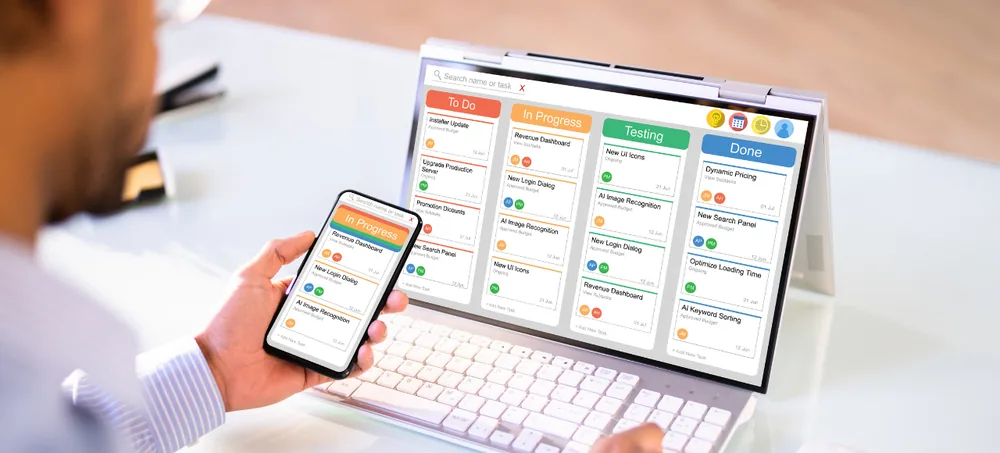
ERPLax FMCG distribution software connects the complete distribution workflow — from supplier purchases and warehouse receiving to salesperson orders, scheme calculation, picking, invoicing, dispatch, delivery and payment collection.
ERPLax can be customized for FMCG distributors, wholesalers, super-stockists, carrying and forwarding agents, brand owners, food distributors, personal-care distributors and multi-location distribution companies.
Tell us about your brands, products, retailers, schemes, routes, warehouses and billing process.
FMCG businesses handle products that move rapidly through suppliers, warehouses, salespeople, retailers and delivery teams — a large product catalogue, batch and expiry information, retailer-specific prices and daily order volumes all need to stay connected.
Manual scheme application leads to disputes and revenue leakage.
Disconnected systems apply the wrong price list to the wrong customer.
Poor visibility means high-demand products run out at the worst time.
Without FEFO visibility, near-expiry inventory is missed during fulfilment.
Field orders and visits go unrecorded without a connected mobile workflow.
Retailer credit limits are exceeded without real-time outstanding checks.
Disconnected accounts and sales records slow down collections.
Scheme cost, margin and warehouse performance stay hard to see.
FMCG distribution software is a business-management platform designed to control the movement of fast-moving consumer goods from suppliers or brand owners to distributors, wholesalers, retailers and other business customers.
Basic FMCG billing software primarily creates invoices. ERP-based FMCG distribution software connects billing with stock, schemes, credit limits, salesperson activities, warehouse operations, delivery and collection:
Whether your team calls it distribution management software, a distribution management system software platform, or an ERP system for a distribution company, the goal is the same — connecting every retailer order with stock, schemes and collections. ERPLax also works as sales and distribution management software, FMCG accounting software and FMCG barcode billing software on a single connected platform.
As FMCG ERP software and FMCG inventory management software in one platform, ERPLax keeps product, price, scheme and stock data consistent across every retailer order.
For example, a salesperson can record an order for an assigned retailer. The system applies the appropriate price list, quantity conversion, discount and scheme, checks stock, reserves suitable batches and creates warehouse picking and dispatch tasks — updating inventory, retailer outstanding, salesperson performance and distribution reports through the same transaction.
A business can begin with billing and inventory before adding route sales, mobile ordering, warehouse management, accounting or advanced analytics.
Sales teams create retailer orders using saved products, prices, schemes and customer details instead of paper forms.
Configured rules ensure eligible schemes are applied consistently by product, brand, quantity or retailer category.
Batch-level records help identify manufacturing dates, expiry dates and available stock.
Stock-ageing, slow-moving and expiry reports flag products that need attention before more stock is bought.
Minimum levels, sales demand and pending orders are reviewed before preparing replenishment requirements.
Credit limits, payment periods and approval workflows help sales teams follow consistent credit policies.
Route plans, retailer lists, mobile orders and target reports give better visibility of field operations.
Confirmed orders move through reservation, picking, packing, invoicing and dispatch in one workflow.
Invoice-wise outstanding, retailer ageing and collection reports help teams monitor receivables.
A configurable platform covering products, pricing, schemes, field sales, inventory, purchasing, billing and reporting.
Route plans, mobile orders, van sales and target tracking give management a clear view of field-sales performance.
Assign retailers, territories, beats and visit schedules to sales representatives for consistent coverage.
Salespeople book orders on mobile devices with assigned retailers, catalogues, prices and schemes.
Reconcile vehicle stock with invoices, collections and returns while tracking salesperson targets and achievement.
Batch-wise tracking, multi-warehouse stock and barcode operations keep fast-moving inventory accurate and easy to locate.
Connect GST invoicing, retailer credit control and payment collection with the same order and inventory workflow.
HSN details, GST rates, discounts, free quantities, credit notes and e-invoice / e-way bill support.
Credit limits, credit periods, overdue invoice warnings and manager-approval workflows.
ERPLax works as FMCG payment collection software and FMCG credit management software, allocating retailer payments against invoices and updating customer outstanding in real time.
Invoice-wise outstanding and ageing reports help sales and accounts teams prioritize collections.
Financial management connected with sales, purchases and warehouse profitability by cost centre.
Track supplier schemes, discounts and claims tied to purchase and return records.
A connected FMCG ERP reduces guesswork across sales, purchasing, warehouse and accounts teams.
Saved customer details, product catalogues, price lists and scheme rules speed up high-volume orders.
Configured scheme conditions reduce the need for manual calculations during order entry and billing.
Batch-wise stock records and expiry alerts help teams monitor products throughout the cycle.
Review available, reserved, damaged, returned and in-transit stock across warehouses.
Reorder levels and demand information help identify fast-moving products that need replenishment.
Inventory-ageing and movement reports identify products needing pricing or purchase review.
Credit limits, ageing reports and order approvals help manage customer exposure.
Route plans, orders, collections, targets and visit reports give a clearer field-sales view.
Warehouse tasks connect confirmed orders with batch selection, packing and delivery prep.
New products, brands, salespeople, routes, warehouses and modules added as the business expands.
Built for distributors, wholesalers, super-stockists and brand owners across the FMCG supply chain.
Retailer orders, inventory, schemes, billing, dispatch and collections through one system.
Bulk orders, multiple price lists, warehouse stock, credit sales and customer outstanding.
High-volume purchases, distributor sales, warehouses, product allocation and regional reports.
Brand-owned inventory, warehouse receipts, dispatches and principal reports.
Batches, expiry dates, cases, cartons, schemes and delivery routes.
Fast-moving product inventory, retailer orders, warehouse stock and collections.
Brands, variants, promotions, salesperson routes and retailer-specific pricing.
Shades, variants, batches, schemes, dealer orders and product returns.
Product categories, cartons, retail customers, schemes and dispatch.
Manufacturing dates, expiry dates, warehouse stock and FEFO allocation.
Chilled-product orders, batch information, short shelf life and daily deliveries.
Product freshness, order frequency, route delivery and retailer returns.
Crates, bottles, cases, deposits, routes, vehicle stock and retailer collections.
Orders from hotels, hospitals, schools, offices and corporate customers.
Centralized product, customer, warehouse and financial information.
From network configuration through purchasing, orders, dispatch, collection and reporting — a connected 14-step process.
Set up products, brands, retailers, price lists, schemes, warehouses, routes and salespeople.
Create purchase orders and receive products with quantities, batches, expiry dates and schemes.
Move approved stock into the appropriate warehouse, rack, bin or batch location.
Assign retailers, territories, beats and visit schedules to sales representatives.
Orders entered by office users, salesperson mobile access, B2B portals or imports.
The ERP applies the configured customer price, conversion, discount and eligible scheme.
Review retailer outstanding, credit limits, available inventory and suitable batches.
Approved orders reserve inventory and create warehouse fulfilment requirements.
Warehouse staff receive product, batch, expiry, rack and free-quantity information.
The system creates the invoice using configured prices, taxes, schemes and terms.
Assign a vehicle, driver, route and sequence; record delivery and returned products.
Allocate retailer payments against invoices and update customer outstanding.
Record sales returns, expiry returns, damaged products and supplier claims.
Management reviews sales, stock, schemes, routes, targets, collections and profitability.
ERPLax FMCG distribution software can be connected with relevant applications and devices according to project requirements.
Choose the deployment model that suits your locations, infrastructure and field-sales access requirements.
Implement essential distribution operations first and add new capabilities as the network grows.
ERPLax is suitable for small, medium and expanding FMCG businesses that need software capable of supporting more products, retailers, routes and warehouses.
Built around your products, retailers, schemes, warehouses, routes and collection process.
Screens, price rules, schemes, approvals and reports configured to agreed business requirements.
Connect purchasing, inventory, retailer orders, field sales, billing, dispatch and collections.
Configure free products, quantity offers, discounts, category promotions and retailer-specific schemes.
Maintain batch-wise stock, manufacturing dates, expiry dates and return records.
Retailer lists, catalogues, prices, schemes, orders, collections and follow-up tasks on mobile.
Choose a deployment model based on locations, infrastructure and field-access requirements.
Control prices, discounts, schemes and credit approvals; build reports for every team.
Answers to common questions about FMCG distribution software and distributor ERP.
FMCG distribution software is a business-management platform used to manage products, purchases, inventory, retailer orders, schemes, billing, warehouse operations, delivery and payment collection.
A distribution management system connects the movement of products and business information from suppliers or brand owners through warehouses, distributors, salespeople and retailers.
Basic billing software mainly creates invoices and records payments. FMCG ERP also manages purchases, batches, expiry dates, schemes, retailers, credit limits, field sales, warehouses, dispatch, collections and reports.
Yes. ERPLax can be configured for quantity schemes, free products, percentage discounts, fixed discounts, product combinations, brand offers and retailer-specific promotions.
Yes. Free quantities can be recorded separately from billed quantities and connected with the relevant product, batch, retailer, salesperson and scheme.
Yes. Products can be tracked by batch number, manufacturing date, expiry date, supplier, warehouse and available quantity.
Yes. First Expired, First Out rules can be configured for relevant products. Authorized users can also select alternative batches where the workflow permits.
Yes. Multiple units of measure and conversion rules can be configured for cases, cartons, boxes, dozens, packets and individual units.
Yes. Price lists can be configured by retailer, customer group, territory, sales channel, quantity, branch or promotion period.
A mobile-friendly salesperson interface or custom application can provide access to assigned retailers, products, schemes, orders, collections and follow-up activities.
Yes. Territories, routes, beats, retailer sequences, visit days, salesperson assignments and collection plans can be configured.
Yes. Stock can be transferred to a vehicle, sold or delivered along a route, and reconciled with invoices, collections, returns and remaining vehicle stock.
Yes. Credit limits, credit periods, overdue invoices, available credit and approval workflows can be configured.
Yes. ERPLax can manage inventory across central warehouses, branches, godowns, sales vehicles, return locations and goods-in-transit locations.
Yes. Barcode and QR-code workflows can be configured for receiving, inventory, picking, billing, dispatch and returns.
Yes. Retailer returns, warehouse inspections, separate stock locations, supplier claims, debit notes and disposal workflows can be configured.
Yes. ERPLax can support HSN details, GST rates, discounts, free quantities, credit notes and relevant tax reports. E-invoice and e-way bill integrations can be included where applicable.
Tally integration can be developed according to the required account mappings, transaction flow and available integration method.
Yes. A small distributor can begin with products, purchases, inventory, billing and outstanding management. Route sales, warehouse and accounting modules can be added later.
ERPLax can be deployed in the cloud or on-premise according to the business's locations, infrastructure, access and integration requirements.
Pricing depends on the required modules, users, salespeople, warehouses, branches, integrations, data migration and deployment model. ERPLax provides a custom quotation after reviewing the distribution workflow.
Existing products, retailers, suppliers, price lists, schemes, batches, opening inventory and balances can be evaluated for migration. The final scope depends on the source-data format and quality.
Evaluate whether the system supports product schemes, batch and expiry tracking, multiple units, retailer pricing, mobile sales orders, route planning, credit control, warehouse fulfilment, collections, returns, reports and future expansion.
Yes. Product fields, scheme rules, routes, order stages, approvals, invoice formats, dashboards and integrations can be configured according to agreed requirements.
Replace disconnected billing tools, manual scheme calculations and spreadsheet-based sales reports with FMCG distribution software customized for your business. Discuss your brands, products, retailers, schemes, sales routes, warehouses, credit process and reporting requirements with an ERPLax ERP consultant.
Specialized Applications
Purpose-built & ready to deploy. Hover to explore, click to learn more.
Testimonials
Real stories from businesses running their operations on ERPLax.
ERPLax gave us real-time visibility into stock across three warehouses. Wastage dropped and our fulfillment time improved almost overnight.
GST e-invoicing used to eat up two days every month. With ERPLax's accounting module it's now automatic and our filings are always on time.
Billing at our stores used to take a minute per customer. ERPLax's POS module cut that to under 15 seconds, even during peak festival rush.
Payroll for 200+ employees across two branches used to take our HR team a full week. ERPLax's HRM module now runs it in a single afternoon.
Tracking batch numbers and expiry across our distribution network was a nightmare on spreadsheets. ERPLax's inventory module made it effortless.
Front desk, housekeeping and billing are now all on one screen. ERPLax's hotel management module has made check-in day a breeze for our staff.
Fee collection, attendance and report cards used to live in three different tools. ERPLax brought it all into one dashboard our staff actually enjoys using.
Tracking material costs and site progress across four active sites was chaos before ERPLax. Now our project managers update status from their phones daily.
Our online store orders now sync straight into inventory and accounting — no more manual entry, no more overselling out-of-stock items.
Our sales team can now see every lead's history and follow-ups in one place. Deal closures are faster and nothing falls through the cracks anymore.
ERPLax gave us real-time visibility into stock across three warehouses. Wastage dropped and our fulfillment time improved almost overnight.
GST e-invoicing used to eat up two days every month. With ERPLax's accounting module it's now automatic and our filings are always on time.
Billing at our stores used to take a minute per customer. ERPLax's POS module cut that to under 15 seconds, even during peak festival rush.
Payroll for 200+ employees across two branches used to take our HR team a full week. ERPLax's HRM module now runs it in a single afternoon.
Tracking batch numbers and expiry across our distribution network was a nightmare on spreadsheets. ERPLax's inventory module made it effortless.
Front desk, housekeeping and billing are now all on one screen. ERPLax's hotel management module has made check-in day a breeze for our staff.
Fee collection, attendance and report cards used to live in three different tools. ERPLax brought it all into one dashboard our staff actually enjoys using.
Tracking material costs and site progress across four active sites was chaos before ERPLax. Now our project managers update status from their phones daily.
Our online store orders now sync straight into inventory and accounting — no more manual entry, no more overselling out-of-stock items.
Our sales team can now see every lead's history and follow-ups in one place. Deal closures are faster and nothing falls through the cracks anymore.
