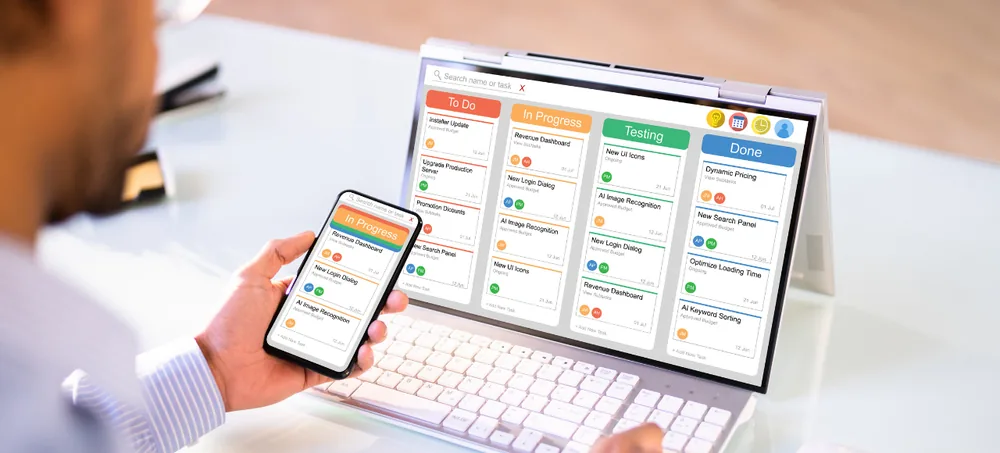
ERPLax develops flexible ERP applications that help businesses manage important departments, transactions and workflows through one connected system. Instead of maintaining separate applications for customer management, sales orders, purchasing, stock, billing, production and reporting, your teams work with centralized business information — while management gets better visibility across daily operations.
Tell us your modules and industry, we'll get back within 24 hours.
Growing businesses often use different applications for billing, inventory, CRM, accounting and production — even though each performs its task, disconnected tools cause real problems.
Employees enter the same information in several systems, wasting time and creating errors.
Sales records and stock reports drift apart without a single connected system.
Sales teams often can't see outstanding amounts without checking with accounts.
Purchase teams lack accurate demand information from sales and production.
Management depends on manually prepared reports pulled from disconnected tools.
Separate applications become harder to expand as transaction volumes grow.
Instead of juggling separate tools, every department connects to a single centralized business platform.
All modules connect to one centralized platform
ERP applications are connected business software modules used to manage and automate the important functions of an organization — bringing information from multiple departments into one centralized system.
A customer order entered by sales becomes instantly visible to warehouse, purchase, production, dispatch, billing, accounts and management — all from a single transaction.
| Separate Applications | Integrated ERP Applications |
|---|---|
| Information stored in different systems | Centralized business information |
| Repeated data entry | Shared transaction data |
| Manual report consolidation | Connected reports and dashboards |
| Limited department visibility | Controlled cross-department visibility |
| Higher chance of data mismatch | Consistent master and transaction data |
| Difficult workflow coordination | Automated process flow |
| Limited scalability | Modules can be added as required |
Enquiries, opportunities, follow-ups, quotations and order confirmation.
Sales orders, stock allocation, dispatch, invoicing and payment collection.
Purchase requirements, supplier quotations, orders and payments.
Stock receipts, storage, transfers, picking, packing and dispatch.
Production planning, BOM, work orders and finished goods.
Transactions, expenses, outstanding amounts and management reports.
Employee records, attendance, leave, payroll and HR activities.
Complaints, service requests, technician assignments and resolution.
Configurable modules covering every department, from CRM to manufacturing and reporting.
Lead capture, sales pipeline, follow-up reminders and salesperson performance.
Quotations, orders, price lists, credit limits and customer outstanding reports.
Purchase requests, supplier quotations, comparison and purchase orders.
Product master, stock movements, reorder levels and stock valuation.
Multi-warehouse locations, put-away, picking, packing and dispatch planning.
GST invoices, credit/debit notes, custom formats and e-invoice integration.
Receivables, payables, ledgers, cash flow and profitability analysis.
BOM, production planning, MRP, work orders and production costing.
Dealer and distributor management, territory-wise sales and collections.
Website order, product and inventory synchronization with fulfilment.
Fast billing, barcode scanning, discount rules and shift closing.
Employee master, attendance, leave, payroll and self-service.
Tasks, milestones, resource allocation, time tracking and profitability.
Service requests, ticket assignment, technician scheduling and AMCs.
Automated lead assignment, approvals, reminders and low-stock alerts.
Role-specific dashboards on sales, stock, cash flow and production status.
See how ERPLax brings sales, purchase, inventory and billing into one system.
Replace disconnected systems with a centralized ERP application.
Enter transactions once, and let them move through the process.
Consistent customer, supplier and product records across departments.
Sales, stock checking, dispatch and billing move without delay.
Monitor stock availability, movements and reorder requirements.
Track receivables, payables, expenses and cash flow accurately.
Less dependency on manually consolidated spreadsheets.
Add modules, users, branches and integrations as requirements increase.
Companies, branches, warehouses, users and price lists configured.
Leads, quotations, orders, purchases and invoices entered.
Stock, prices, credit limits and permissions checked.
Approved transactions move to purchase, production, dispatch or billing.
Stock, invoice and reporting information updates automatically.
ERPLax ERP applications can be connected with relevant platforms and devices, subject to API availability.
Nearly two decades delivering 1700+ ERP application projects.
Connect sales, purchase, inventory, billing, CRM, accounts and manufacturing.
Begin with essential applications and add more in planned phases.
Deployment model that suits your infrastructure and business policies.
Products, documents and workflows configured for your industry.
Controlled access by department, designation, location and responsibility.
ERP applications are connected software modules used to manage important business functions such as sales, purchase, inventory, billing, accounting, CRM, manufacturing, HR and reporting through a centralized platform.
ERP application software is used to record transactions, connect departments, automate workflows, control approvals and provide management reports, reducing repeated data entry and improving operational visibility.
Common ERP applications include financial management, sales, CRM, purchasing, inventory, warehouse management, billing, manufacturing, distribution, HRM, project management, service management and reporting.
Yes. ERPLax can customize ERP applications according to business terminology, forms, documents, approval processes, pricing rules, reports, dashboards and industry-specific workflows.
Yes. Small businesses can begin with essential modules such as sales, purchase, inventory, billing and reports, adding applications as the business grows.
A cloud ERP application is hosted on cloud infrastructure and can be accessed through the internet by authorized users, useful for businesses with remote users, branches or distributed teams.
Yes. ERPLax can provide Cloud deployment depending on infrastructure, security and operational requirements.
ERP applications use centralized records and connected workflows. For example, a sales order can update stock requirements, dispatch activities, invoices, customer outstanding amounts and management reports.
Yes. ERP applications can integrate with ecommerce websites, Tally, payment gateways, WhatsApp API, SMS, email, courier platforms and barcode devices, subject to technical feasibility.
Yes. ERPLax can configure branch-wise transactions, warehouse-wise inventory, inter-branch transfers, location-based user permissions and consolidated reports.
Yes. Manufacturing ERP applications can manage bills of material, production planning, material requirements, work orders, consumption, work in progress, finished goods, wastage, quality and costing.
Implementation time depends on the required modules, number of users, workflow complexity, customization, data migration, integrations, testing and training. A project schedule is prepared after requirement analysis.
The cost depends on modules, users, locations, customization, deployment, migration, integrations, reports and support requirements. ERPLax provides a custom quotation based on the approved project scope.
Yes. ERPLax ERP applications are modular. Businesses can begin with priority functions and add CRM, manufacturing, HRM, ecommerce, mobile access or other applications in later phases.
Replace disconnected software, spreadsheets and manual processes with a connected ERP platform. Discuss your current workflow and software requirements with an ERP expert.
Phone: +91 97399 66977 · Email: info@erplax.in · erplax.com
Specialized Applications
Purpose-built & ready to deploy. Hover to explore, click to learn more.
Testimonials
Real stories from businesses running their operations on ERPLax.
ERPLax gave us real-time visibility into stock across three warehouses. Wastage dropped and our fulfillment time improved almost overnight.
GST e-invoicing used to eat up two days every month. With ERPLax's accounting module it's now automatic and our filings are always on time.
Billing at our stores used to take a minute per customer. ERPLax's POS module cut that to under 15 seconds, even during peak festival rush.
Payroll for 200+ employees across two branches used to take our HR team a full week. ERPLax's HRM module now runs it in a single afternoon.
Tracking batch numbers and expiry across our distribution network was a nightmare on spreadsheets. ERPLax's inventory module made it effortless.
Front desk, housekeeping and billing are now all on one screen. ERPLax's hotel management module has made check-in day a breeze for our staff.
Fee collection, attendance and report cards used to live in three different tools. ERPLax brought it all into one dashboard our staff actually enjoys using.
Tracking material costs and site progress across four active sites was chaos before ERPLax. Now our project managers update status from their phones daily.
Our online store orders now sync straight into inventory and accounting — no more manual entry, no more overselling out-of-stock items.
Our sales team can now see every lead's history and follow-ups in one place. Deal closures are faster and nothing falls through the cracks anymore.
ERPLax gave us real-time visibility into stock across three warehouses. Wastage dropped and our fulfillment time improved almost overnight.
GST e-invoicing used to eat up two days every month. With ERPLax's accounting module it's now automatic and our filings are always on time.
Billing at our stores used to take a minute per customer. ERPLax's POS module cut that to under 15 seconds, even during peak festival rush.
Payroll for 200+ employees across two branches used to take our HR team a full week. ERPLax's HRM module now runs it in a single afternoon.
Front desk, housekeeping and billing are now all on one screen. ERPLax's hotel management module has made check-in day a breeze for our staff.
Fee collection, attendance and report cards used to live in three different tools. ERPLax brought it all into one dashboard our staff actually enjoys using.
Tracking material costs and site progress across four active sites was chaos before ERPLax. Now our project managers update status from their phones daily.
Our online store orders now sync straight into inventory and accounting — no more manual entry, no more overselling out-of-stock items.
Our sales team can now see every lead's history and follow-ups in one place. Deal closures are faster and nothing falls through the cracks anymore.
