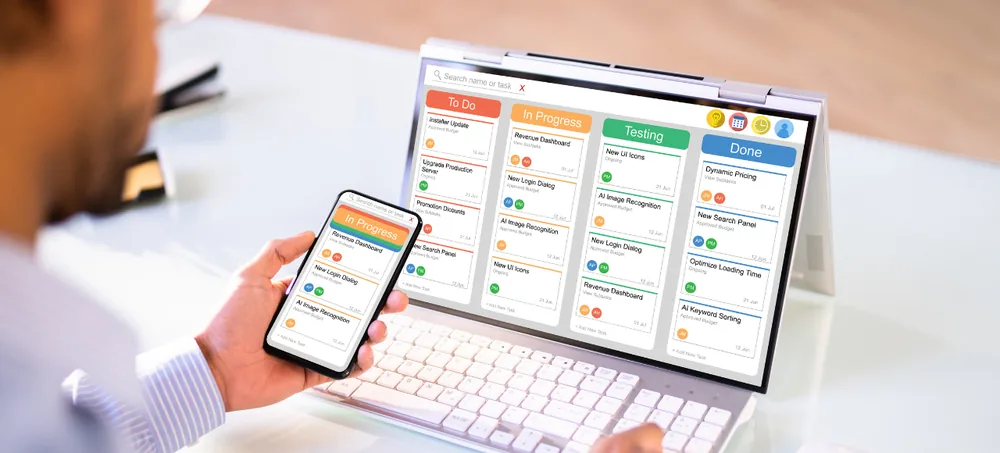
ERPLax provides customizable HRM software that helps businesses manage employee information, attendance, shifts, leave, payroll inputs, recruitment, onboarding, performance, expenses, documents, assets and HR reports from one centralized platform.
Replace spreadsheets, paper attendance registers and disconnected payroll files with structured digital HR workflows — configured to your departments, shifts, leave policies, salary structures and reporting hierarchy.
Tell us about your workforce — our HRM software specialists will get back within 24 hours.
Fixed HR applications may not fully support your workforce structure. Businesses managing HR manually commonly run into these problems.
Records scattered across files with no single source of truth for HR or management.
Identity, offer and experience documents lost or hard to locate when needed.
Manual registers and disconnected devices lead to disputes and late-arrival errors.
Paper forms and email chains slow down requests for both employees and managers.
No clear system for assigning rotational shifts, weekly offs or overtime eligibility.
Manually re-entering attendance and leave into payroll causes mismatches and rework.
No checklist tracking IT access, assets, documents and induction for new joiners.
Vacancies, candidates and interview status tracked informally with no pipeline view.
Goals and appraisals conducted ad hoc without a structured review cycle.
Laptops, access cards and equipment issued to employees go unrecorded.
Resignation, clearance and full-and-final settlement handled without a defined workflow.
No centralized visibility across multiple locations, factories or stores.
ERPLax HRM software centralizes recruitment, onboarding, attendance, leave, payroll inputs, performance and exits into a single employee record.
HRM stands for human resource management — a digital system used to manage employee records and HR-related processes from recruitment through exit.
HRM software manages employee records, organization structure, attendance, shifts, leave, payroll, recruitment, onboarding, performance, training, expenses, timesheets, assets, documents, HR requests and exits — commonly described as software used to manage an organization's HR operations and workforce processes.
Custom HRM software is configured to your workforce policies — custom employee fields, attendance rules, shift patterns, leave types, salary components, multi-level approvals and industry-specific onboarding. It also works as HR software for small business teams and as cloud HR software for growing, multi-branch companies.
Maintain personal, employment, salary, attendance, document and reporting data in one platform.
Connect attendance with shifts, weekly offs, holidays, late arrivals and overtime rules.
Employees submit requests electronically; managers approve, reject or return them through defined workflows.
Approved attendance, leave, overtime and deductions flow directly into payroll inputs.
Employees access attendance, leave balances, payslips and policies without contacting HR.
Checklists help HR, managers, IT, admin and finance complete joining activities on time.
Track vacancies, candidates, interviews, offers and joining status in one pipeline.
Goals, KPIs, reviews, ratings and feedback managed through structured appraisal cycles.
Review headcount, attendance, leave, hiring, attrition and workforce trends.
Manage employee records and HR policies centrally with branch-level permissions.
Role-based access, approvals and audit histories protect employee information.
Add employees, branches, departments, policies and modules over time.
These terms are often used interchangeably. For most businesses, the practical question is whether the platform supports your required employee lifecycle, workflows and reports — not the label.
| Area | HRM | HRIS | HRMS |
|---|---|---|---|
| Scope | Overall employee-management function | Employee records & administration | Broader employee-management processes |
| Employee records | Yes | Core focus | Yes |
| Attendance & leave | Varies | Limited | Yes |
| Payroll | Varies | Not core | Yes |
| Recruitment | Varies | Not core | Yes |
| Performance management | Varies | Not core | Yes |
| Employee self-service | Varies | Limited | Yes |
A complete employee management software toolkit — also works as attendance management software and leave management software for growing teams.
Centralized profile with employee code, contact info, department, designation, shift, salary and documents.
Configure legal entities, business units, branches, departments, teams, grades and reporting managers.
Separate rules for permanent, probation, contract, intern, part-time and field employees.
Store identity, address, education, experience and policy documents with expiry reminders.
Structured joining workflow — document verification, employee-code creation, asset allocation, induction.
Assign joining tasks to HR, managers, IT, admin and finance with pending/completed tracking.
Track review dates, manager feedback, extensions and confirmation letters with automated reminders.
Record check-in, check-out, late arrival, half day, overtime, work-from-home and regularization. Also works as employee attendance software for multi-shift teams.
Connect compatible biometric devices for punch import and device-wise attendance processing.
Location-based attendance for field employees with photo, timestamp and manager approval.
Create multiple shifts and assign by employee, team, department, branch or date.
Calculate overtime using eligibility rules, manager approval and compensatory-off options.
Configure casual, sick, earned, maternity and compensatory leave types per company policy.
Employees view balances, submit requests, attach documents and track approval status.
Salary structure, earnings, deductions, attendance inputs, incentives, loans and payslips in one workflow — configurable payroll software and HR payroll software for growing teams.
Configurable components — basic, allowances, overtime, reimbursements and deductions.
Generate and distribute payslips with earnings, deductions, paid days and net pay via employee portal.
Employees mark attendance, apply leave, download payslips, submit expenses and raise HR requests through built-in employee self-service software.
Managers review team attendance, approve leave and expenses, and complete performance reviews.
Manage vacancies, candidate database, screening, interviews, offers and joining status.
Move candidates through defined recruitment stages from application to joining.
Structured review cycles with goals, KPIs, self-review, manager review and calibration.
Assign goals by employee, team or role with weight, target and progress tracking.
Employees submit travel, food and project expenses with receipts and approval workflow.
Track laptops, access cards, vehicles and equipment issued to employees with return status.
Structured workflow for resignation, clearance, asset return and full-and-final settlement.
Create companies, branches, departments, designations, grades and reporting structures.
Set up shifts, weekly offs, holidays, attendance rules, leave types and approval levels.
Create the vacancy, record candidates, schedule interviews and issue an approved offer.
Collect documents, create the employee record, assign a manager and issue assets.
Capture attendance through approved web, mobile, biometric or imported records.
Employees submit requests; managers approve; attendance and inputs feed payroll.
Calculate salary, generate payslips, assign goals and finalize reviews.
Review HR reports and complete resignation, clearance and exit documentation.
Configured to your organization structure, employee categories, shifts, policies and reports.
Reflects how recruitment, onboarding, attendance, leave, payroll and exits run in your business.
HRM connects with accounting, projects, manufacturing, service management and workflow automation.
Start with employee records and attendance — add payroll, recruitment or performance phase by phase.
Choose the deployment model based on accessibility, infrastructure and company policy.
Manage employees across branches, factories, stores, offices and project locations.
Configure shifts, weekly offs, holidays, leave types and approval levels.
Control access to employee, attendance, payroll, performance and management information.
Connect compatible biometric, accounting, recruitment, bank, mobile and communication systems.
Implementation assistance, user training and support per the agreed project scope.
Replace employee spreadsheets, paper attendance registers and disconnected payroll inputs with customizable HRM software.
Specialized Applications
Purpose-built & ready to deploy. Hover to explore, click to learn more.
Testimonials
Real stories from businesses running their operations on ERPLax.
ERPLax gave us real-time visibility into stock across three warehouses. Wastage dropped and our fulfillment time improved almost overnight.
GST e-invoicing used to eat up two days every month. With ERPLax's accounting module it's now automatic and our filings are always on time.
Billing at our stores used to take a minute per customer. ERPLax's POS module cut that to under 15 seconds, even during peak festival rush.
Payroll for 200+ employees across two branches used to take our HR team a full week. ERPLax's HRM module now runs it in a single afternoon.
Tracking batch numbers and expiry across our distribution network was a nightmare on spreadsheets. ERPLax's inventory module made it effortless.
Front desk, housekeeping and billing are now all on one screen. ERPLax's hotel management module has made check-in day a breeze for our staff.
Fee collection, attendance and report cards used to live in three different tools. ERPLax brought it all into one dashboard our staff actually enjoys using.
Tracking material costs and site progress across four active sites was chaos before ERPLax. Now our project managers update status from their phones daily.
Our online store orders now sync straight into inventory and accounting — no more manual entry, no more overselling out-of-stock items.
Our sales team can now see every lead's history and follow-ups in one place. Deal closures are faster and nothing falls through the cracks anymore.
ERPLax gave us real-time visibility into stock across three warehouses. Wastage dropped and our fulfillment time improved almost overnight.
GST e-invoicing used to eat up two days every month. With ERPLax's accounting module it's now automatic and our filings are always on time.
Billing at our stores used to take a minute per customer. ERPLax's POS module cut that to under 15 seconds, even during peak festival rush.
Payroll for 200+ employees across two branches used to take our HR team a full week. ERPLax's HRM module now runs it in a single afternoon.
Front desk, housekeeping and billing are now all on one screen. ERPLax's hotel management module has made check-in day a breeze for our staff.
Fee collection, attendance and report cards used to live in three different tools. ERPLax brought it all into one dashboard our staff actually enjoys using.
Tracking material costs and site progress across four active sites was chaos before ERPLax. Now our project managers update status from their phones daily.
Our online store orders now sync straight into inventory and accounting — no more manual entry, no more overselling out-of-stock items.
Our sales team can now see every lead's history and follow-ups in one place. Deal closures are faster and nothing falls through the cracks anymore.
